
Mail help · 4 steps
Use the calendar and answer invitations
Plan your week, create an event with guests and a reminder, and answer meeting invitations that arrive by email.
Before you start: Sign in with a mailbox. The calendar syncs with your phone and Outlook.
1Open your calendar
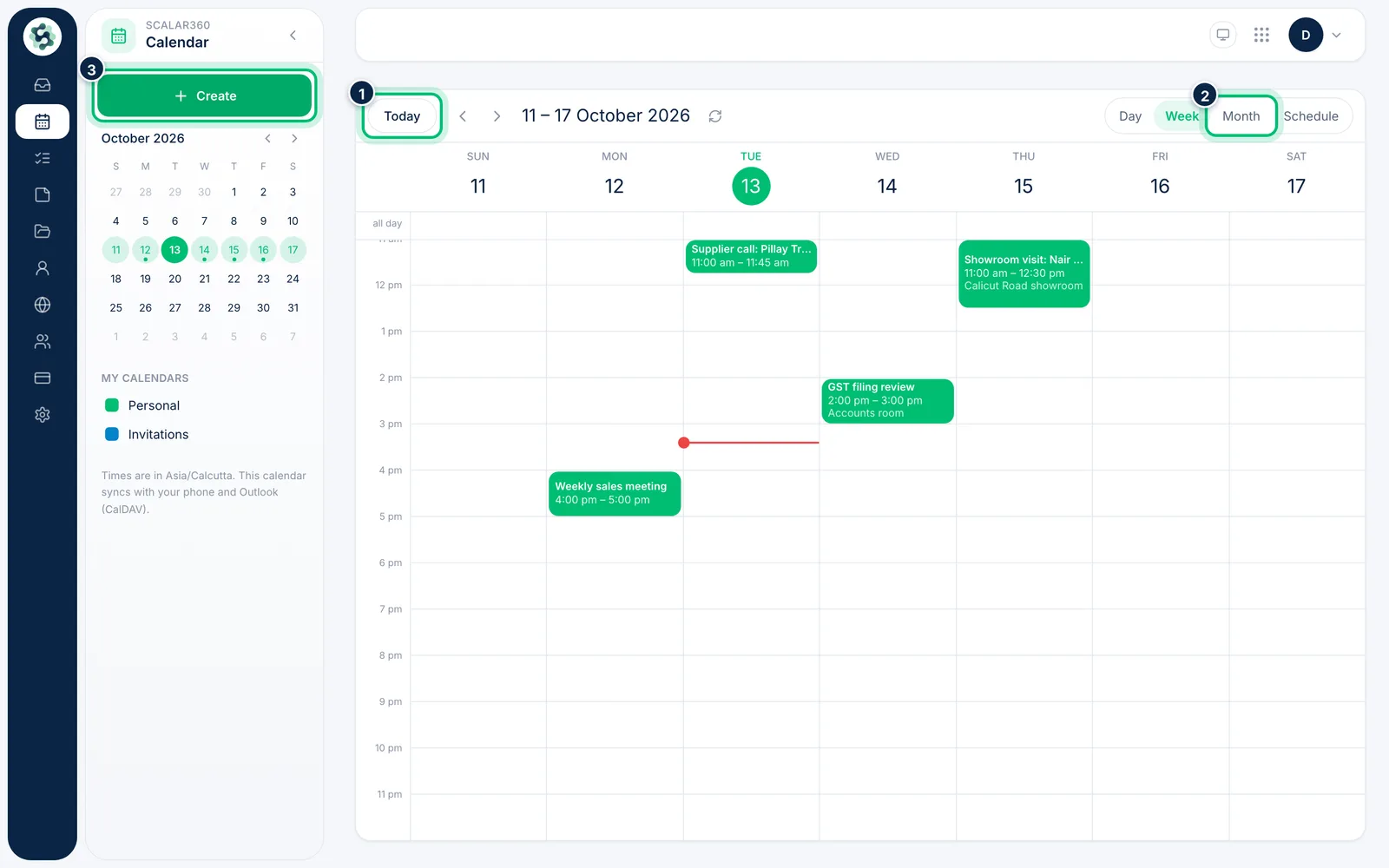
Choose Calendar in the left rail. Switch between Day, Week, Month and Schedule, jump back with Today, and pick a date in the small month on the left.
2Create an event
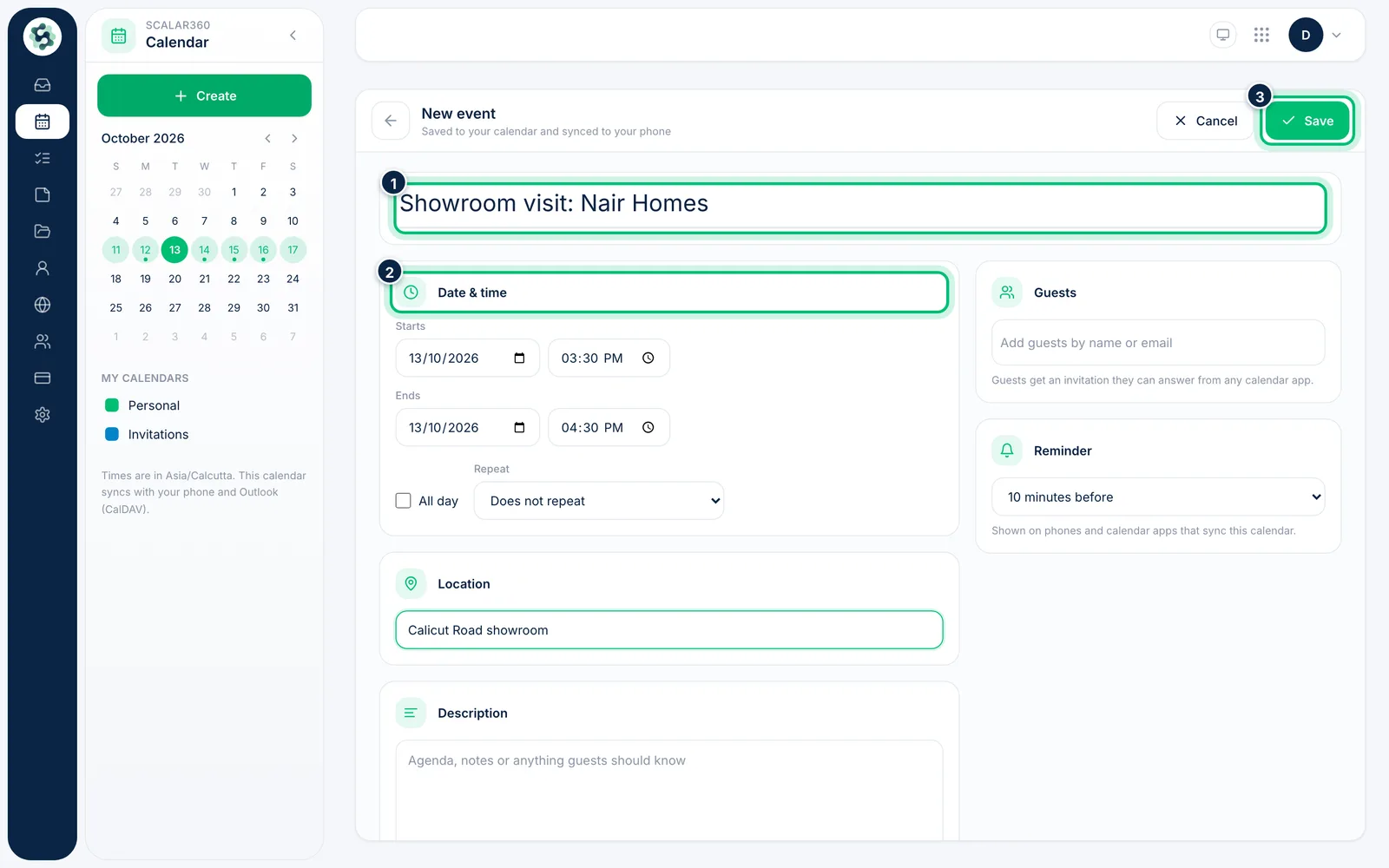
Choose Create, then add a title, the Date & time and an optional Location. Choose Save when it looks right.
3Add guests, a repeat and a reminder
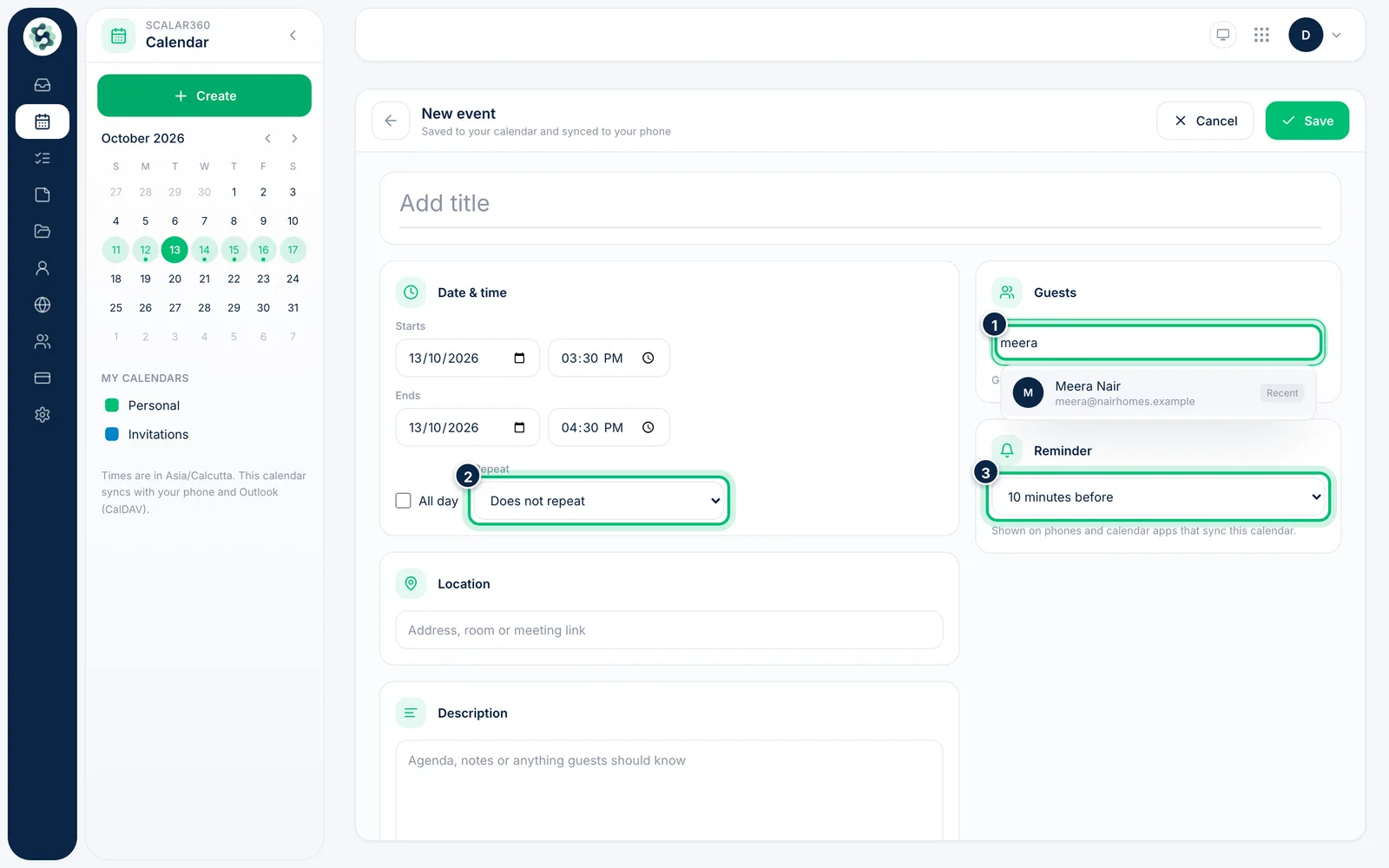
Type a name or email under Guests to invite people — they receive an invitation by email. Set Repeat for regular meetings and choose a Reminder before the start.
4Answer an invitation from your inbox
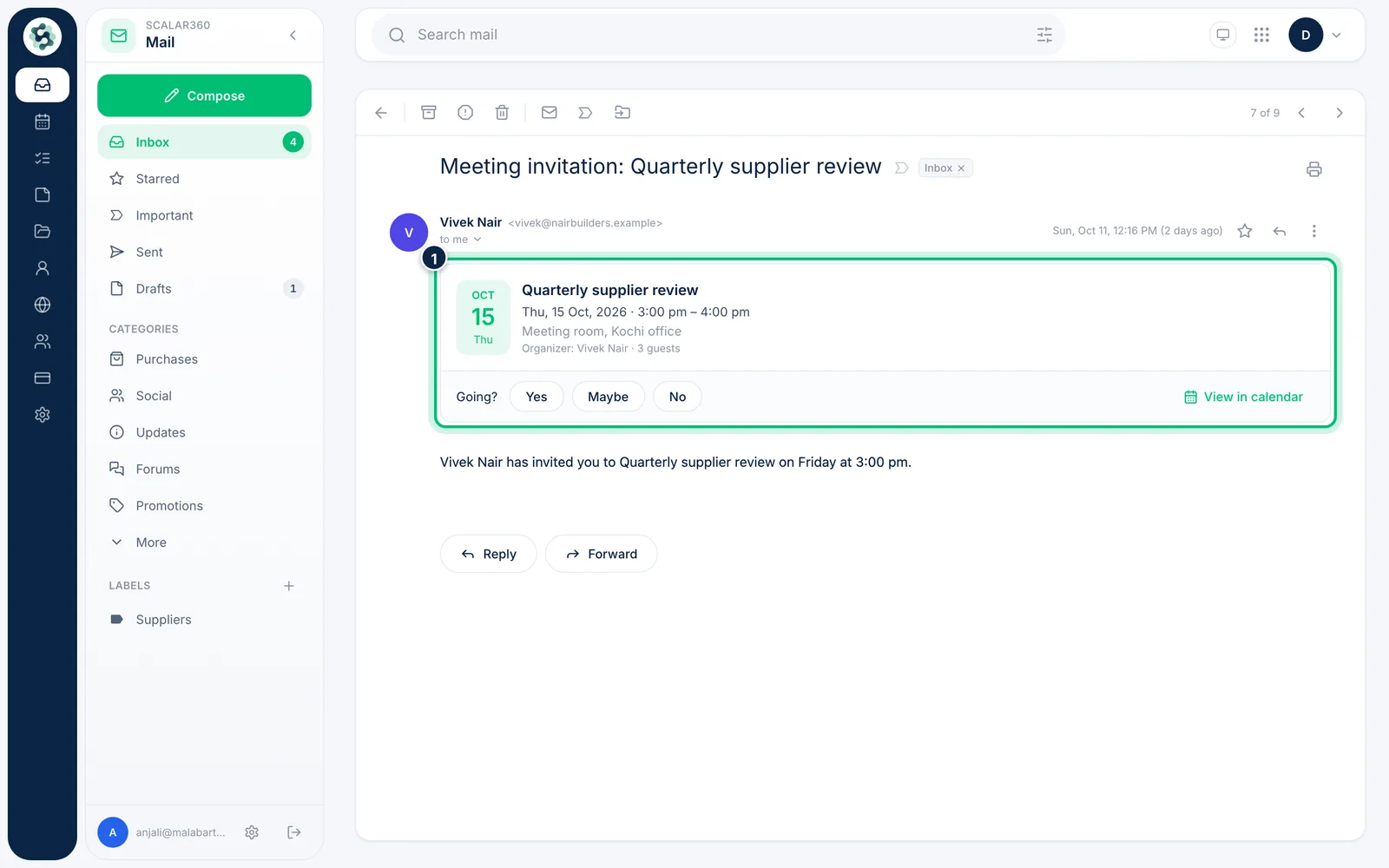
A meeting invitation shows the time, place and guests. Under Going? choose Yes, Maybe or No; the organiser is told, and an accepted event is added to your calendar.
Related guides
Still stuck? Contact our support team.