
Mail help · 4 steps
Understand plans and billing
See what your plan includes, start a free trial and check how many mailboxes and domains you are using.
Before you start: Only admins can open Plan & billing.
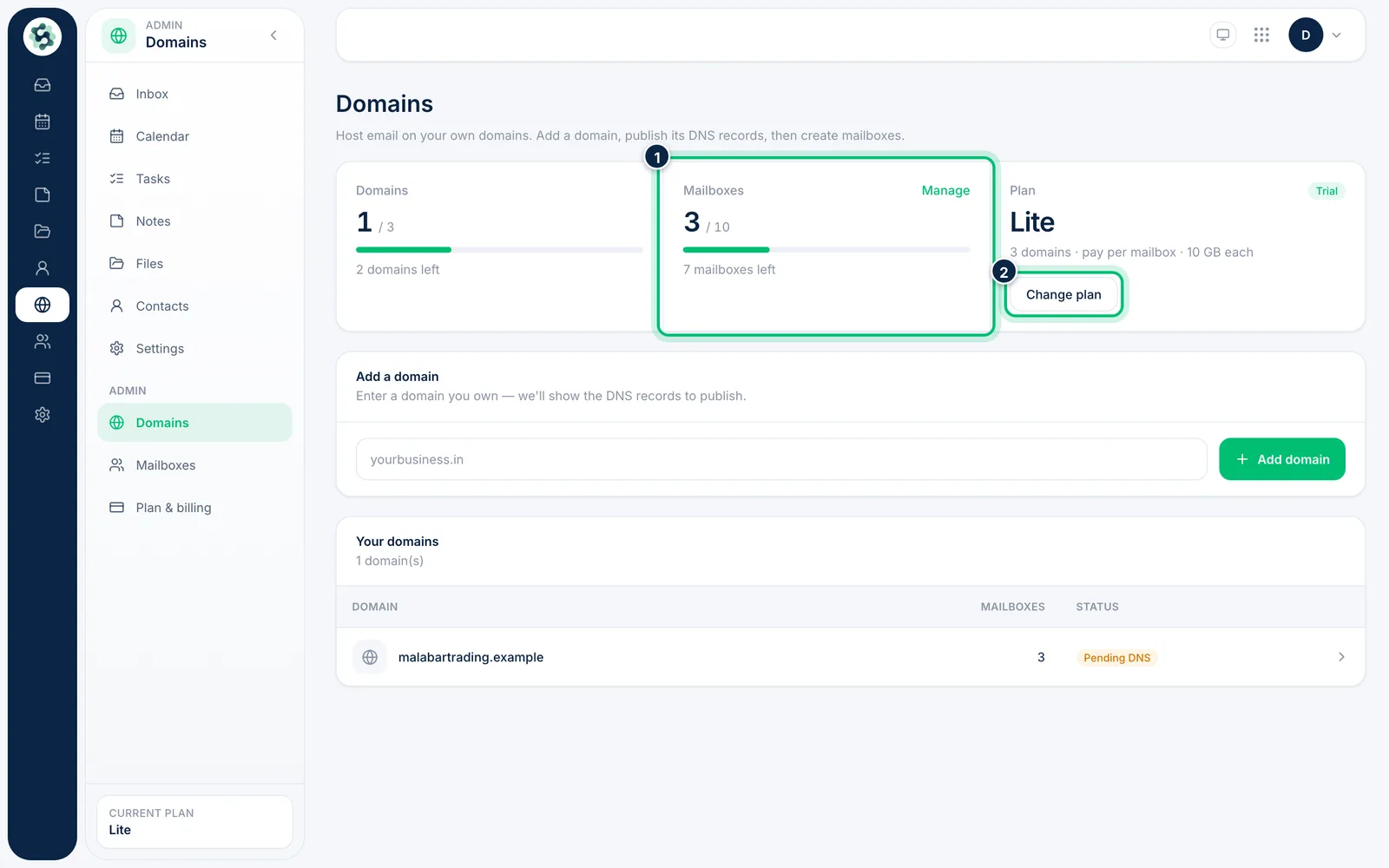
1Check your usage
On Domains, the usage panel shows your Domains and Mailboxes against the plan limits, and your current Plan. Choose Change plan to compare plans.
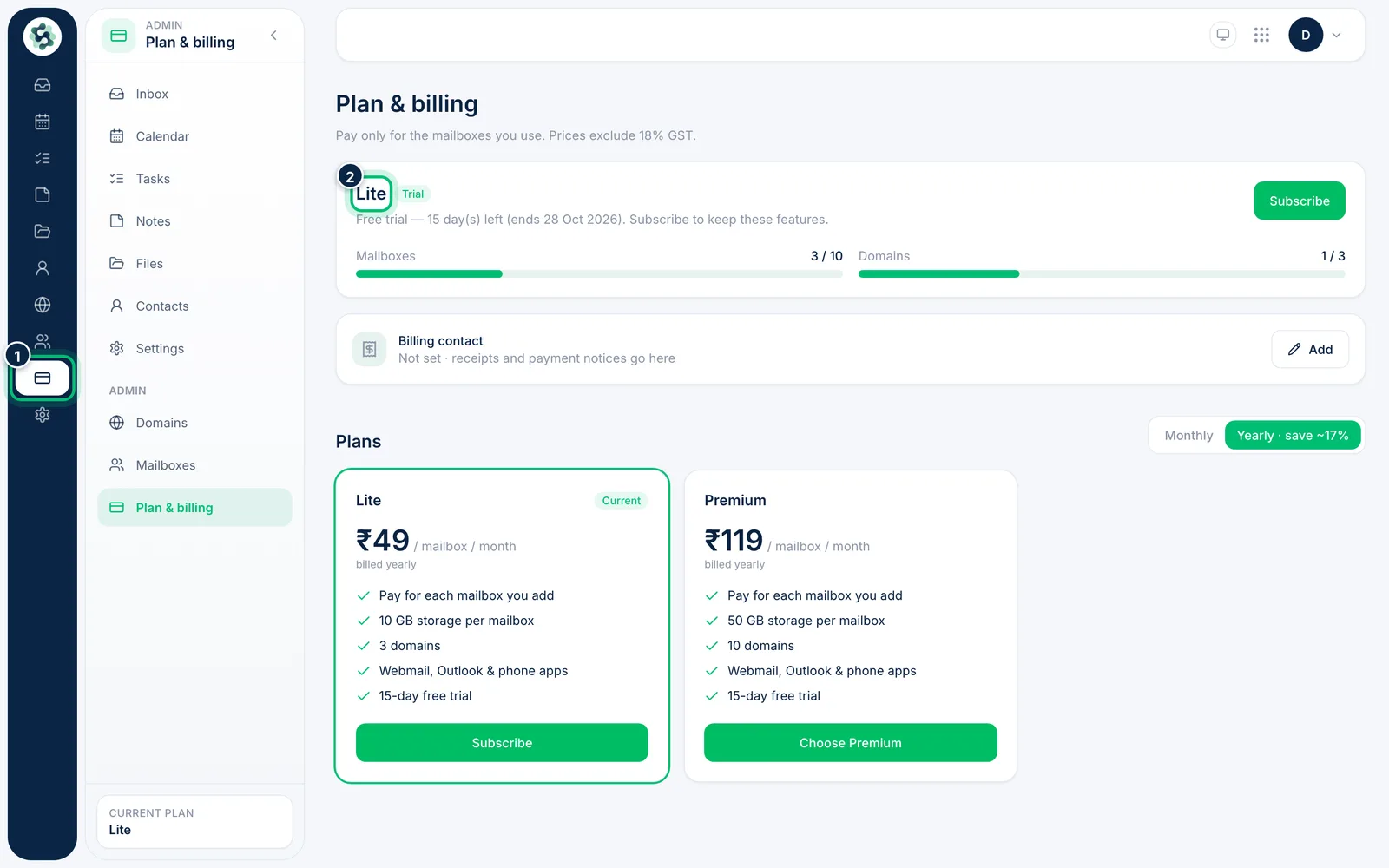
2Open Plan & billing
Choose Plan & billing in the left rail. Prices are per mailbox and exclude GST, and the top of the page shows your current plan and status.
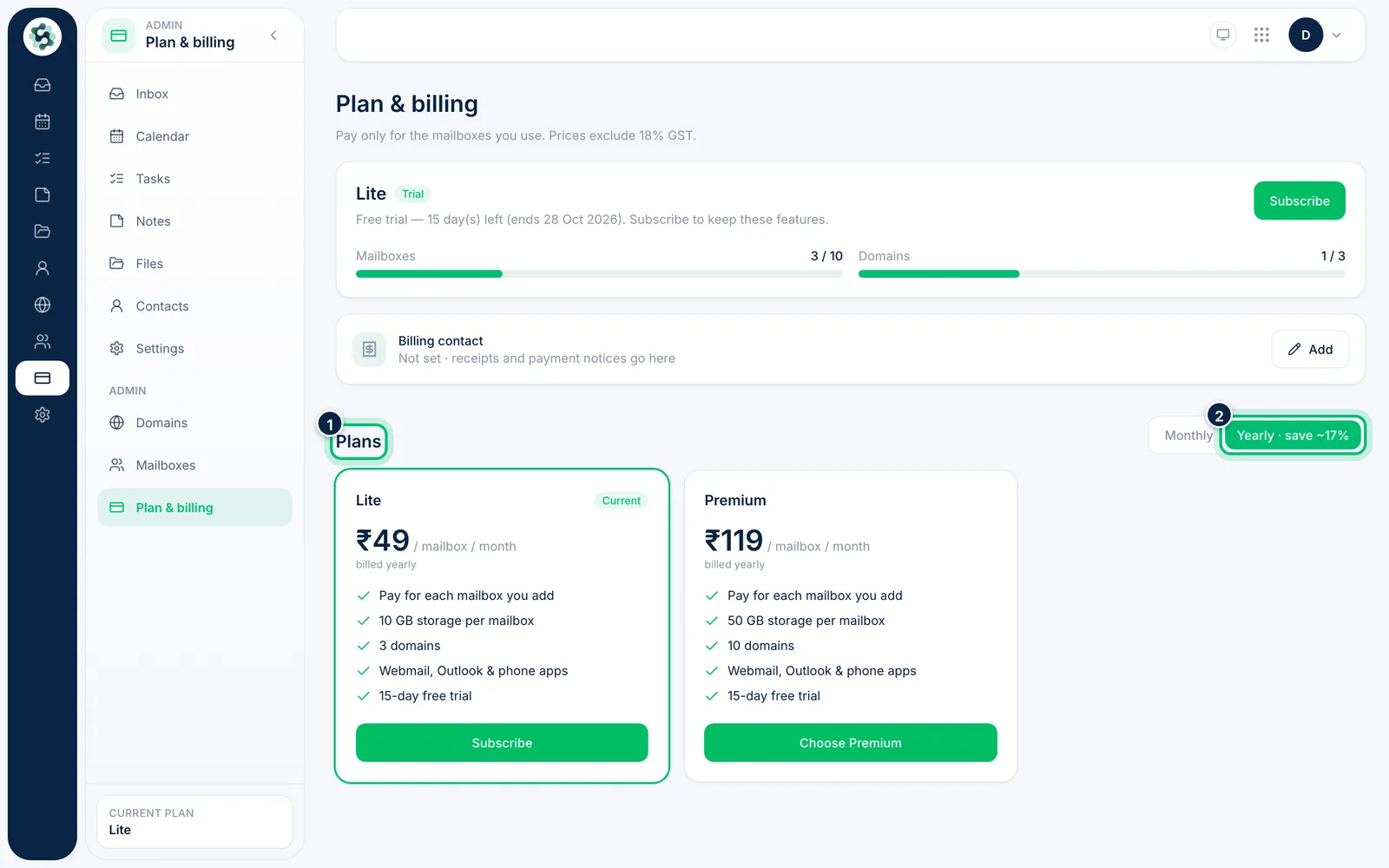
3Compare Lite and Premium
Each plan card shows its price / mailbox / month, storage per mailbox and domain limit. Switch Monthly or Yearly to see both prices.
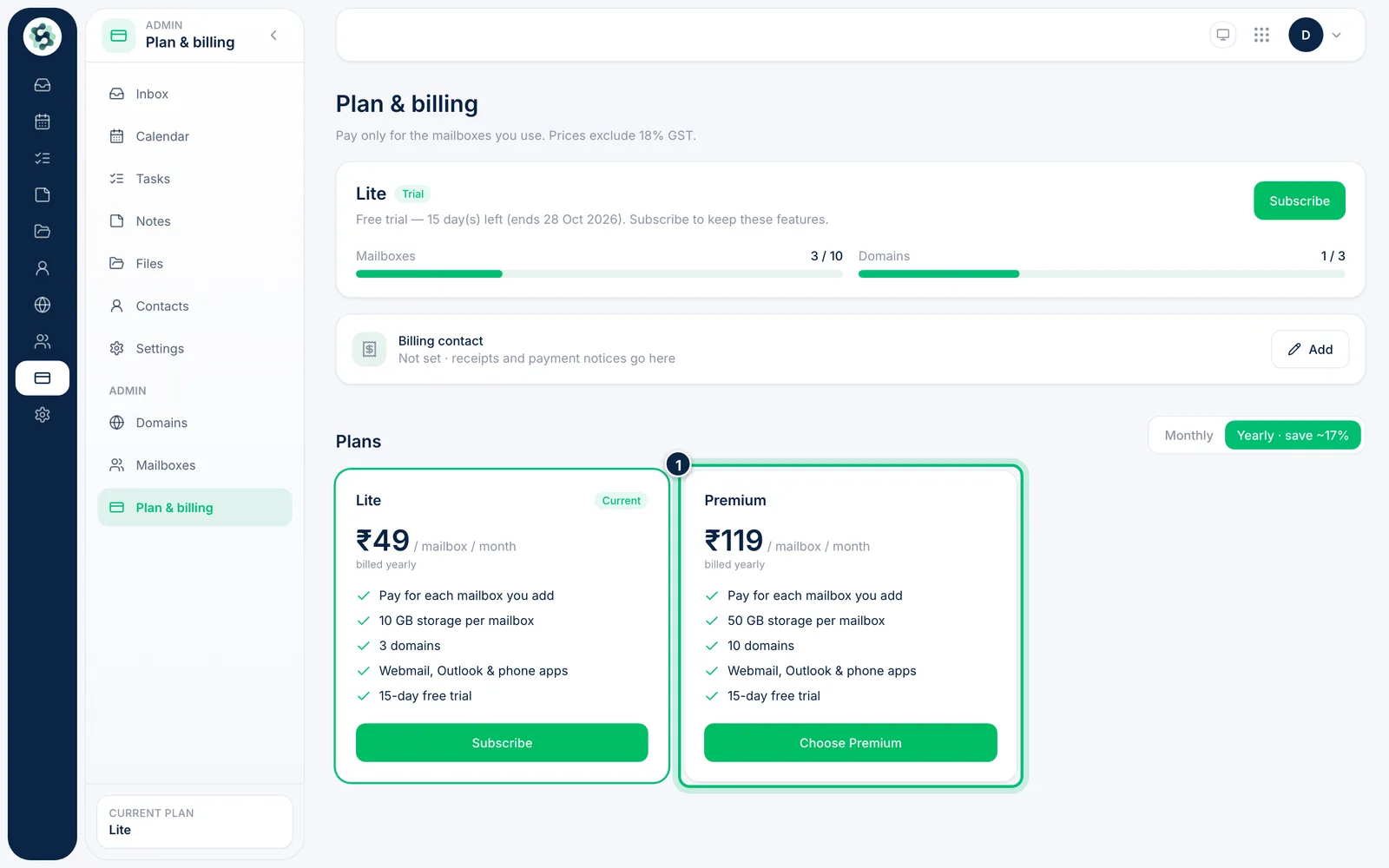
4Start a free trial or choose a plan
While a trial is available, Start 15-day free trial on a plan card begins it without payment. To pay, choose Subscribe or Choose Premium, set the number of mailboxes and complete the payment.
Related guides
Still stuck? Contact our support team.