
Scalar360 Mail · 3 steps
Members and the audit log
See everyone who can sign in to your organisation's Mail, and review the recent changes admins have made.
Before you start: Only admins can open Members and the Audit log. Roles come from your Scalar360 account.
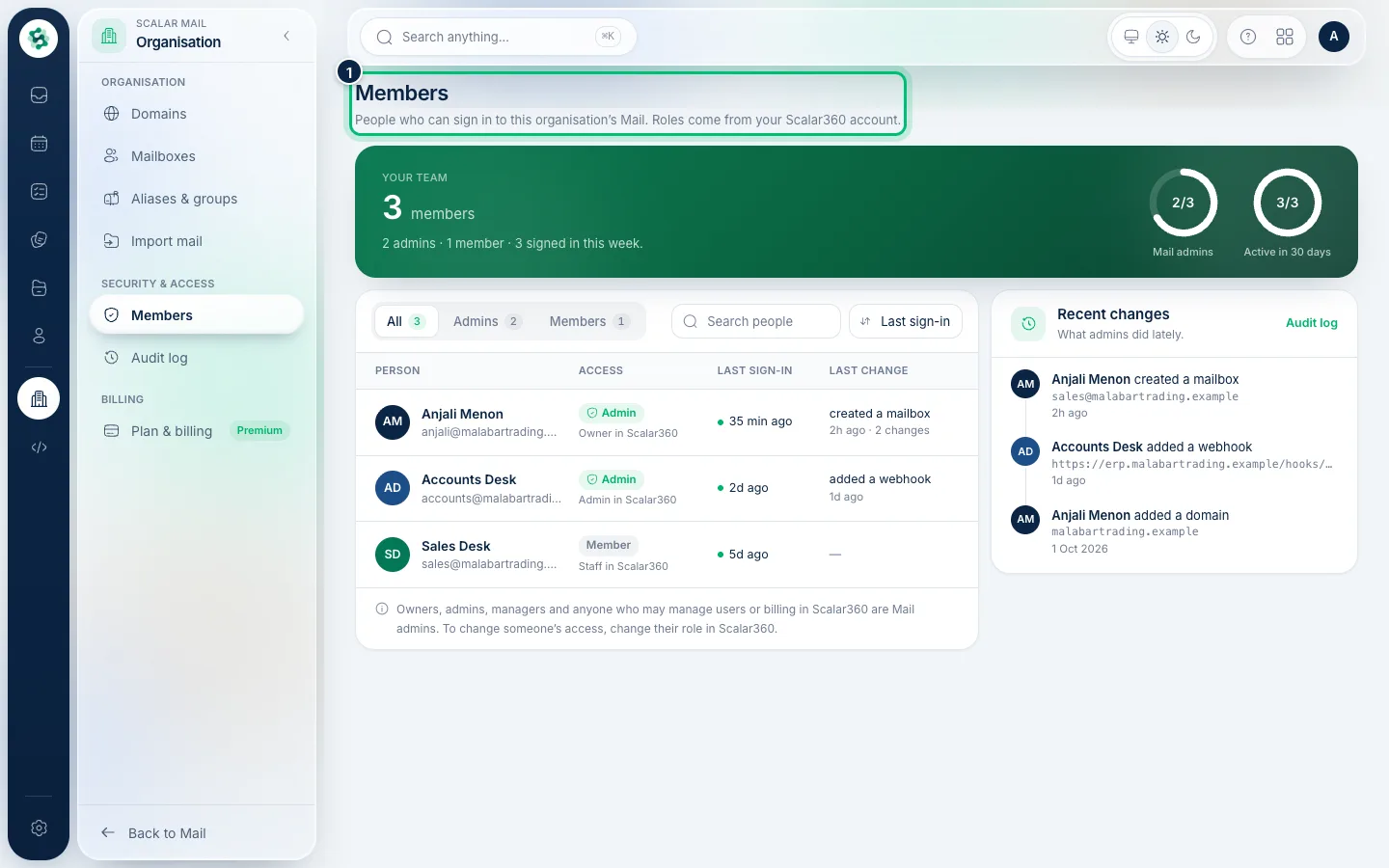
1See who can sign in
In the left menu open Members. Each person shows their role, whether they're a Mail admin, and when they last signed in. Admins can manage domains, mailboxes and billing.
2Understand access
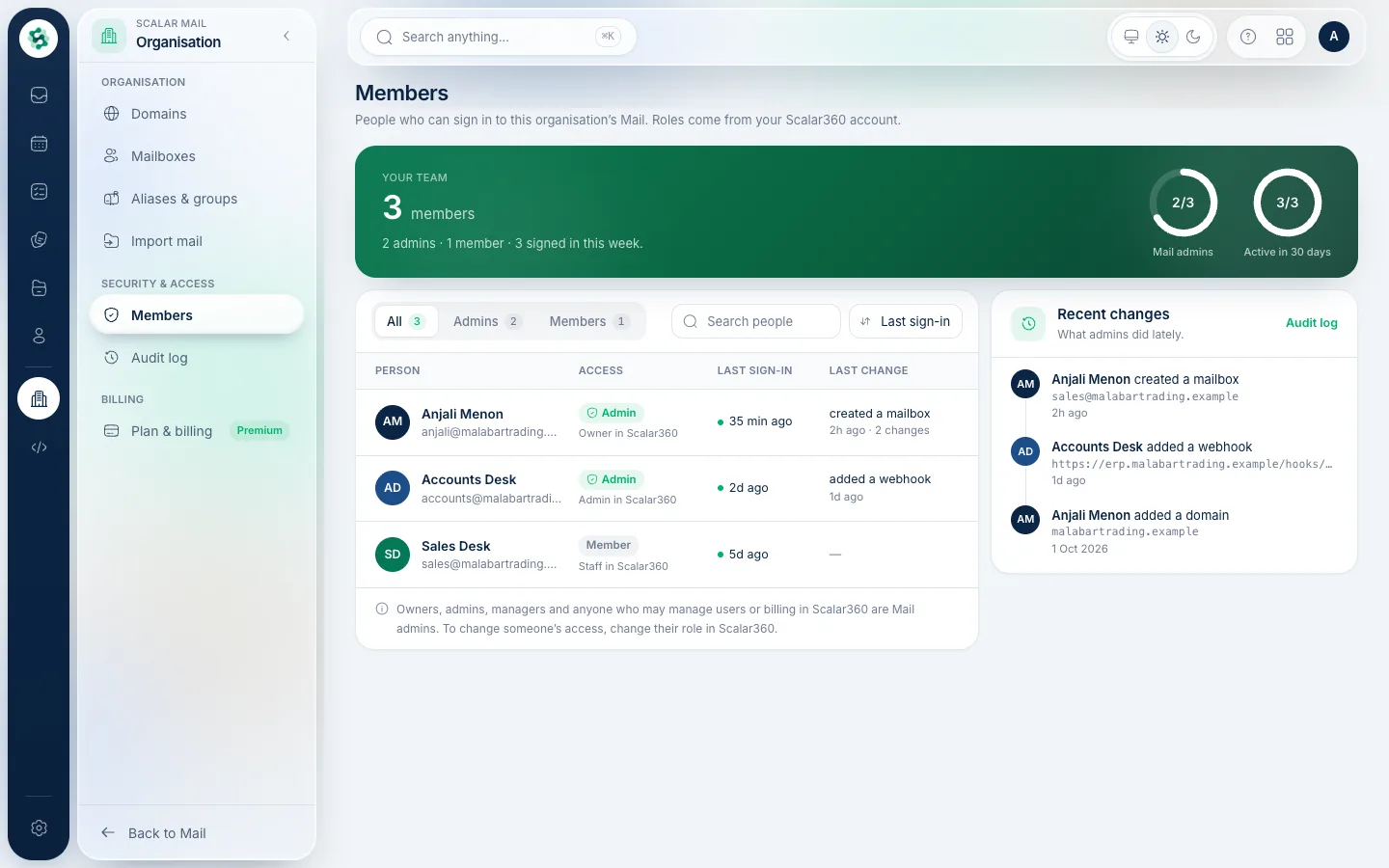
Owners, admins, managers and anyone who may manage users or billing in Scalar360 are Mail admins. To change someone's access, change their role in Scalar360 — it carries over to Mail.
3Review the audit log
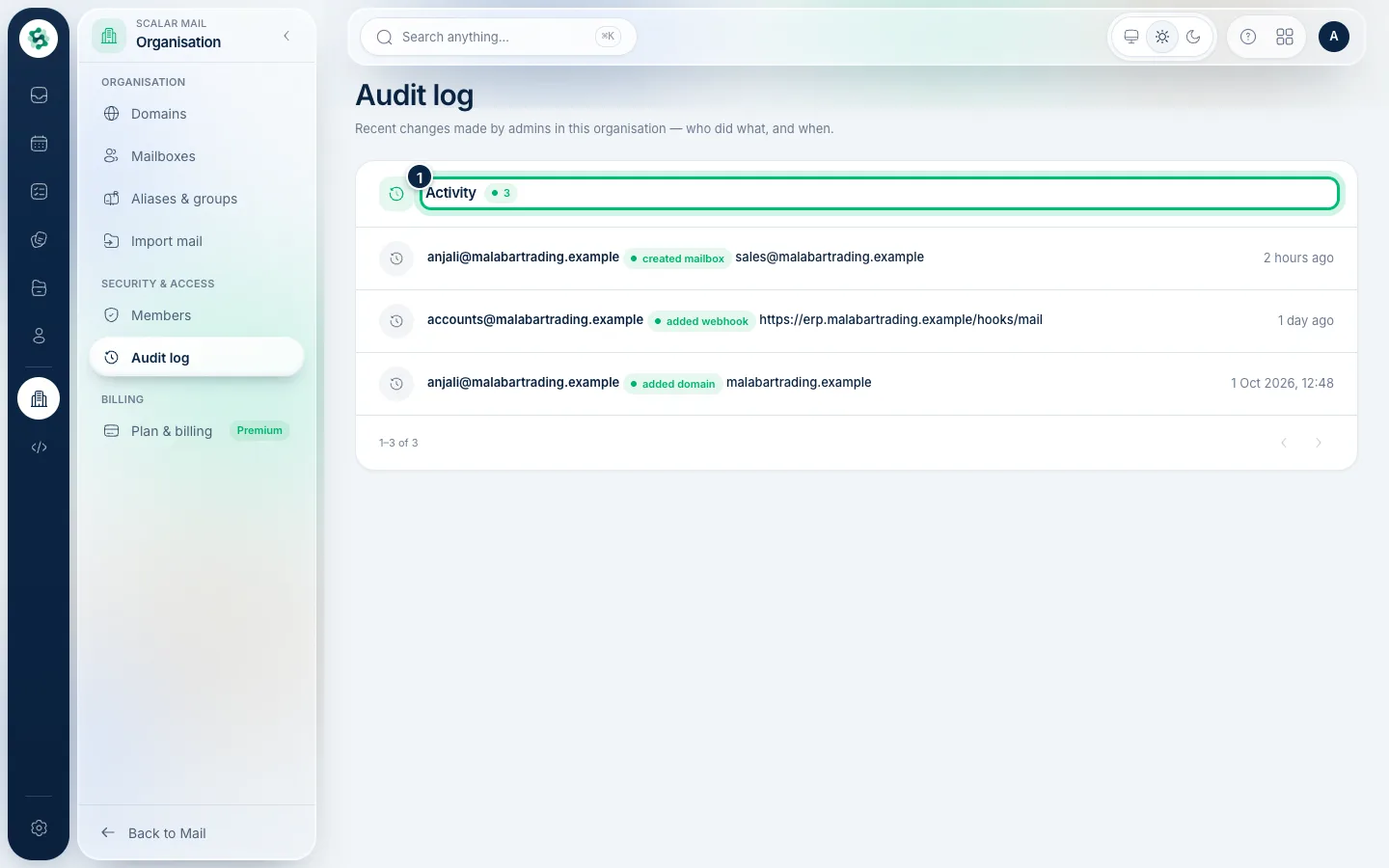
Open Audit log to see recent admin changes — who added a domain or mailbox, created a webhook, and more — with who did it and when.
Related guides
Still stuck? Contact our support team — or start a free trial to try this in your own company.