
Accounting & GST · 3 steps
Check the day book
See every ledger posting in date order, with the total debits and credits for the period.
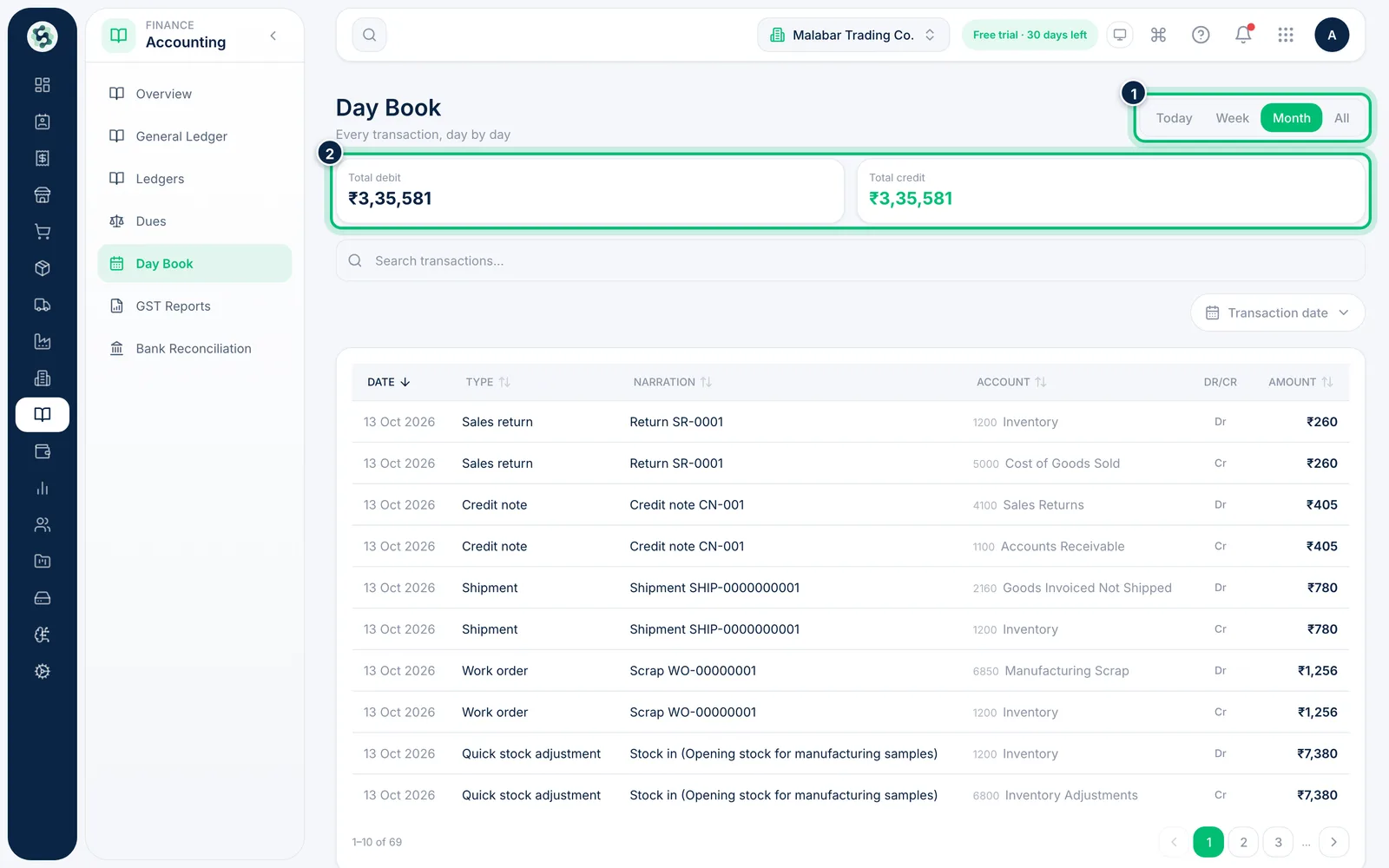
1Open the Day Book
In the left menu open Accounting → Day Book. Use Today, Week, Month or All to choose the period. Total debit and Total credit for the period always match.
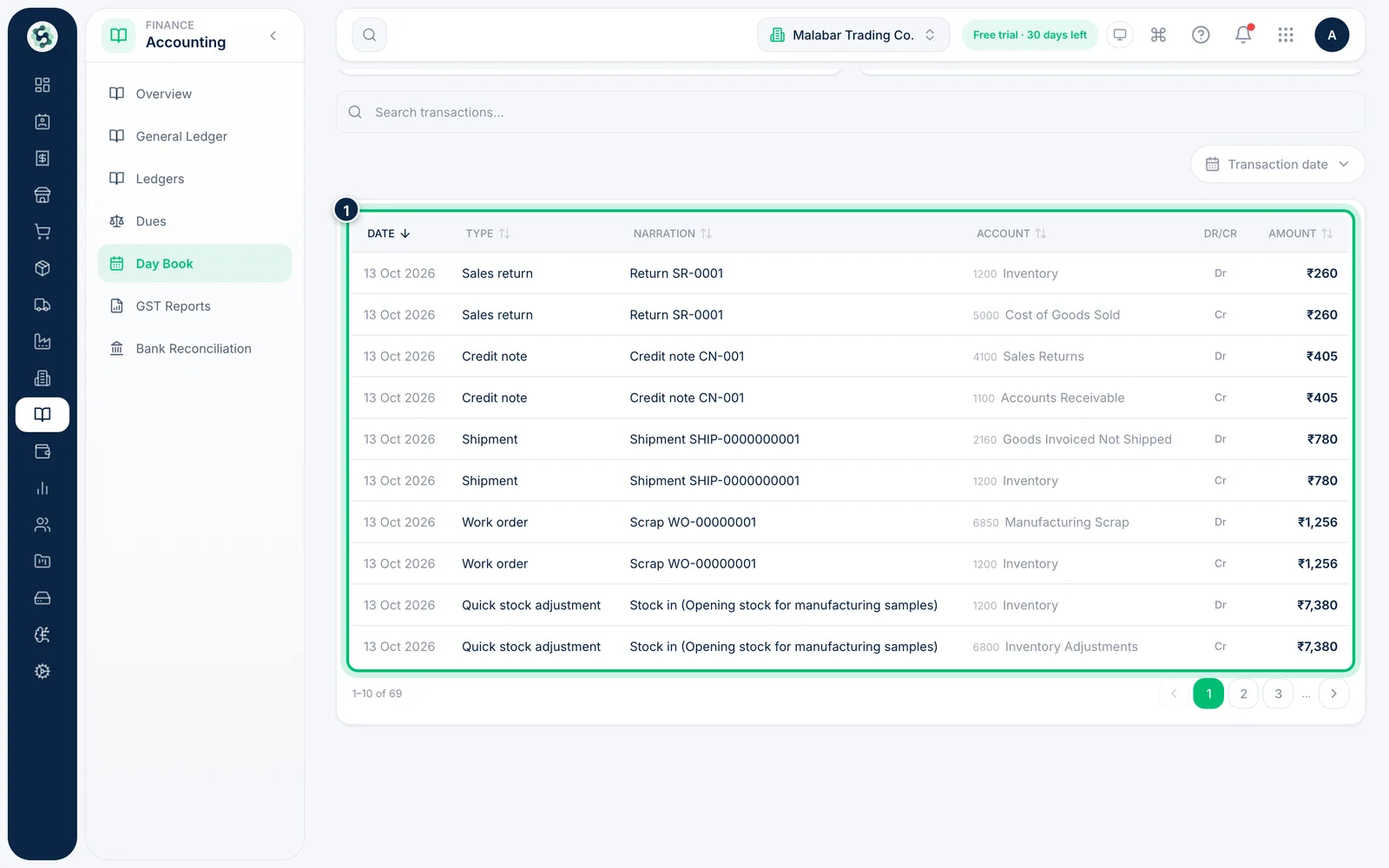
2Read each posting
Each row shows the Date, the document Type, its Narration, the Account with its code, whether it's a Dr or Cr, and the Amount. One invoice appears on several rows — one for each account it touches.
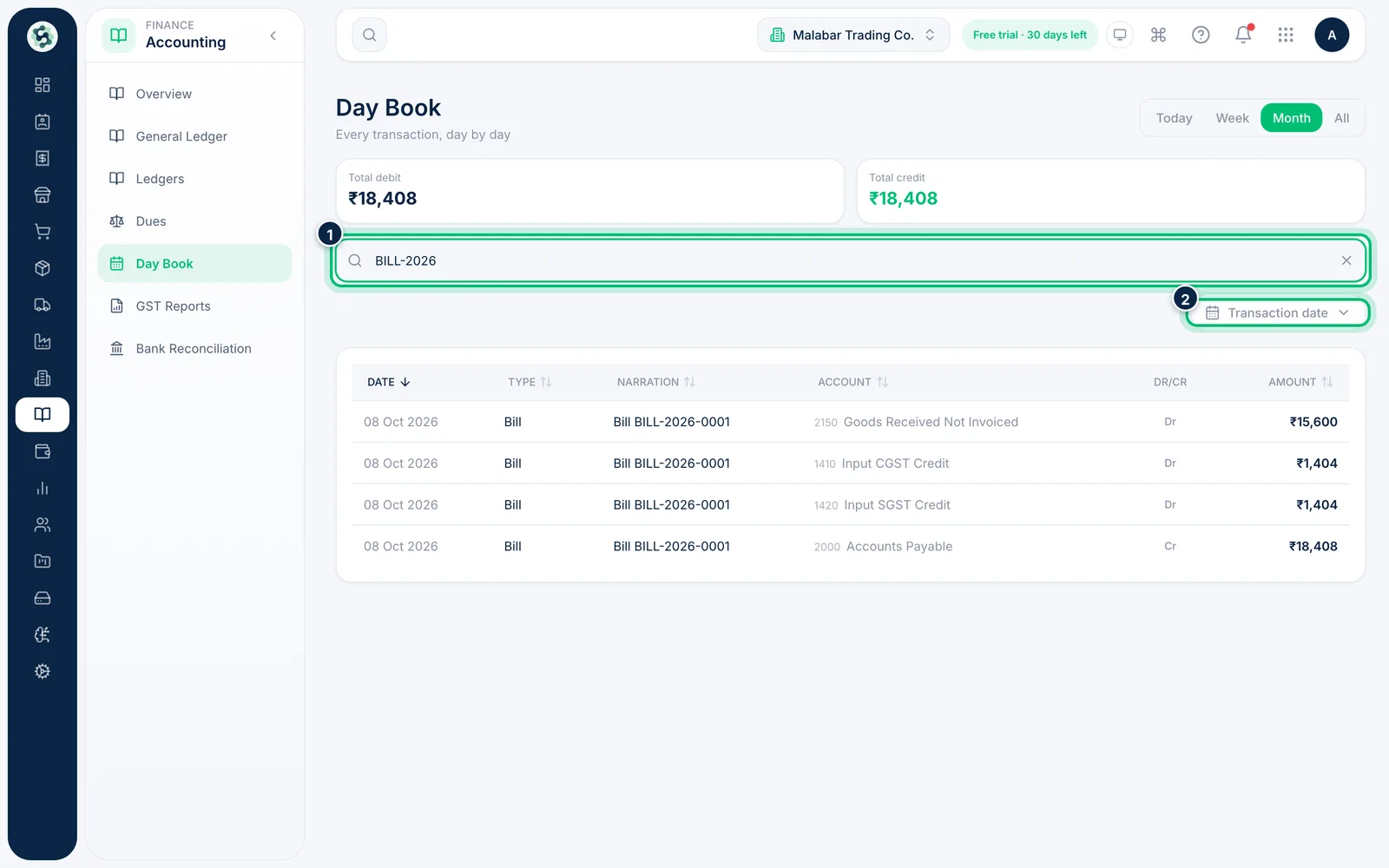
3Search or pick exact dates
Type a document number or account in Search transactions…, or choose Transaction date to set a custom range.
Related guides
Open a ledger statementSee every entry in an account — sales, bank, GST, debtors or creditors — with a running balance.Post a manual journal entryRecord adjustments that don't come from an invoice, bill or expense — accruals, corrections or owner contributions — as a balanced journal entry.
Still stuck? Contact our support team — or start a free trial to try this in your own company.