
Reports · 3 steps
Track overdue invoices and vendor dues
See which customers owe you, how long invoices have been overdue, and what you owe your vendors.
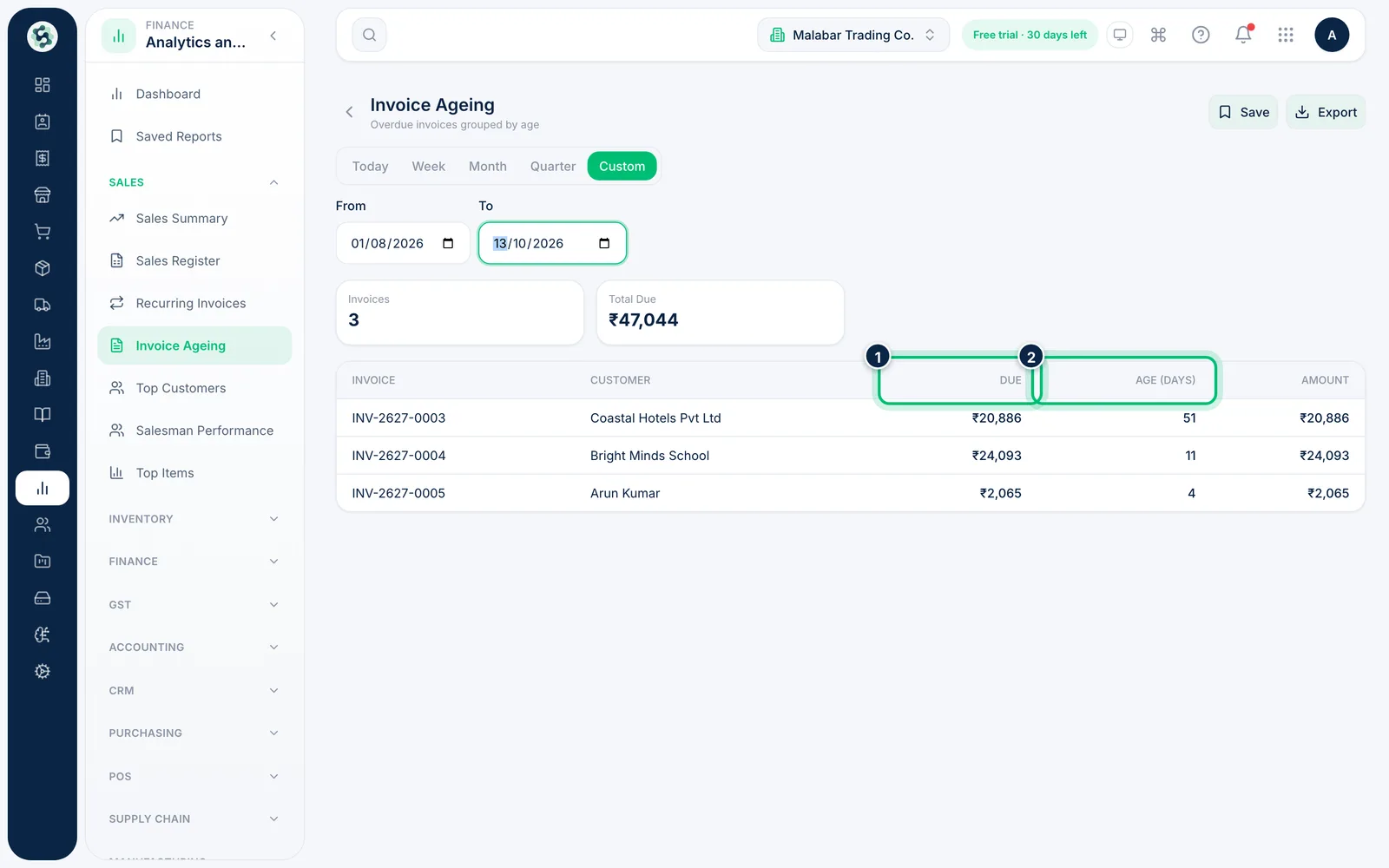
1Open Invoice Ageing
Open Invoice Ageing from the Sales group. It lists overdue invoices with the customer, the amount Due and the Age (Days) since the due date, with totals in the cards at the top.
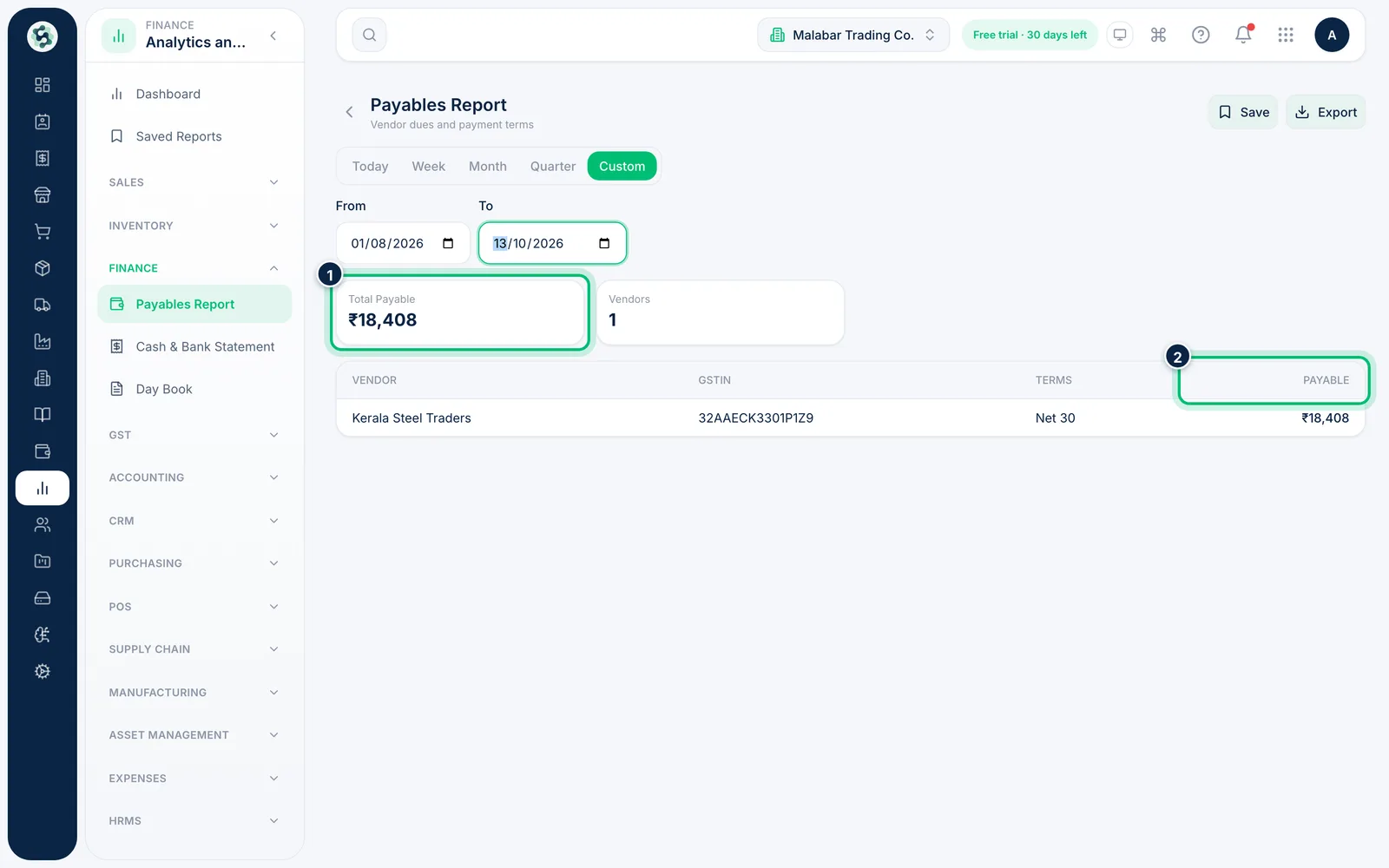
2See what you owe vendors
Open Payables Report from the Finance group. Each vendor appears with their GSTIN, payment Terms and the amount Payable; the cards show the Total Payable and the number of vendors.
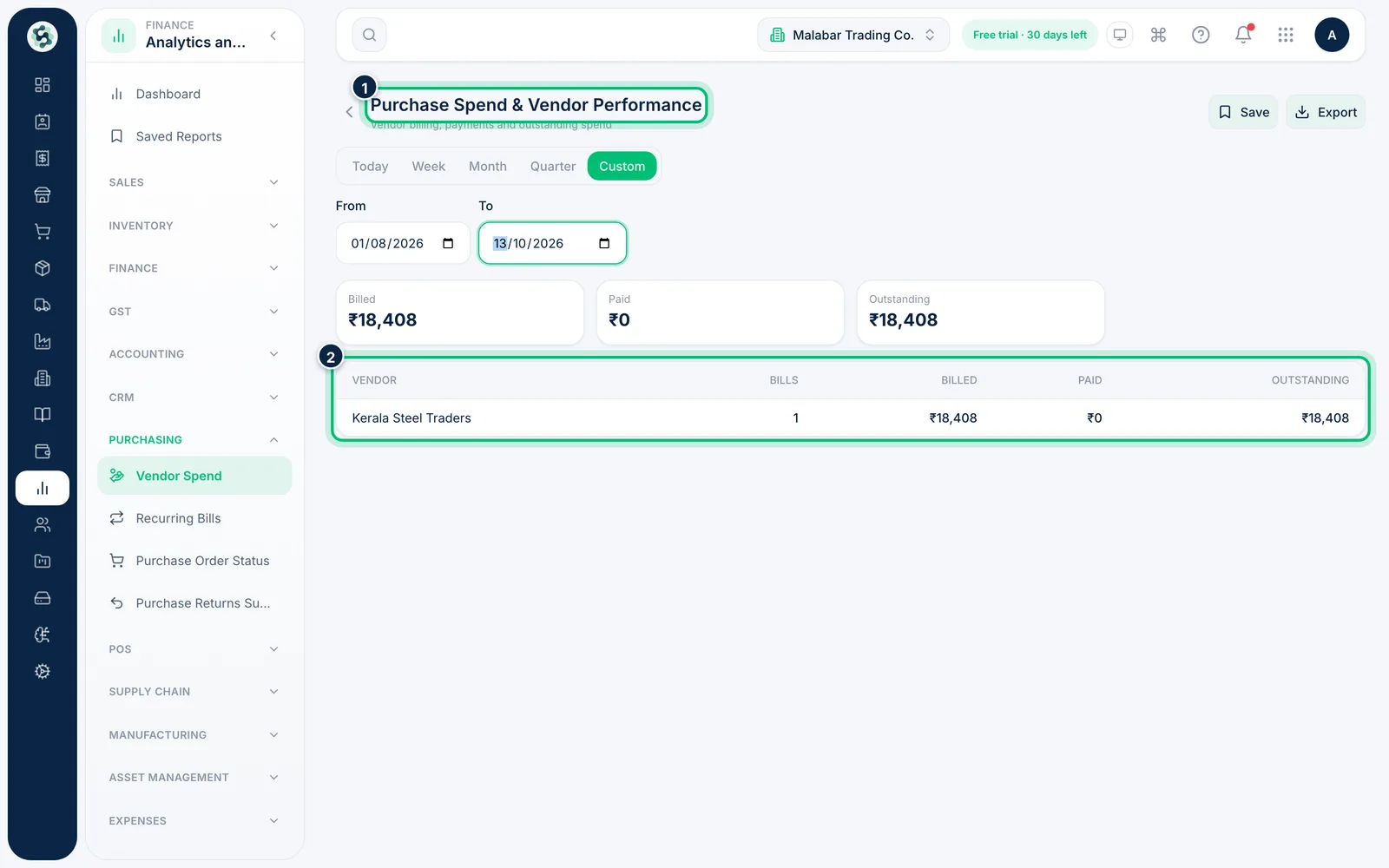
3Review spend by vendor
Purchase Spend & Vendor Performance (Vendor Spend under PURCHASING in the left menu) adds up what each vendor billed you, what you've paid and what's still outstanding.
Related guides
See sales by customer and itemFind out who your best customers are, which items sell most and which invoices you raised in a period.Export a report to PDF, Excel or CSVDownload a report with the period you've chosen, to share, print or work on in a spreadsheet.
Still stuck? Contact our support team — or start a free trial to try this in your own company.