
Point of sale · 3 steps
Open a shift
Start the day at a counter by recording the cash float in the drawer. You can't sell until a shift is open.
Before you start: POS must be enabled and the counter needs an active register.
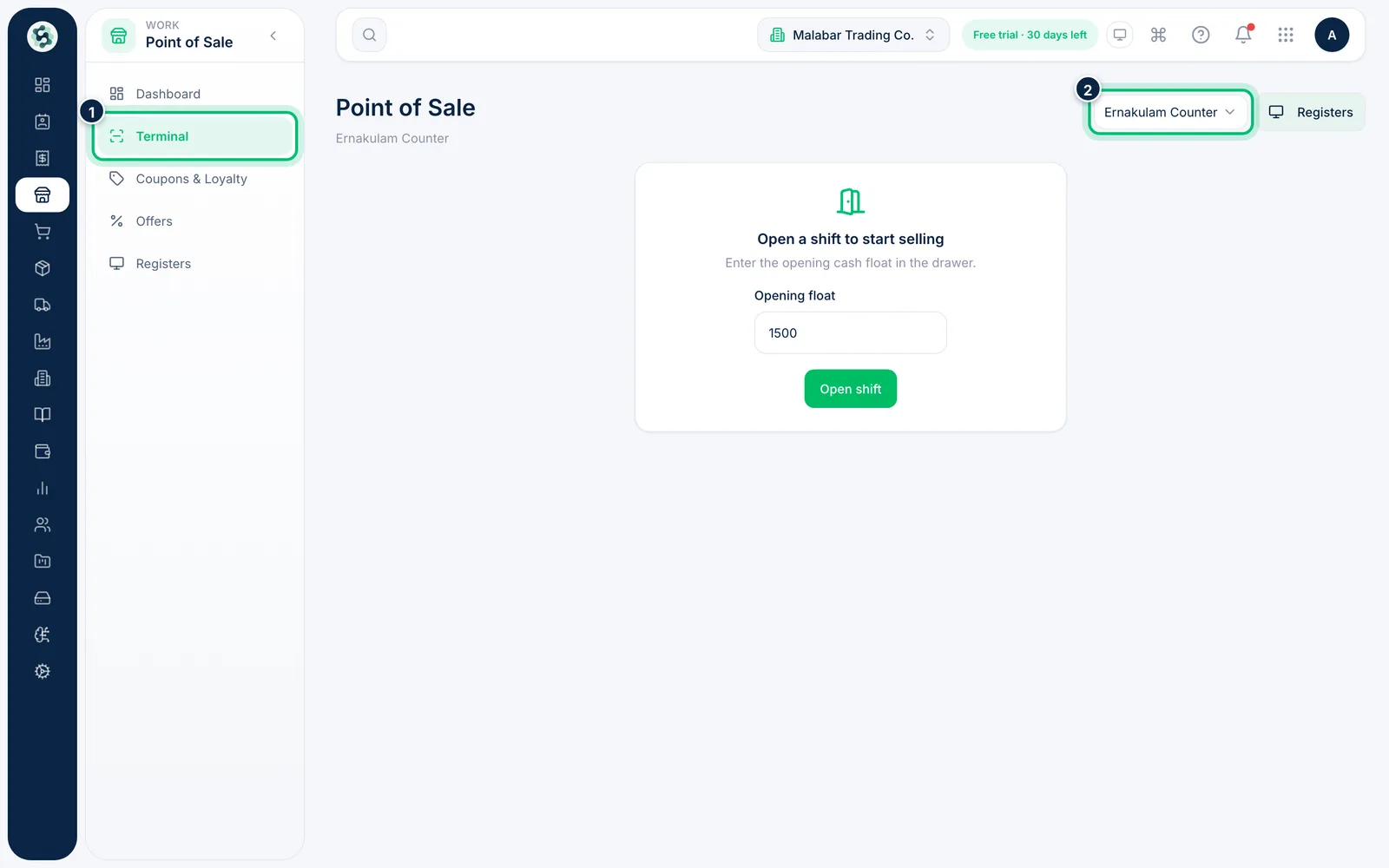
1Open the terminal and pick the register
Go to Point of Sale → Terminal. If you have more than one register, choose yours from the list at the top right. When no shift is open on it, you'll see Open a shift to start selling.
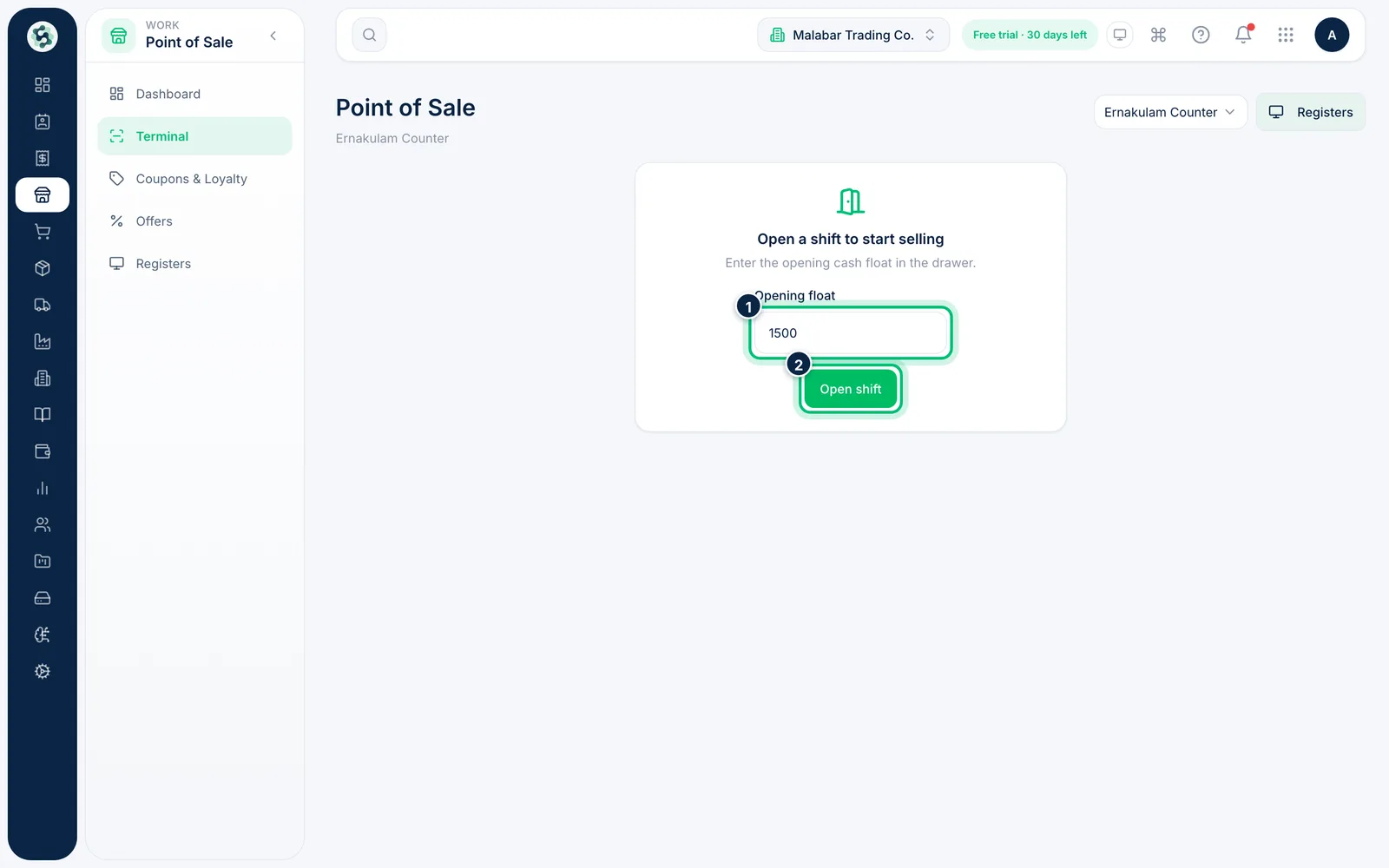
2Enter the opening float
Count the cash in the drawer and enter it as the Opening float. It starts with the float set on the register — change it if the drawer holds a different amount. Choose Open shift.
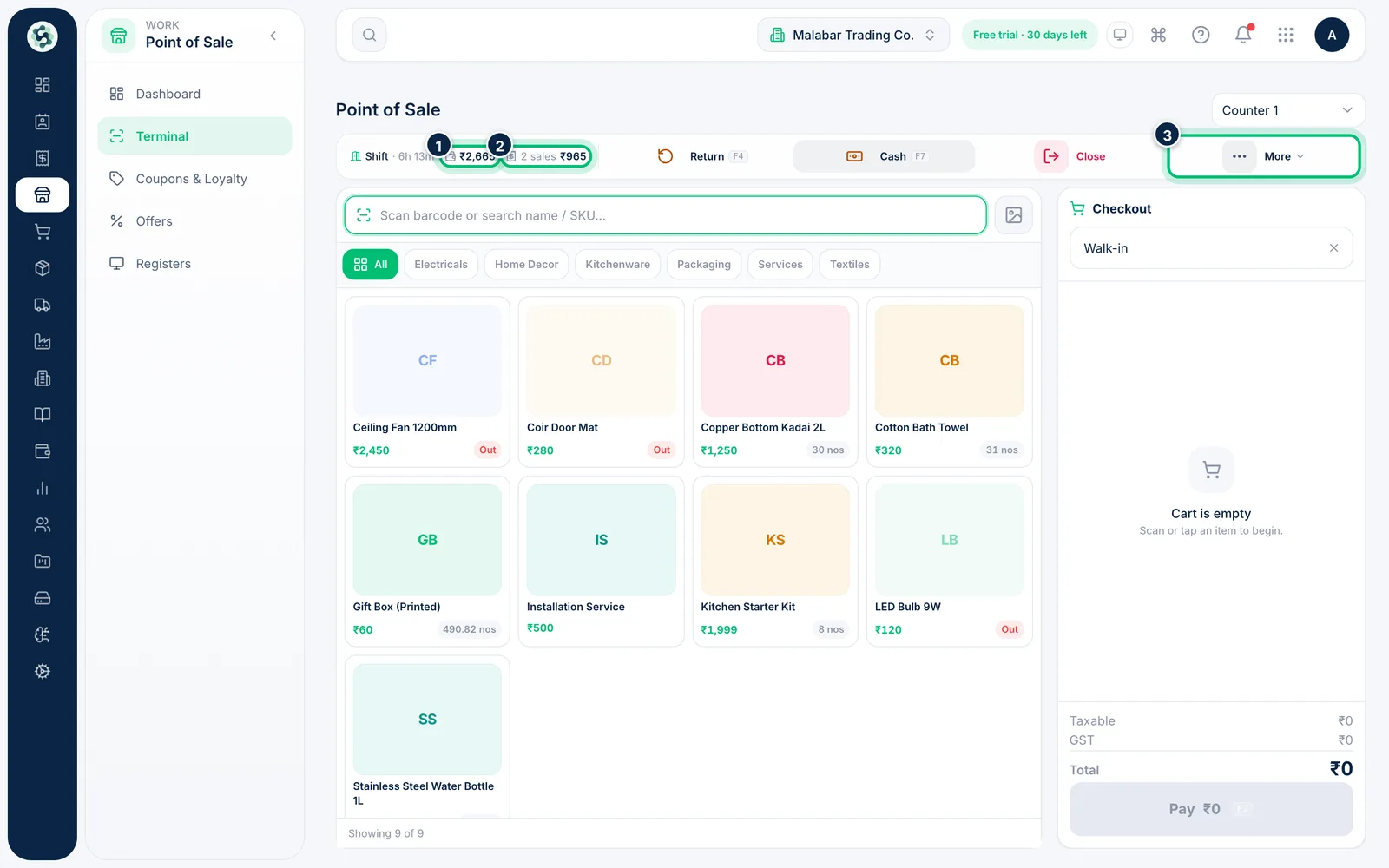
3Keep an eye on the shift bar
Once the shift is open, the bar above the till shows how long it has run, the cash expected in the drawer and the number and value of sales so far. Return, Cash and Close sit alongside, and More holds receipts, the X-report and printer setup.
Related guides
Still stuck? Contact our support team — or start a free trial to try this in your own company.