
CRM · 3 steps
Move deals through the pipeline
See every open deal by stage on a Kanban board, drag leads forward as they progress and keep an eye on the value in each stage.
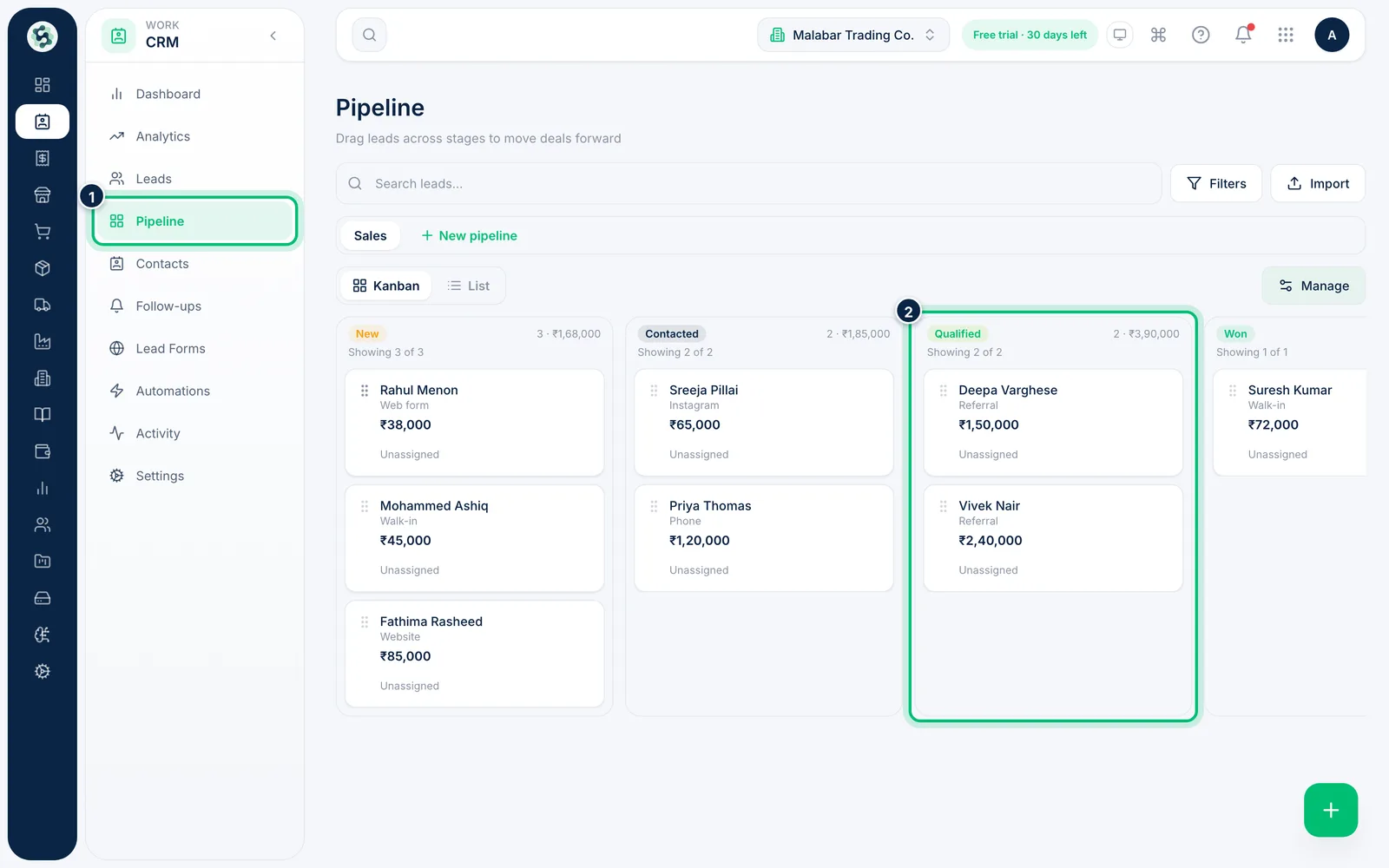
1Open the pipeline board
Go to CRM → Pipeline. Each column is a stage, with the number of leads and their total deal value at the top. Each card shows the lead's name, source, deal value and who it's assigned to.
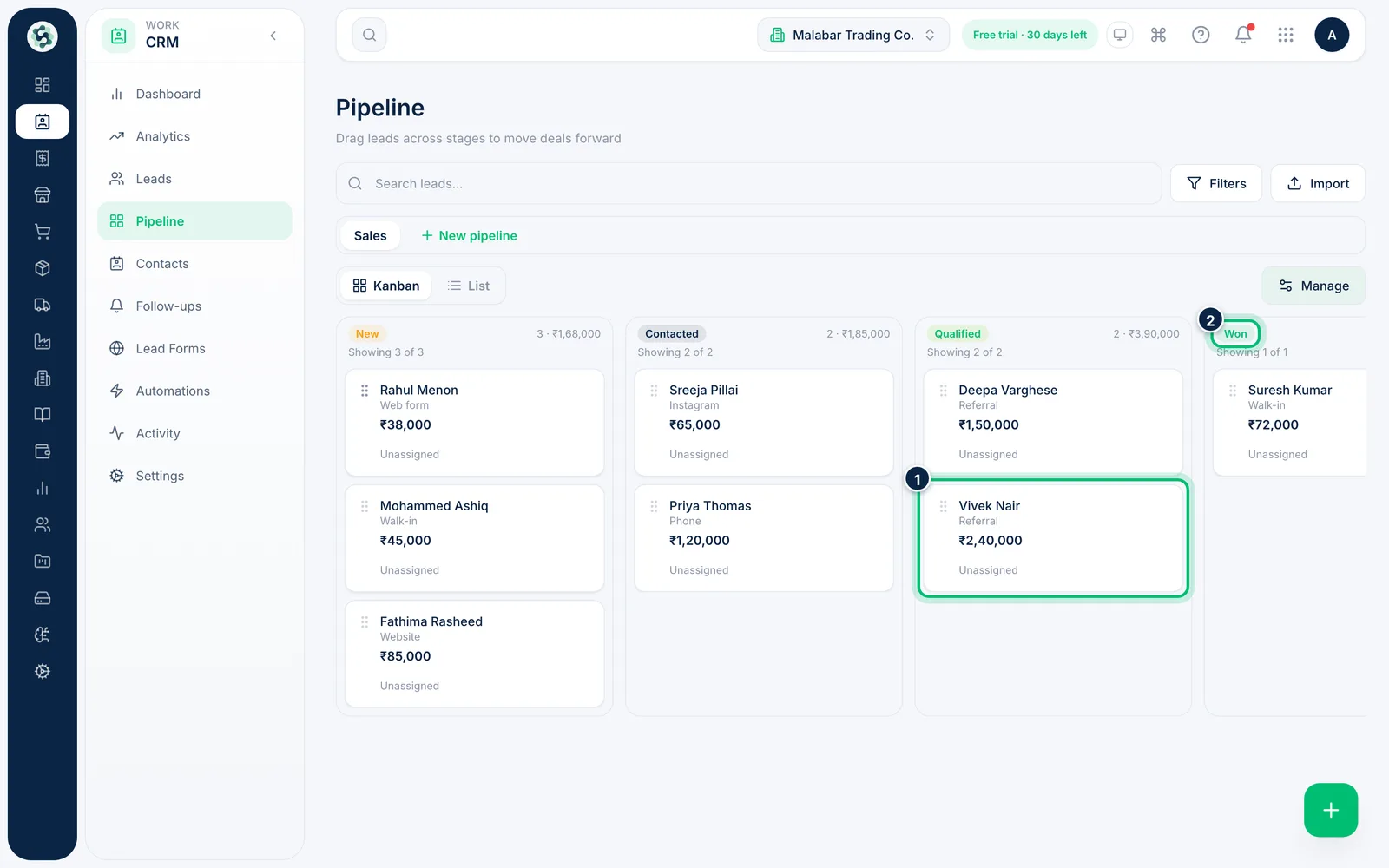
2Drag a lead to its new stage
Drag a card by its grip and drop it on another column — the stage updates straight away and is recorded in the lead's history. Click a card instead to open the lead.
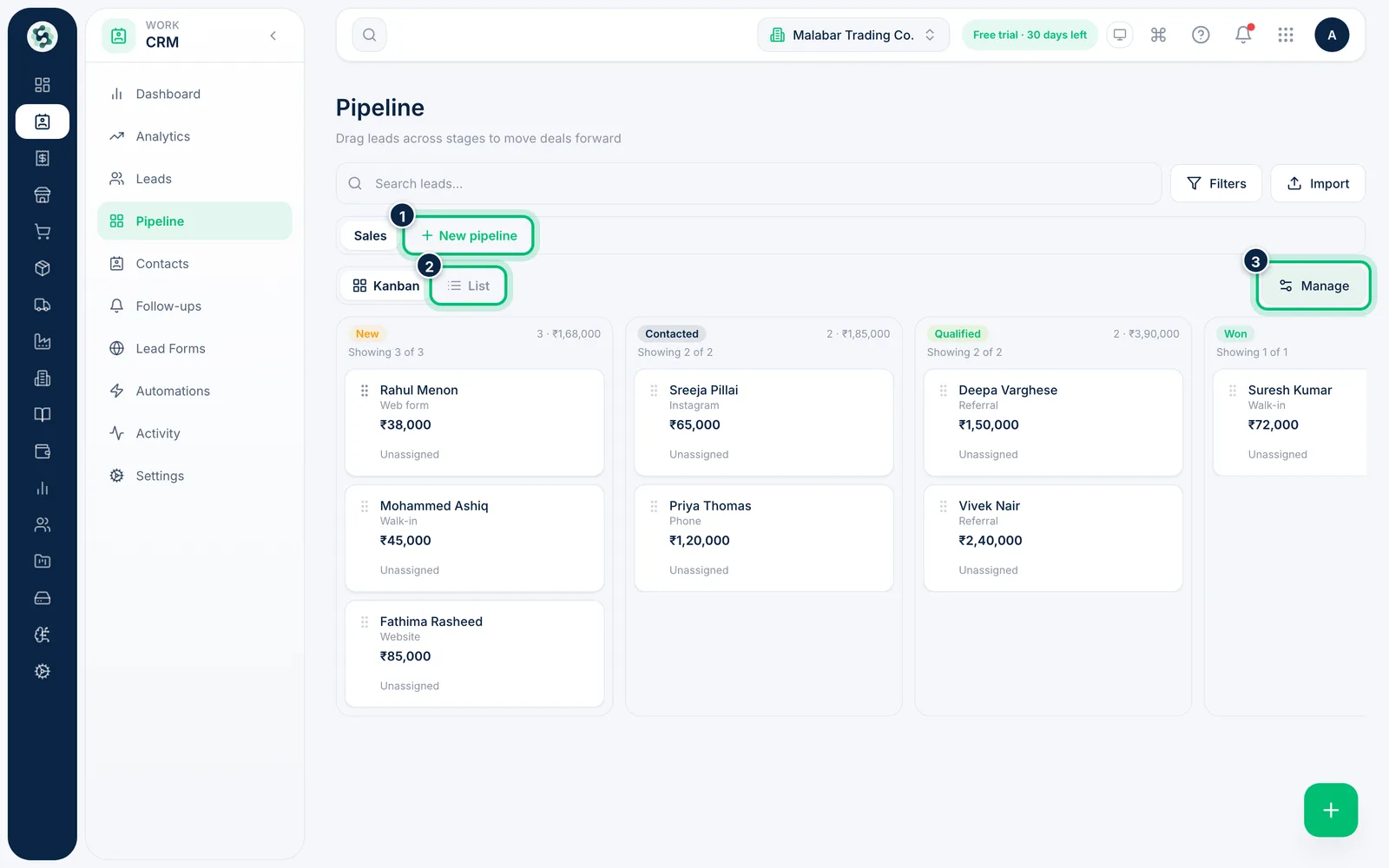
3Switch between pipelines and views
If you run more than one process — say retail and projects — each pipeline has its own tab; choose New pipeline to add one. Switch to List for a sortable table of the same leads, and use Manage to rename stages.
Related guides
Still stuck? Contact our support team — or start a free trial to try this in your own company.