
Asset management · 3 steps
Read the asset dashboard
See what the business owns, what it is worth today, where each asset stands, and which warranties and service jobs need attention.
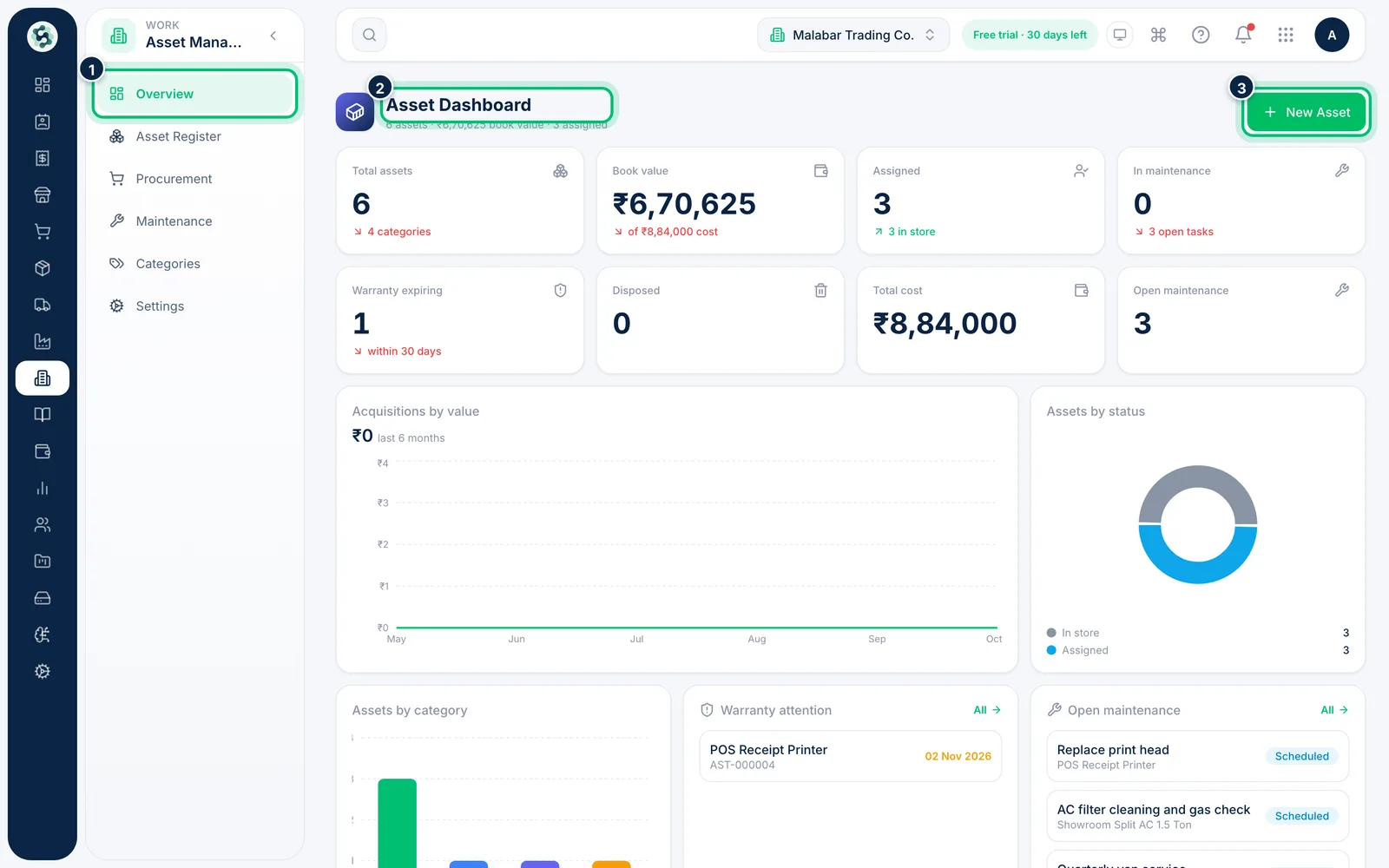
1Open Asset Management
In the left menu choose Asset Management, then Overview. The cards at the top show Total assets, Book value, Assigned and In maintenance, with Warranty expiring, Disposed, Total cost and Open maintenance below them.
2Check spending and status
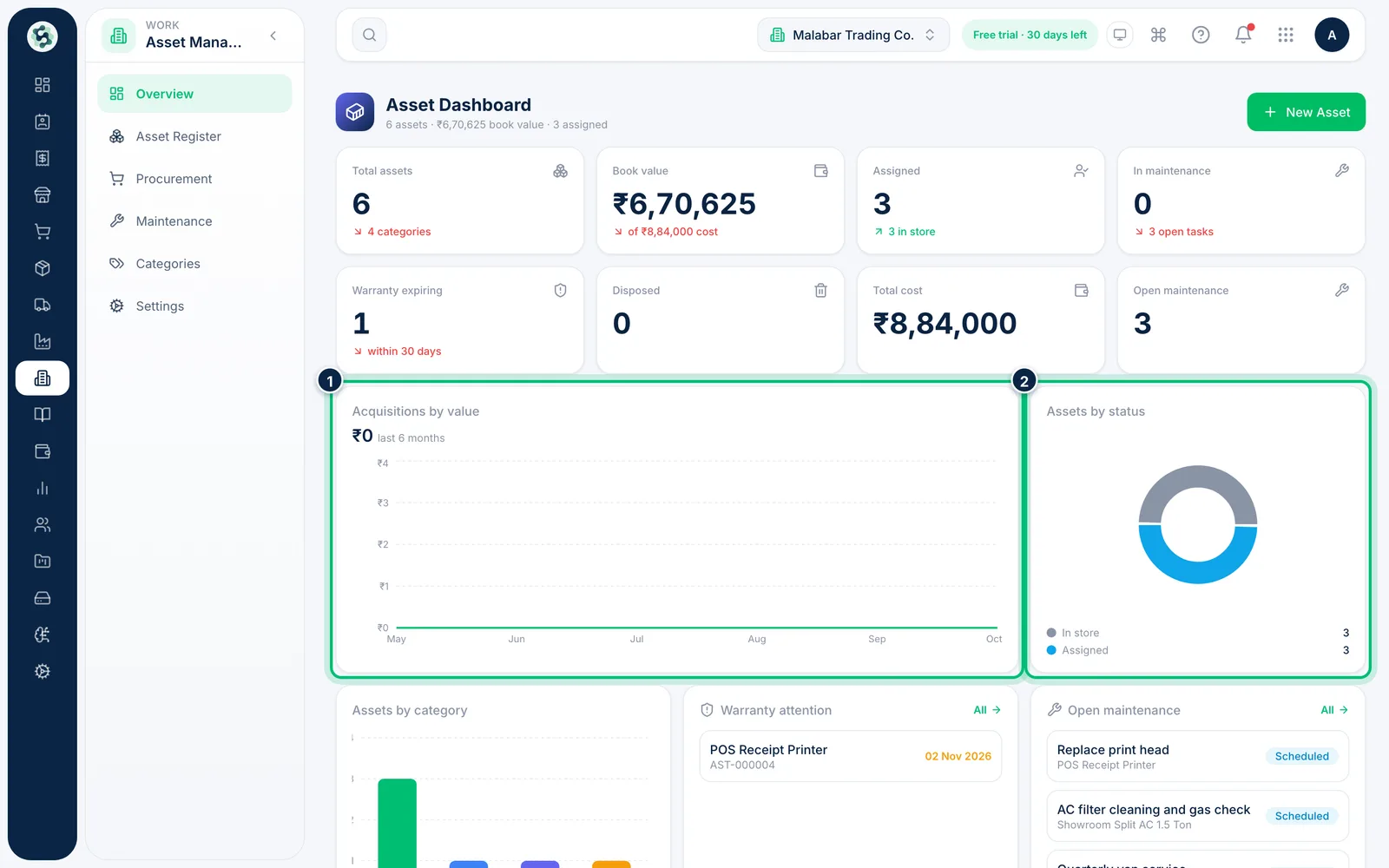
Acquisitions by value charts what you bought over the last six months. Assets by status splits the register into in store, assigned, in maintenance, in transit and disposed.
3Act on warranties and open service jobs
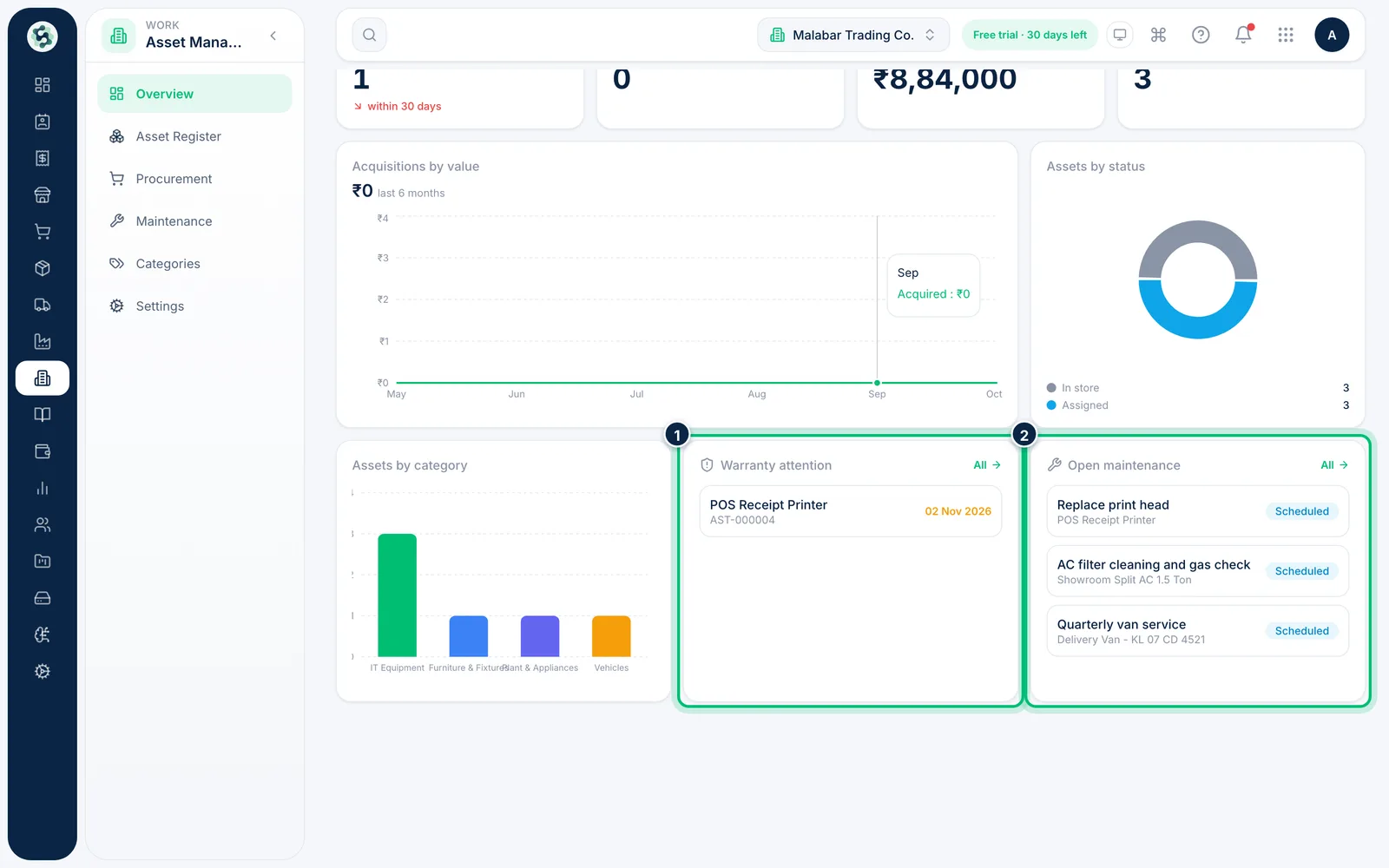
Warranty attention lists assets whose warranty has expired or ends soon, and Open maintenance lists jobs not yet completed. Click any entry to open that asset.
Related guides
Still stuck? Contact our support team — or start a free trial to try this in your own company.