
Settings & administration · 4 steps
Customise your menu
Hide modules and tabs you don't use so your navigation shows only what matters to you.
Before you start: Menu choices are personal — they don't change what your teammates see.
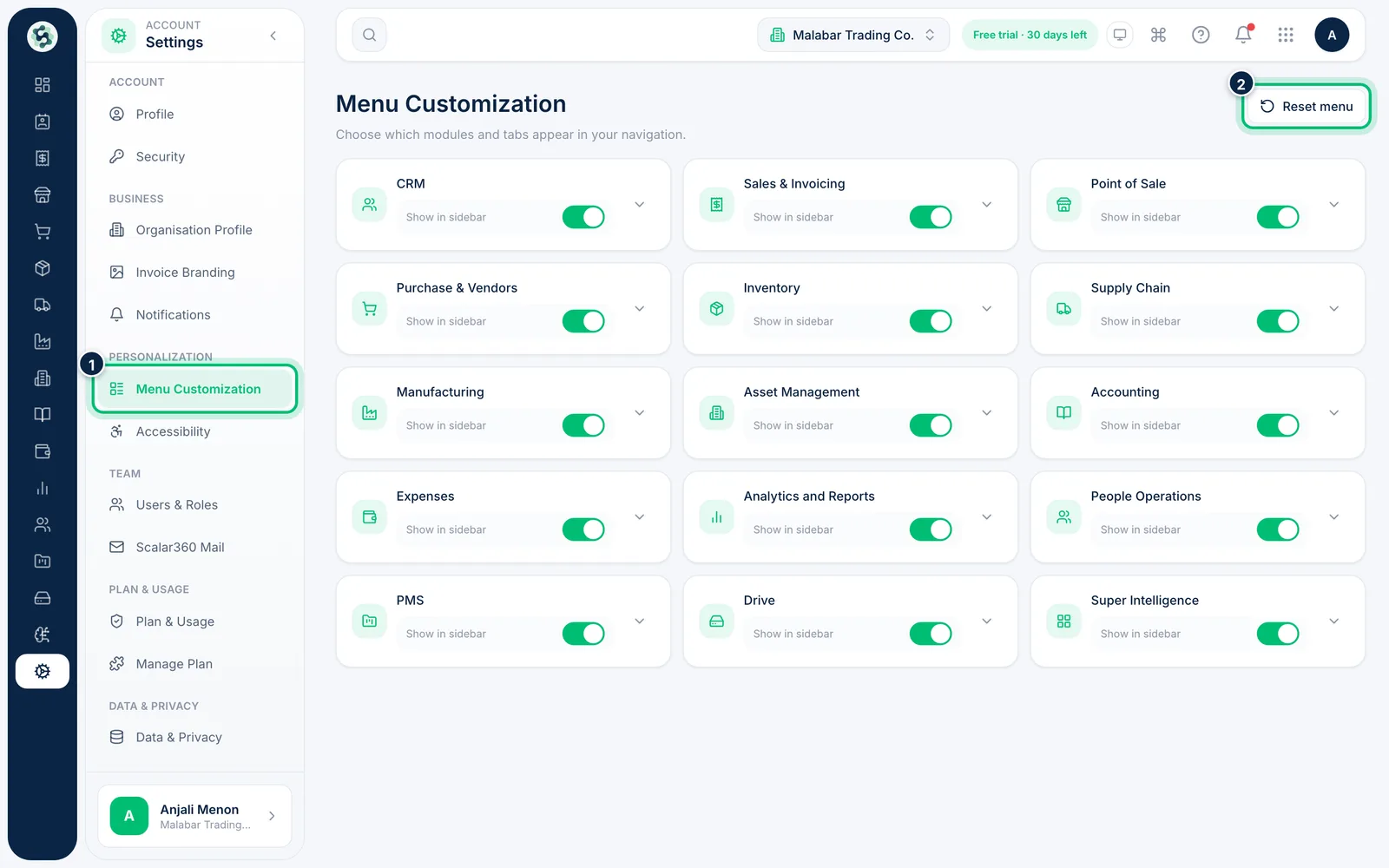
1Open Menu Customization
Go to Settings → Menu Customization. Every module you can hide appears as a card.
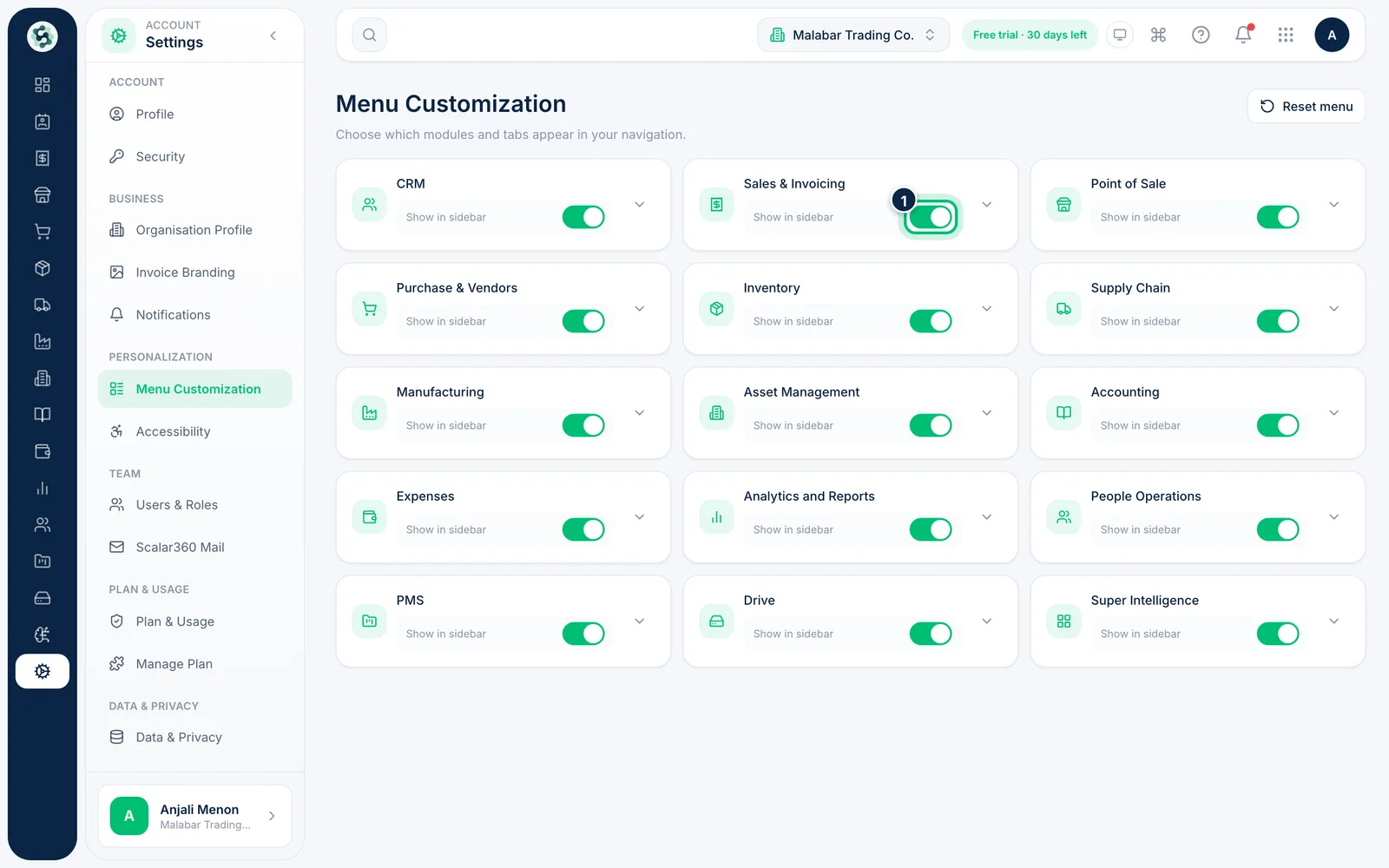
2Show or hide a module
Use the Show in sidebar switch on a card, such as Sales & Invoicing, to remove the module from your sidebar or bring it back. At least one module must stay visible.
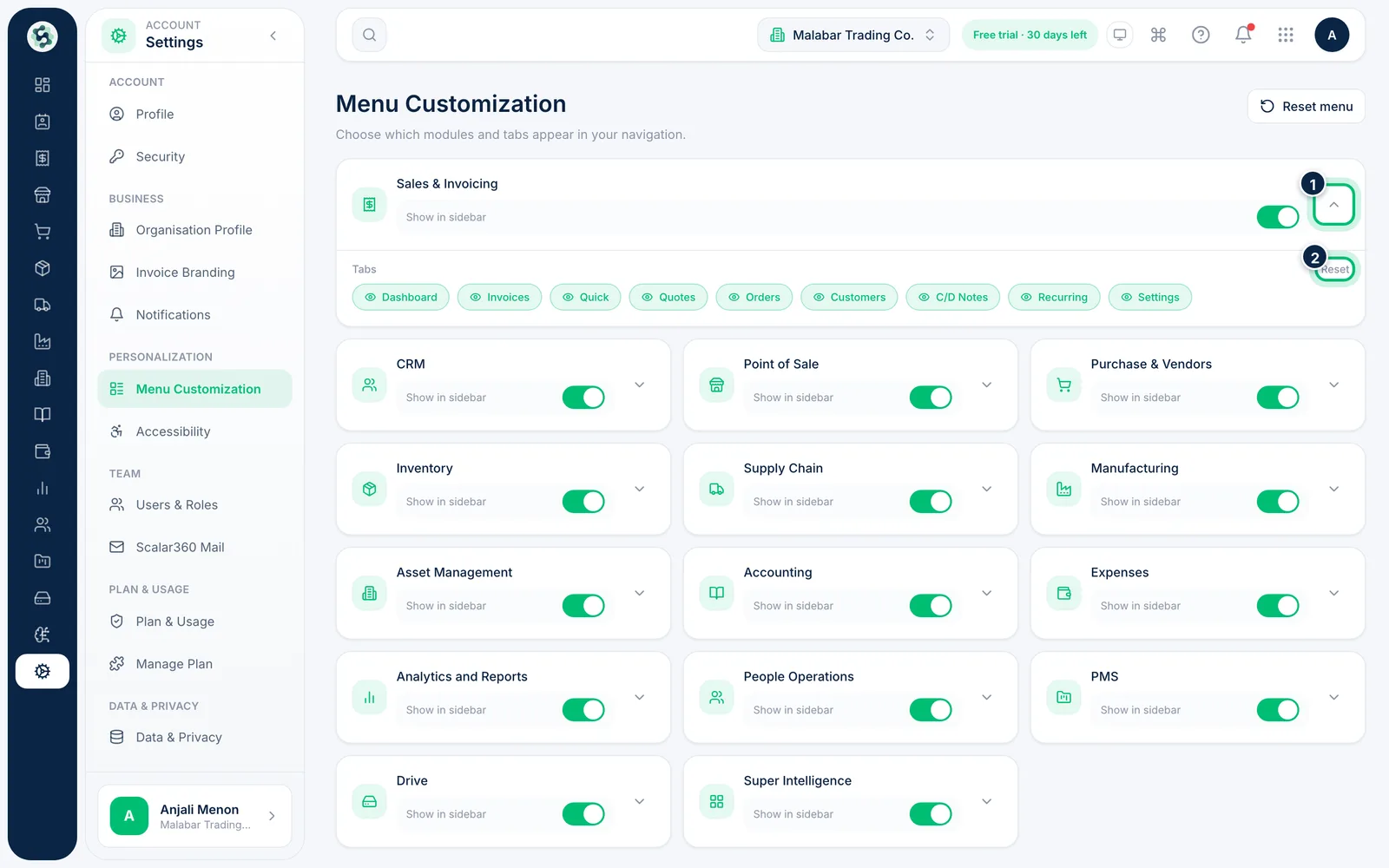
3Choose which tabs to keep
Open a card with its arrow to see the module's tabs. Click a tab chip to hide or show it; use Reset on the card to restore that module.
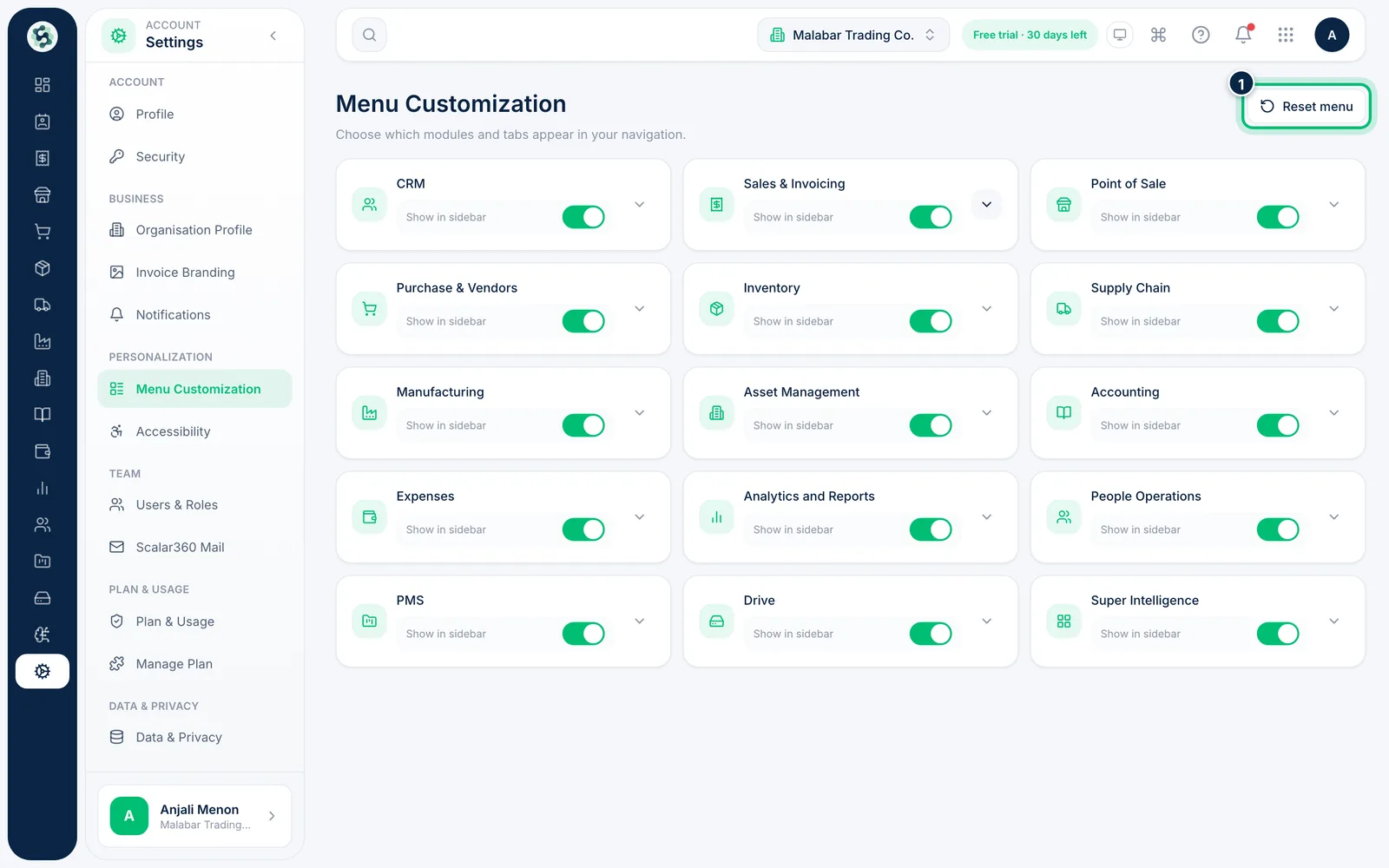
4Reset everything
Choose Reset menu at the top right to bring back every module and tab.
Related guides
Still stuck? Contact our support team — or start a free trial to try this in your own company.