
Projects · 3 steps
See your tasks across all projects
Bring every open task assigned to you into one list, grouped by how urgent it is.
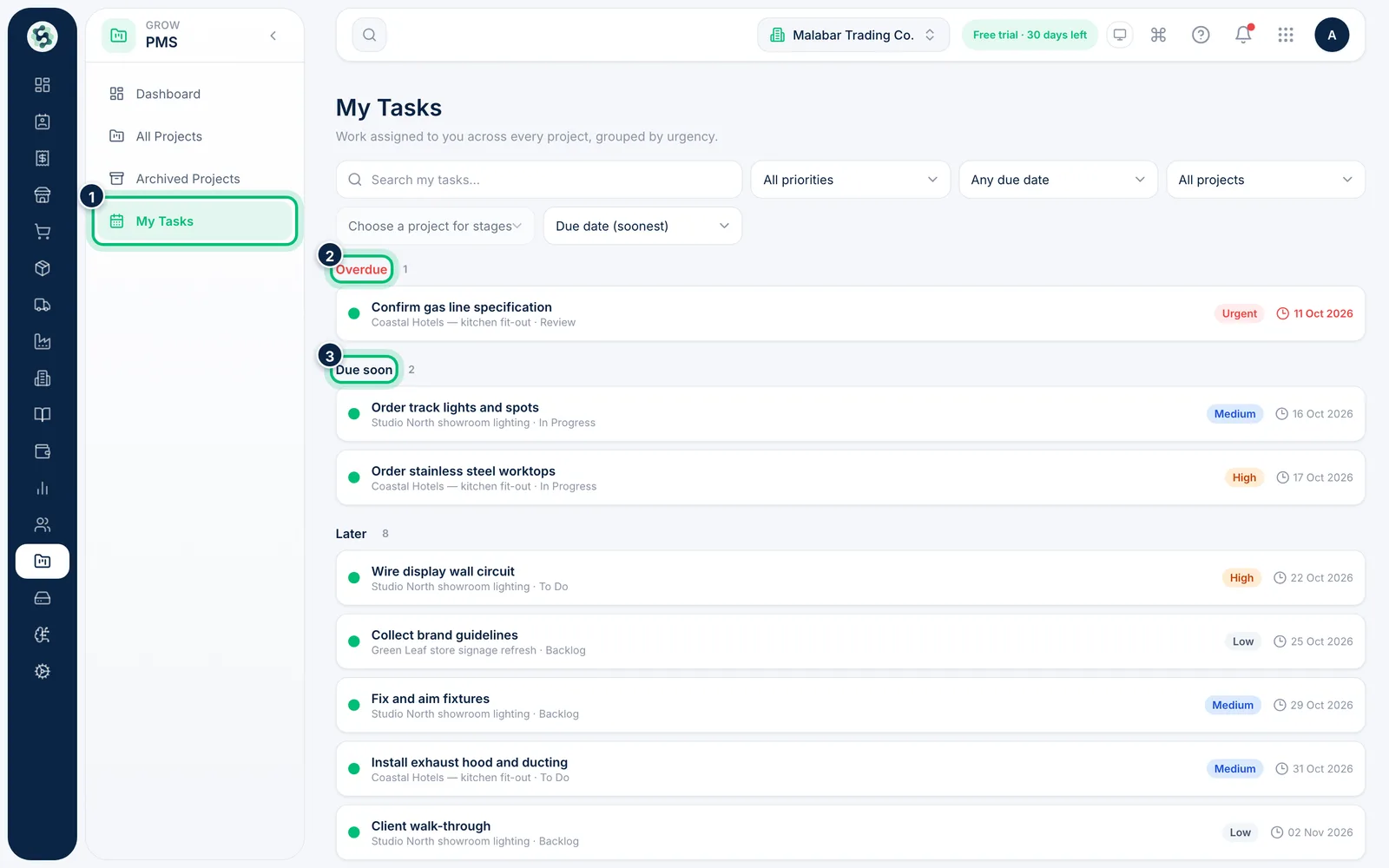
1Open My Tasks
In the left menu open PMS → My Tasks. Your open tasks from every active project are grouped into Overdue, Due soon (the next seven days) and Later.
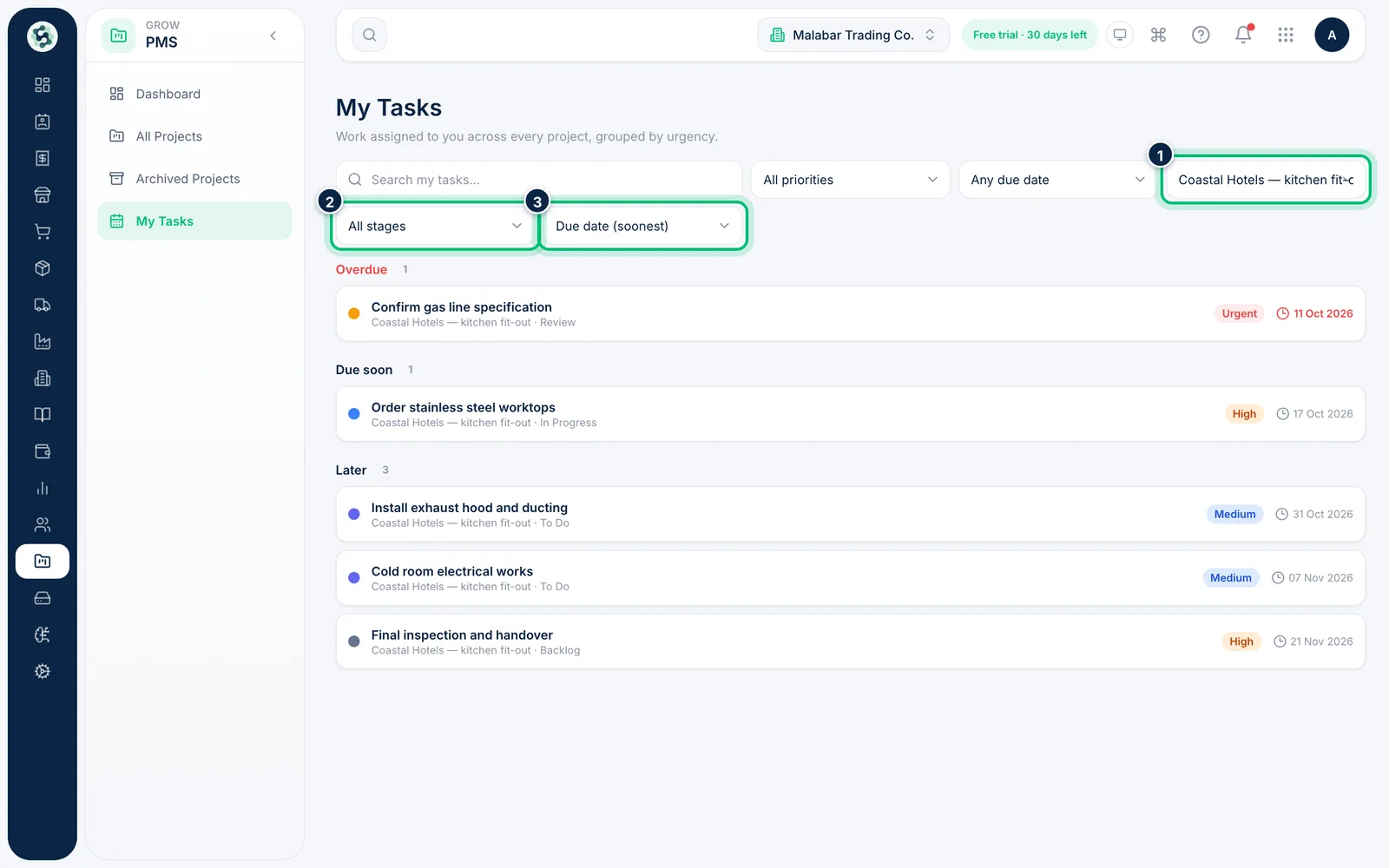
2Filter and sort the list
Search your tasks, or filter by priority, due date and project. Once you pick a project you can also filter by its stage. Use the last list to sort by due date, priority, recent updates or title.
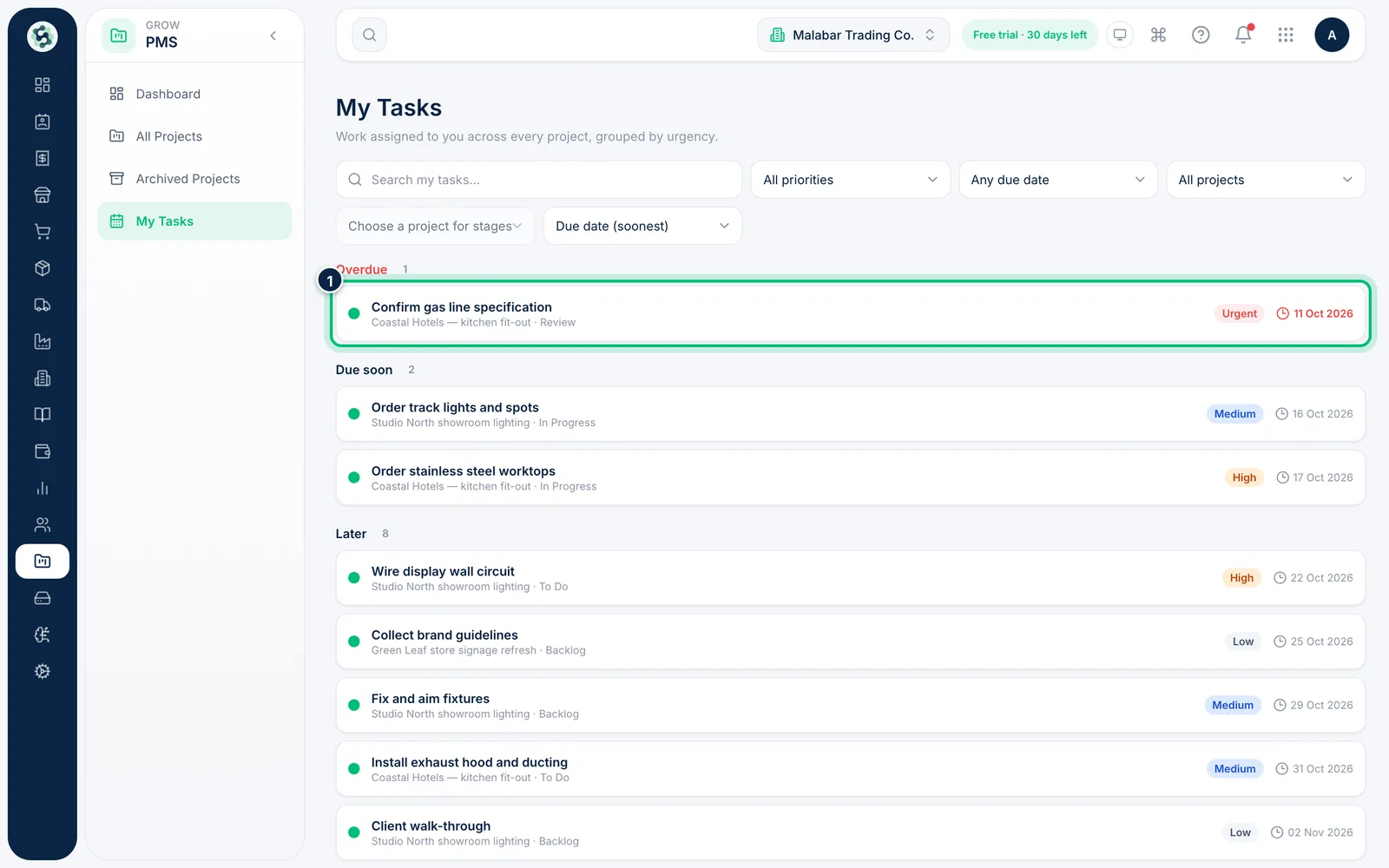
3Open a task
Click a task to open it inside its project, where you can update it, tick off its checklist or log time.
Related guides
Add a task, assign it and set a due dateBreak the project into tasks, each with a stage, priority, dates and the people doing the work.Track progress on the PMS dashboardSee active projects, open and overdue tasks, progress per project and each member's workload at a glance.
Still stuck? Contact our support team — or start a free trial to try this in your own company.