
Expenses · 3 steps
How expenses reach your books
What Scalar360 posts to the ledger when a claim is approved and reimbursed, and where to see it.
1Approval books the expense
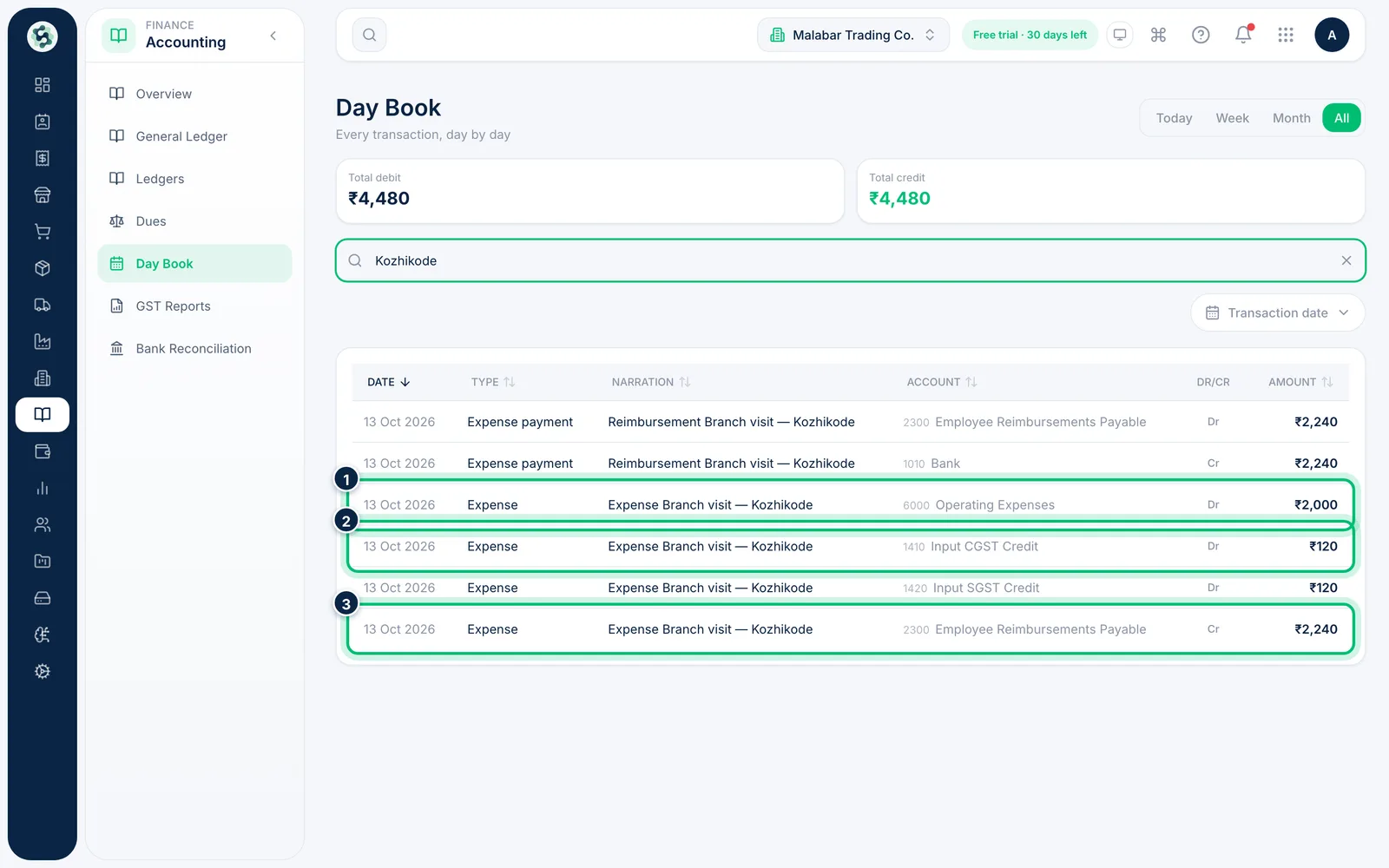
As soon as a claim is approved, it is posted to your books. Its total goes to the category's Accounting head (GL) account — Operating Expenses by default. For categories that track GST as input credit, the GST on each line goes to Input CGST Credit and Input SGST Credit instead. The amount owed to the member is credited to Employee Reimbursements Payable; company-paid lines are credited to Bank or Cash.
2Reimbursement clears what you owe
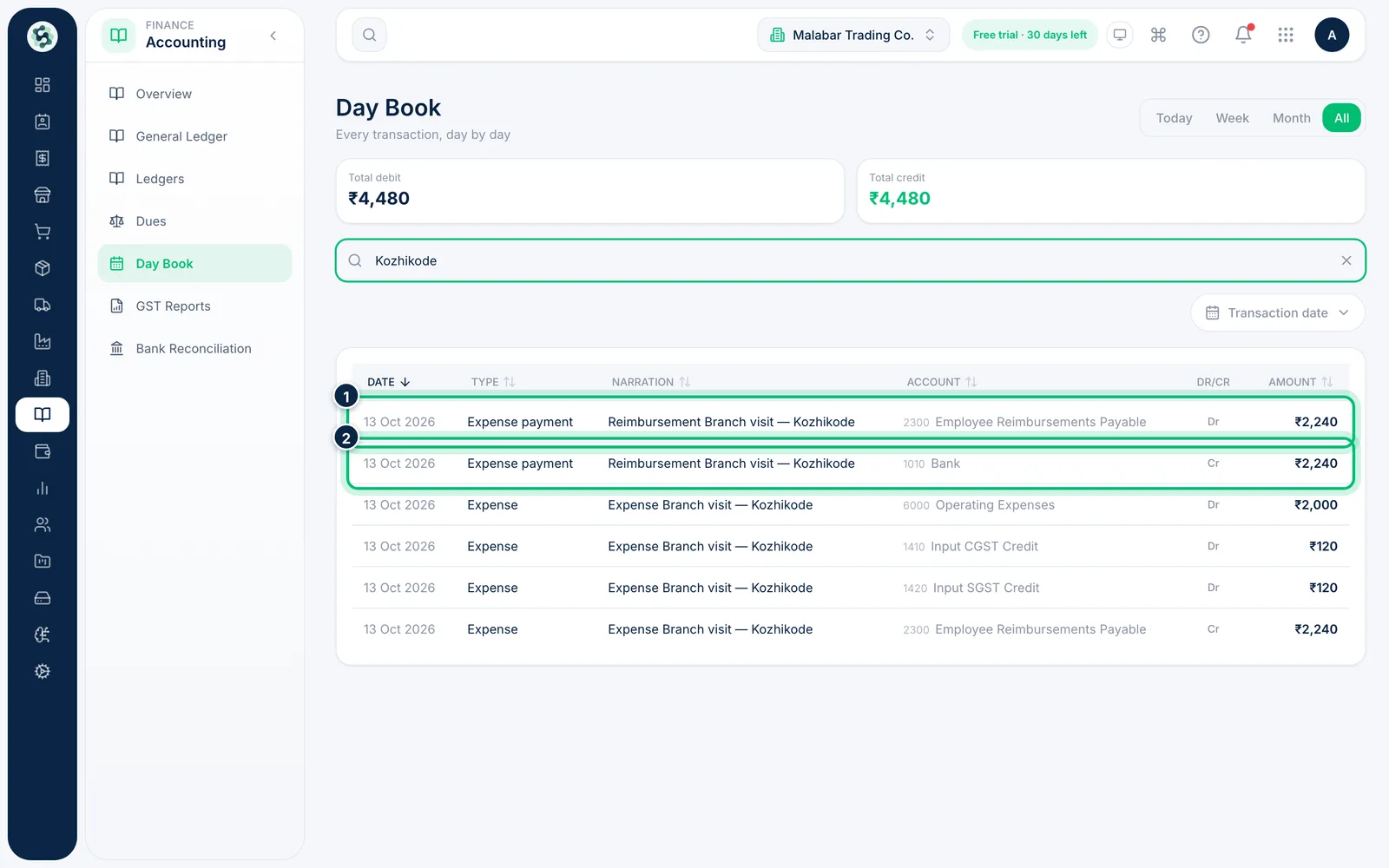
Approval already booked the expense, so reimbursing only settles what you owe. Marking the claim reimbursed posts a second entry, Expense payment: Employee Reimbursements Payable is debited and Bank — or Cash, if that was the mode — is credited. Claims marked for payroll are settled the same way when the payroll run is marked paid: the run pays the employee through the payslip, the claim becomes Reimbursed (mode Payroll) and Employee Reimbursements Payable clears.
3Track your input credit
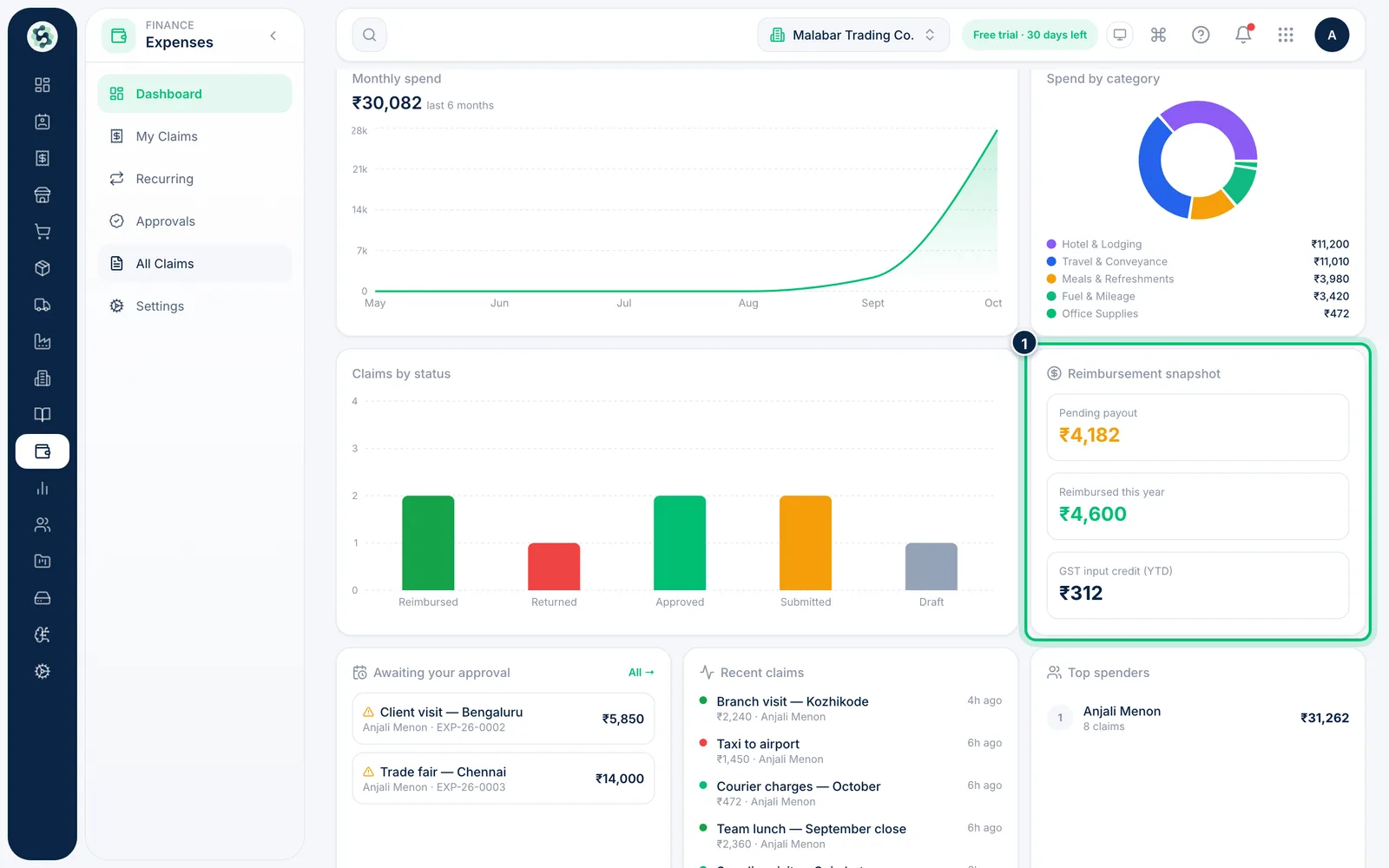
Back in Expenses, the dashboard's Reimbursement snapshot shows the Pending payout, what's been Reimbursed this year and the GST input credit (YTD) from approved claims.
Related guides
Still stuck? Contact our support team — or start a free trial to try this in your own company.