
Getting started · 3 steps
Set up your company
Tell Scalar360 about your business in three short steps: company details, GST & tax, and invoice branding.
Before you start: You'll see this setup the first time you sign in after starting your trial or choosing a plan.
1Add your company details
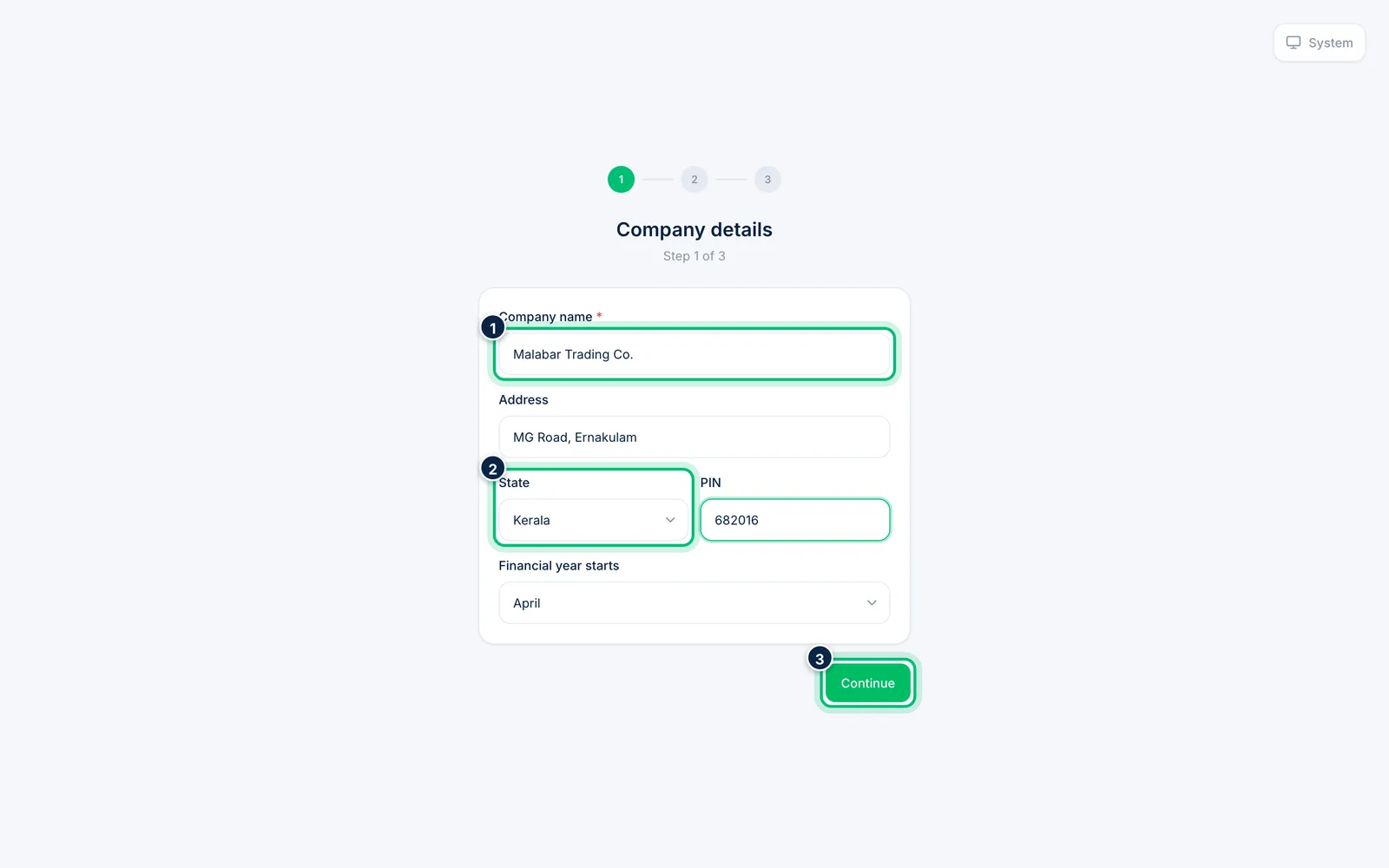
Enter your Company name, Address, State and PIN. Choose when your Financial year starts — April for most Indian businesses. Then choose Continue.
2Add GST and tax details
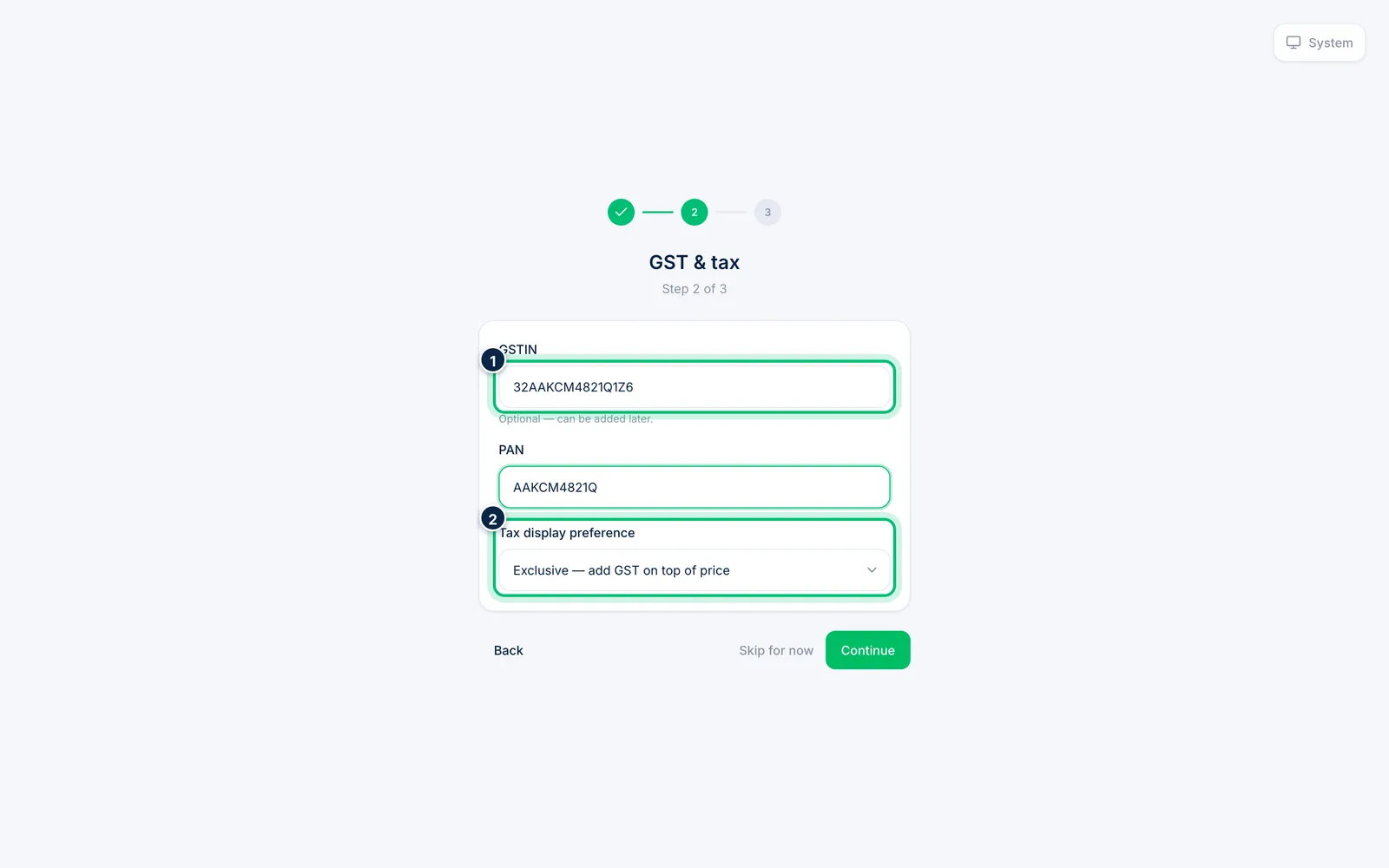
Enter your GSTIN and PAN. GSTIN is optional here — you can add it later. Under Tax display preference, choose whether your prices exclude or include GST.
3Brand your invoices and finish
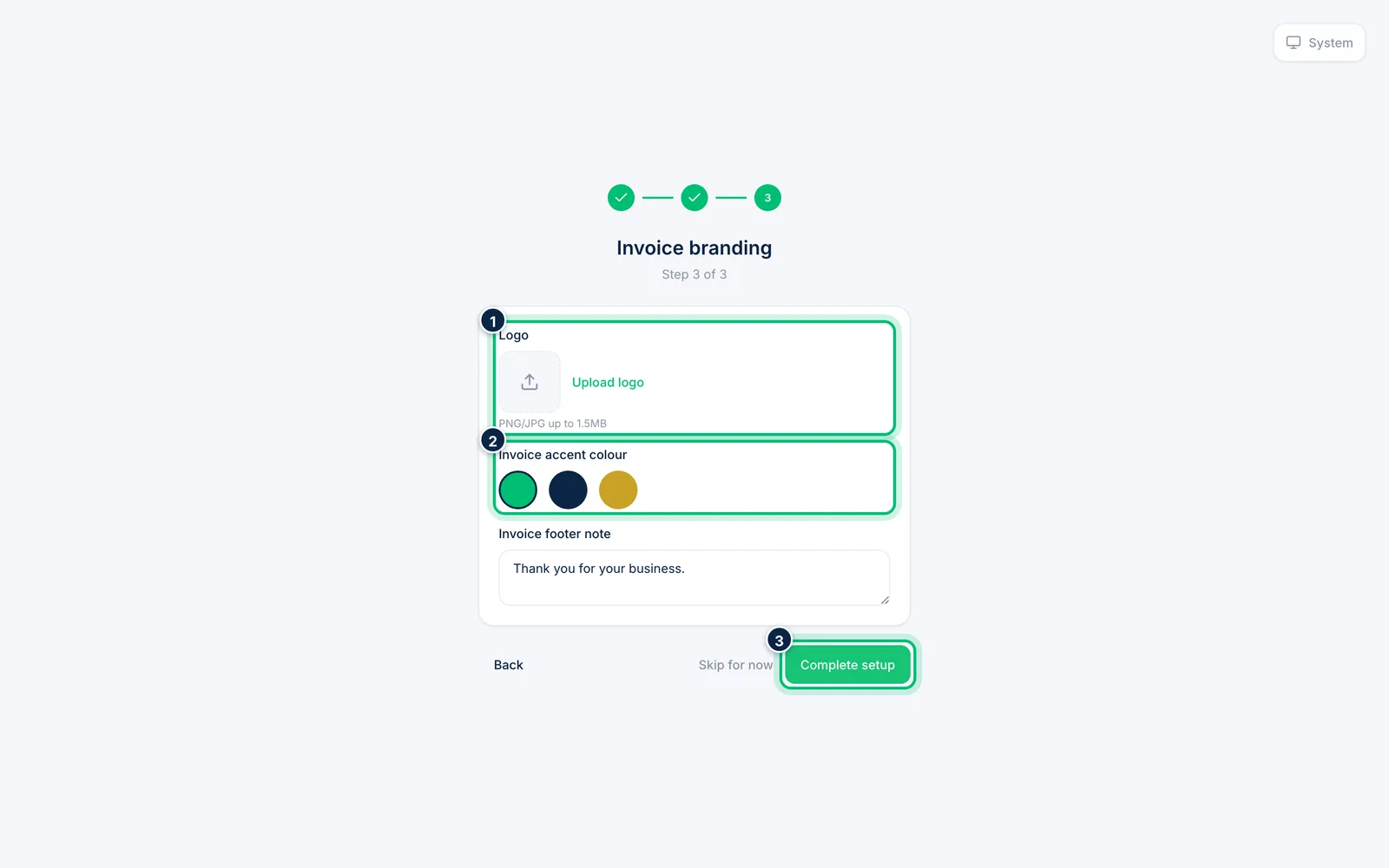
Upload your Logo, pick an Invoice accent colour and edit the Invoice footer note. Choose Complete setup to create your organisation and open Scalar360.
Related guides
Still stuck? Contact our support team — or start a free trial to try this in your own company.