
Getting started · 4 steps
Plans, trial and billing
See how long your trial has left, check usage and billing history, and change your plan, add-ons or seats.
Before you start: You need permission to manage billing to change the plan.
1See your trial days
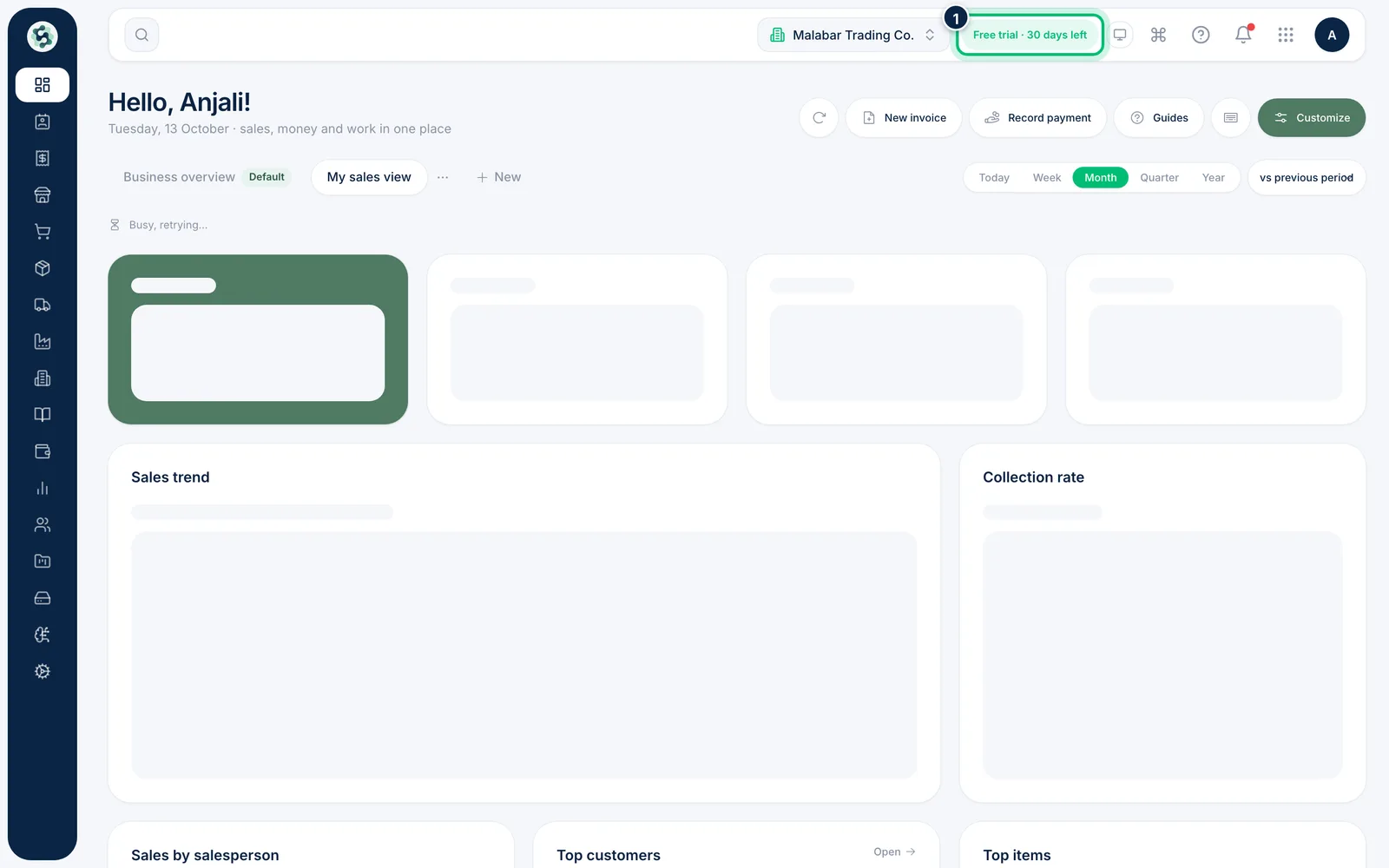
During the free trial, the top bar shows Free trial · N days left. Click it to open your plan. If Scalar has given your company complimentary access, it shows Complimentary · N days left instead, and paid plans show no chip.
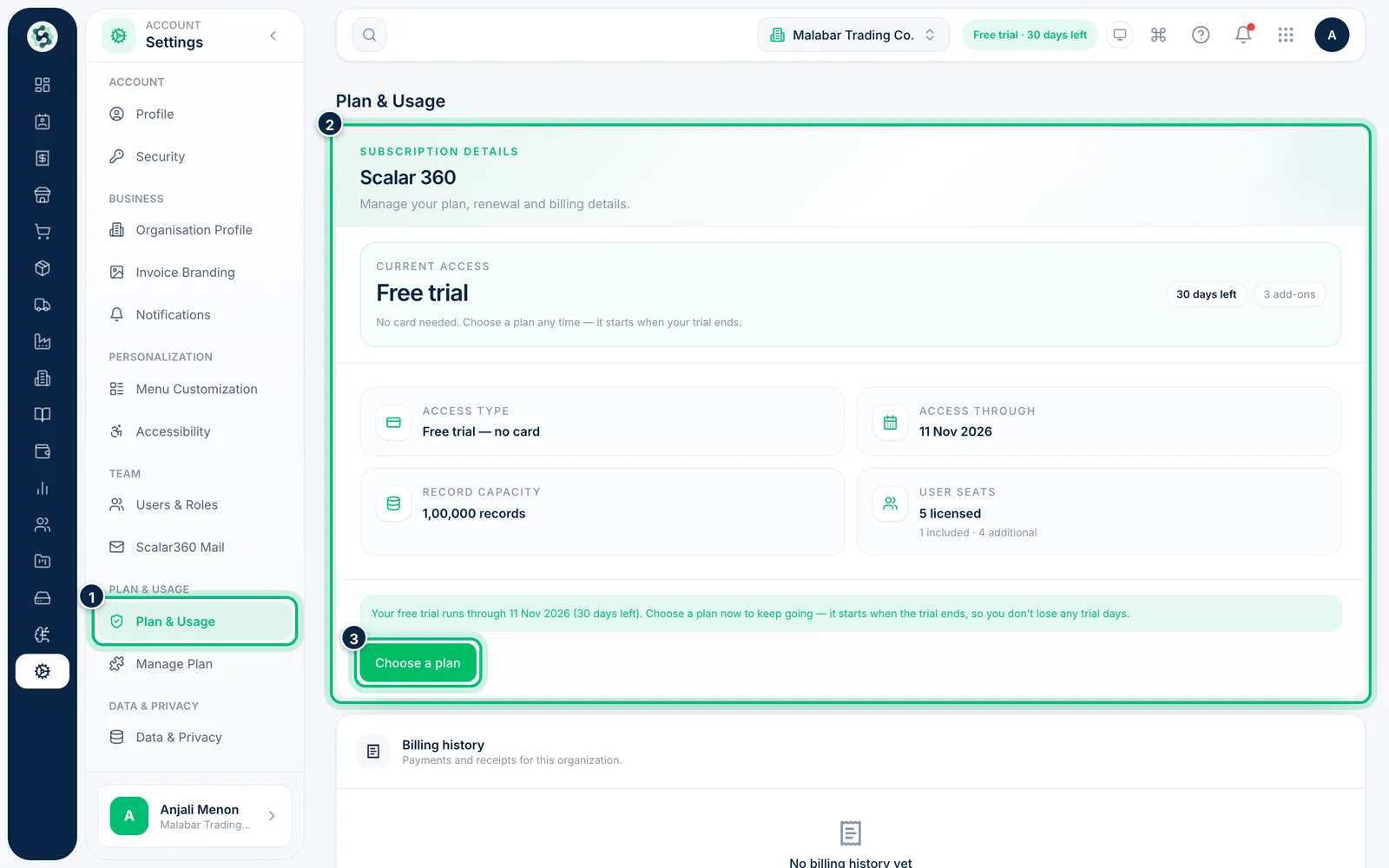
2Check Plan & Usage
Settings → Plan & Usage shows your plan, when it renews or when the trial ends, and how many users and records you're using. Choose Choose a plan to pick a paid plan — it starts when your trial ends, so you don't lose any trial days.
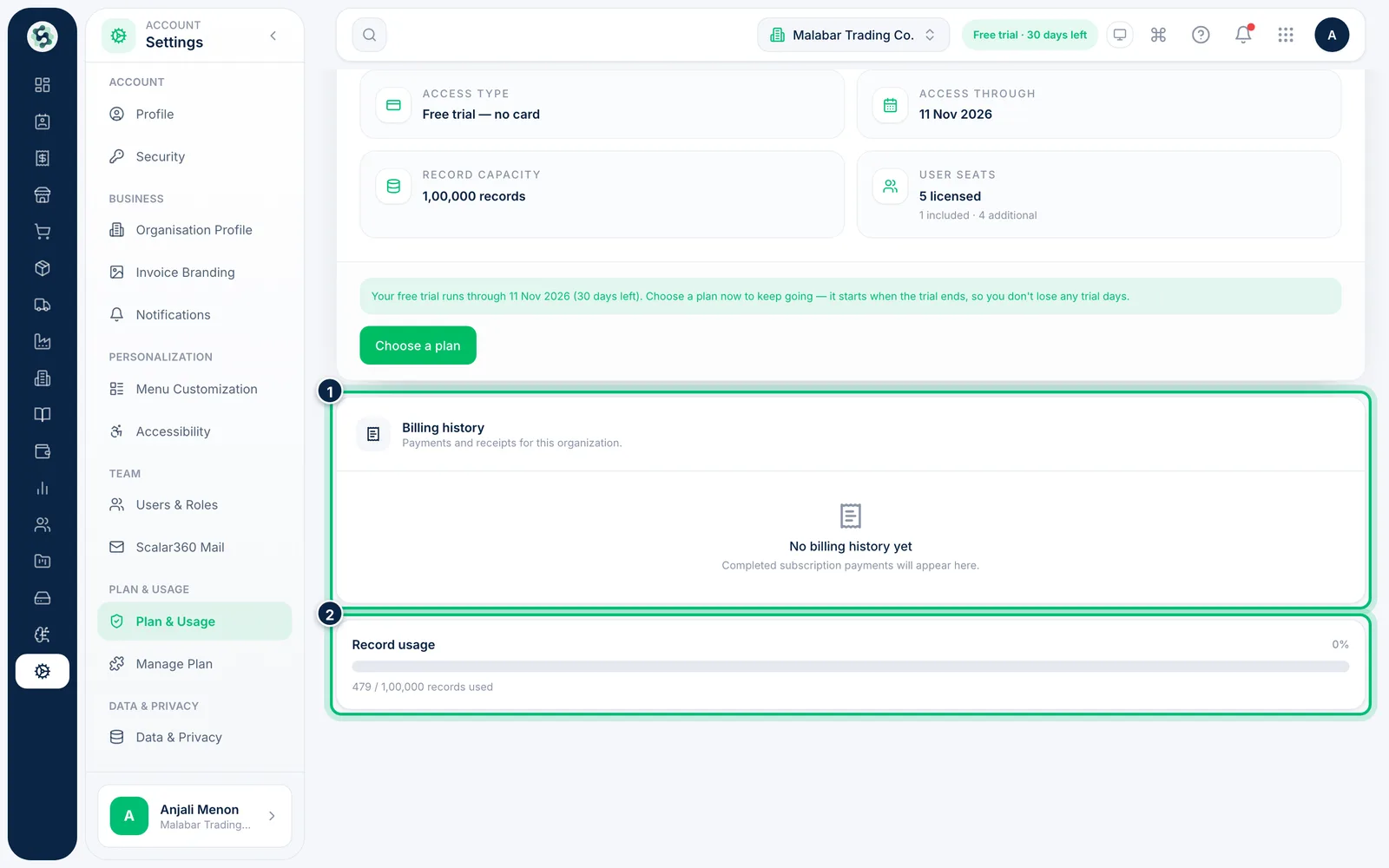
3Review billing history and record usage
Further down, Billing history lists your payments and receipts, and Record usage shows how close you are to your plan's record limit.
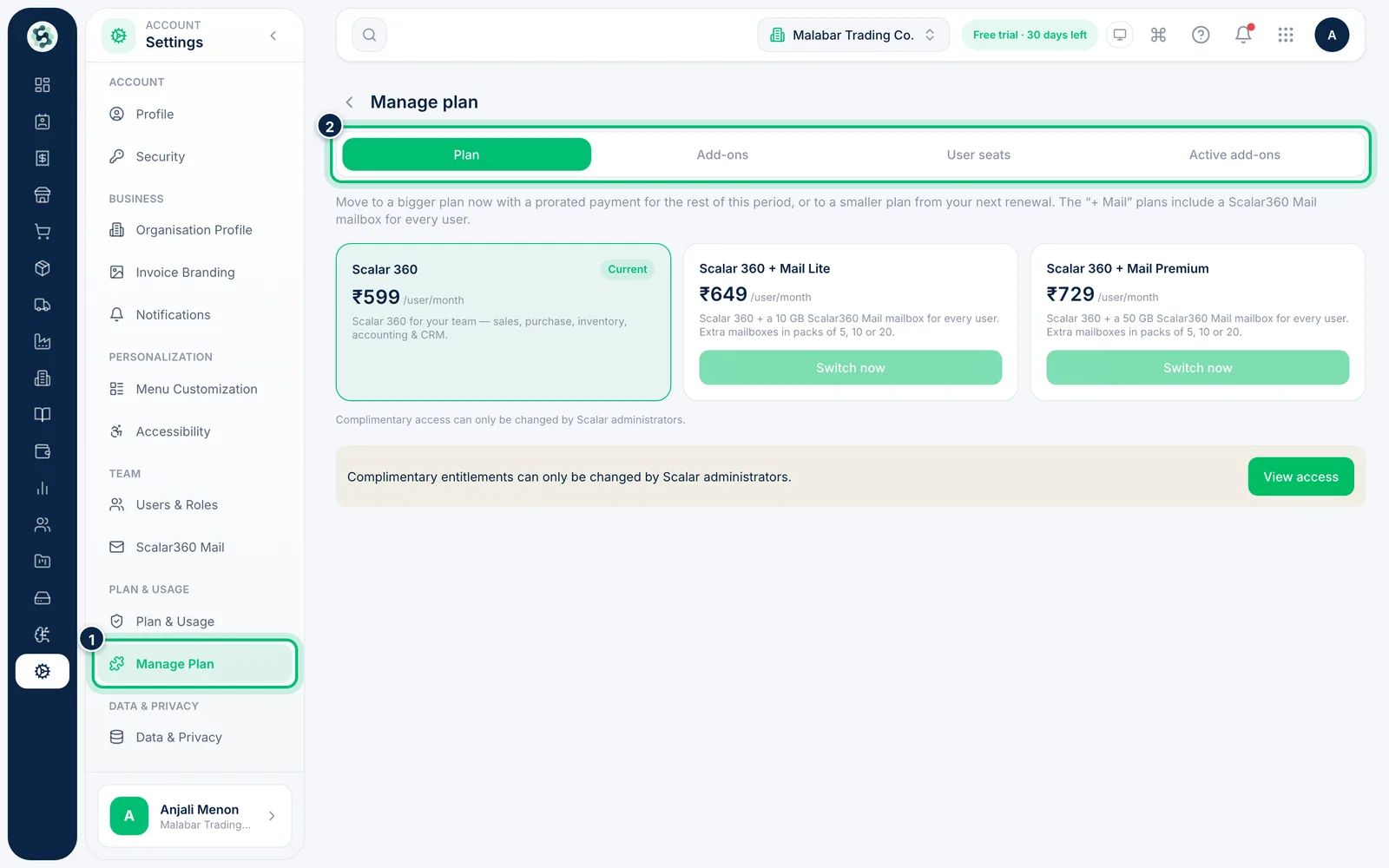
4Manage your plan, add-ons and seats
Once you're on a paid plan, open Manage Plan to change your Plan, buy Add-ons, add User seats or see your Active add-ons. You review every change and its cost before anything is charged. During the free trial these options are locked — use Choose a plan instead.
Related guides
Still stuck? Contact our support team — or start a free trial to try this in your own company.