
Scalar360 Mail · 3 steps
Keep your contacts
Save people and companies, group them with labels, and have them suggested when you write mail.
Before you start: Contacts sync with your phone and Outlook (CardDAV).
1Open Contacts
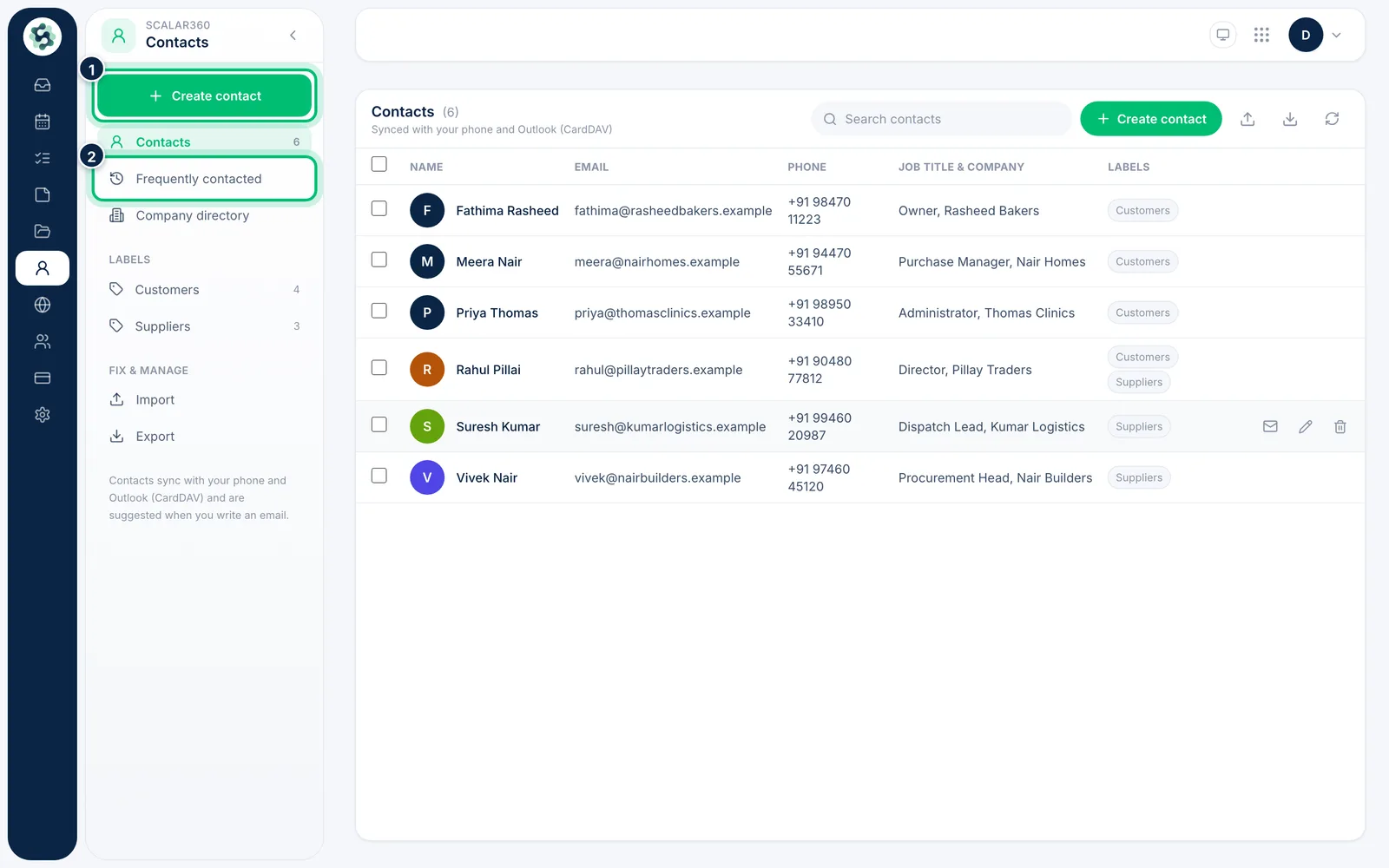
Choose Contacts in the left rail. Besides your saved Contacts, the left menu has Frequently contacted and Company directory. Search to filter the list.
2Create a contact
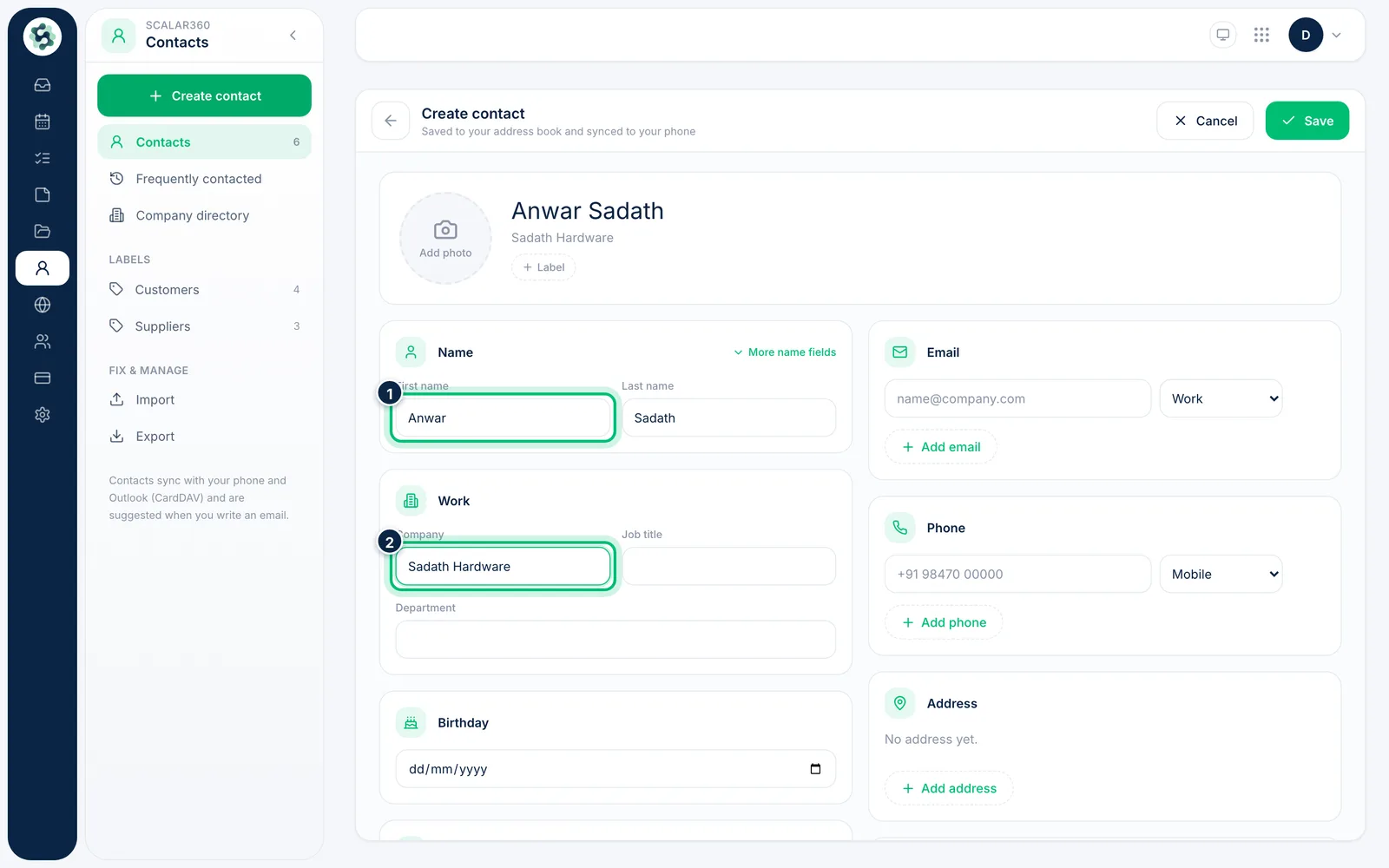
Choose Create contact and fill in the First name, Last name, Company and Job title. Add an Email and Phone further down.
3Email someone from their card
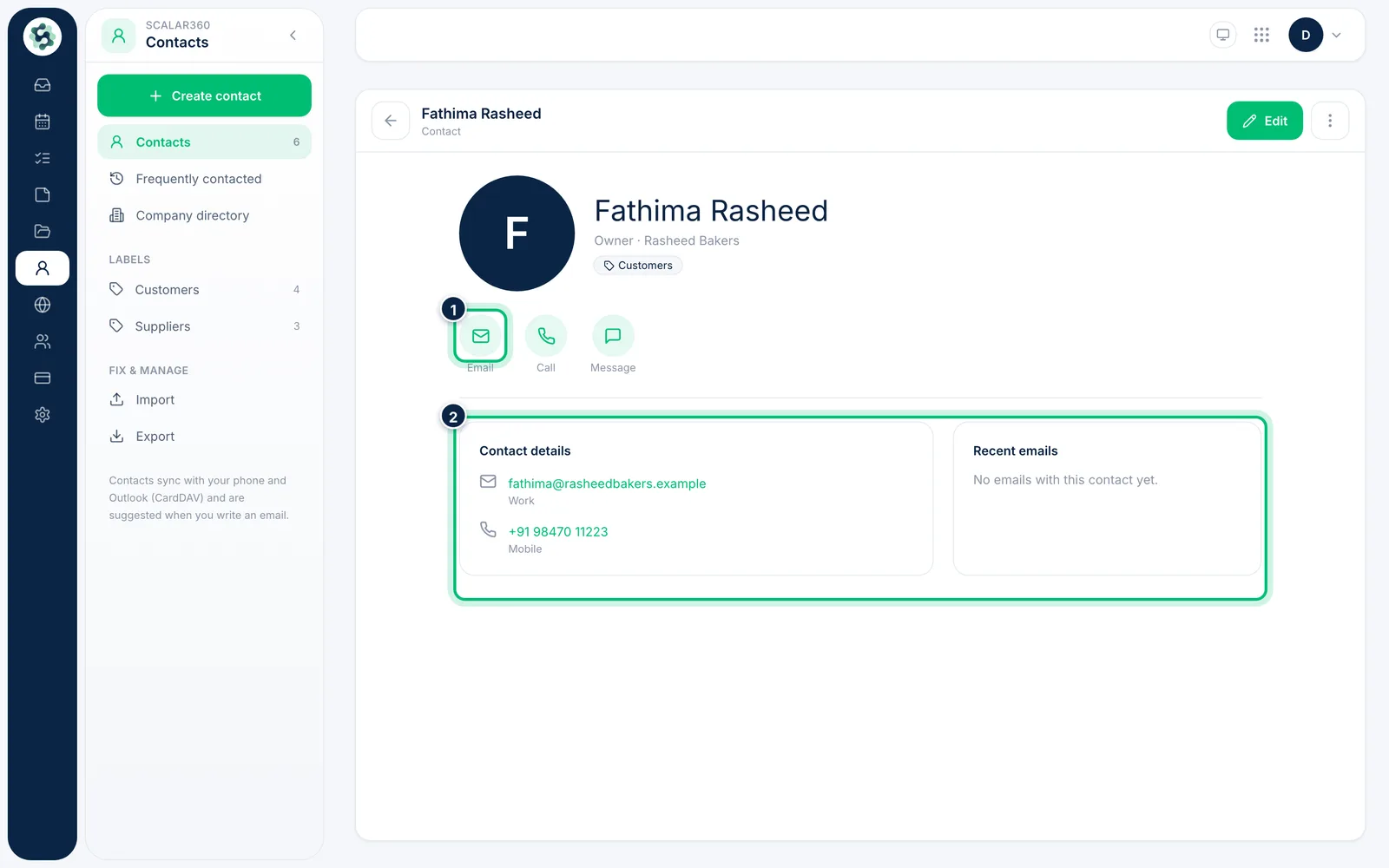
Select a contact to see their details and Recent emails. Choose Email to start a message to them.
Related guides
Still stuck? Contact our support team — or start a free trial to try this in your own company.