
Asset management · 4 steps
Raise an asset purchase or service request
Ask for a new asset or a repair, with an estimated cost and the people who must approve it, and follow the request until it is fulfilled.
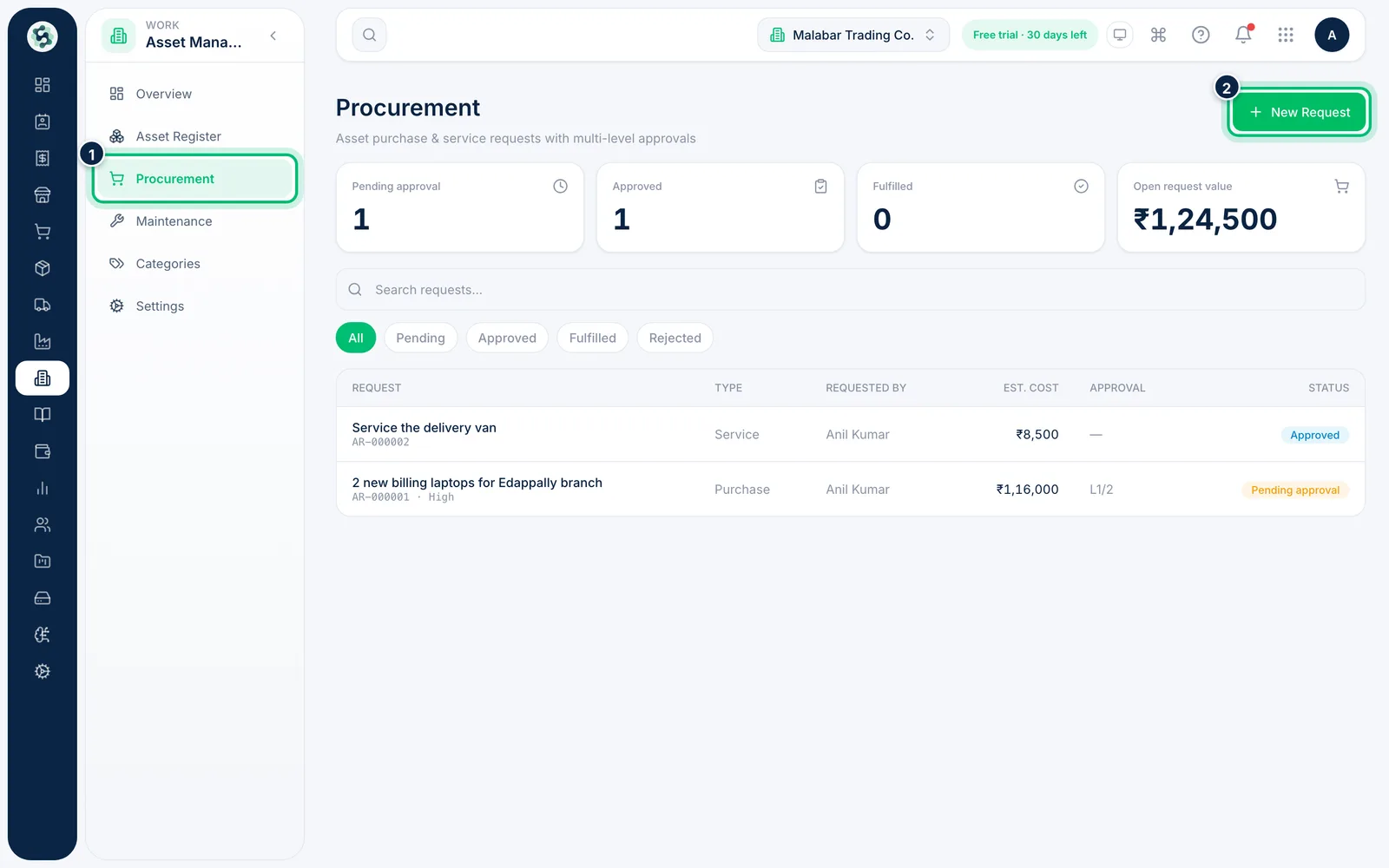
1Open Procurement
Go to Asset Management → Procurement. The cards show Pending approval, Approved, Fulfilled and Open request value. Choose New Request.
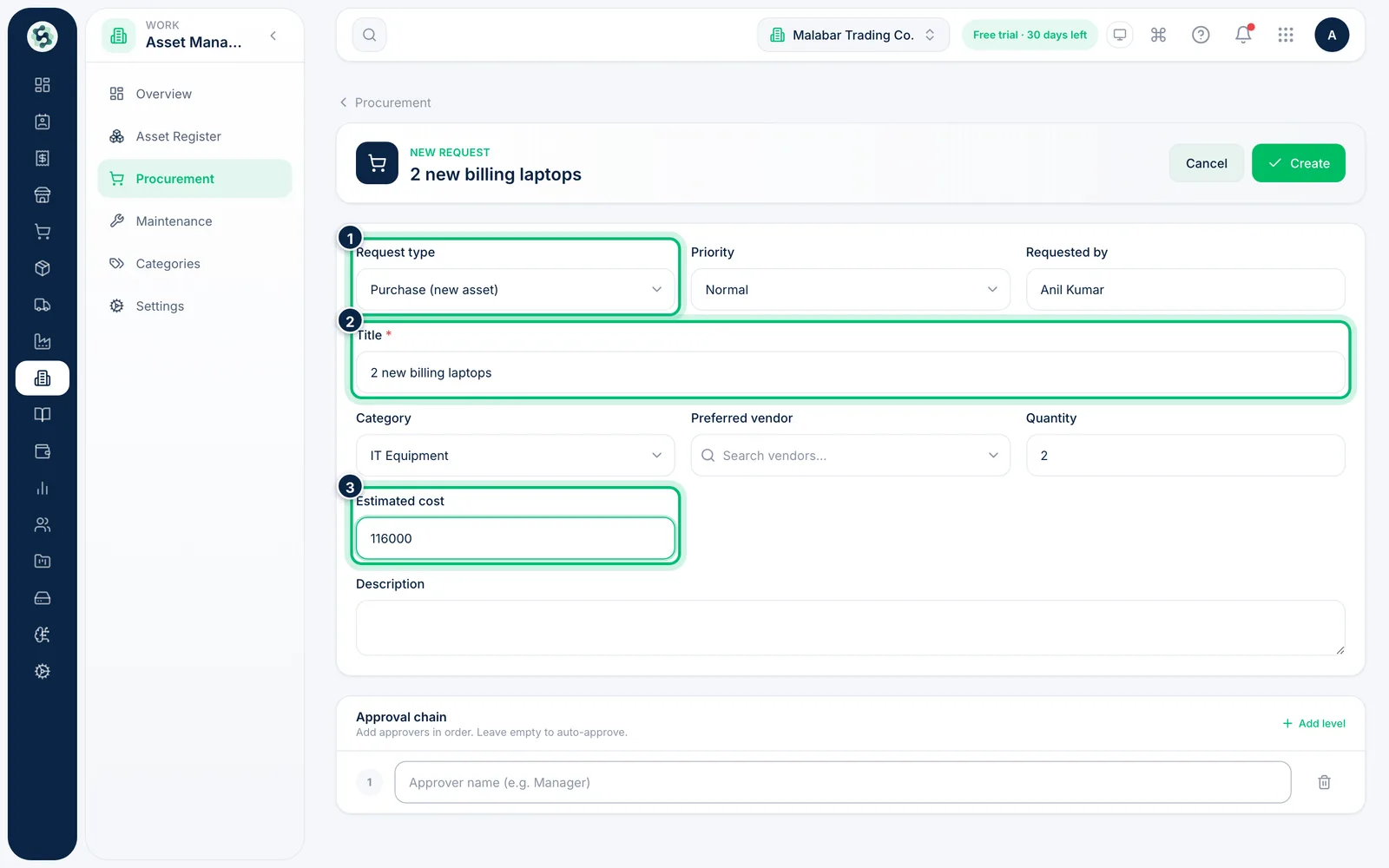
2Describe what you need
Choose the Request type — Purchase (new asset) or Service (existing asset) — and set the Priority. Enter a Title, then pick the Category, the Quantity and the Estimated cost.
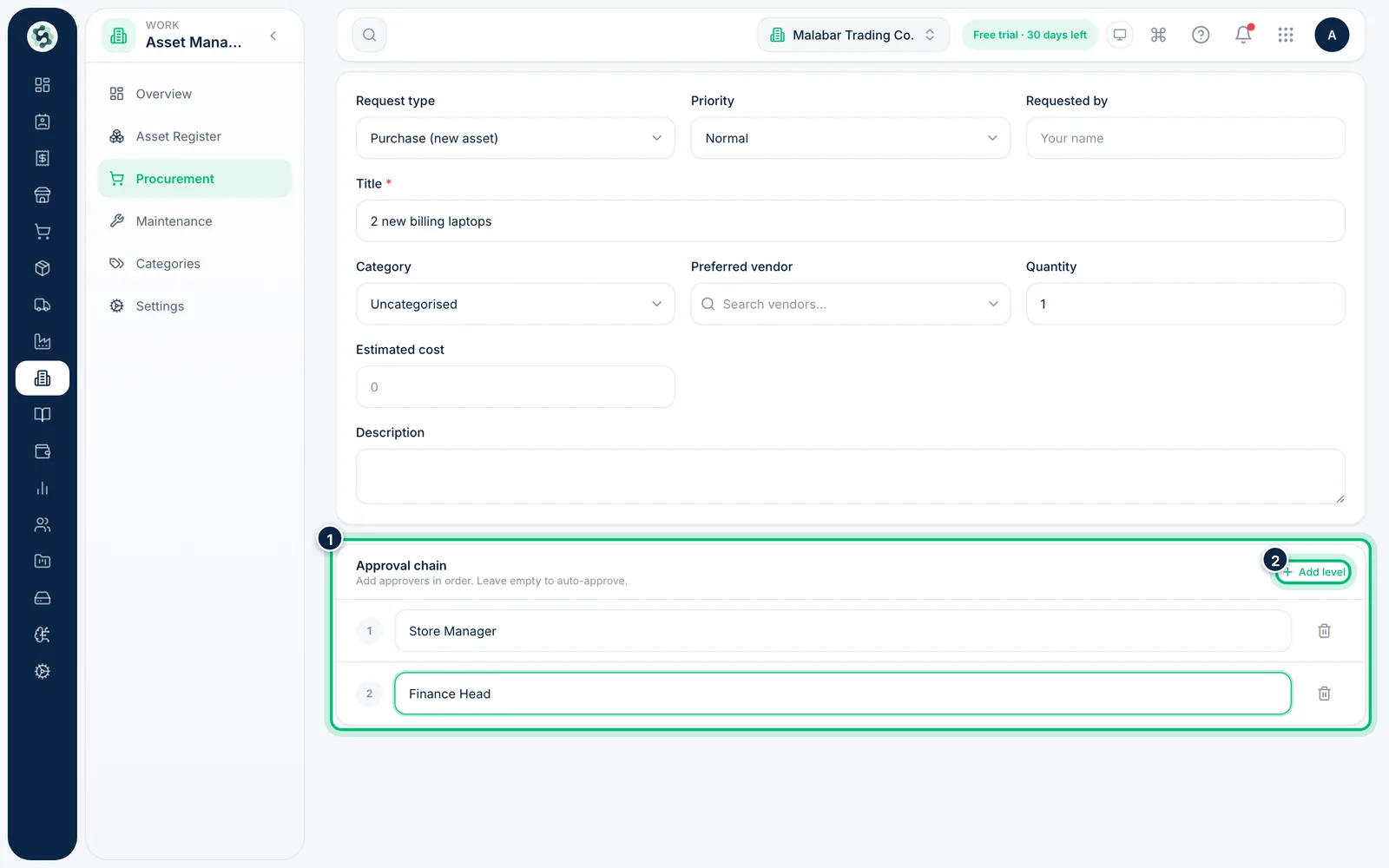
3Set the approval chain
Under Approval chain, type the approver for each level, in order. Choose Add level for more. Leave the chain empty and the request is approved as soon as it is submitted — unless an approval workflow applies.
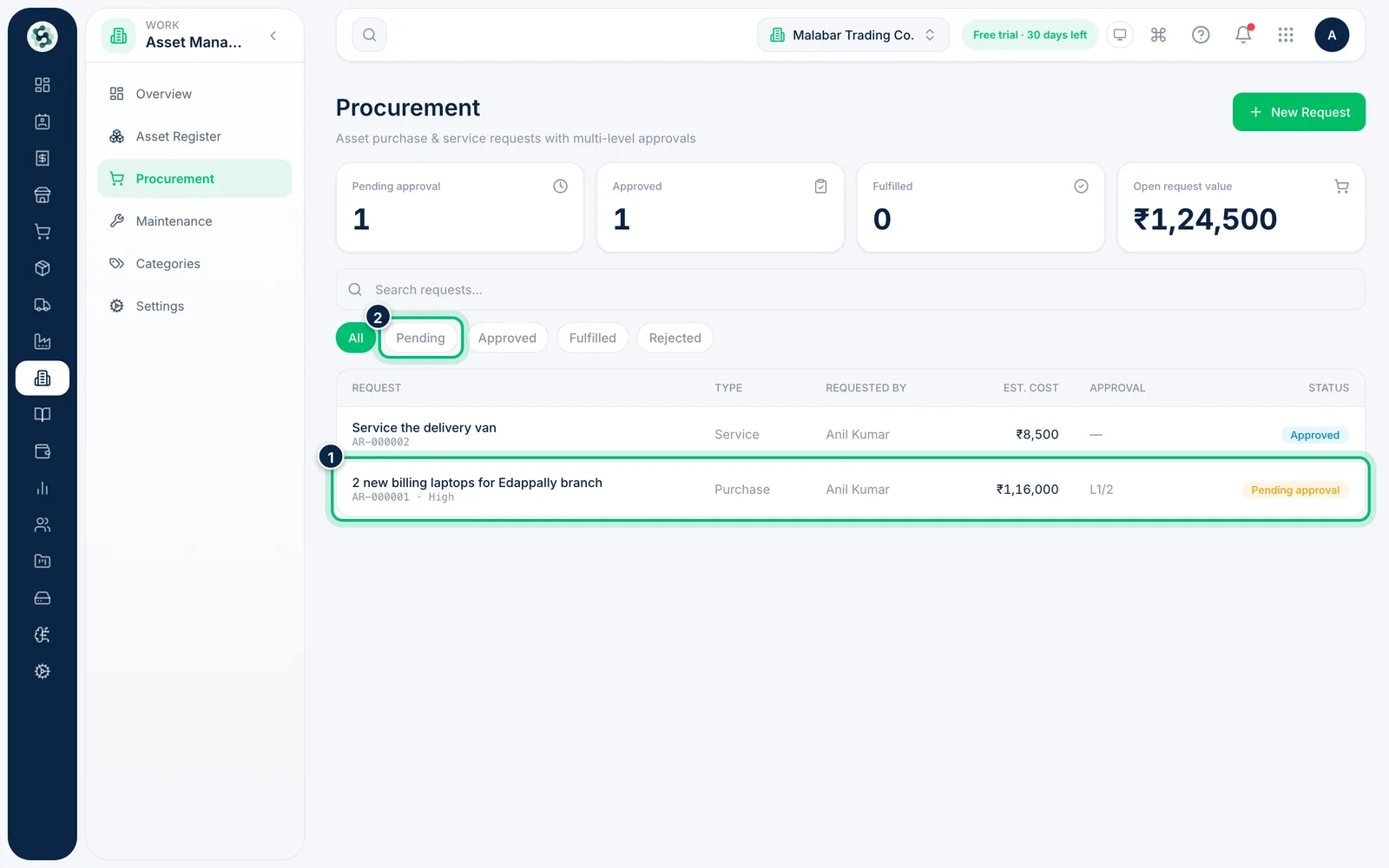
4Track the request
After you choose Create, the request appears on Procurement with its number, Est. cost and approval progress, such as L1/2. Use the filters Pending, Approved, Fulfilled and Rejected, or search by title or number.
Related guides
Still stuck? Contact our support team — or start a free trial to try this in your own company.