
Purchasing & vendors · 4 steps
Raise a debit note to a vendor
Record an amount a vendor owes you back — for short supply, a rate difference, damage or goodwill.
Before you start: Add the vendor first. Linking the note to one of their bills is optional.
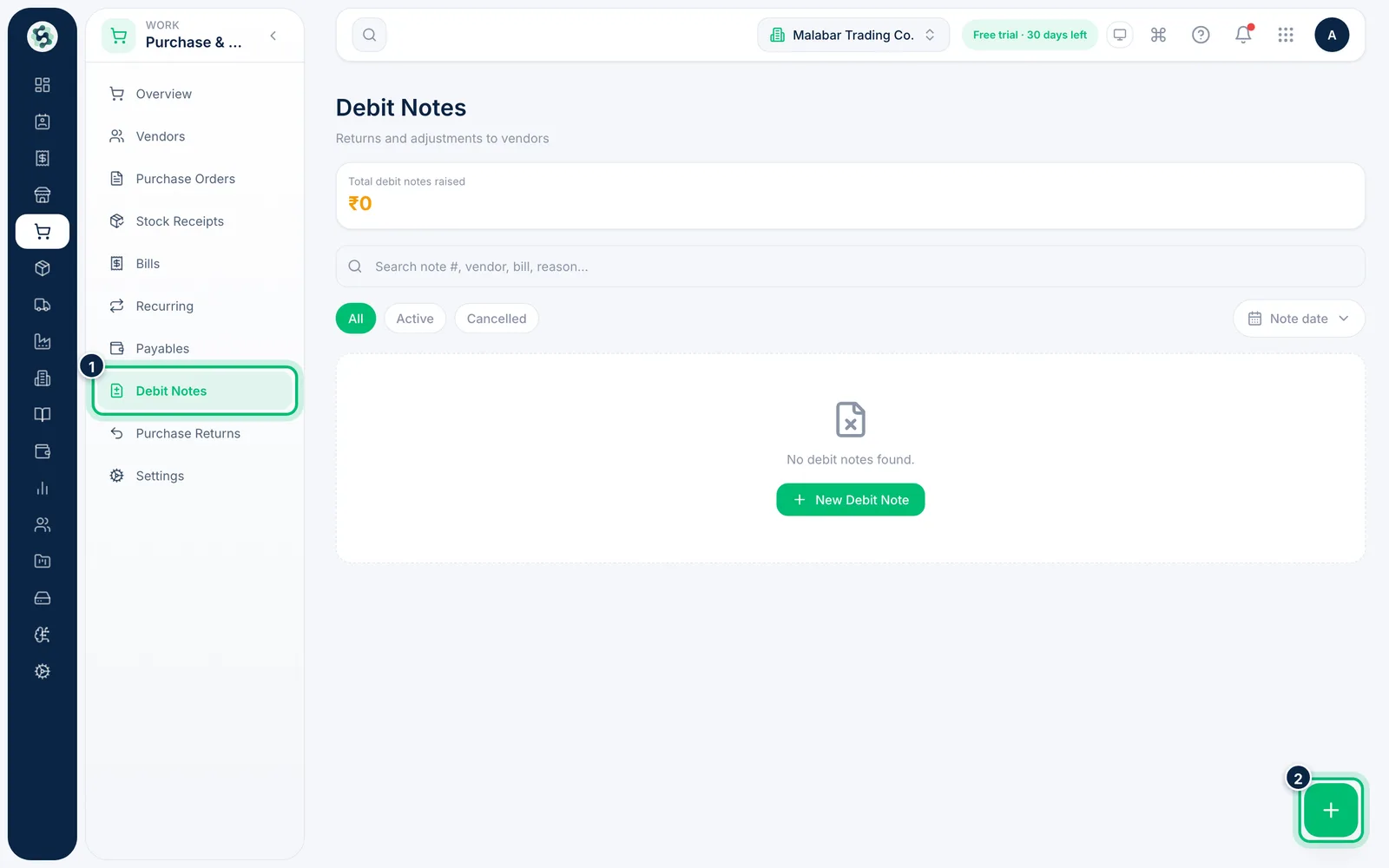
1Start a new debit note
Go to Purchase & Vendors → Debit Notes and choose the + button at the bottom right.
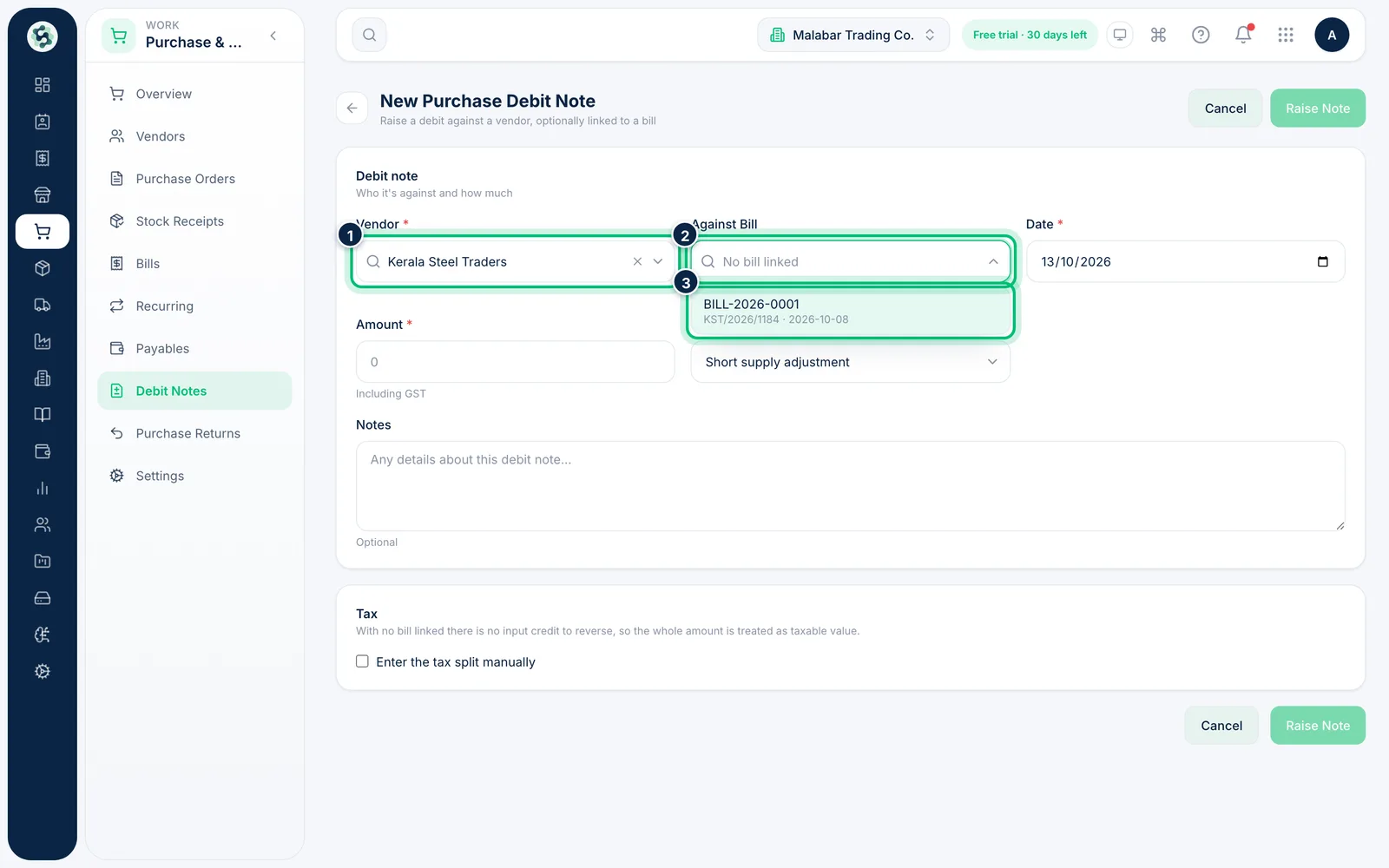
2Choose the vendor and bill
Pick the Vendor, then choose the bill it relates to under Against Bill. Only that vendor's bills that aren't cancelled are listed.
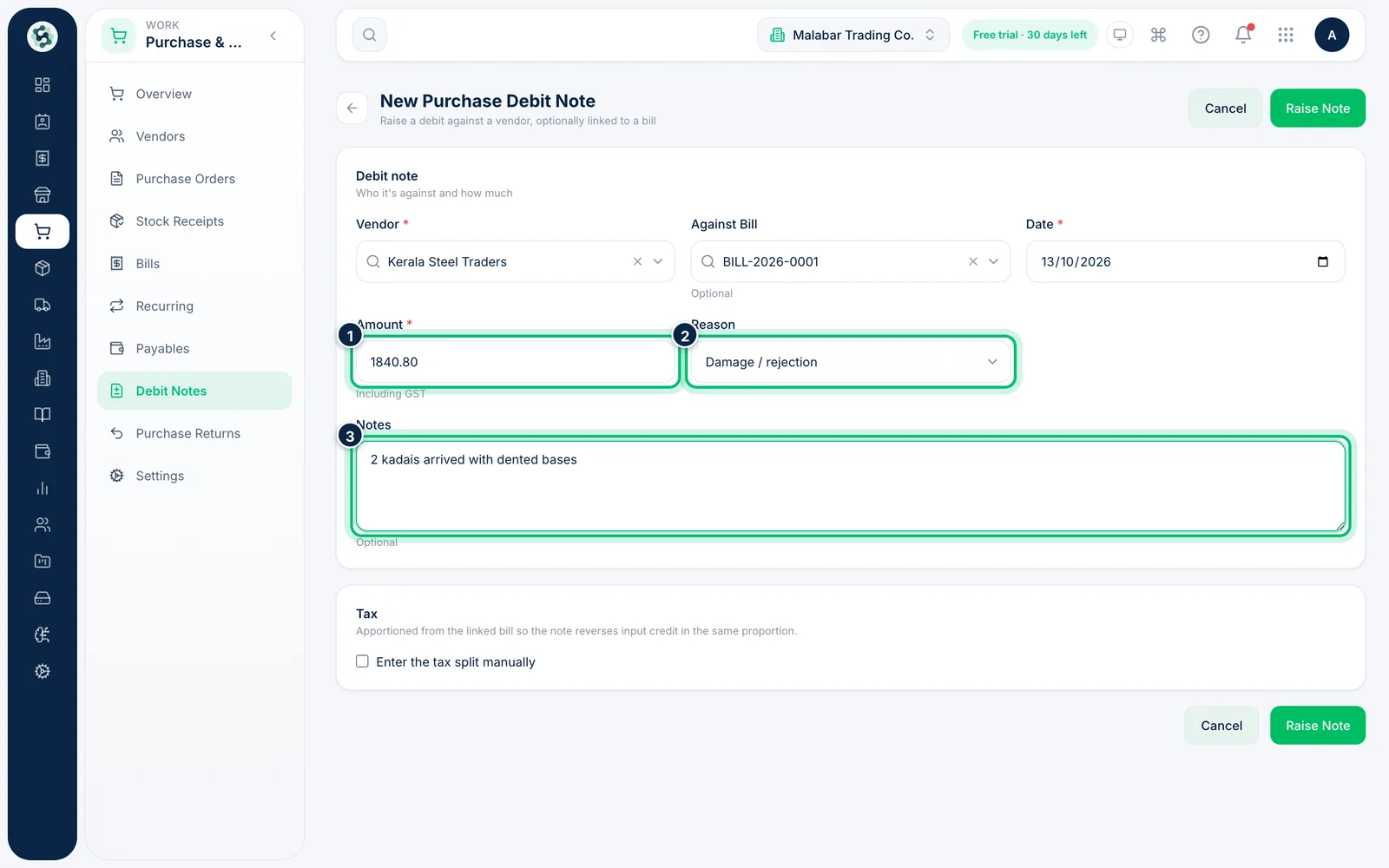
3Enter the amount and reason
Set the Date and the Amount including GST. Choose a Reason — Short supply adjustment, Rate difference, Damage / rejection, Goodwill or Other — and add any Notes.
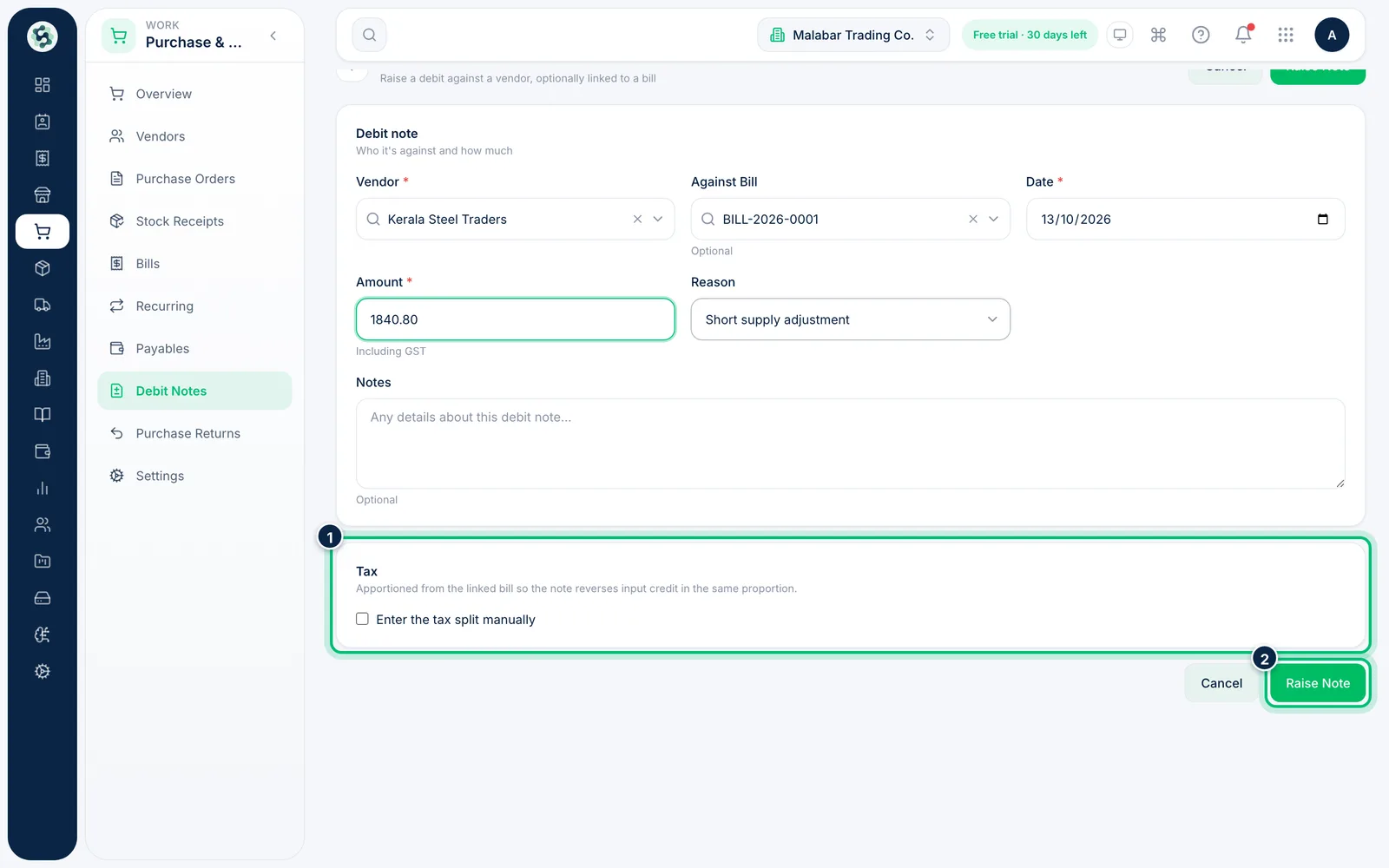
4Check the tax and raise the note
With a bill linked, the GST is split in the same proportion as that bill, so the right input credit is reversed. Tick Enter the tax split manually only if you need different figures. Choose Raise Note to save.
Related guides
Still stuck? Contact our support team — or start a free trial to try this in your own company.