
Reports · 2 steps
Export a report to PDF, Excel or CSV
Download a report with the period you've chosen, to share, print or work on in a spreadsheet.
Before you start: You need permission to export reports. If you don't see Export, ask your administrator.
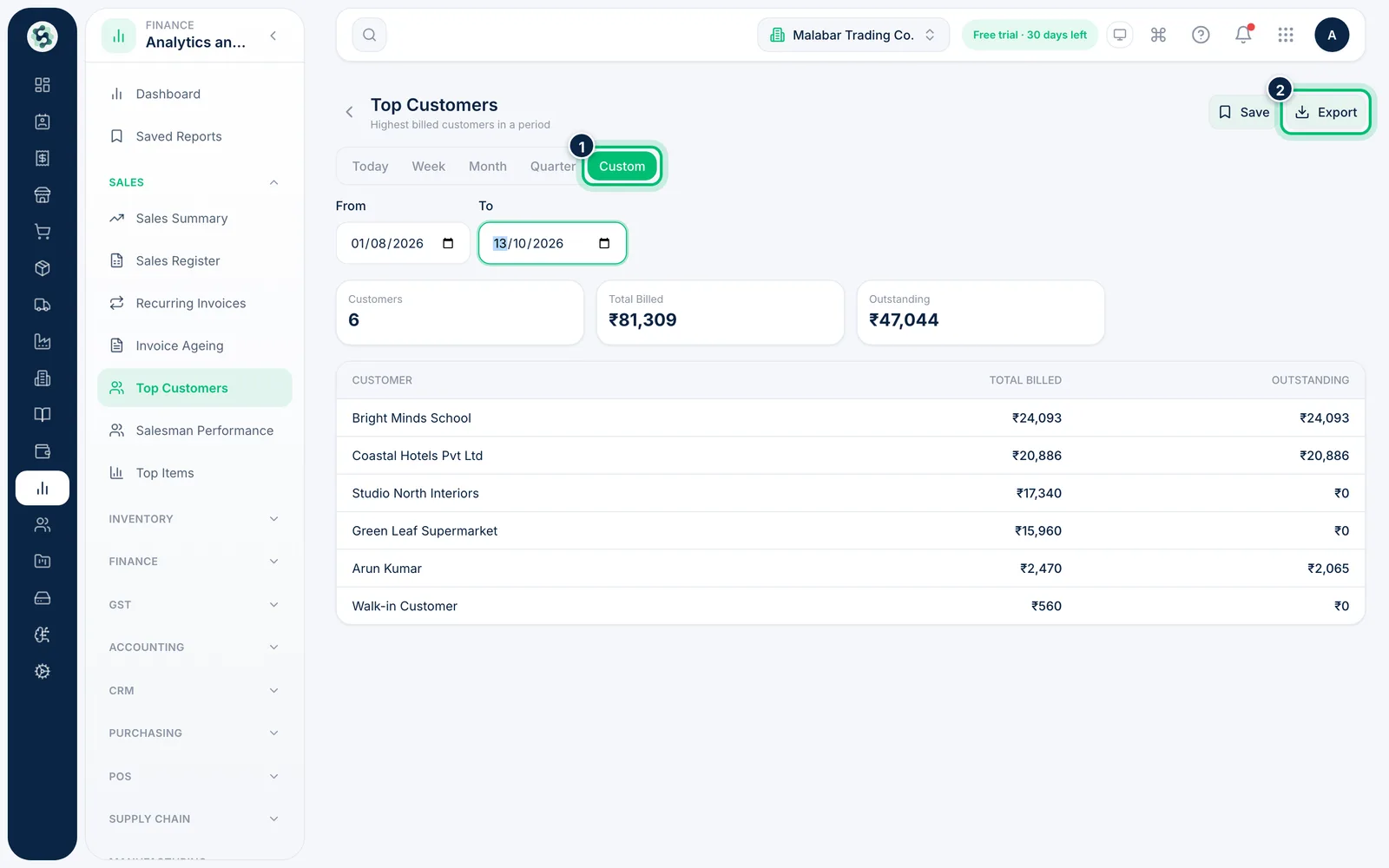
1Run the report for the right period
Open the report and choose the period first — the export uses exactly the same dates and filters as the screen.
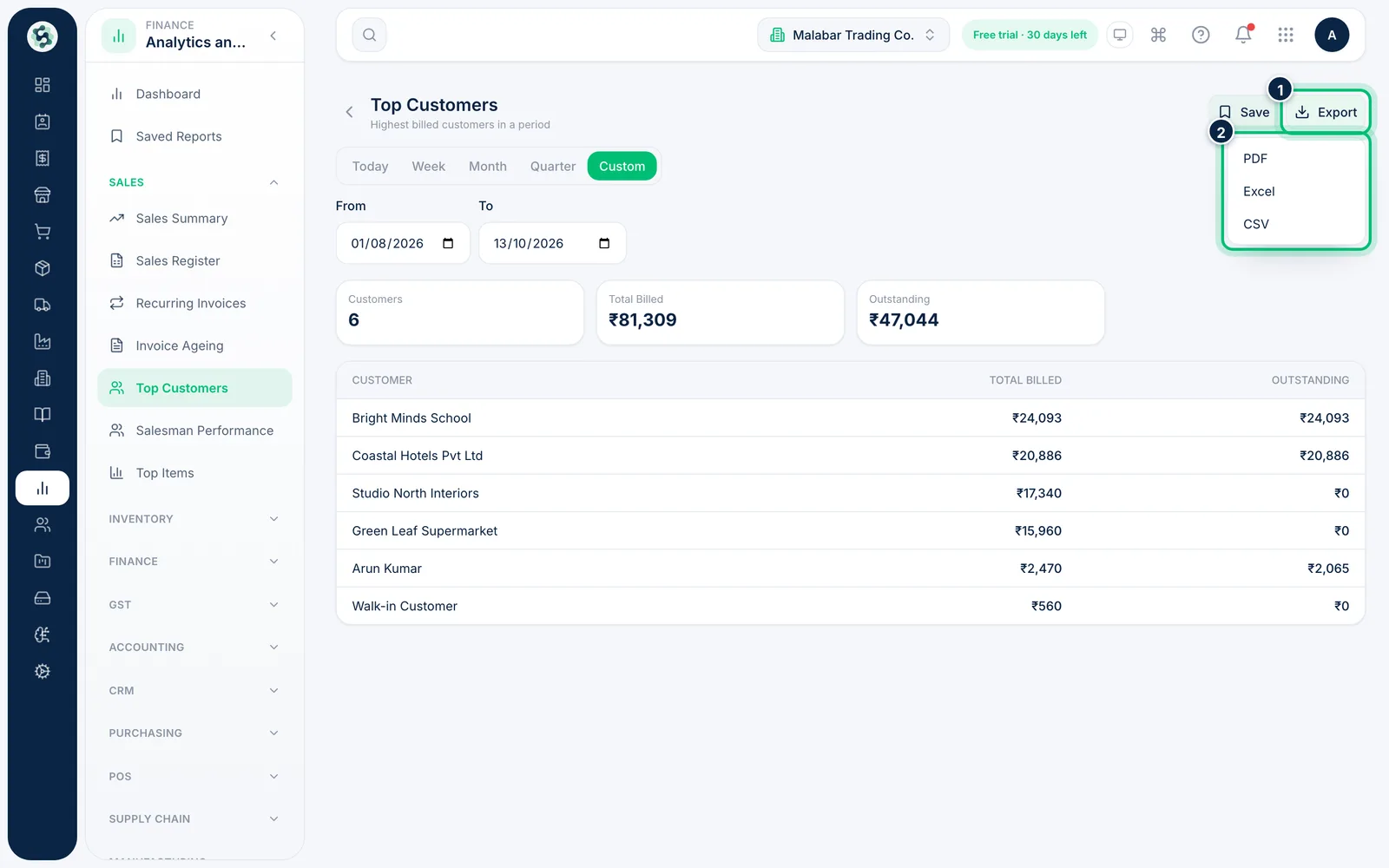
2Choose a format
Click Export and choose PDF, Excel or CSV. The file downloads straight away and is named after the report. To print a report, export the PDF and print it from your PDF viewer.
Related guides
Save a report view and reopen itSave a report with its period so you can come back to it in one click.Find and run a reportSearch the library, open a report and choose the period it covers.
Still stuck? Contact our support team — or start a free trial to try this in your own company.