
Accounting & GST · 3 steps
Open a ledger statement
See every entry in an account — sales, bank, GST, debtors or creditors — with a running balance.
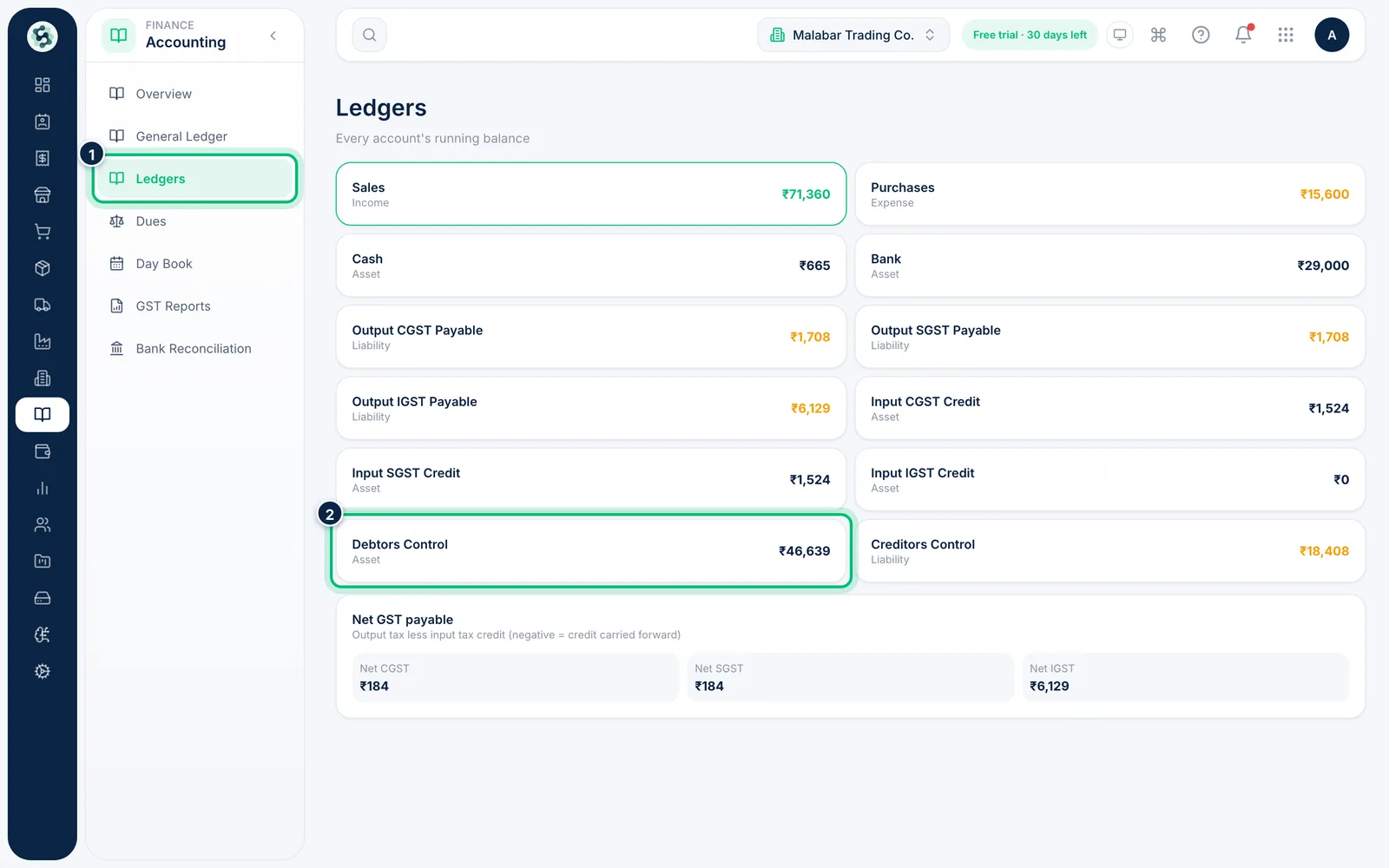
1Open Ledgers
In the left menu open Accounting → Ledgers. Each card shows an account, its type and its current balance — for example Sales, Bank, Output CGST Payable and Debtors Control. Output GST (tax you charged) and Input … Credit (tax you paid on purchases) are shown separately, with the net amount you owe alongside.
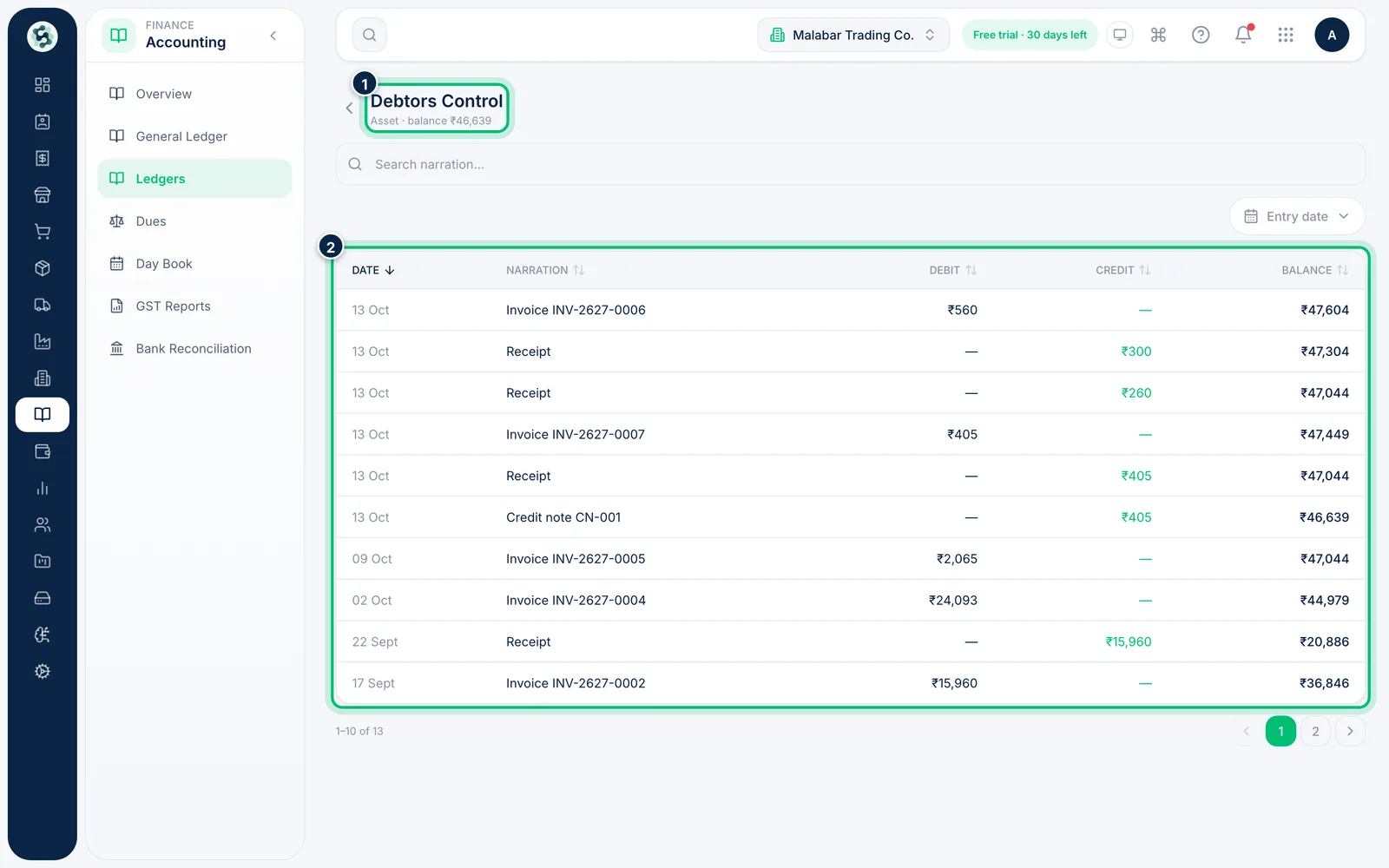
2Open an account
Click an account to see its statement. The header shows the account type and its balance; the table lists each entry with its Debit, Credit and running Balance.
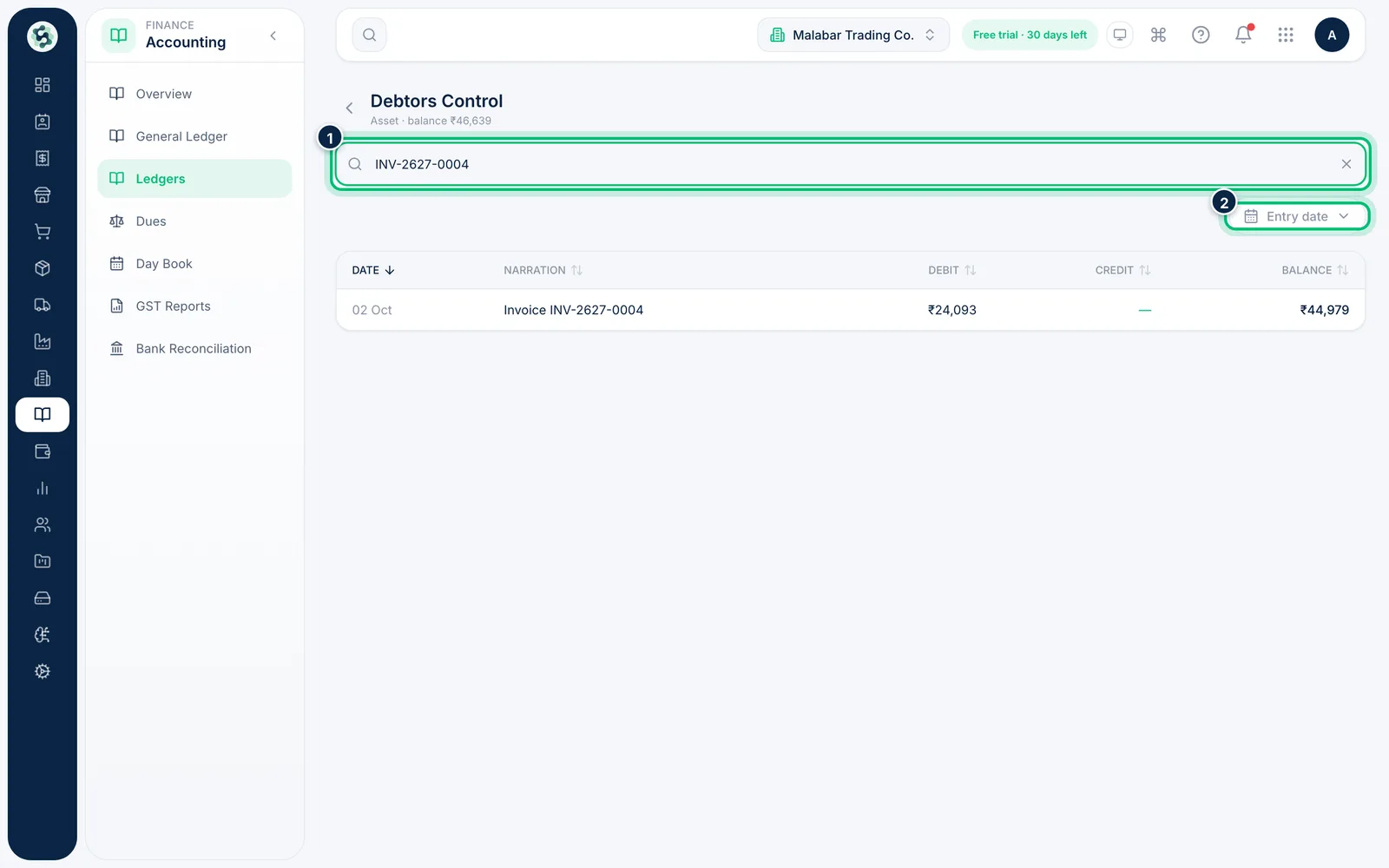
3Find an entry
Type an invoice number or a word from the narration in Search narration…, or choose Entry date to limit the statement to a date range. Click a column heading to sort by it.
Related guides
Still stuck? Contact our support team — or start a free trial to try this in your own company.