
Manufacturing · 3 steps
Turn a shortfall into a purchase order
Review what a production plan is missing, then raise purchase orders to the items' preferred vendors.
Before you start: Material requests come from a production plan with a shortfall. Set a preferred vendor on each item so it can go on a purchase order.
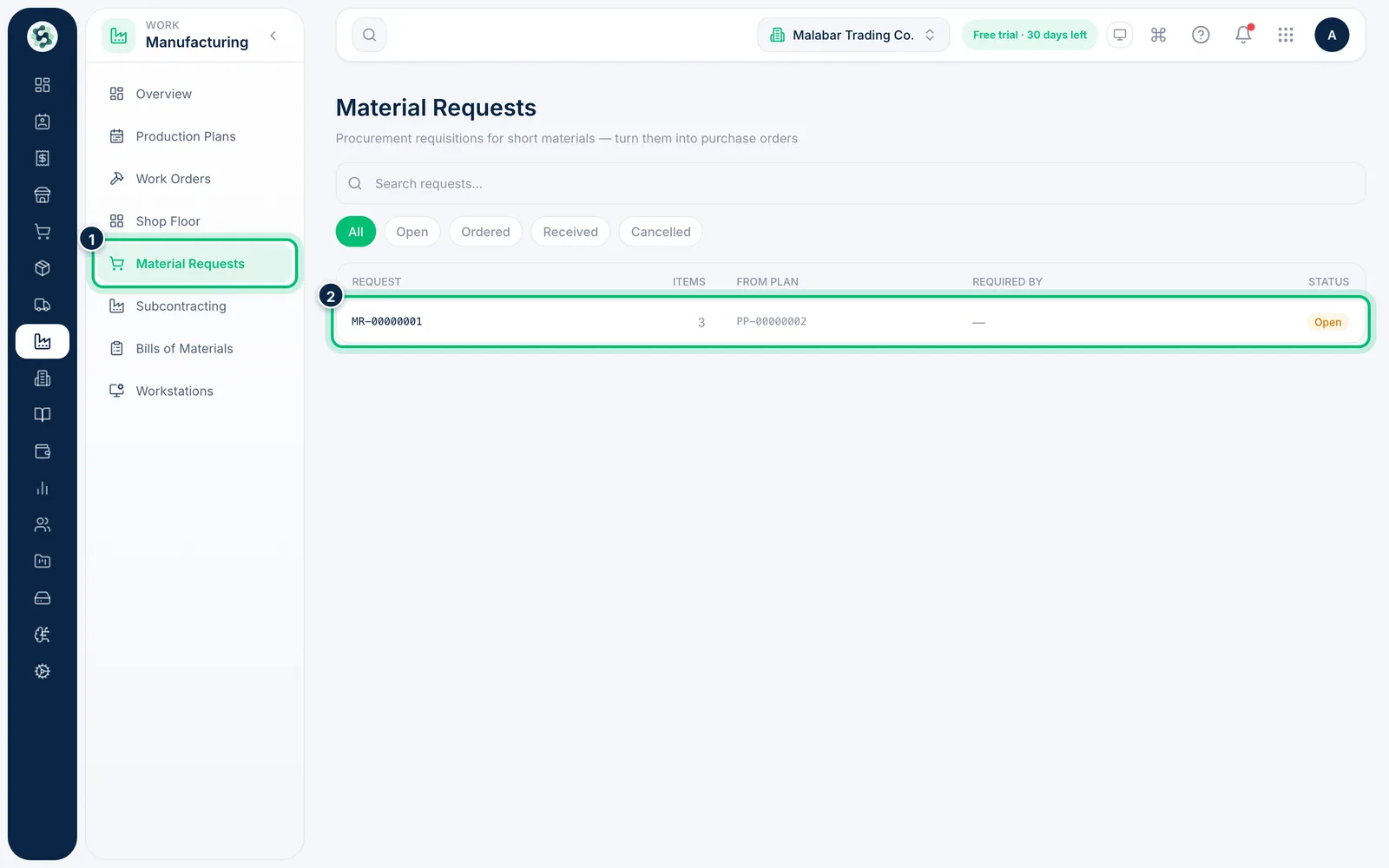
1Open Material Requests
Open Manufacturing → Material Requests. Each row shows the request, how many Items it covers, the From plan it came from, the Required by date and its Status.
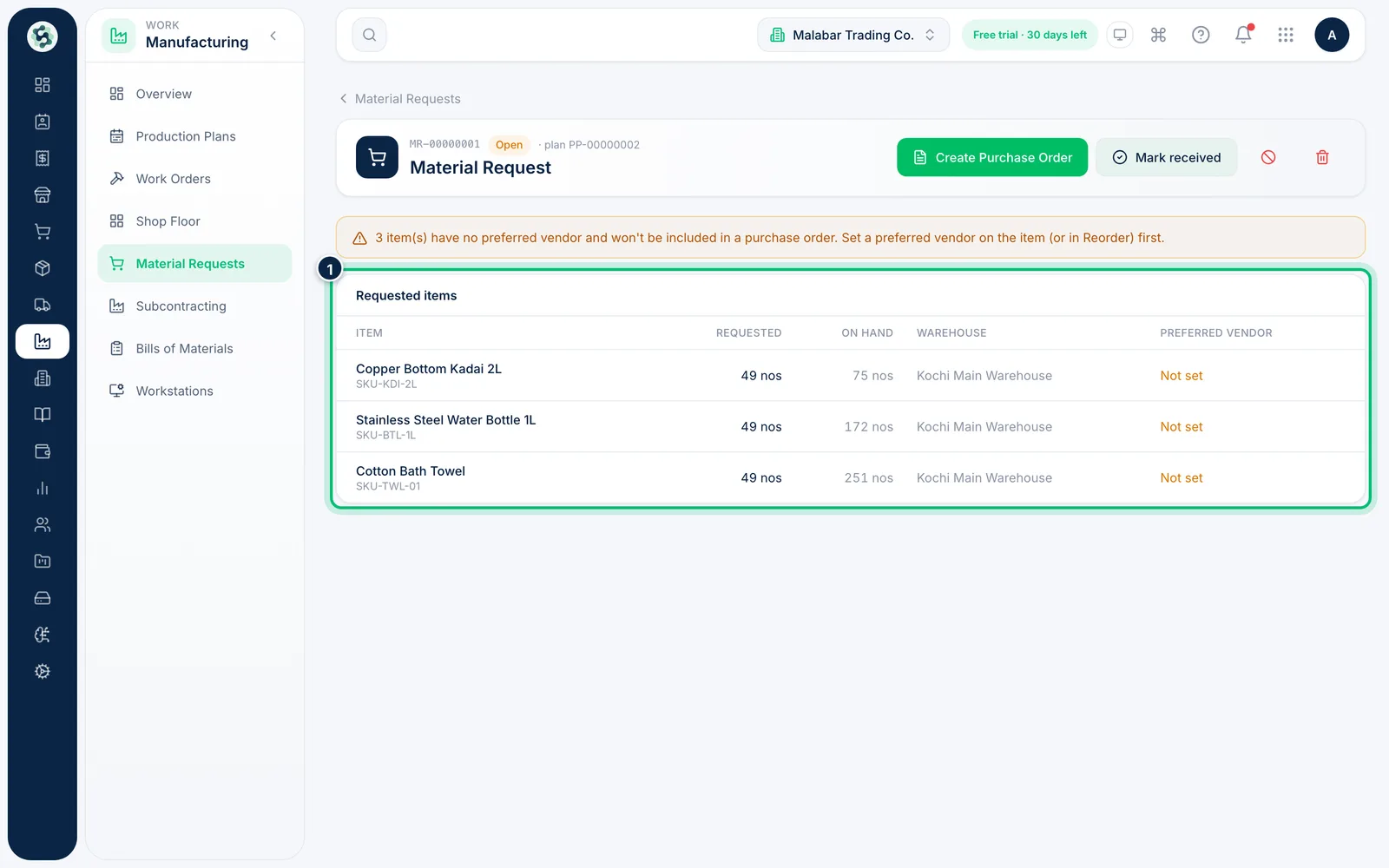
2Review the requested items
Open a request to see Requested items with the quantity needed, what is On hand, the Warehouse and the Preferred vendor. A warning lists items with no preferred vendor — they are left off the purchase order.
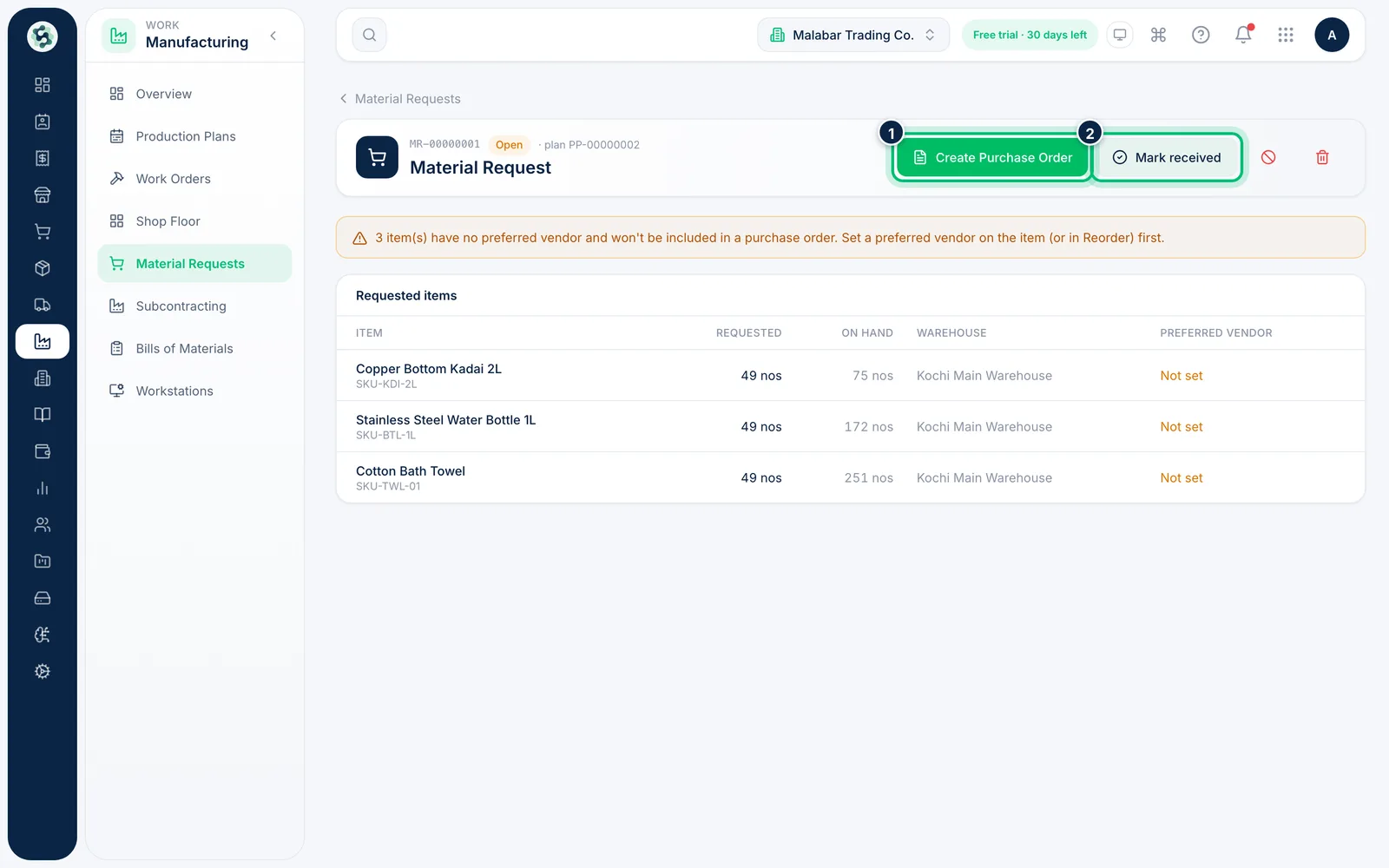
3Create the purchase order
Choose Create Purchase Order to raise orders grouped by vendor. When the goods arrive, choose Mark received to close the request.
Related guides
Still stuck? Contact our support team — or start a free trial to try this in your own company.