
Supply chain · 4 steps
Create a price list
Keep reusable per-item prices, such as wholesale and retail, and see how each one compares with your standard price.
1Open Price Lists
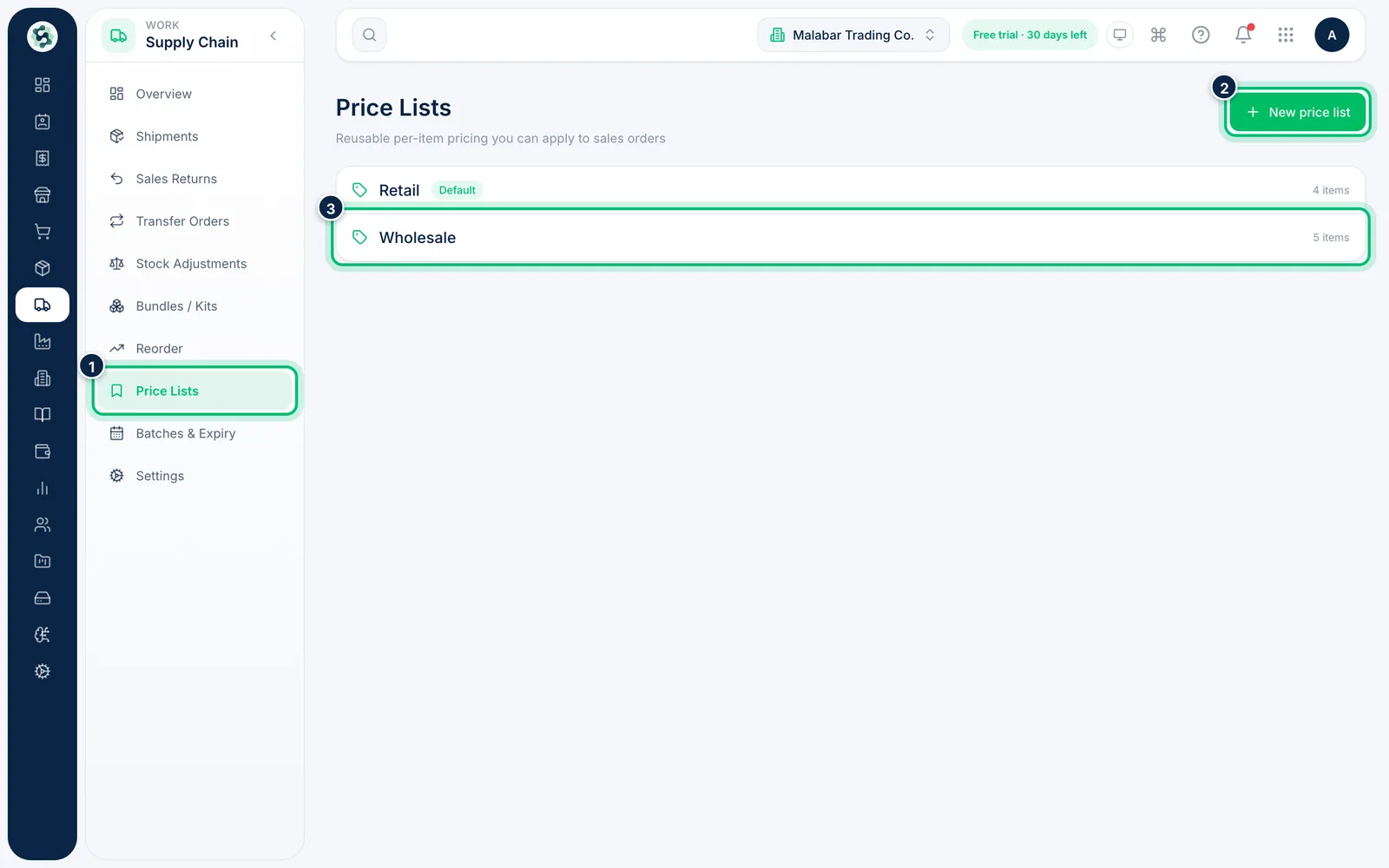
Open Supply Chain → Price Lists. Each list shows its name, whether it is the Default and how many items it prices. Choose New price list.
2Name the list
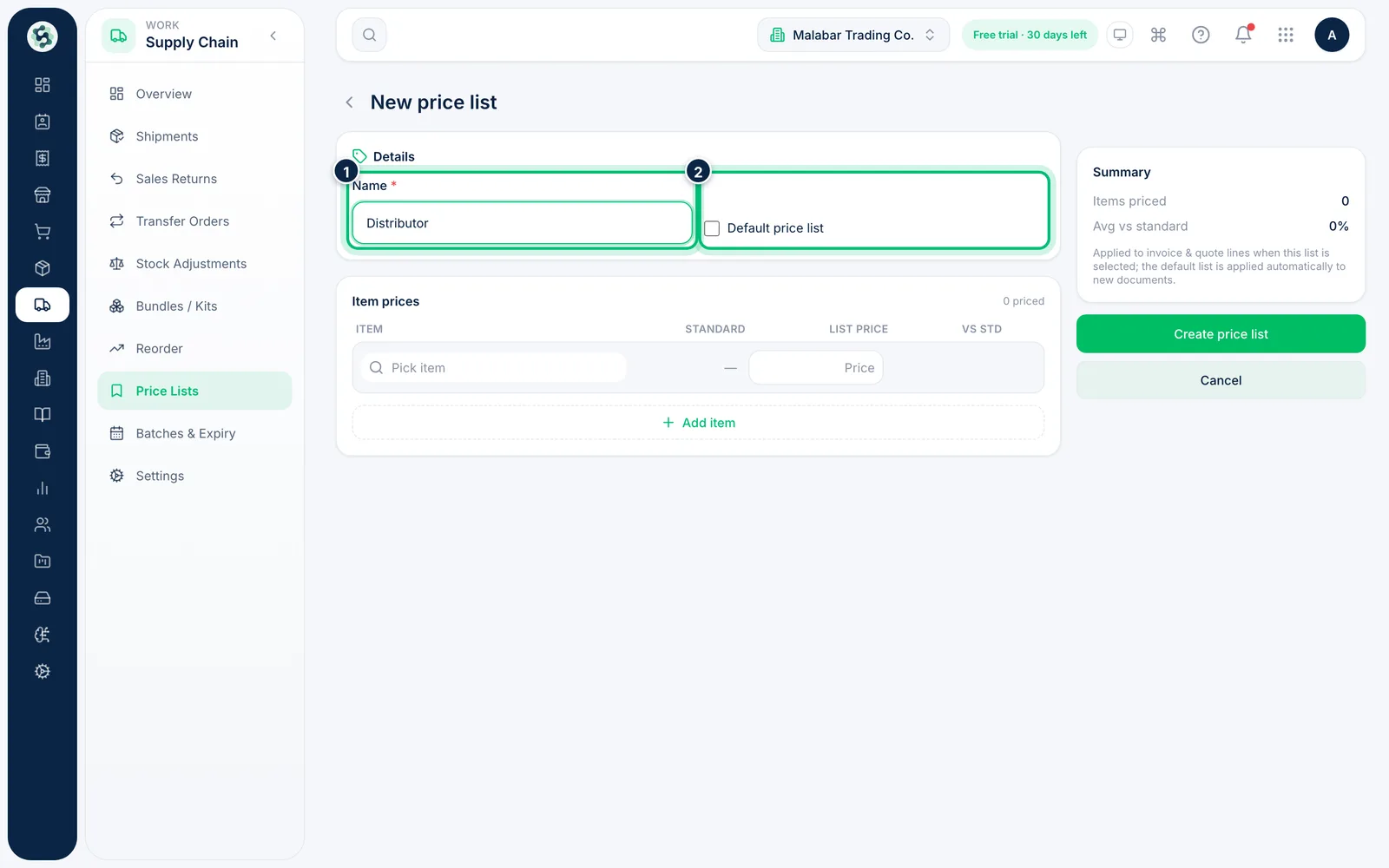
Enter a Name such as Wholesale or Retail. Tick Default price list to make it the default.
3Set a price for each item
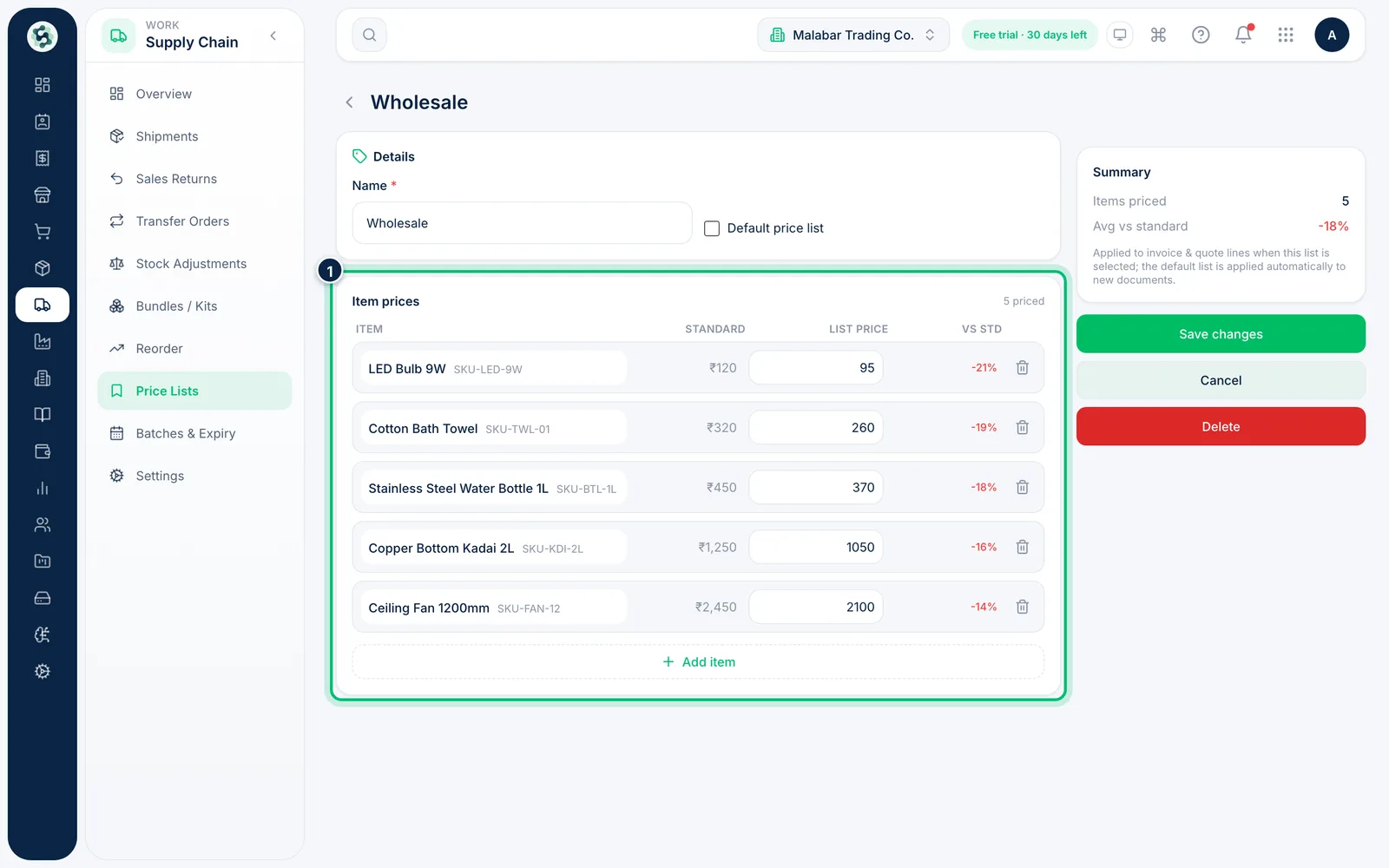
Under Item prices, add an item and enter its List price. Next to it you see the Standard price and the difference vs std, so discounts and mark-ups are easy to spot.
4Save the price list
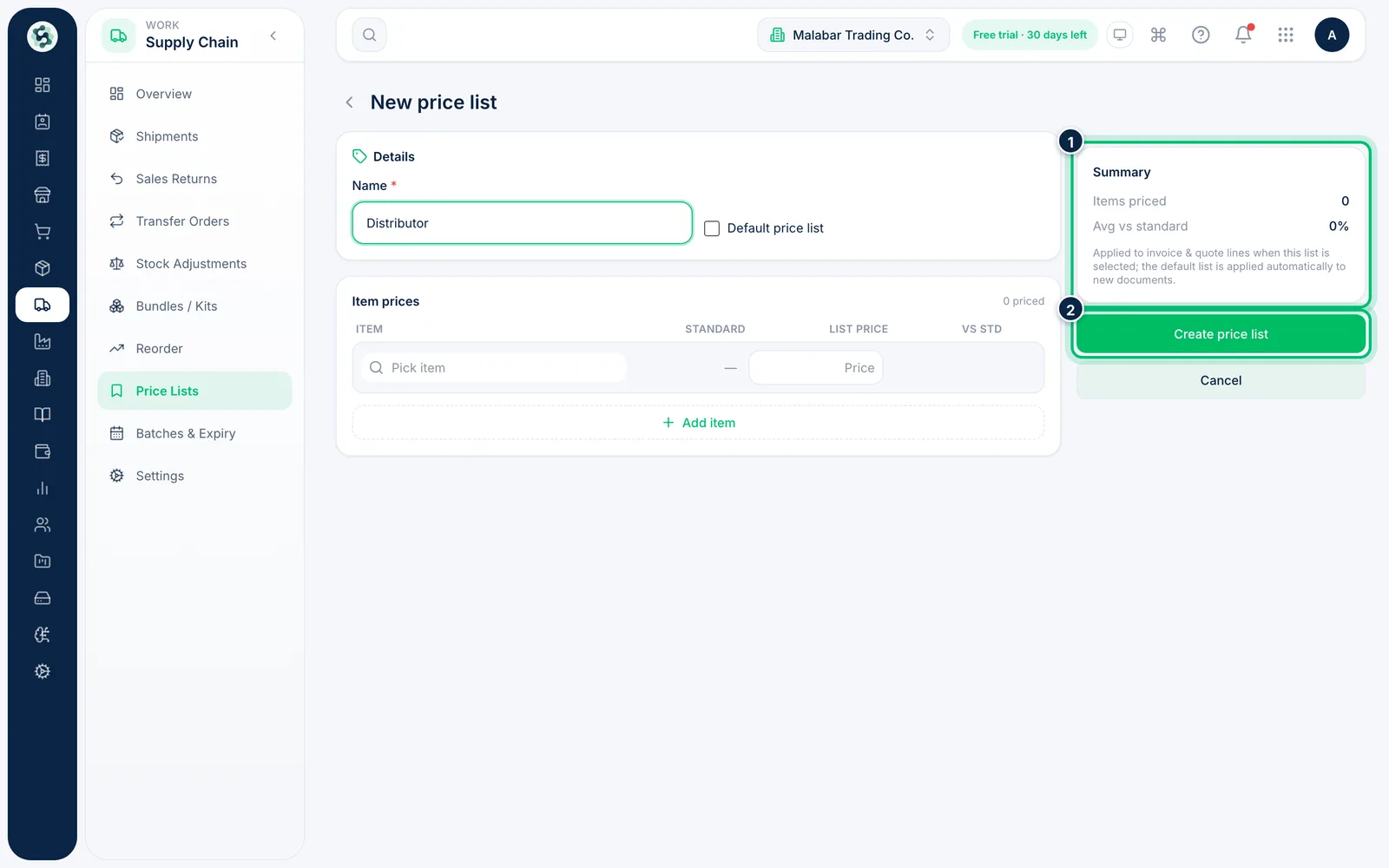
Check the Summary — how many items are priced and the average difference from standard. Then choose Create price list. Open a list later to change its prices or choose Delete.
Related guides
Still stuck? Contact our support team — or start a free trial to try this in your own company.