
Supply chain · 5 steps
Build bundles and kits
Define a kit made of other items, see how many you can build, then assemble it, or take it apart again to recover the components.
1Open Bundles / Kits
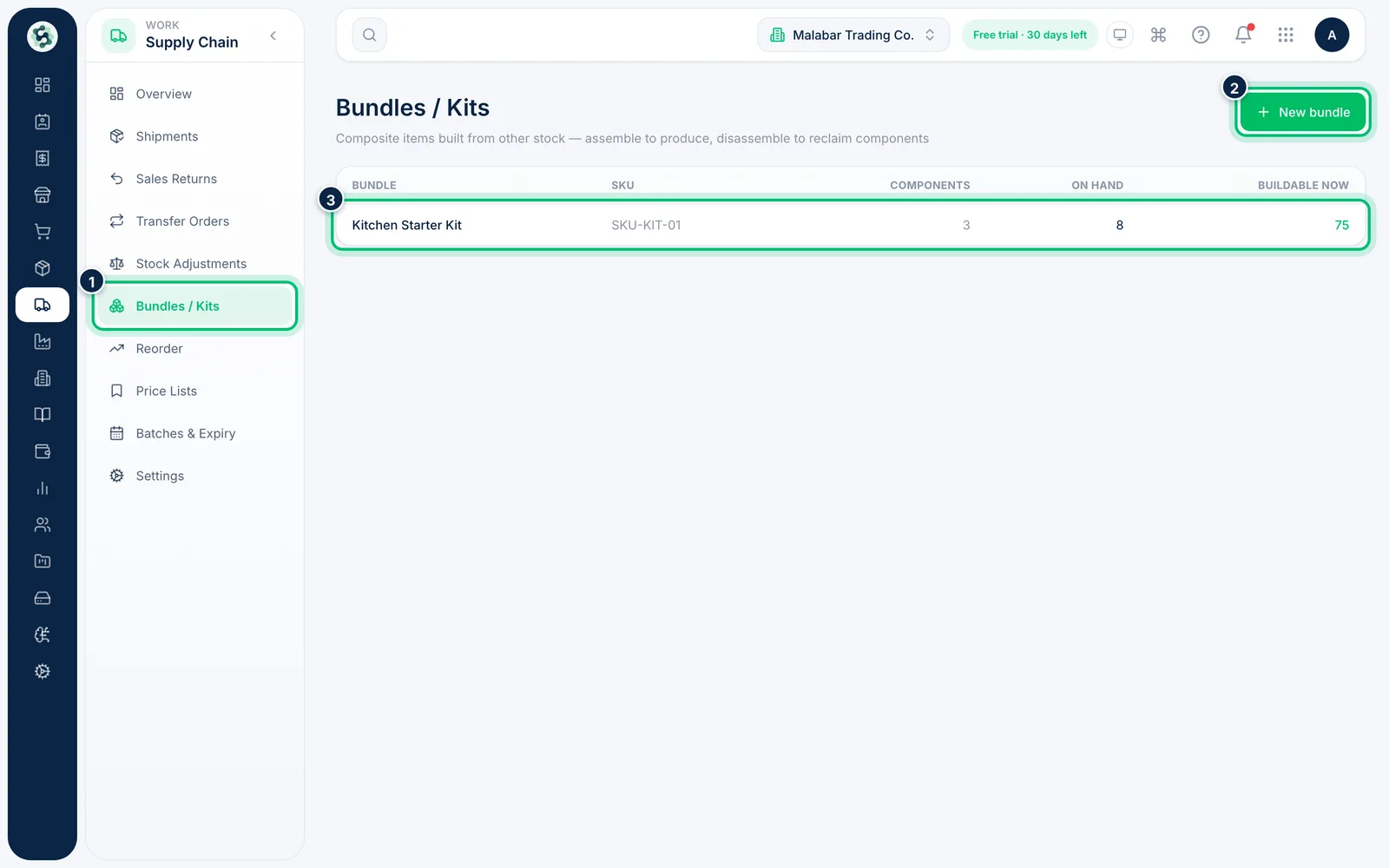
Open Supply Chain → Bundles / Kits. Each bundle shows its SKU, how many Components it has, how many are On hand and how many are Buildable now. Choose New bundle.
2Choose the finished item
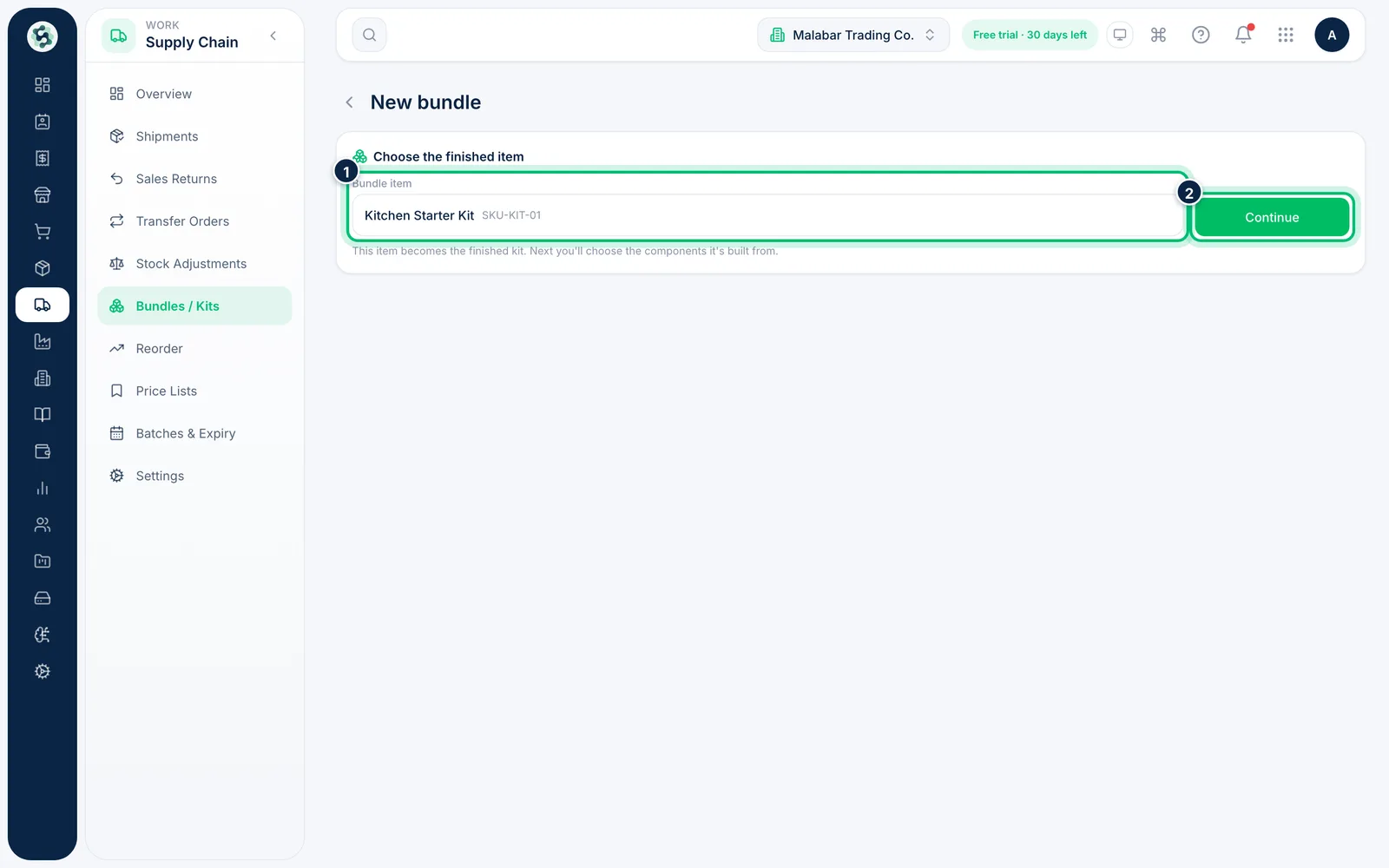
Under Bundle item, search for the kit or finished item and pick it. Then choose Continue to set its components.
3List the components
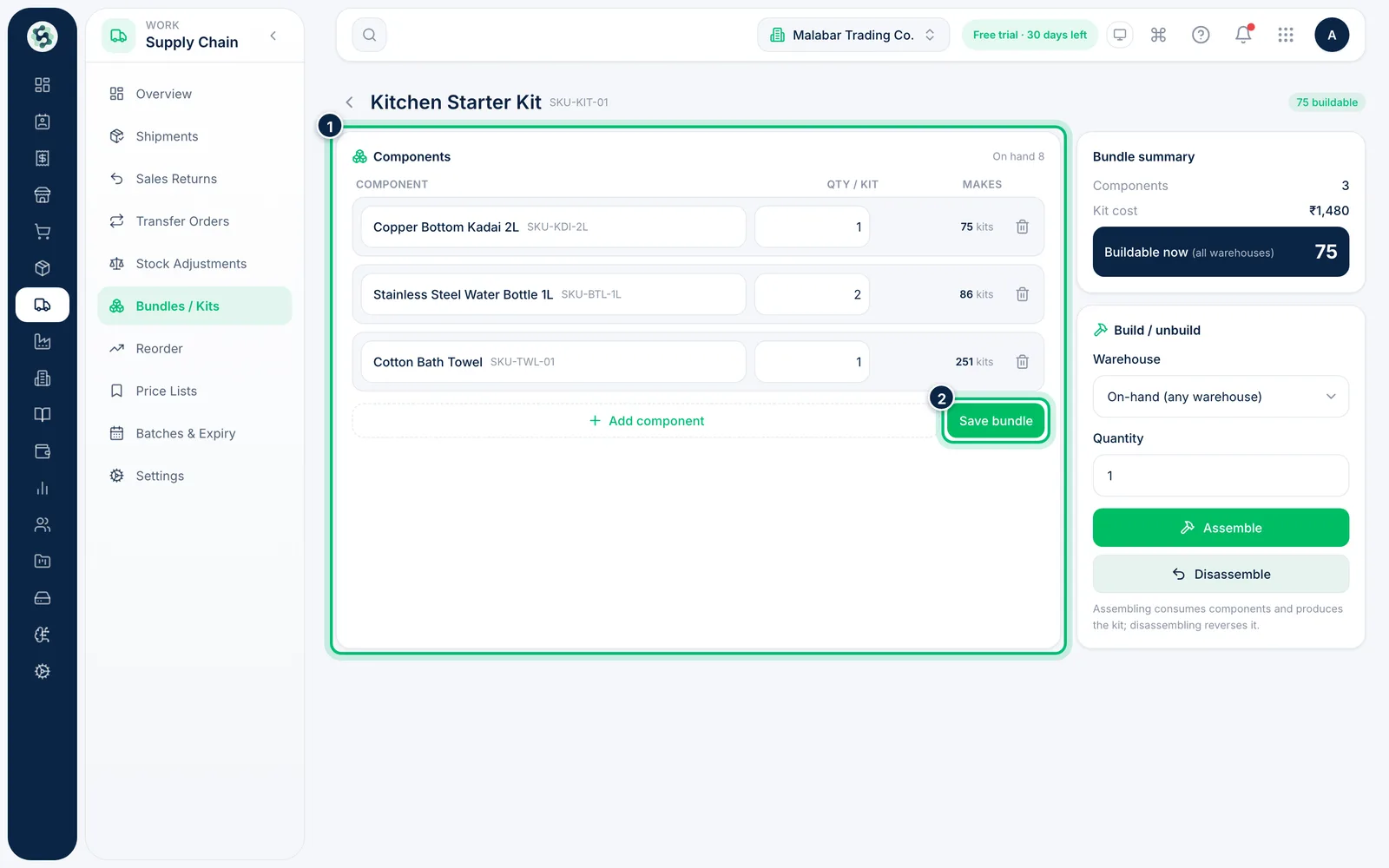
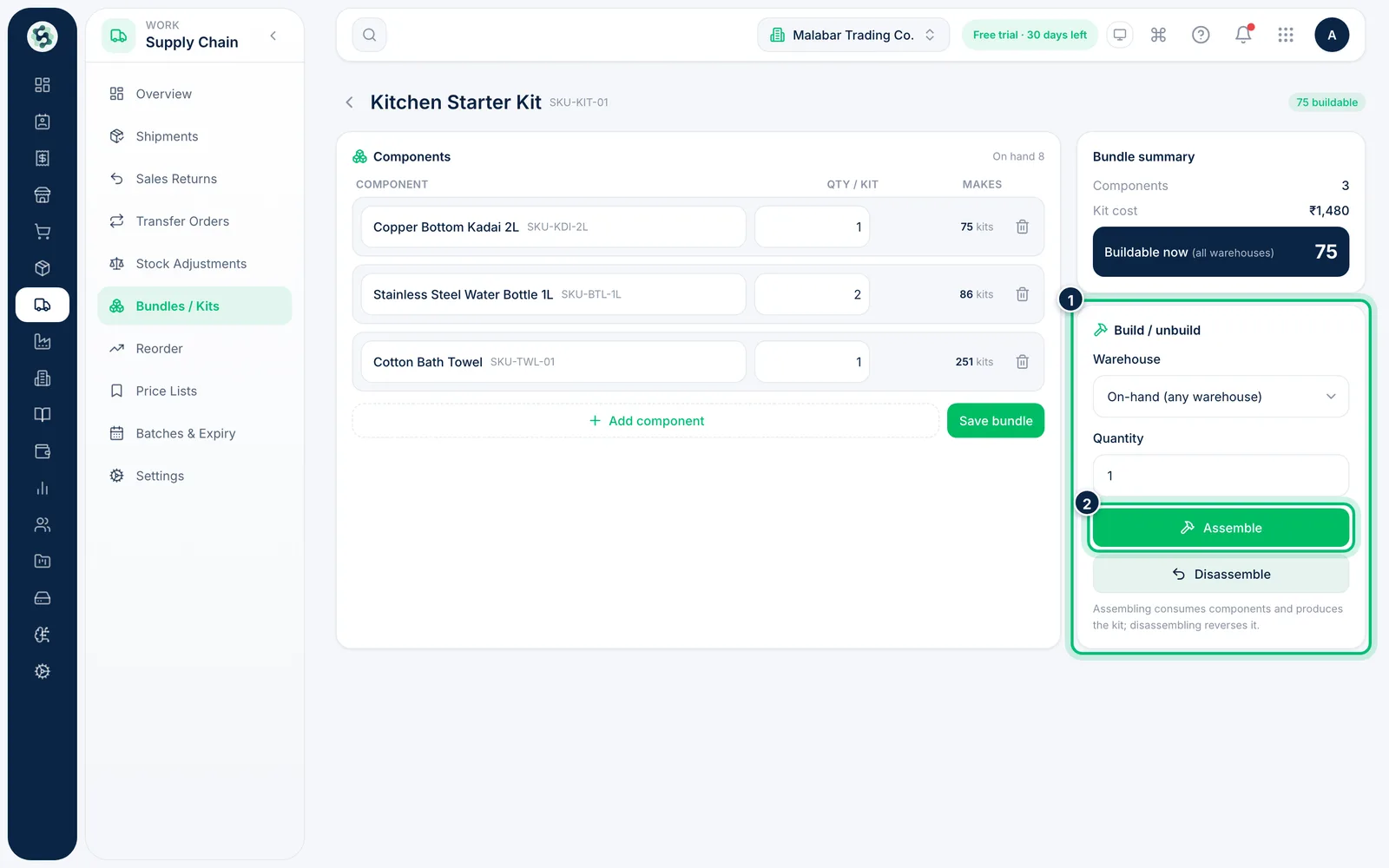
Under Components, pick each component item and set its Qty / kit. Makes shows how many kits that component's stock covers. Choose Save bundle when the list is right.
4See how many you can build
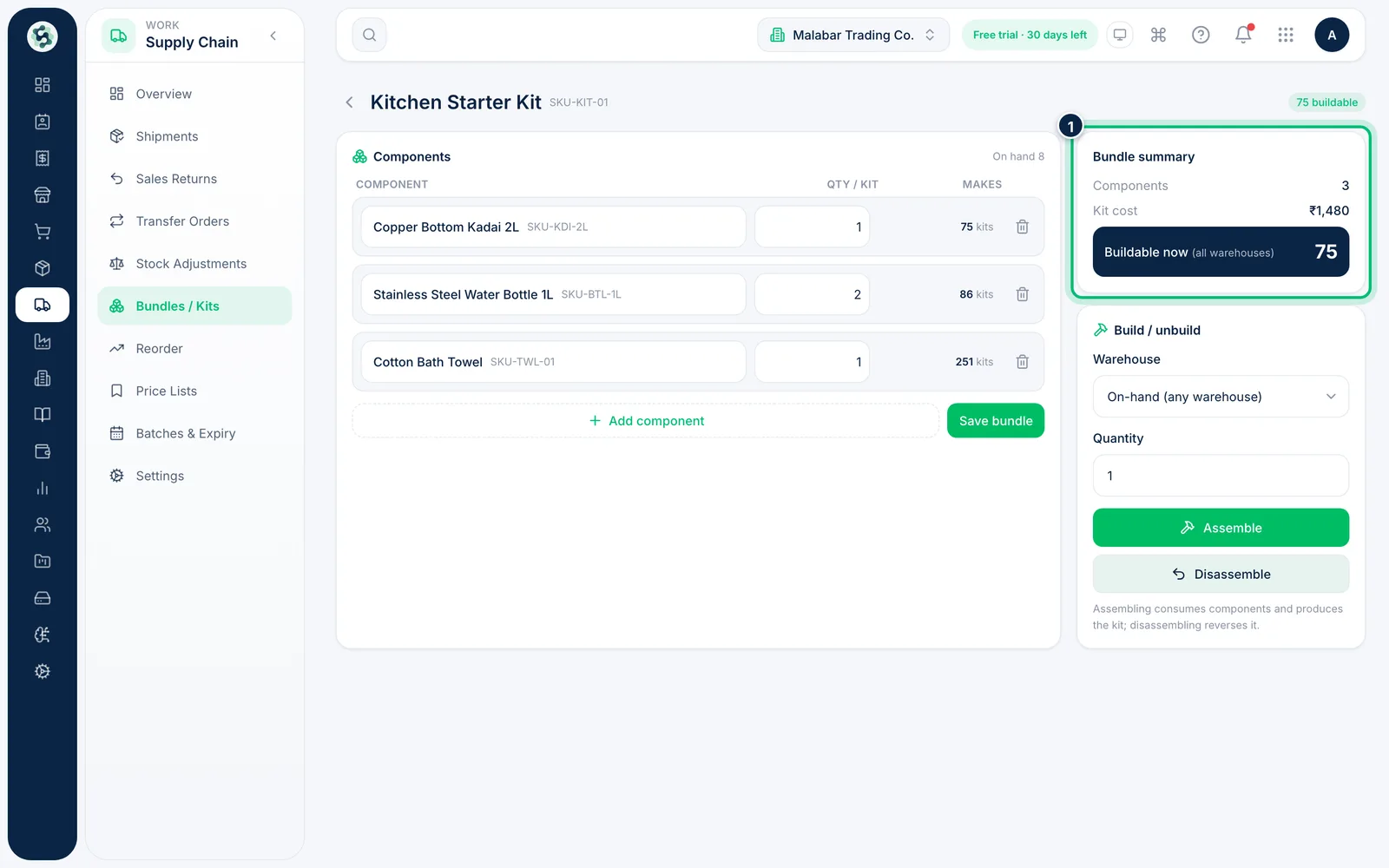
Bundle summary shows the number of components, the Kit cost and Buildable now, which is limited by whichever component runs out first.
5Assemble or disassemble
Under Build / unbuild, choose the Warehouse and a Quantity. Assemble uses up the components and adds the kit to stock; Disassemble reverses it.
Related guides
Still stuck? Contact our support team — or start a free trial to try this in your own company.