
Sales & invoicing · 3 steps
Read the sales dashboard
See what you've invoiced, collected and are still owed, and which invoices need chasing.
1Open the dashboard
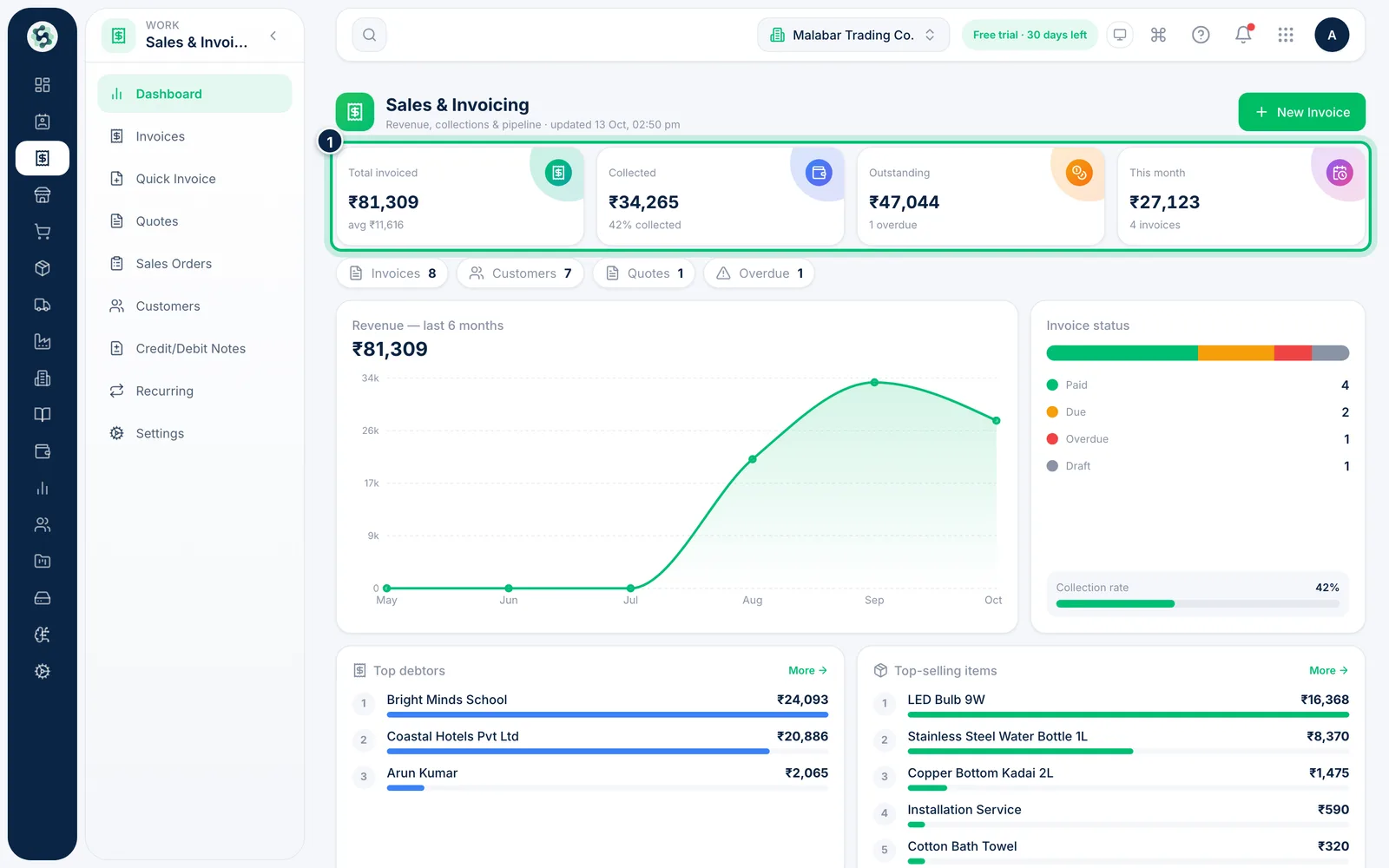
Open Sales & Invoicing → Dashboard. The tiles at the top show Total invoiced, Collected, Outstanding and what you've billed This month.
2Check revenue and collections
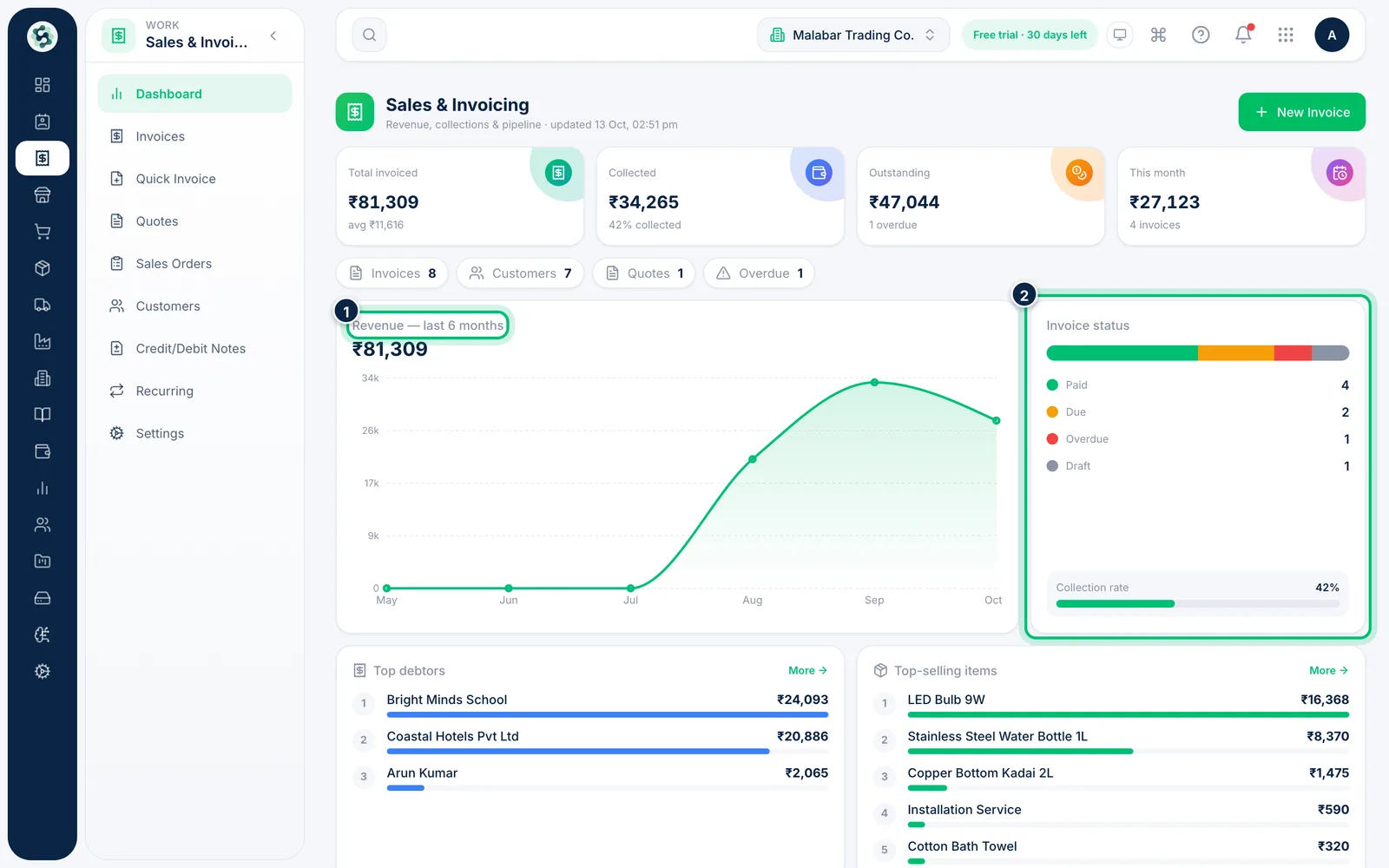
Revenue — last 6 months shows the trend. Invoice status splits your invoices into Paid, Due, Overdue and Draft, with your Collection rate.
3Follow up on what's overdue
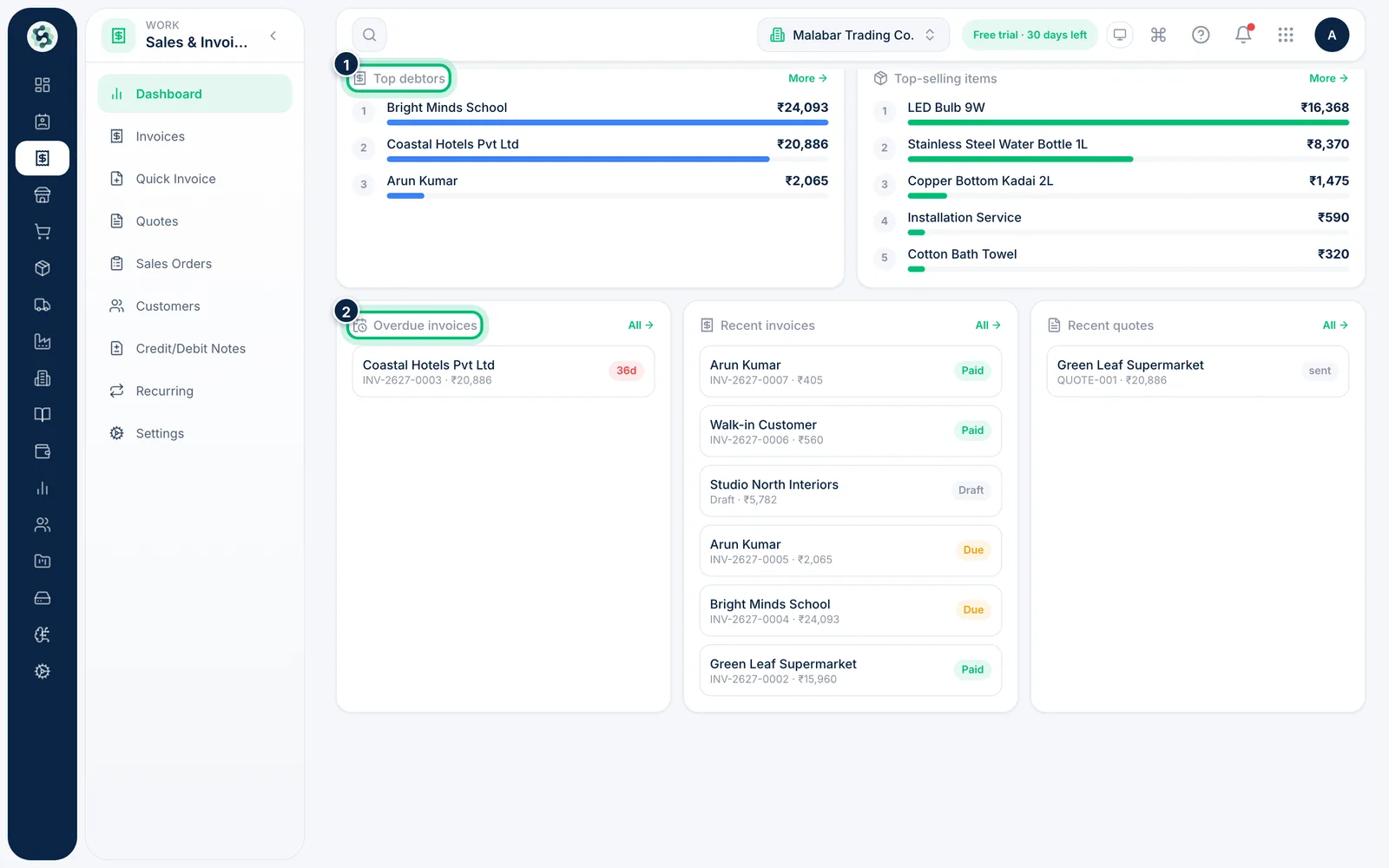
Lower down, Top debtors and Overdue invoices show who to chase first. Click an invoice to open it, or choose More or All to see the full list.
Related guides
Record a payment against an invoiceMark money you've received against an invoice, in full or in part, so the balance and your books stay up to date.Create a GST invoiceBill a customer with the right CGST/SGST or IGST split, then issue the invoice so it can be shared and paid.
Still stuck? Contact our support team — or start a free trial to try this in your own company.