
Sales & invoicing · 3 steps
Set up a recurring invoice
Bill a customer automatically every week, month, quarter or year — ideal for rent, retainers and AMC contracts.
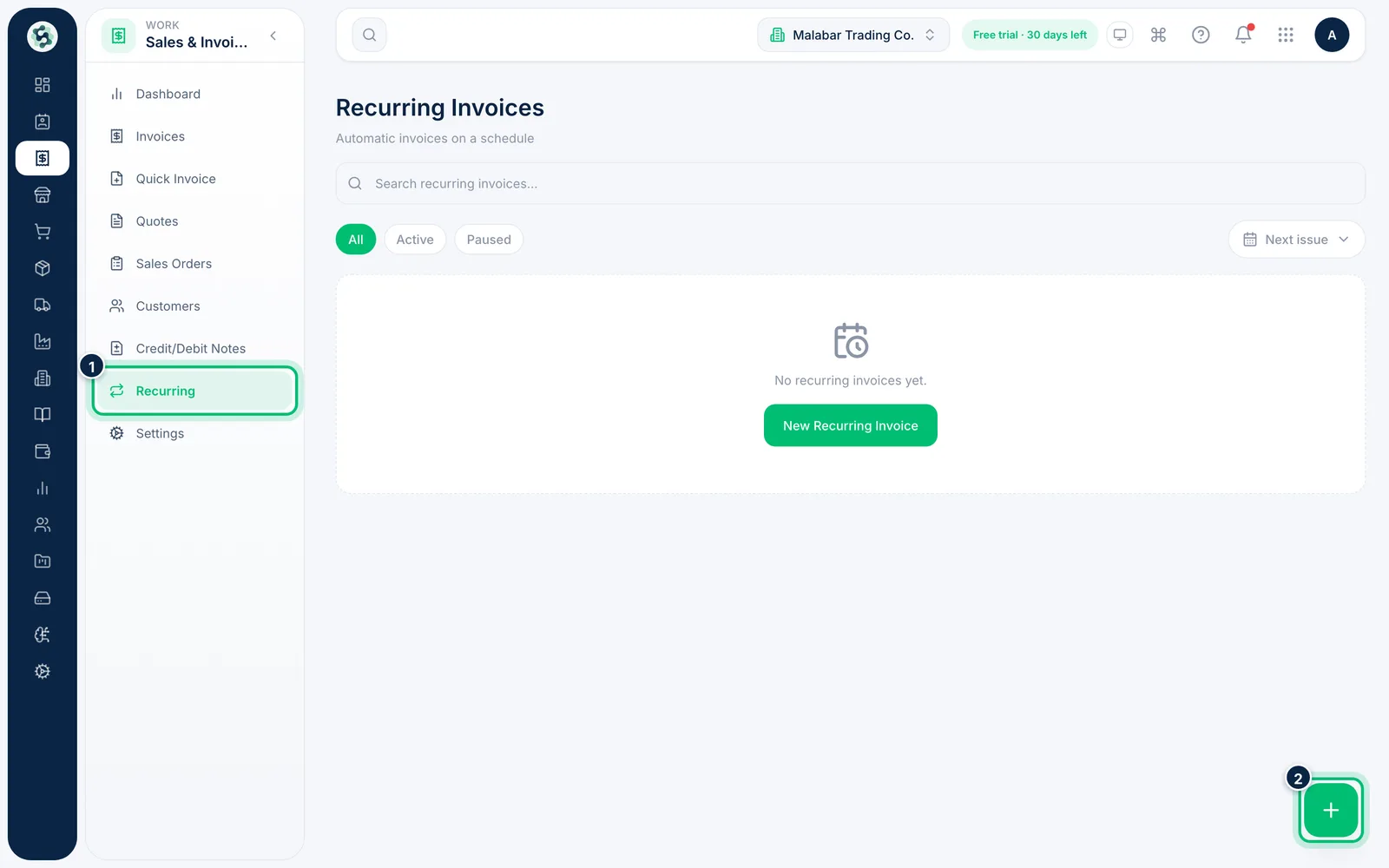
1Open Recurring and start a schedule
Open Sales & Invoicing → Recurring to see every schedule, its frequency and the next issue date. Choose the + button to set up a new one.
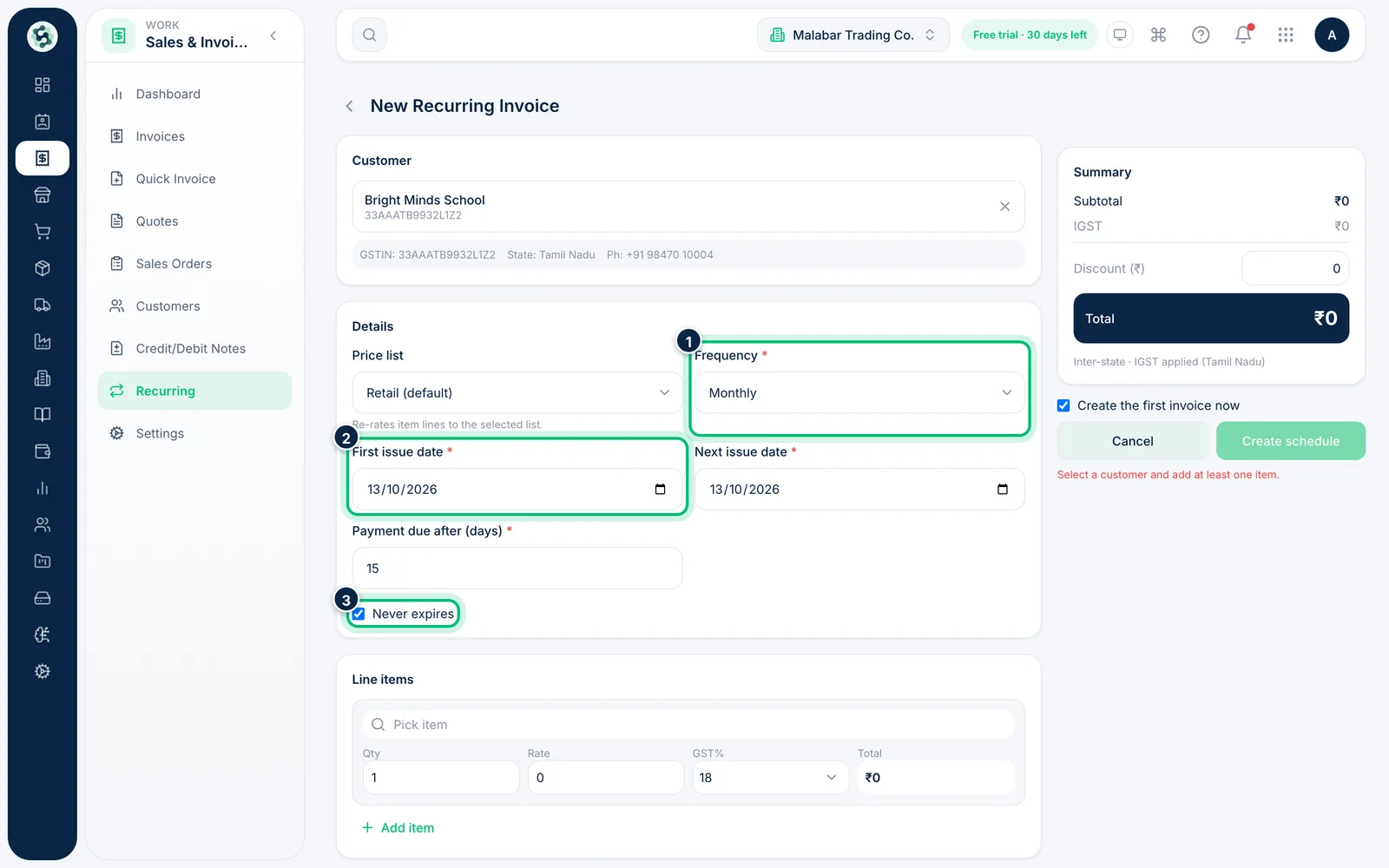
2Choose the customer and the schedule
Pick the customer, then set the Frequency, First issue date and Payment due after (days). Leave Never expires ticked to keep billing until you pause it, or untick it and choose when it should End on.
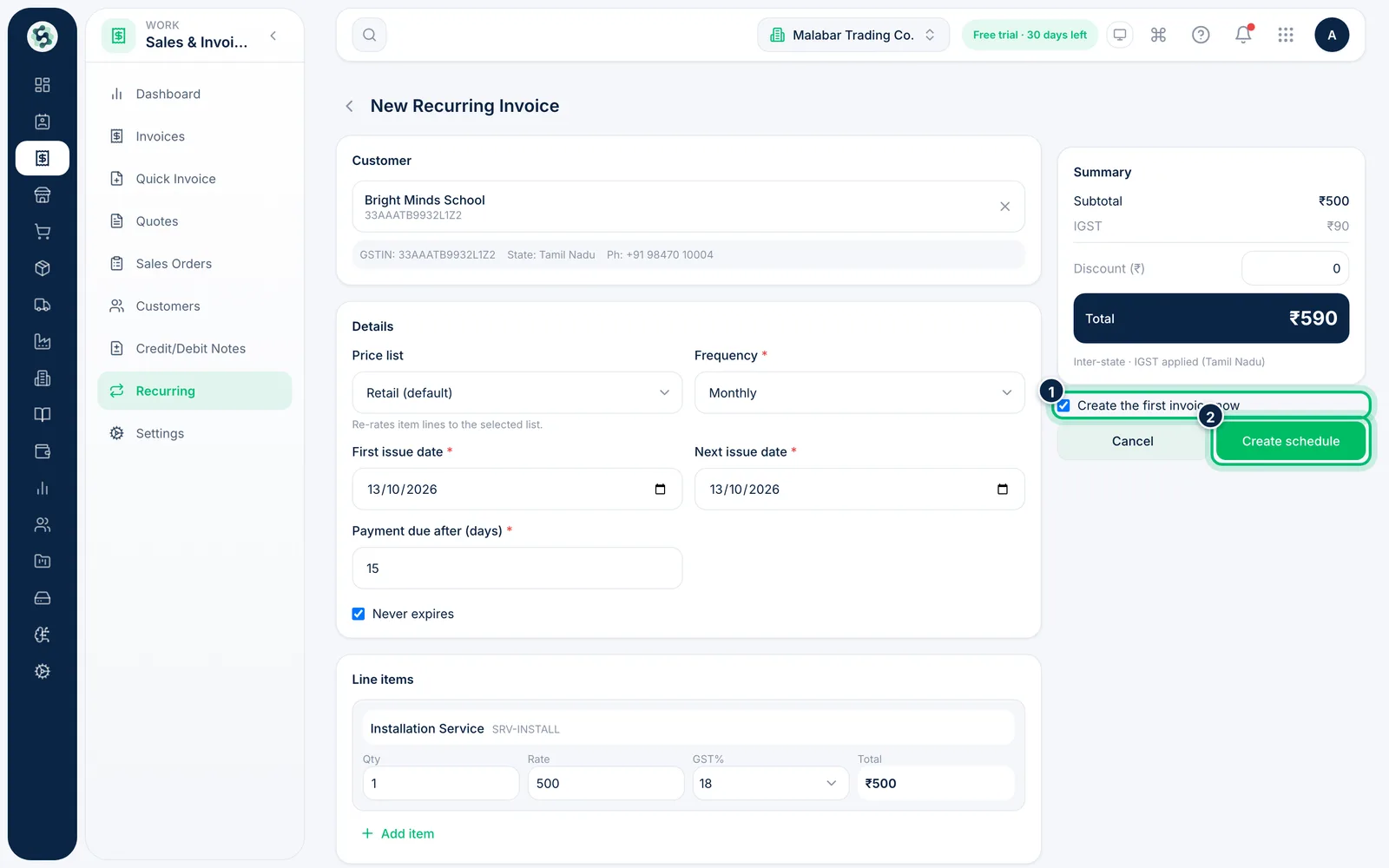
3Add the items and create the schedule
Add the items to bill each time. Tick Create the first invoice now if the first one is due today, then choose Create schedule.
Related guides
Create a GST invoiceBill a customer with the right CGST/SGST or IGST split, then issue the invoice so it can be shared and paid.View, download and share an invoiceOpen any invoice to check its details, download the PDF, email it or share a link the customer can view and pay from.
Still stuck? Contact our support team — or start a free trial to try this in your own company.