
Drive · 4 steps
Create and edit documents in Scalar Office
Make a Word, Excel or PowerPoint file in Drive and edit it online with the team, with earlier versions kept.
1Open an existing document
Word, Excel, PowerPoint and OpenDocument files open in Scalar Office instead of a preview. Select the file, such as a .docx, to open it in the editor.
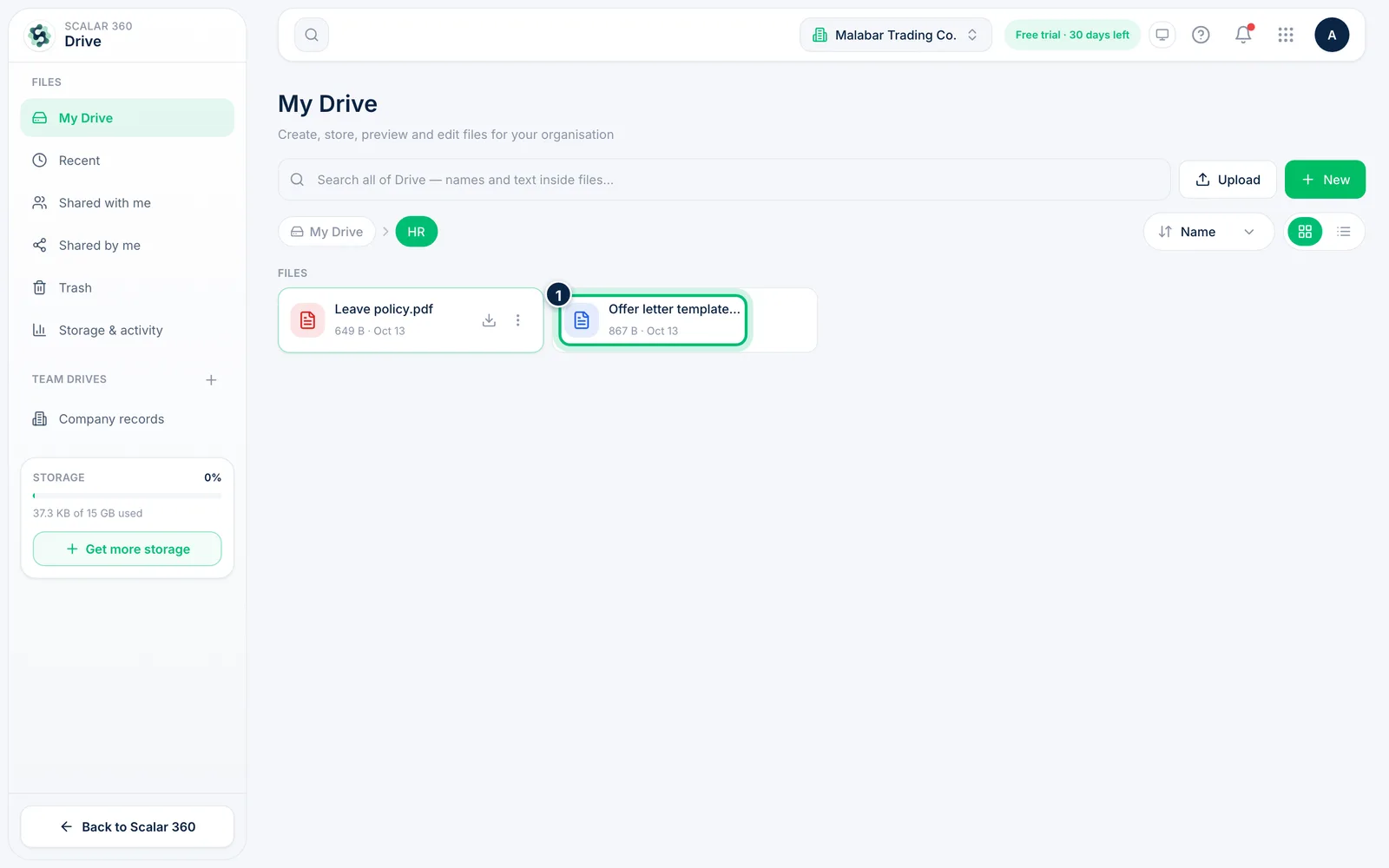
2Create a new document
Choose New and pick Word document, Excel spreadsheet, PowerPoint slides or Drawing. The OpenDocument group below offers the open formats.
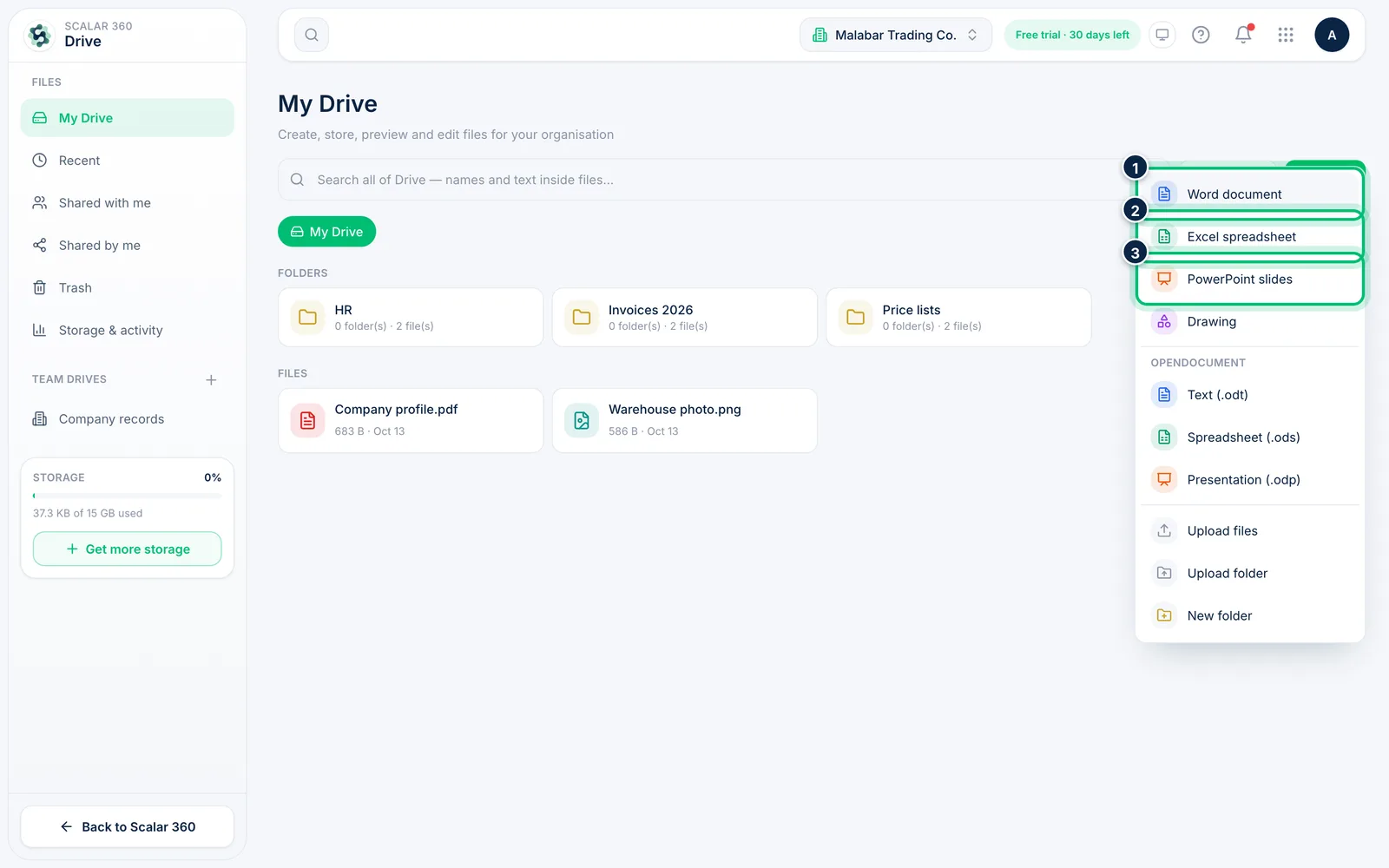
3Name it and open the editor
Enter a File name and choose Create & open. Drive creates a blank file in the current folder and opens it straight away in Scalar Office.
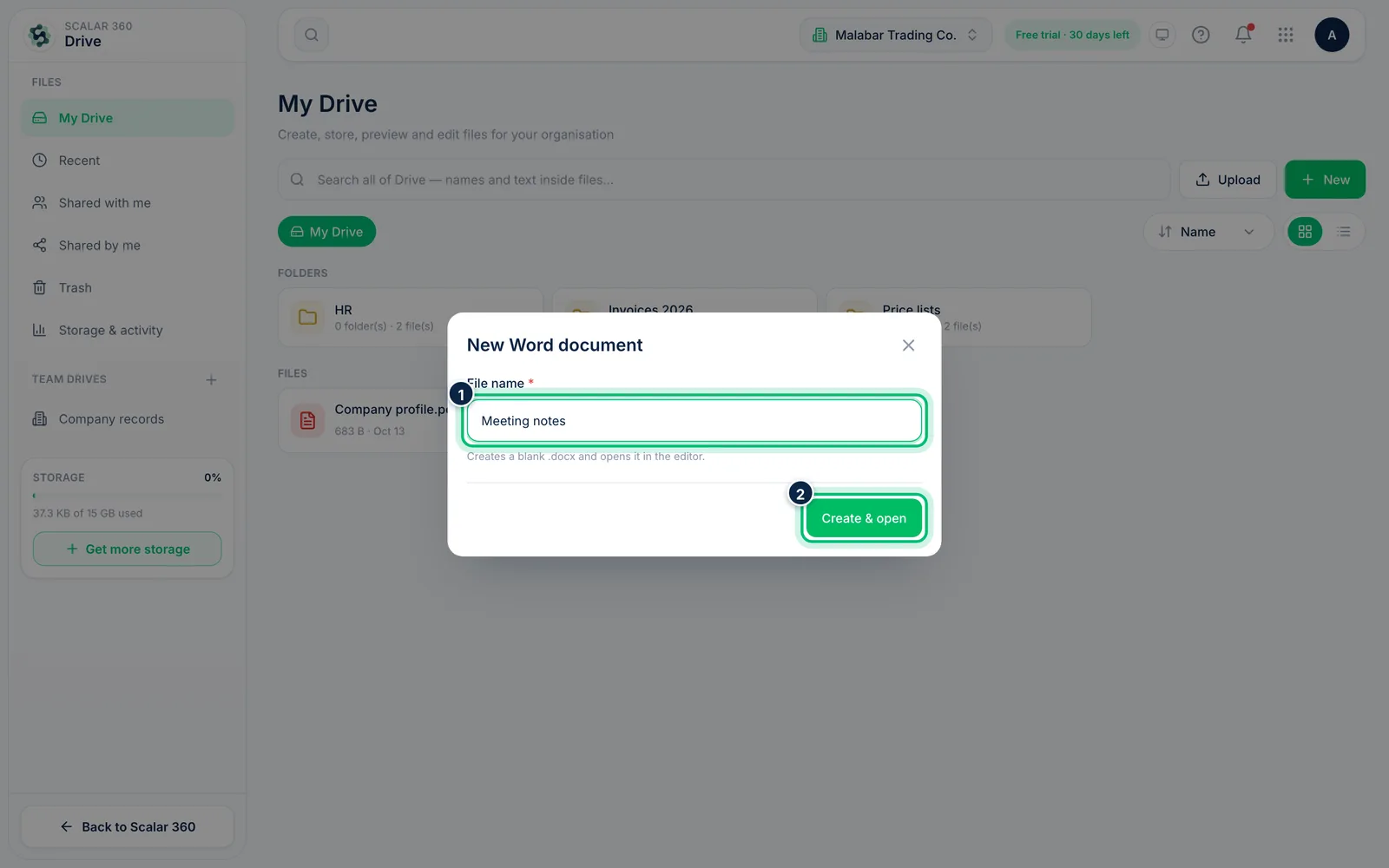
4Go back to an earlier version
Each save in the editor keeps the previous copy. On the file's More menu choose Version history to download an older version or restore it.
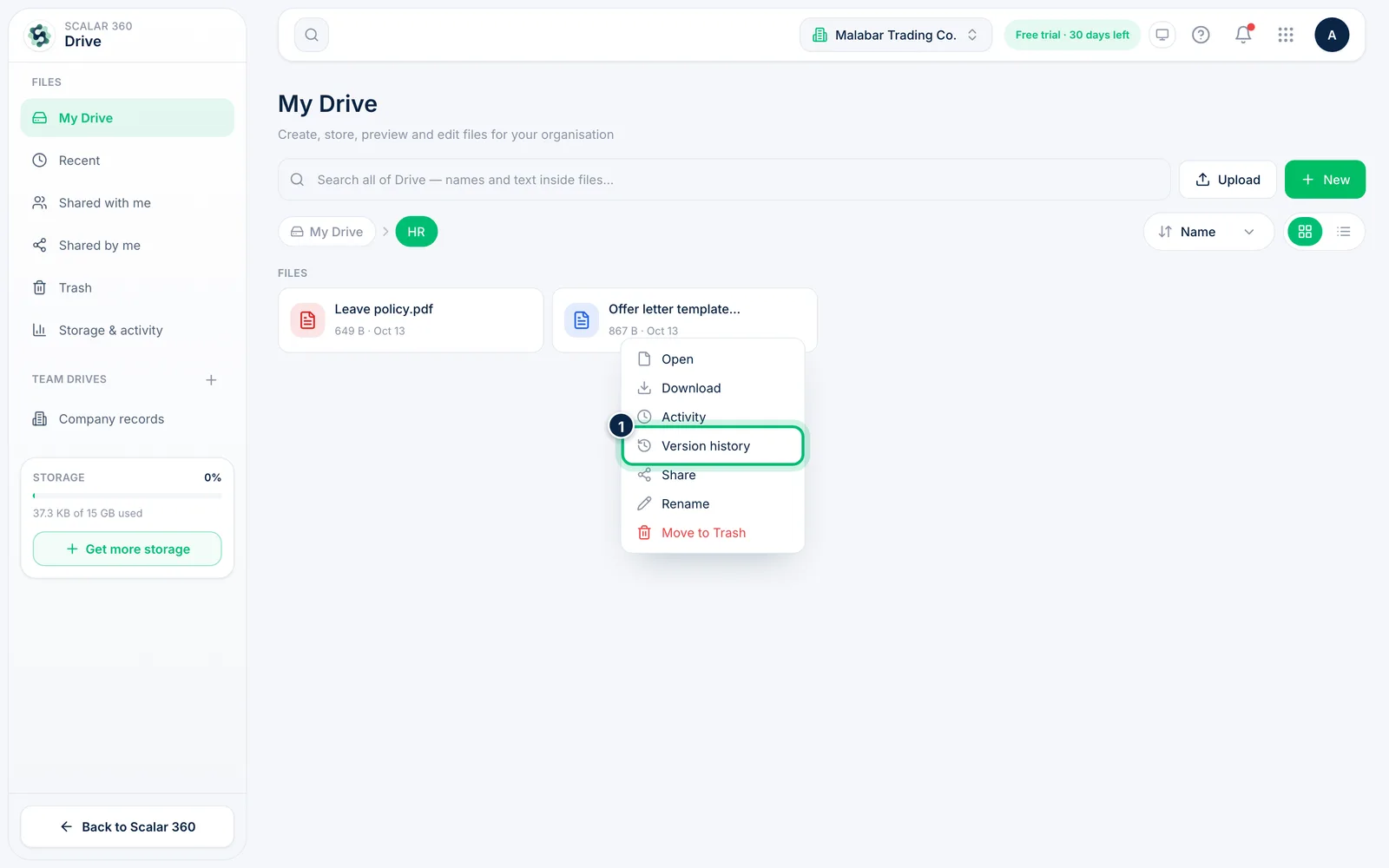
Related guides
Still stuck? Contact our support team — or start a free trial to try this in your own company.