
CRM · 2 steps
Convert a lead into a customer or quotation
When a deal is agreed, turn the lead into a customer in one step — and, if you like, start their quotation straight away.
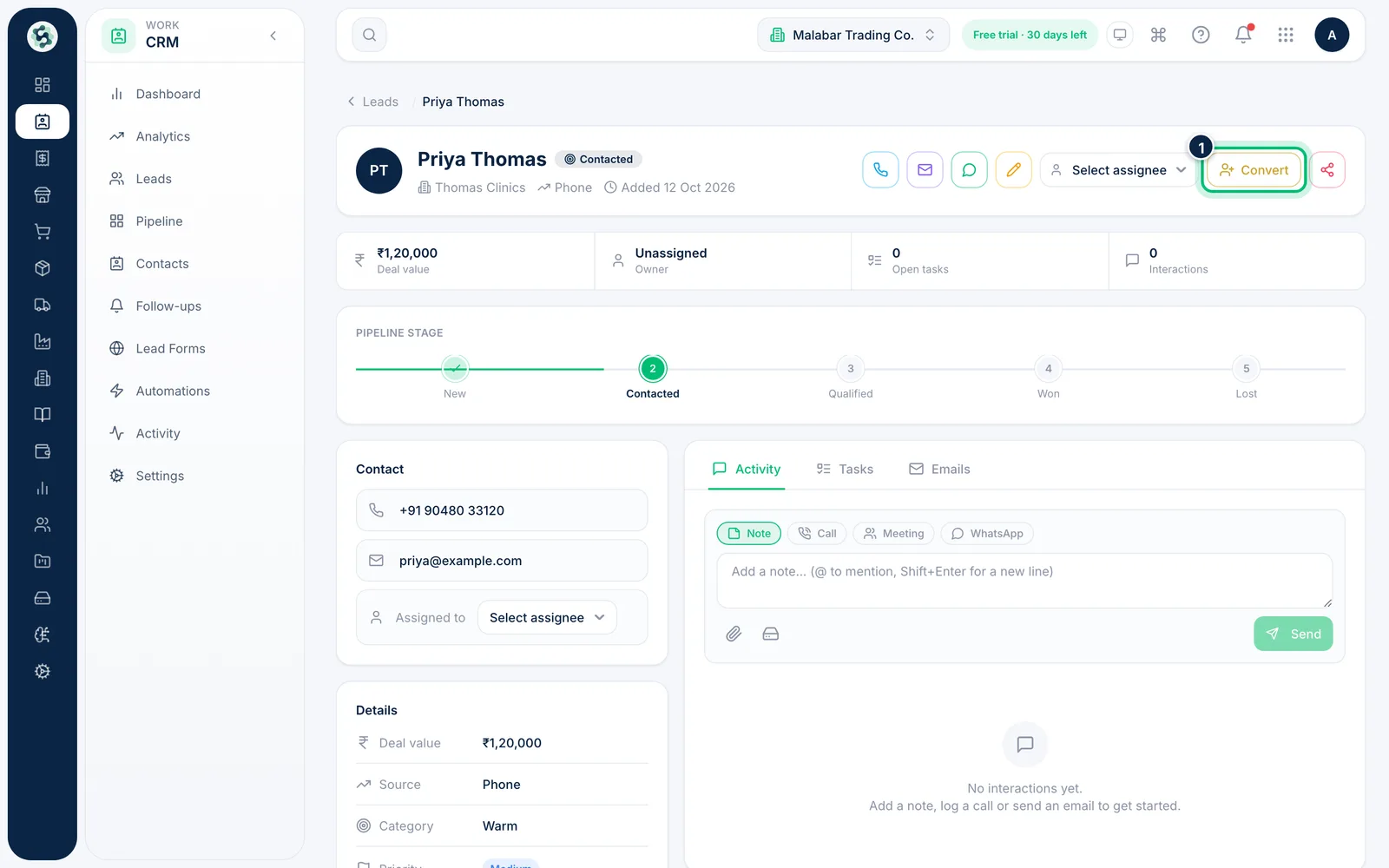
1Open the lead and choose Convert
Open the lead from Leads or Pipeline and choose Convert at the top of the page.
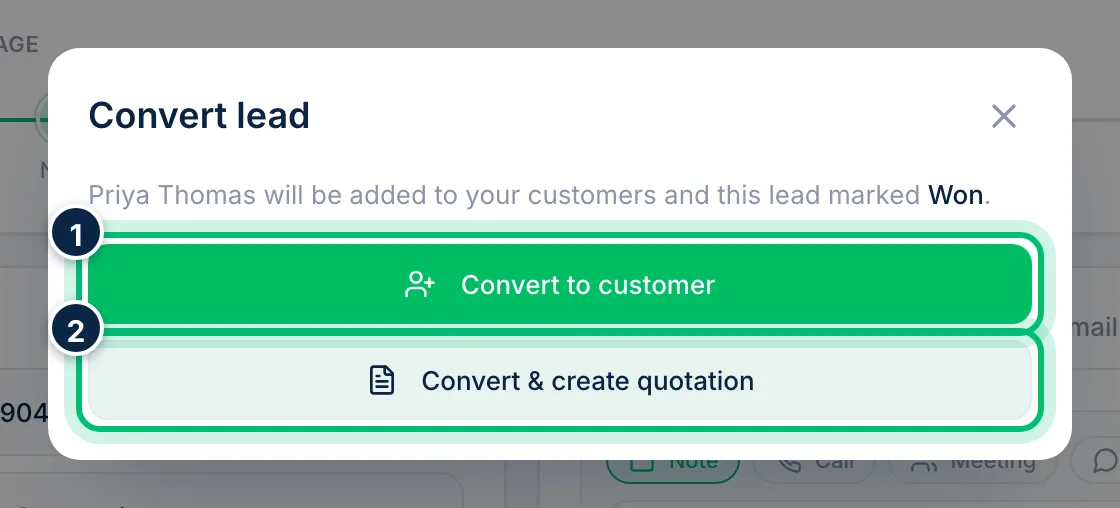
2Convert to a customer, or go straight to a quote
Choose Convert to customer to add the lead to your customers and mark it Won. Choose Convert & create quotation to do the same and open a new quotation for them. If a customer with the same phone number or email already exists, the screen asks you to choose Link to existing customer (with their name) or Create new customer.
Related guides
Move deals through the pipelineSee every open deal by stage on a Kanban board, drag leads forward as they progress and keep an eye on the value in each stage.Manage contactsKeep one directory of everyone you do business with — people added by hand and leads you've won.Log calls, meetings and notes on a leadKeep a full history of every conversation with a lead, plan the next tasks and move the deal along — all from the lead's page.
Still stuck? Contact our support team — or start a free trial to try this in your own company.