
Manufacturing · 3 steps
Create a work order
Raise a production run for a BOM, choose where components come from and where finished goods go, and set the planned dates.
Before you start: You need an active BOM for the product. If none exists, the form tells you to create one first.
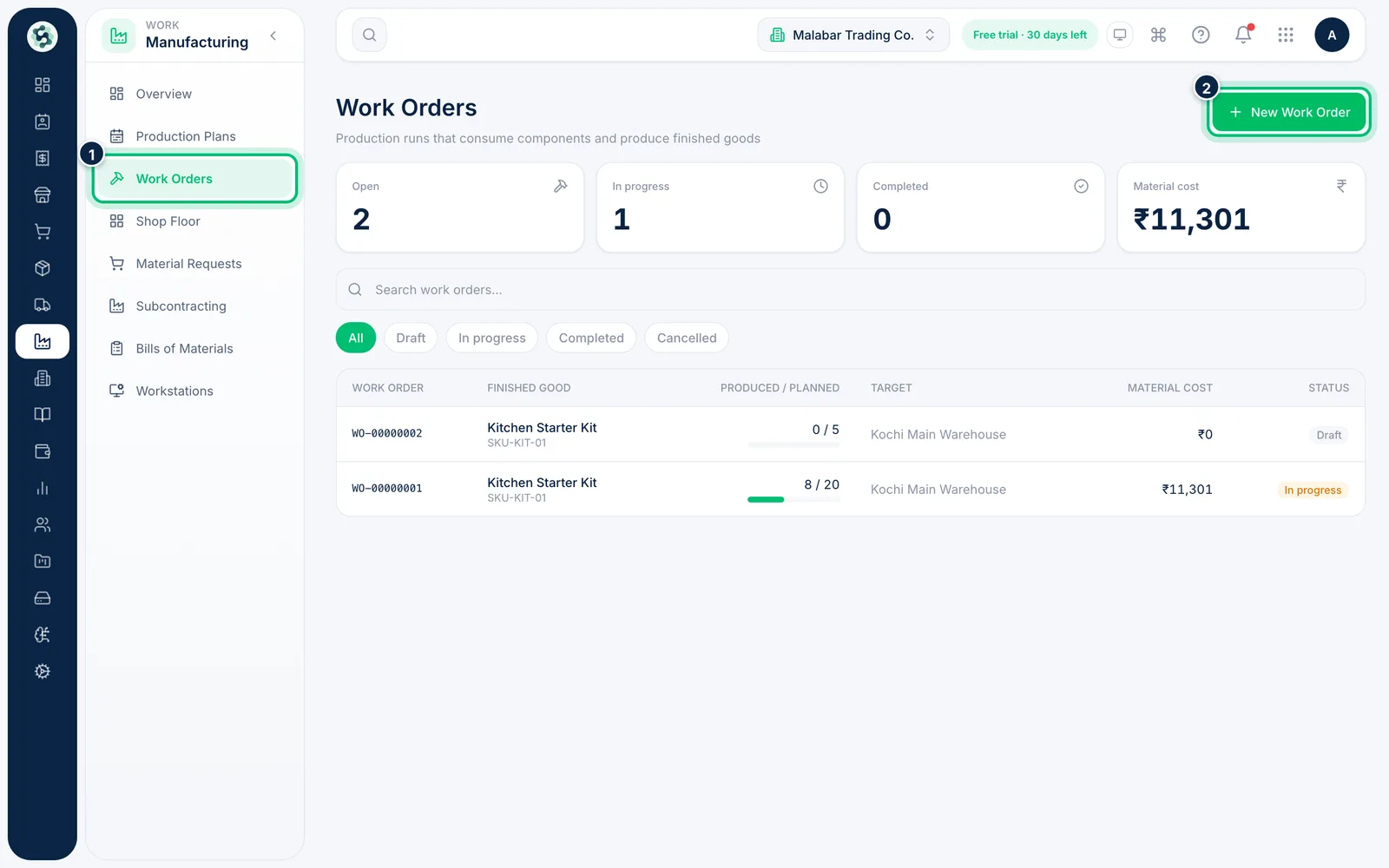
1Open Work Orders and start a new one
Open Manufacturing → Work Orders. The summary at the top counts Open, In progress and Completed orders and their Material cost. Choose New Work Order.
2Choose the BOM and quantity
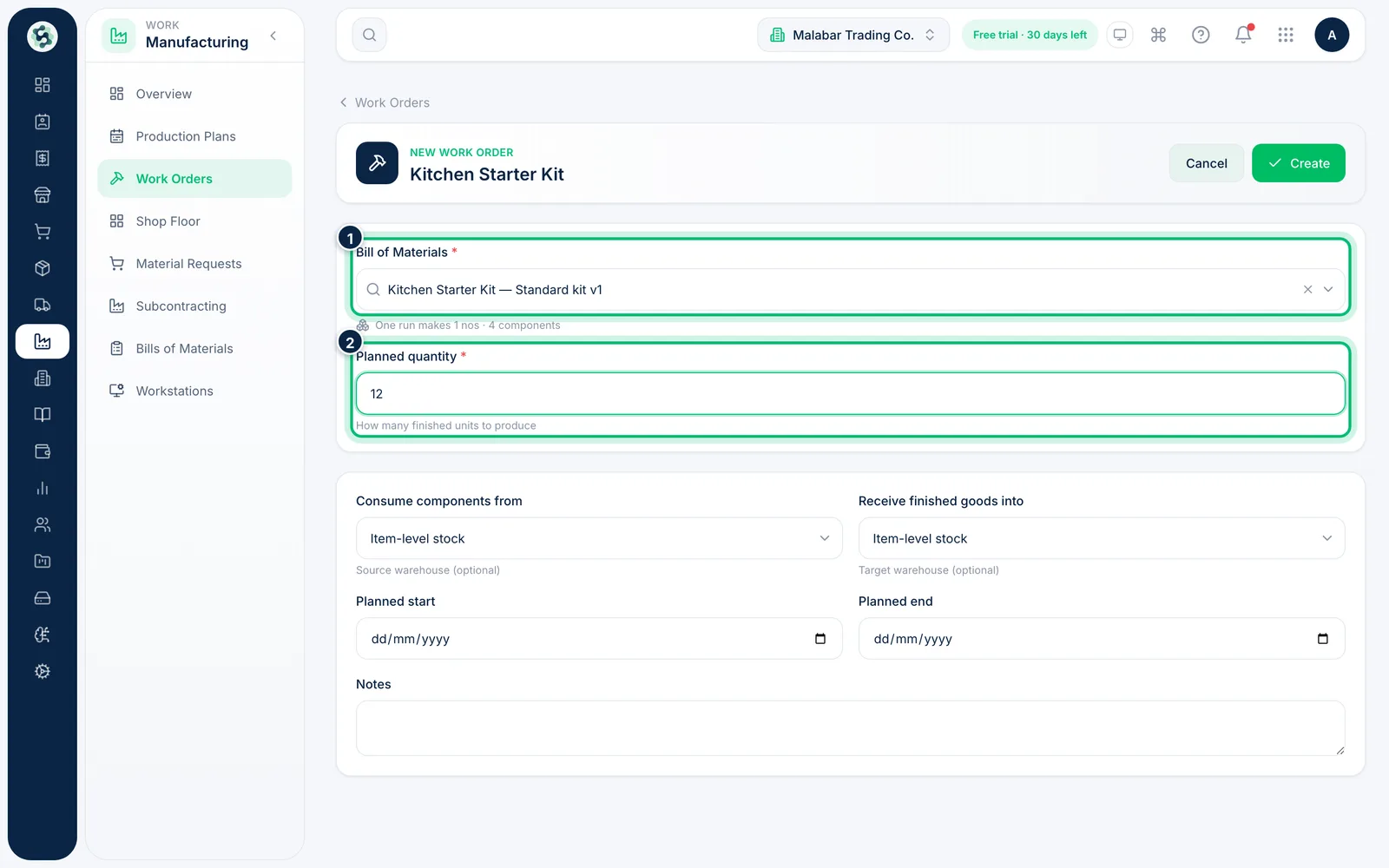
Search for the product under Bill of Materials — the form confirms how many units one run makes. Then enter the Planned quantity, the number of finished units to produce.
3Set warehouses and dates, then create
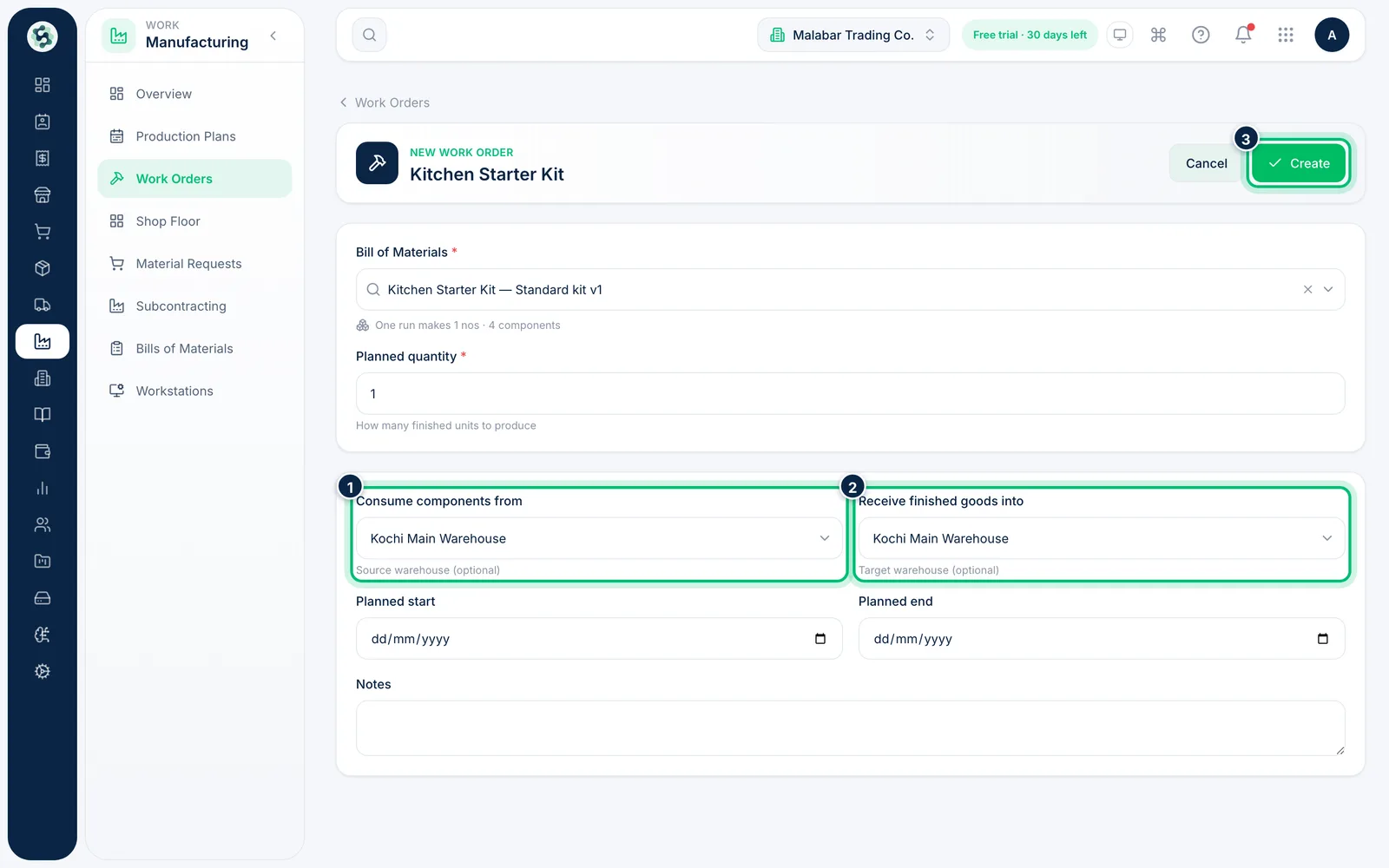
Under Consume components from and Receive finished goods into, pick the warehouses, or leave Item-level stock. Add a Planned start and Planned end, then choose Create.
Related guides
Still stuck? Contact our support team — or start a free trial to try this in your own company.