
Sales & invoicing · 3 steps
Make a quick invoice
Bill a walk-in or counter sale on one screen, with a live preview, and take the payment as you issue it.
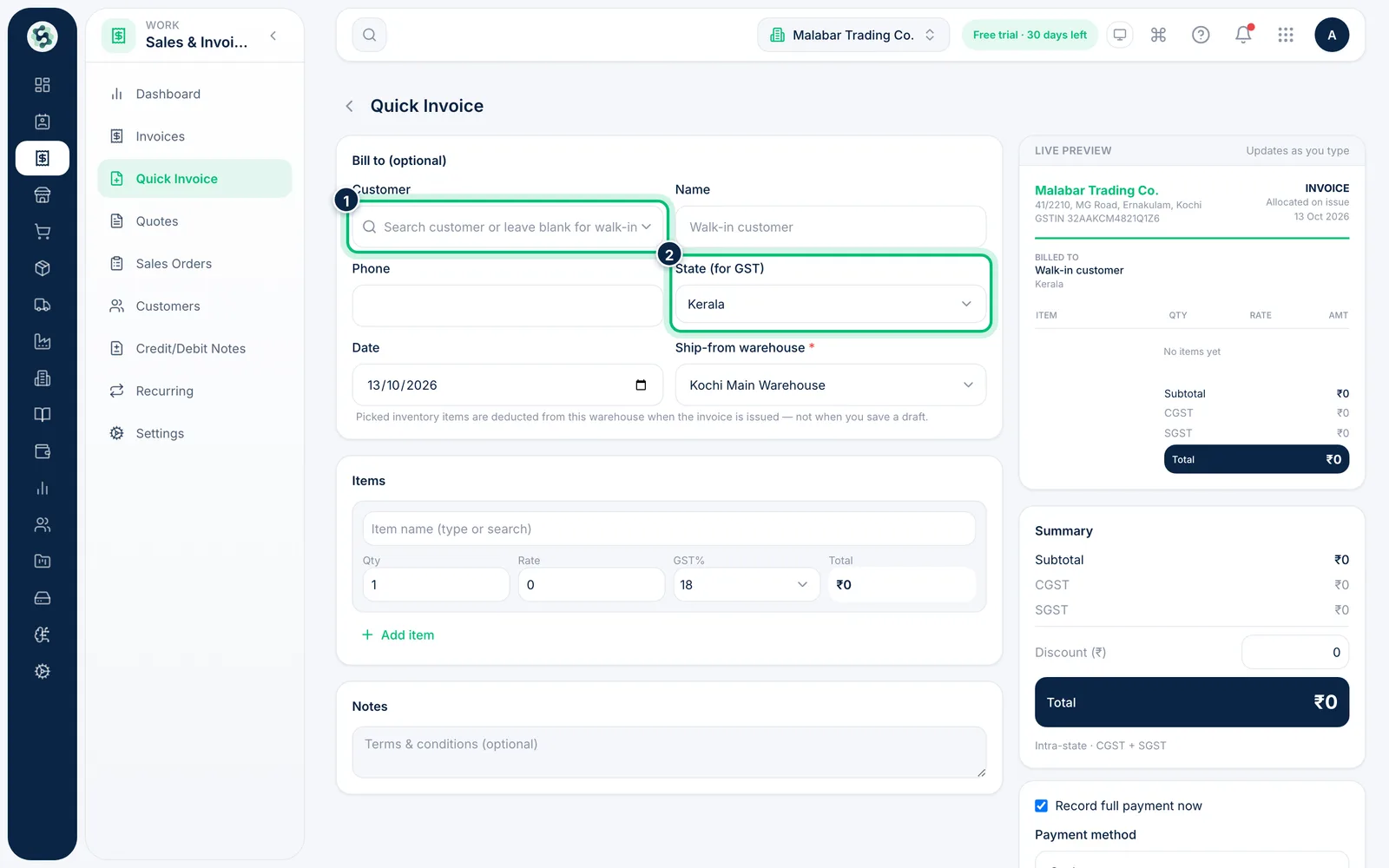
1Open Quick Invoice
Open Sales & Invoicing → Quick Invoice. Leave Bill to blank for a walk-in customer, or search for a saved customer. Check State (for GST) — it decides CGST + SGST or IGST — and pick the Ship-from warehouse if you have more than one.
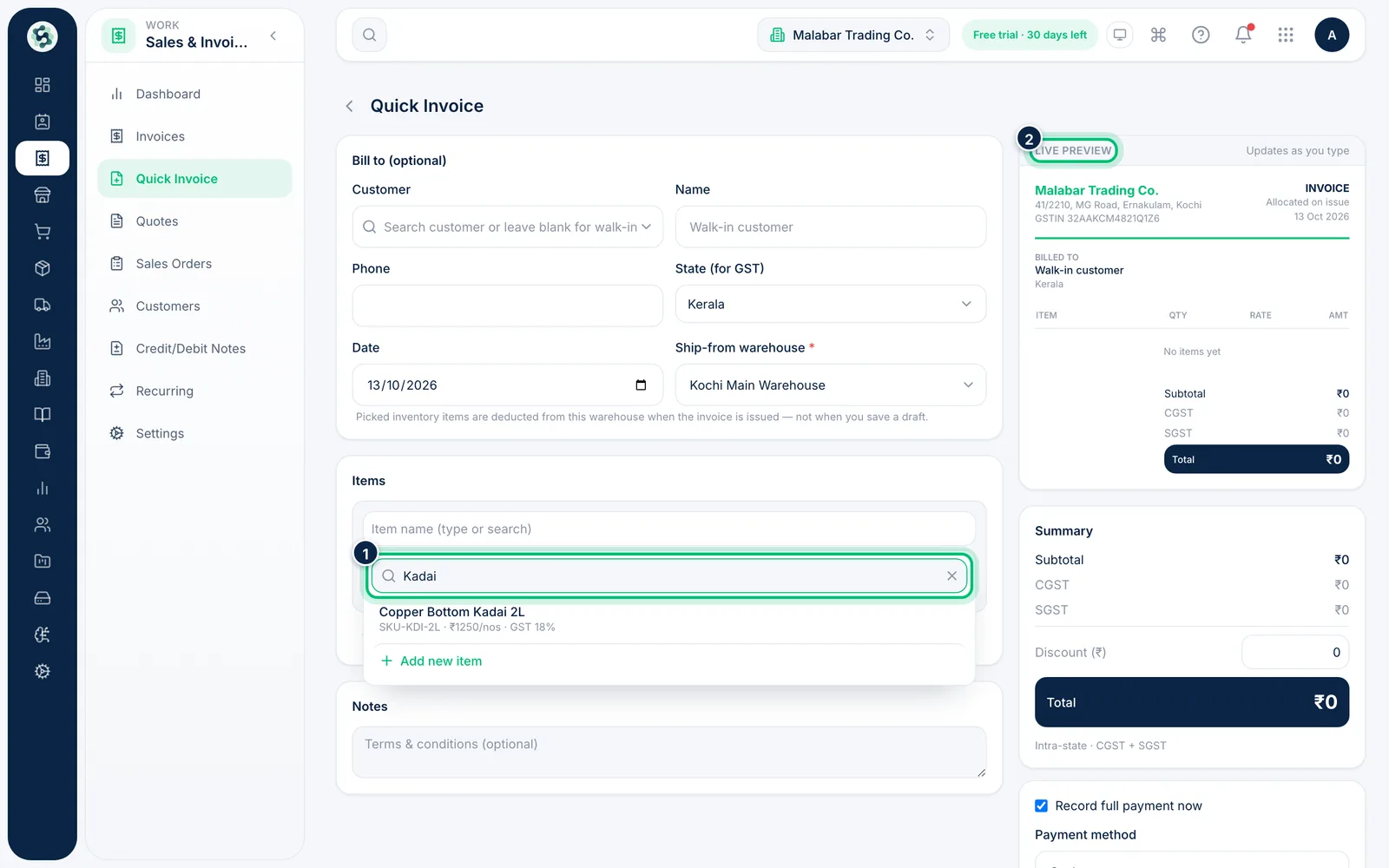
2Add the items
Click in Item name and pick a product from your inventory, or just type a name and rate for a one-off line. Use Add item for more. The Live preview updates as you go.
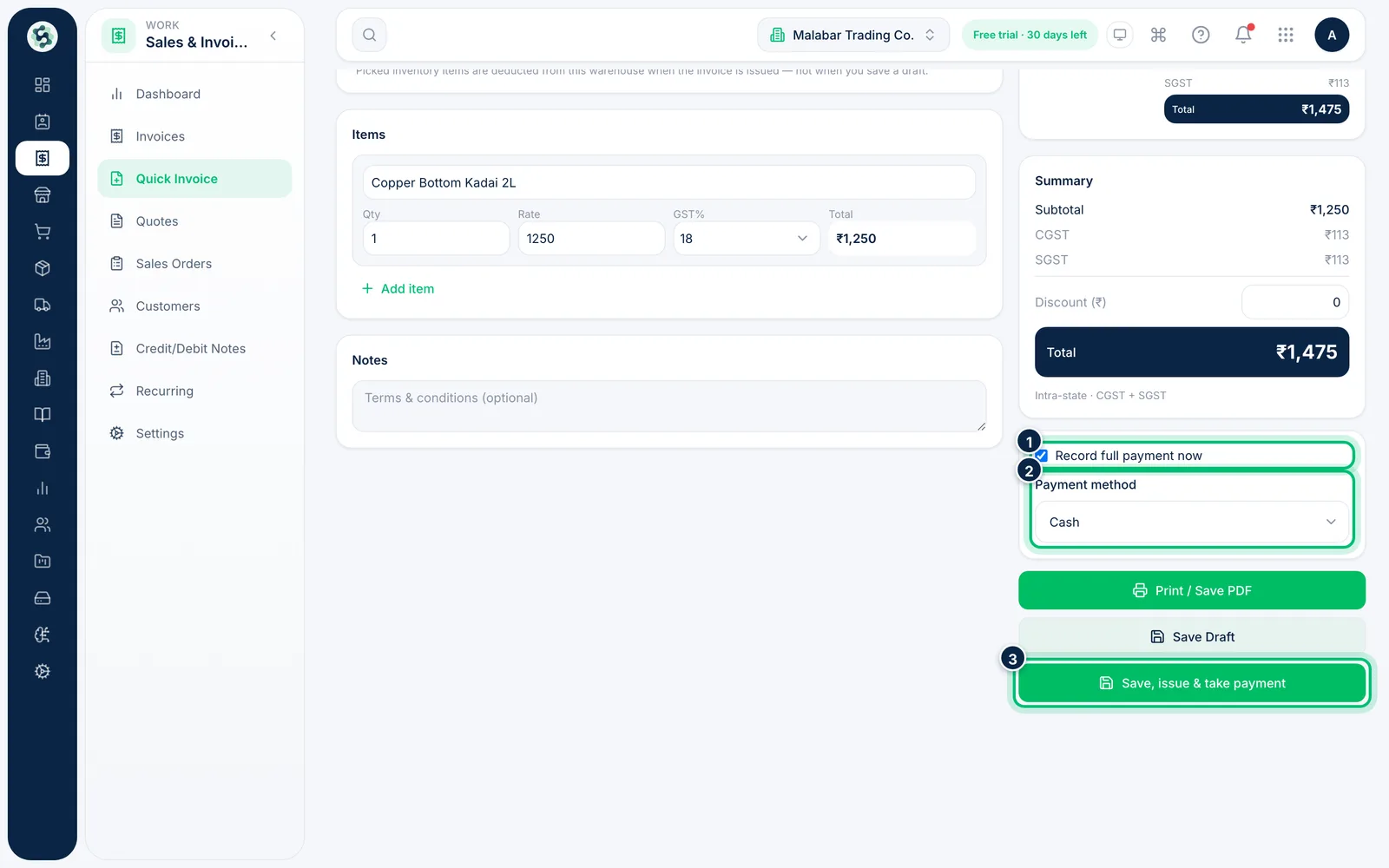
3Take payment and issue
Record full payment now is ticked by default — choose the Payment method and then Save, issue & take payment. Untick it for a credit sale; the amount stays due until you record the payment. You can also Print / Save PDF.
Related guides
Still stuck? Contact our support team — or start a free trial to try this in your own company.