
People & payroll · 3 steps
Run onboarding and exit checklists
Make a checklist of steps for new joiners or leavers once, then start it for each person and tick off tasks as they're done.
1Create a checklist template
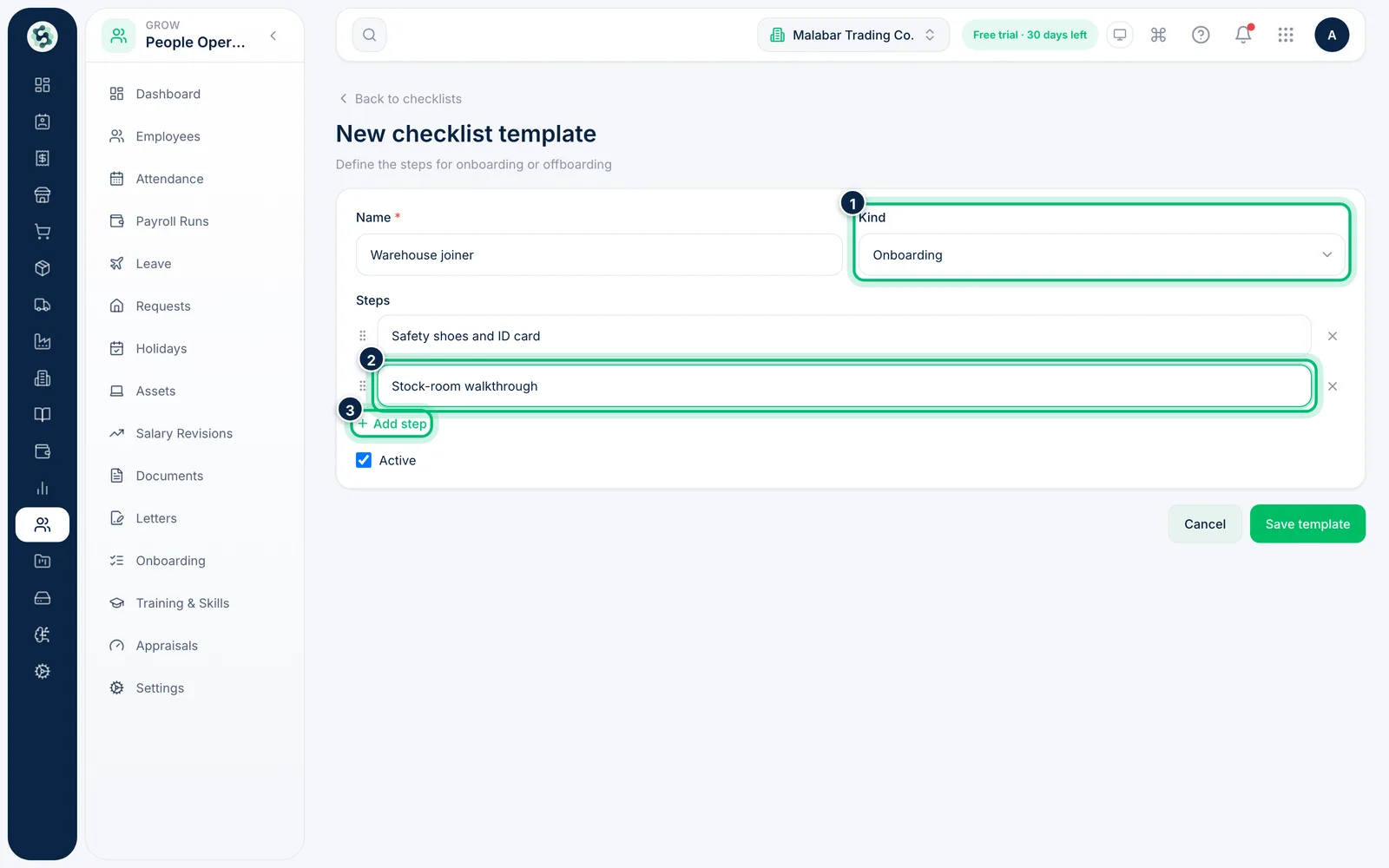
Go to People Operations → Onboarding, choose Templates, then New template. Enter a Name, choose Onboarding or Offboarding under Kind, type each step and use Add step for more. Choose Save template.
2Start a checklist for an employee
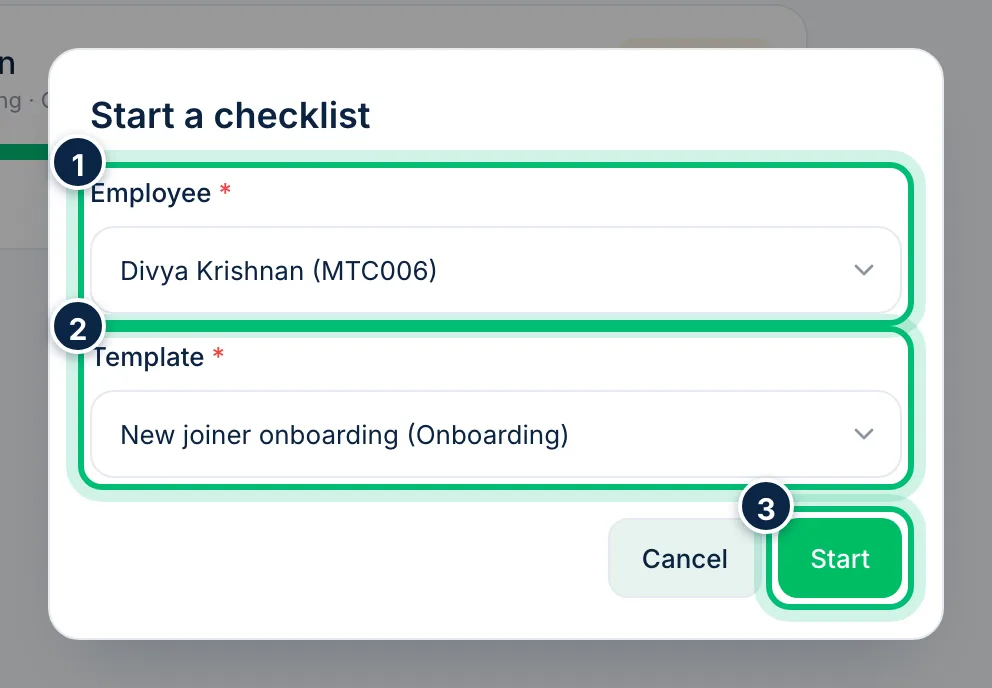
On the Checklists tab choose Start checklist. Pick the Employee and the Template, and choose Start.
3Tick off tasks as they're done
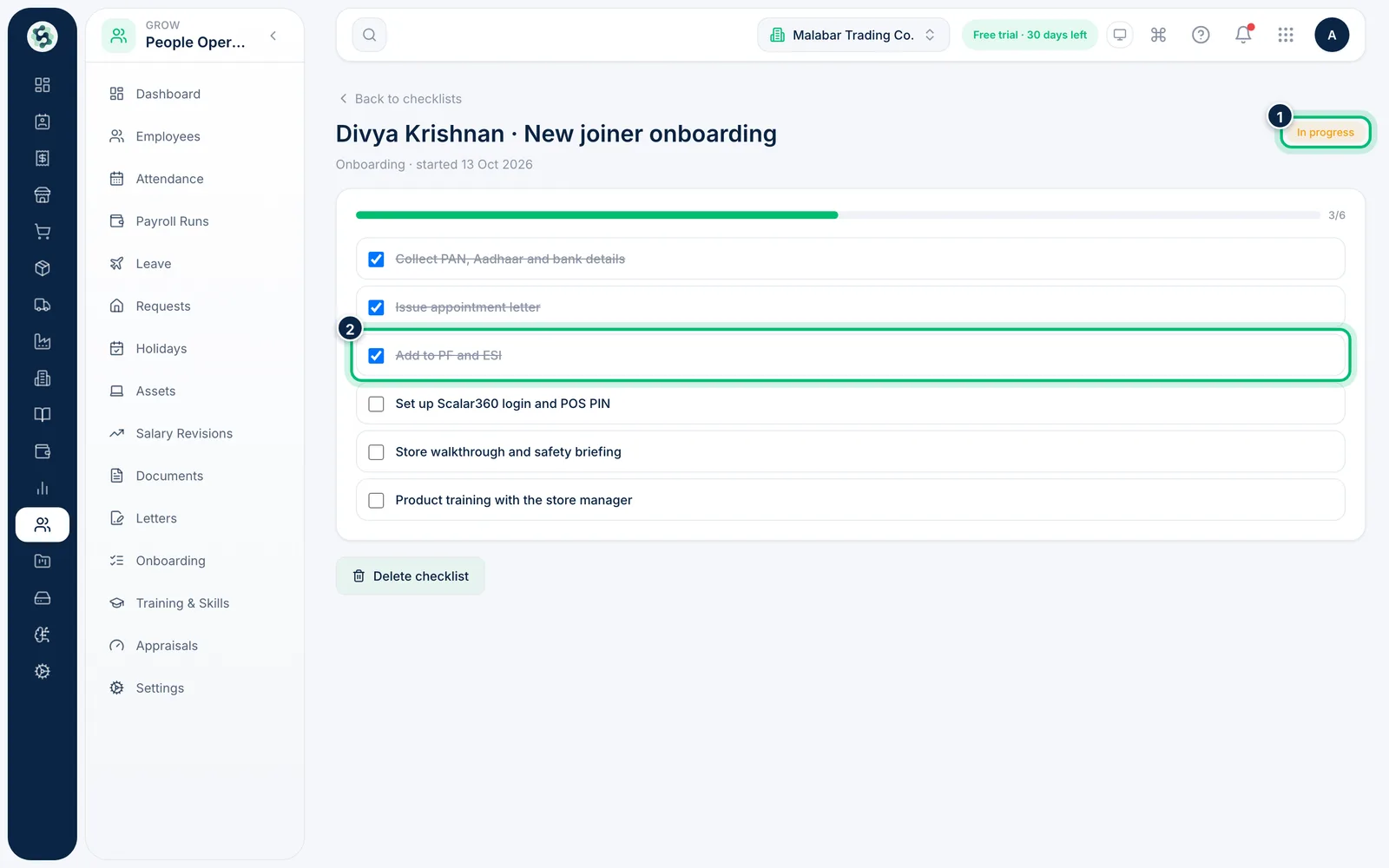
Click a checklist to open it. Tick each task as it's completed — each tick saves instantly with an Undo message for a few seconds, the progress bar updates, and the checklist shows Completed once every task is done.
Related guides
Still stuck? Contact our support team — or start a free trial to try this in your own company.