
Manufacturing · 5 steps
Plan production and check materials
List what you want to make, see whether the components are in stock, then raise work orders or a material request from the plan.
Before you start: Each product on a plan needs a bill of materials, otherwise it can't be turned into a work order.
1Open Production Plans and start a plan
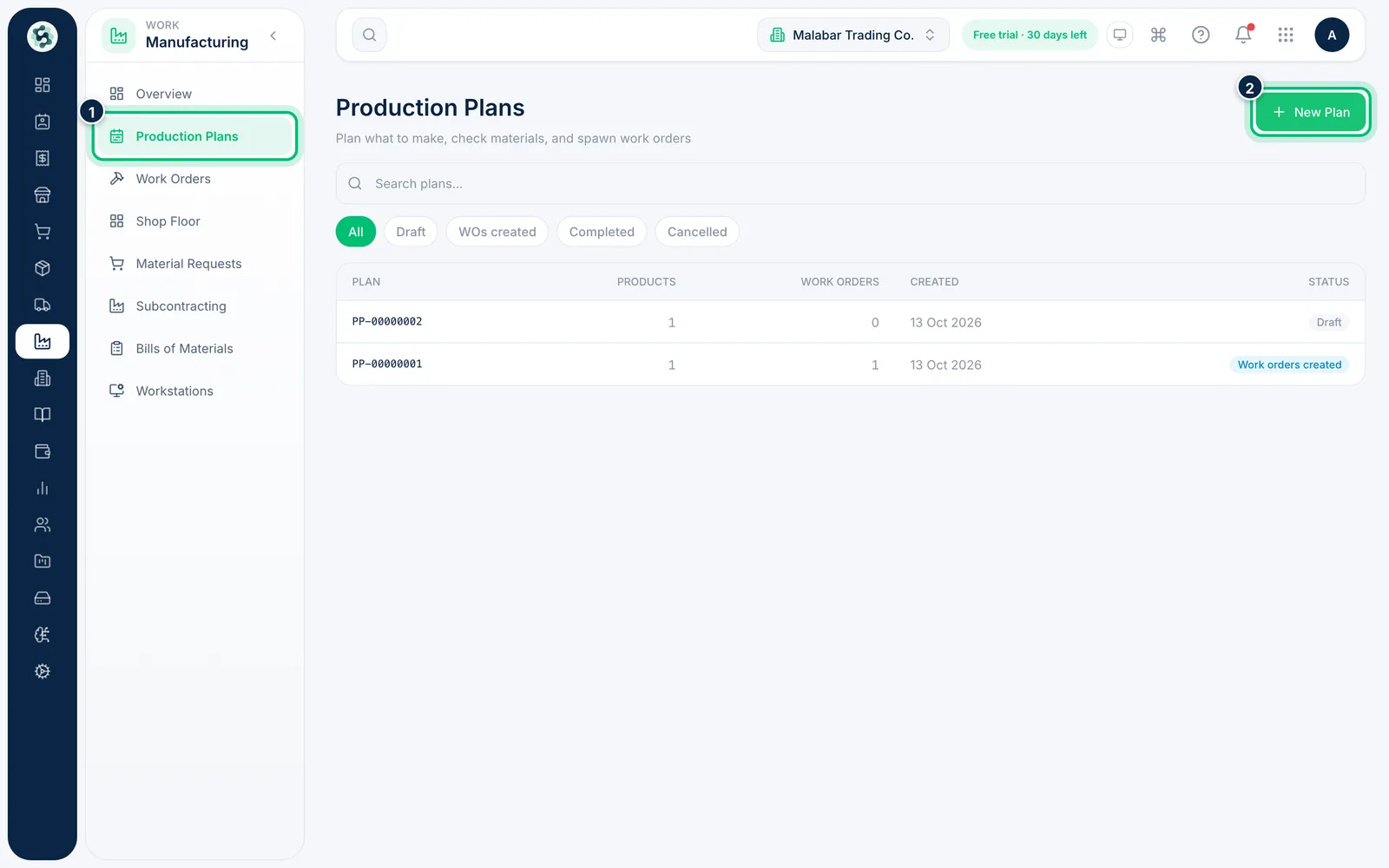
Open Manufacturing → Production Plans. The list shows each plan's number, products, work orders, date created and Status. Choose New Plan.
2Add the finished goods to produce
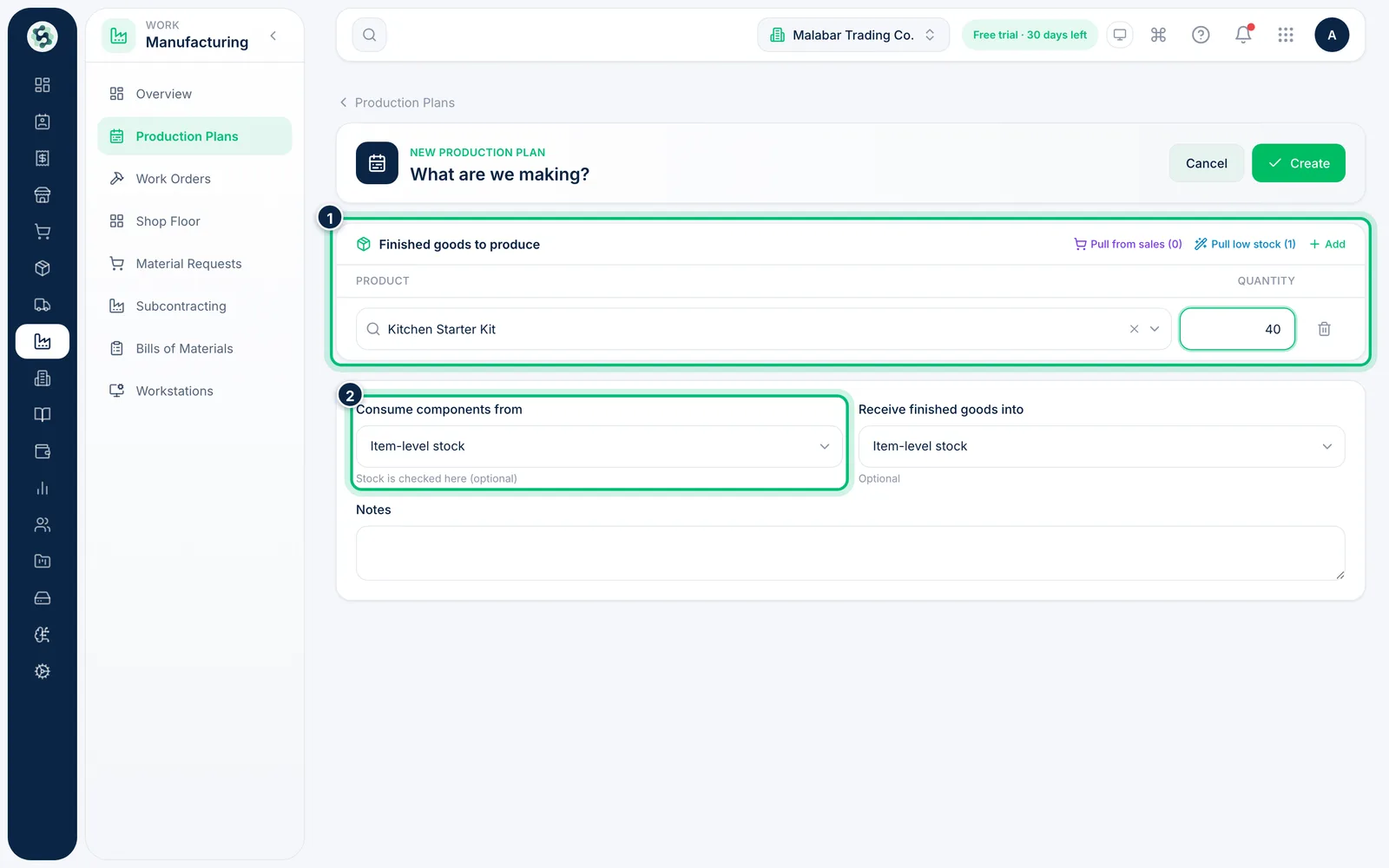
Under Finished goods to produce, search for a product and enter its Quantity. Choose Add for each further product. Optionally set the warehouse to Consume components from and the one to Receive finished goods into.
3Pull products from sales or low stock
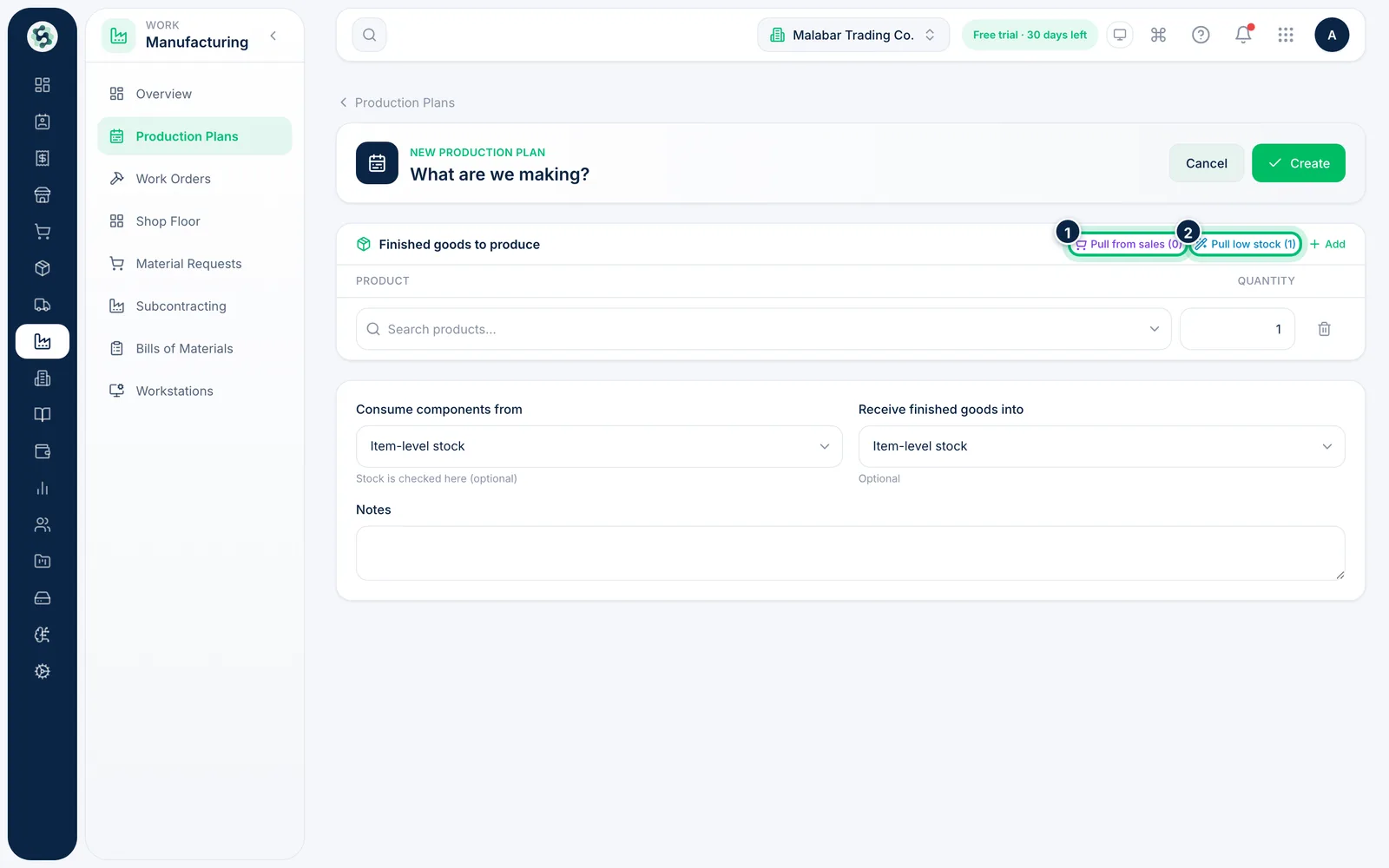
Instead of typing, choose Pull from sales to add products with open sales demand, or Pull low stock to add manufacturable items that have fallen below their reorder level. The number in brackets is how many each would add.
4Review material availability
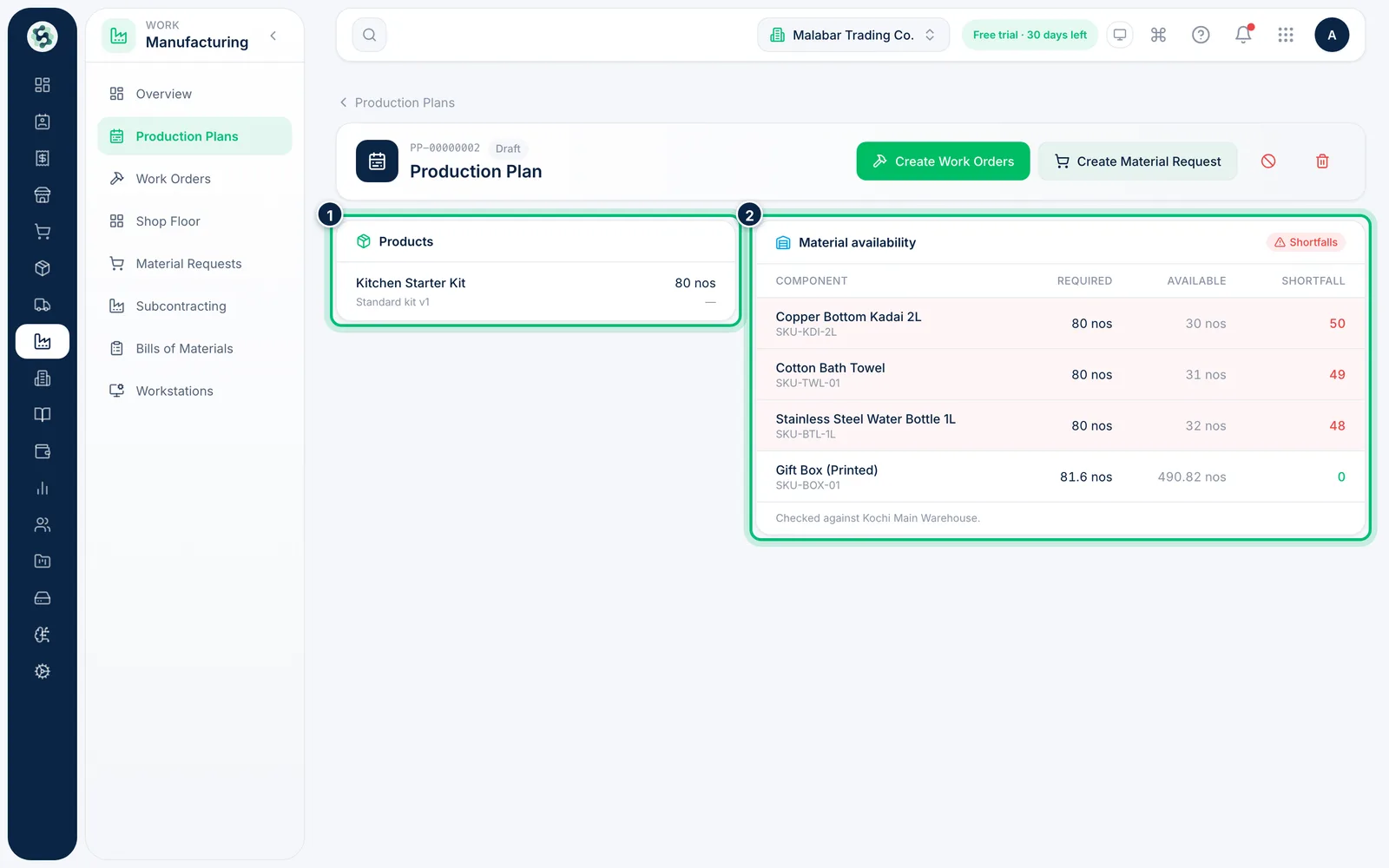
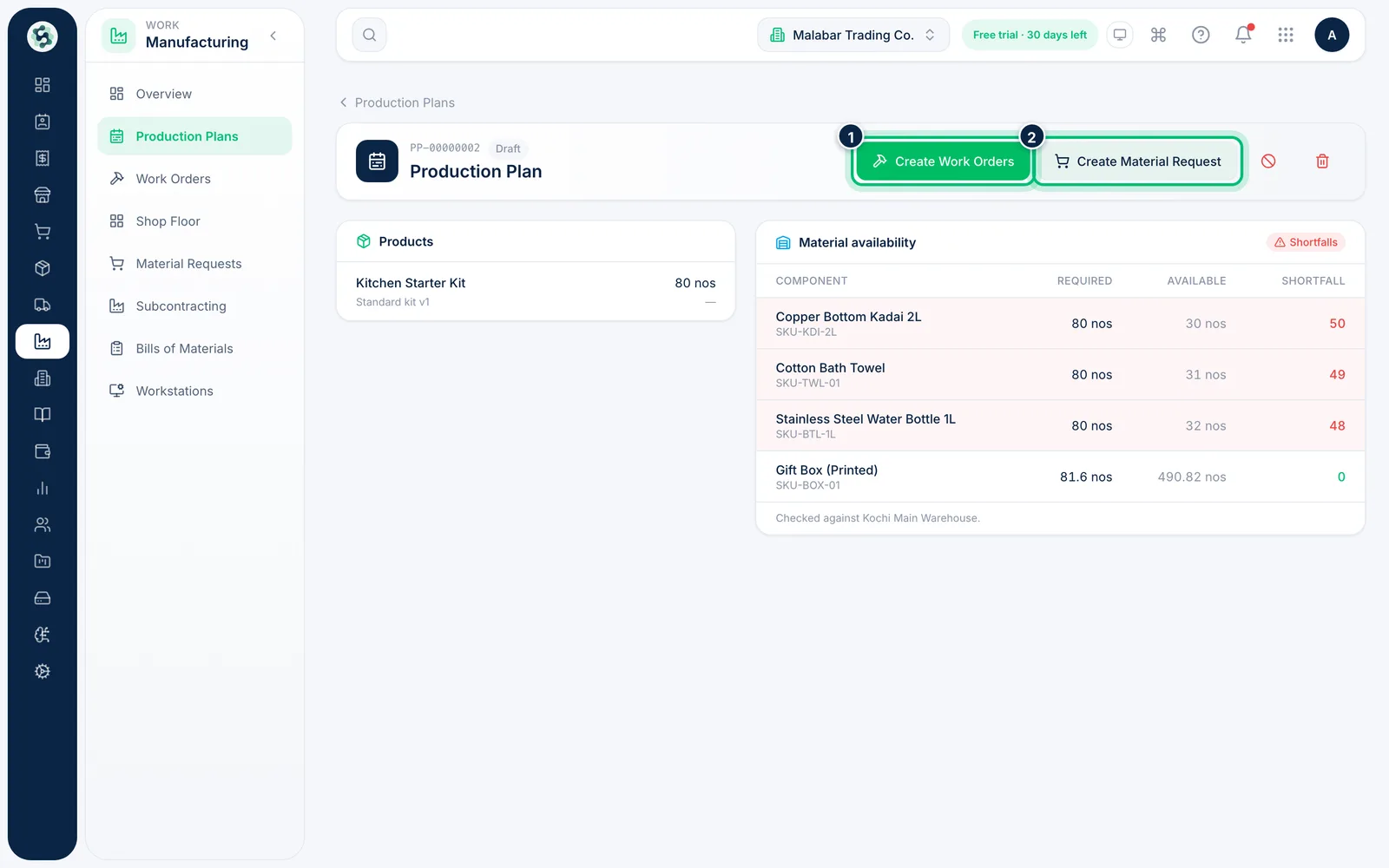
Open a plan to see its Products and its Material availability. Each component shows Required, Available and any Shortfall, and the badge says whether everything is in stock.
5Create work orders or a material request
Choose Create Work Orders to raise a work order for every product that has a BOM. When there is a shortfall, Create Material Request asks purchasing to buy what is missing.
Related guides
Still stuck? Contact our support team — or start a free trial to try this in your own company.