
Projects · 3 steps
Track progress on the PMS dashboard
See active projects, open and overdue tasks, progress per project and each member's workload at a glance.
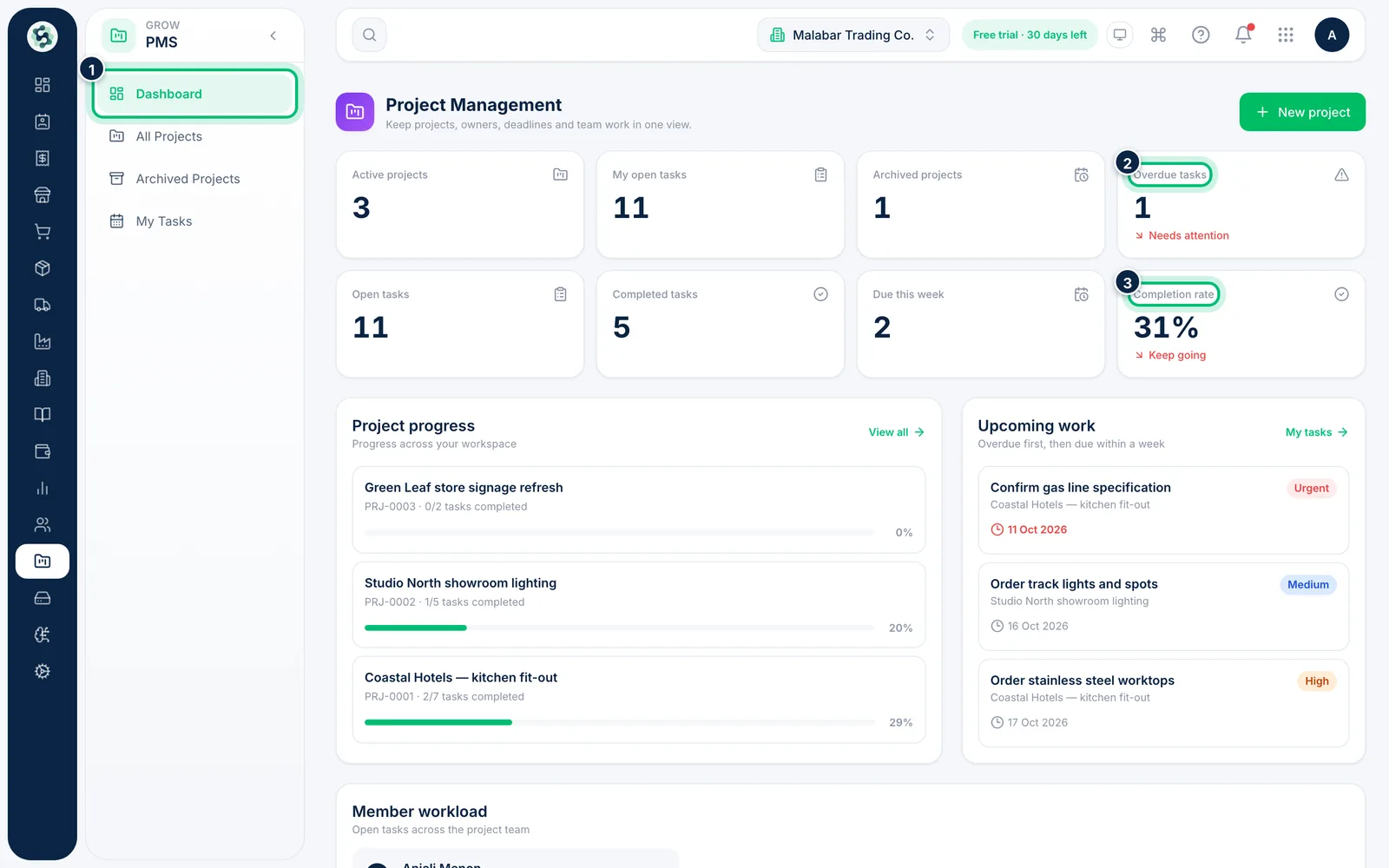
1Open the dashboard
In the left menu open PMS → Dashboard. The cards count your active and archived projects, your open tasks, overdue tasks, tasks due this week and the Completion rate across all tasks.
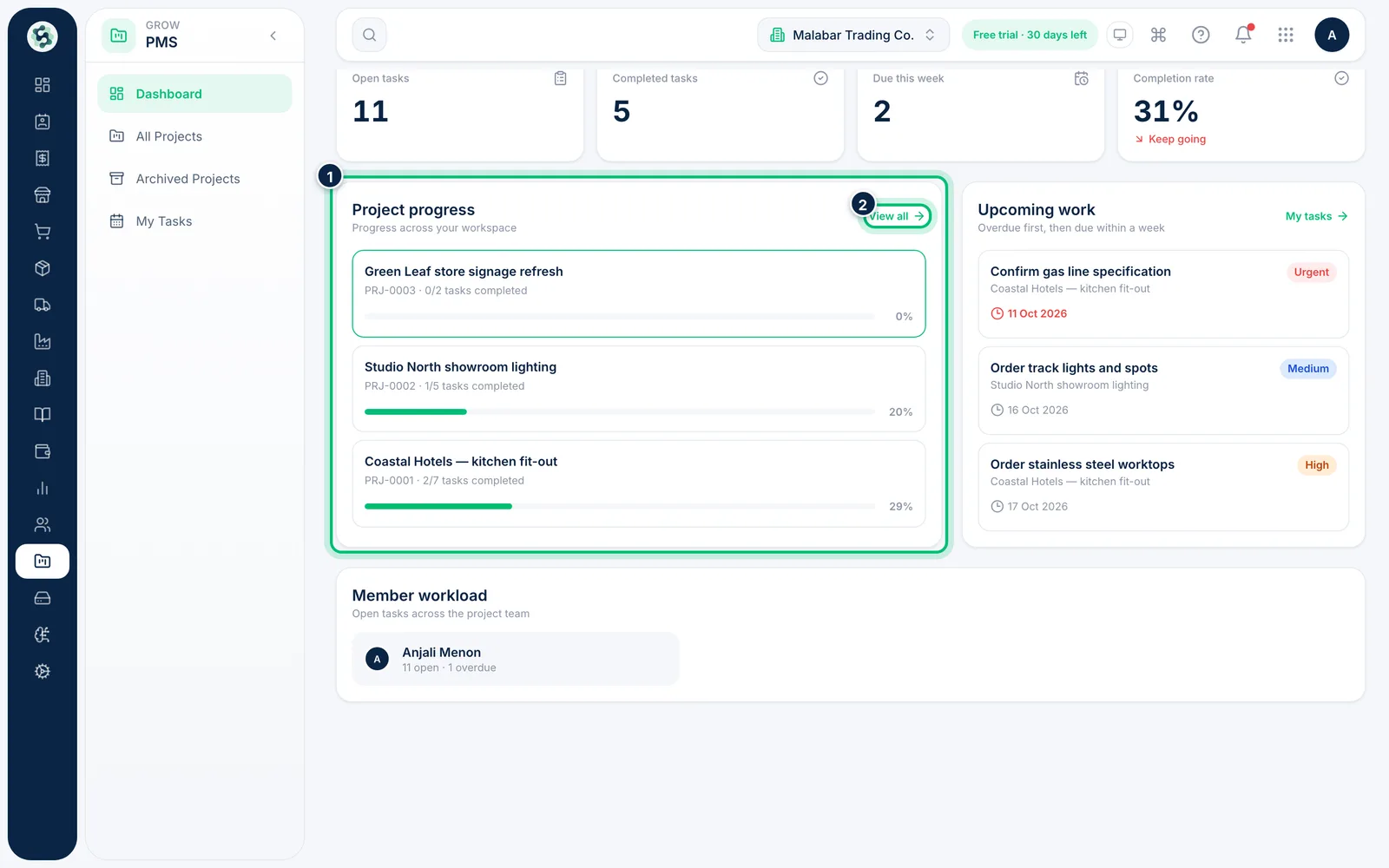
2Check each project's progress
Project progress shows how many tasks are complete in each project, with a progress bar. Click a project to open it, or choose View all for the full list.
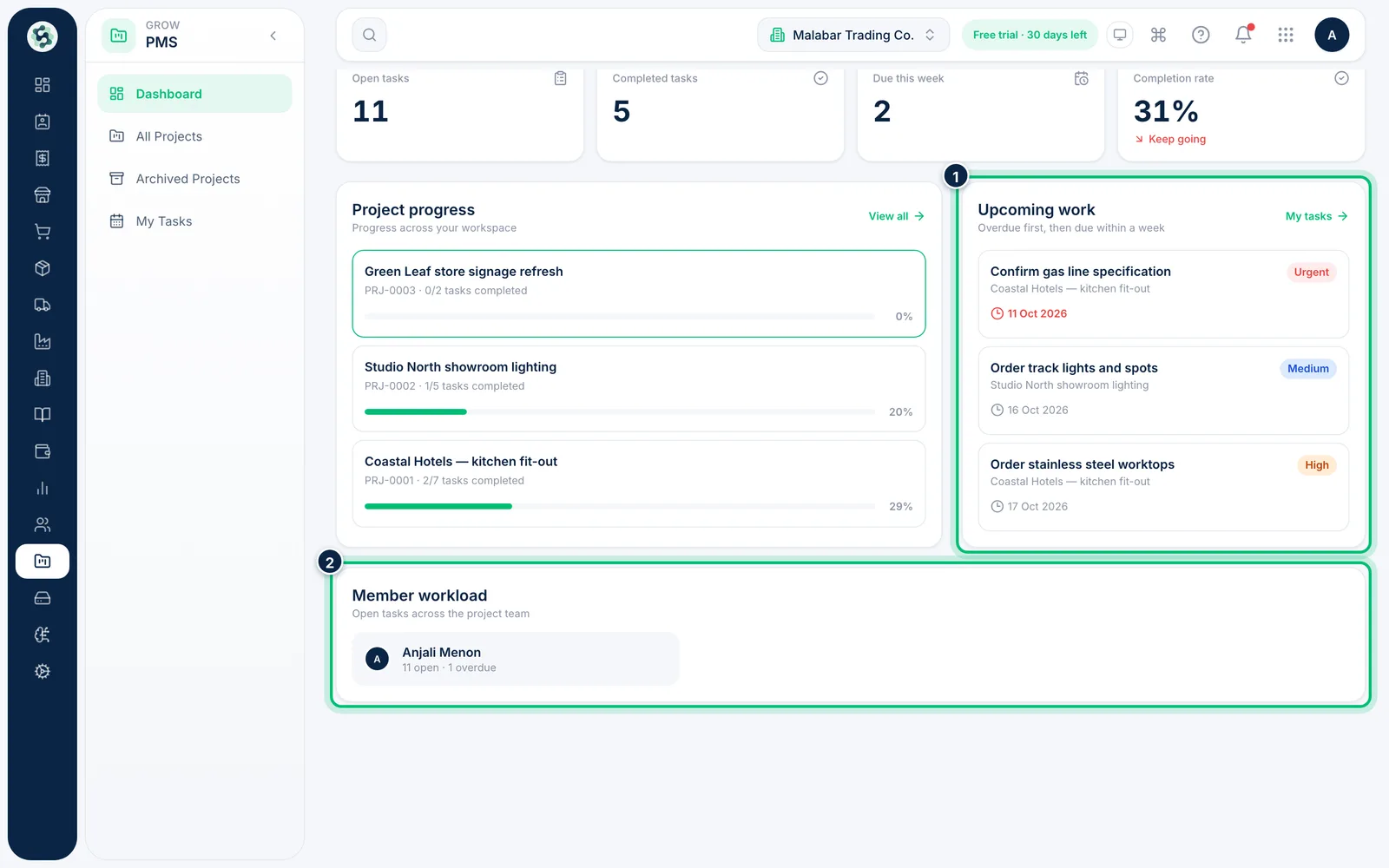
3See upcoming work and workload
Upcoming work lists tasks across the workspace — overdue tasks first, then those due within a week — and Member workload shows each person's open and overdue tasks, so you can spot who is overloaded.
Related guides
Still stuck? Contact our support team — or start a free trial to try this in your own company.