
People & payroll · 4 steps
Track training, skills and appraisals
Record course enrolments and certificates, rate your team's skills, and run review cycles with competency ratings.
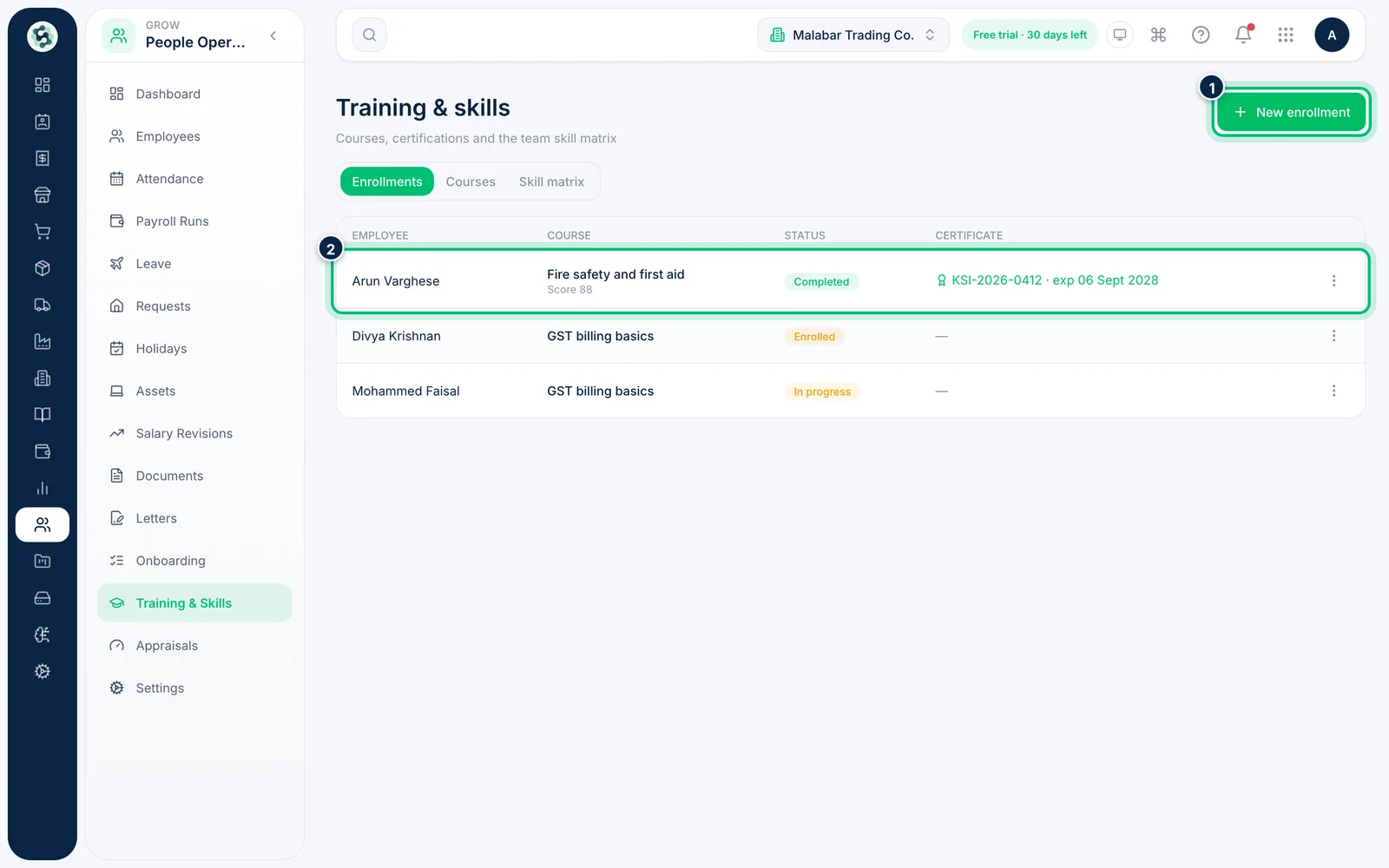
1Record training enrolments
Go to People Operations → Training & Skills. Enrollments lists who's on which course, its status and any certificate. Add courses on the Courses tab, then choose New enrollment.
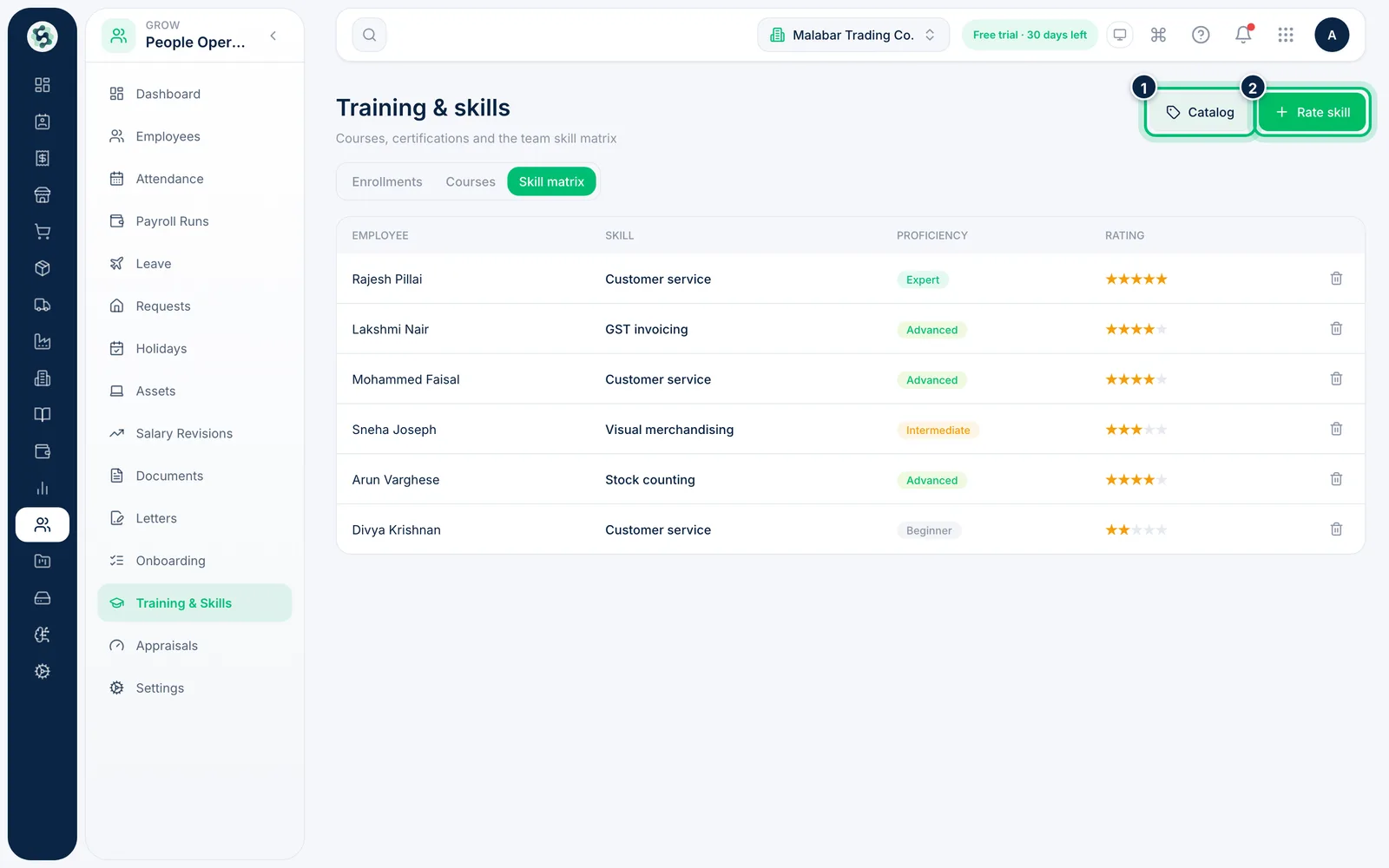
2Rate skills in the skill matrix
Open Skill matrix to see each employee's proficiency and rating. Use Catalog to add skills, and Rate skill to score someone from 1 to 5.
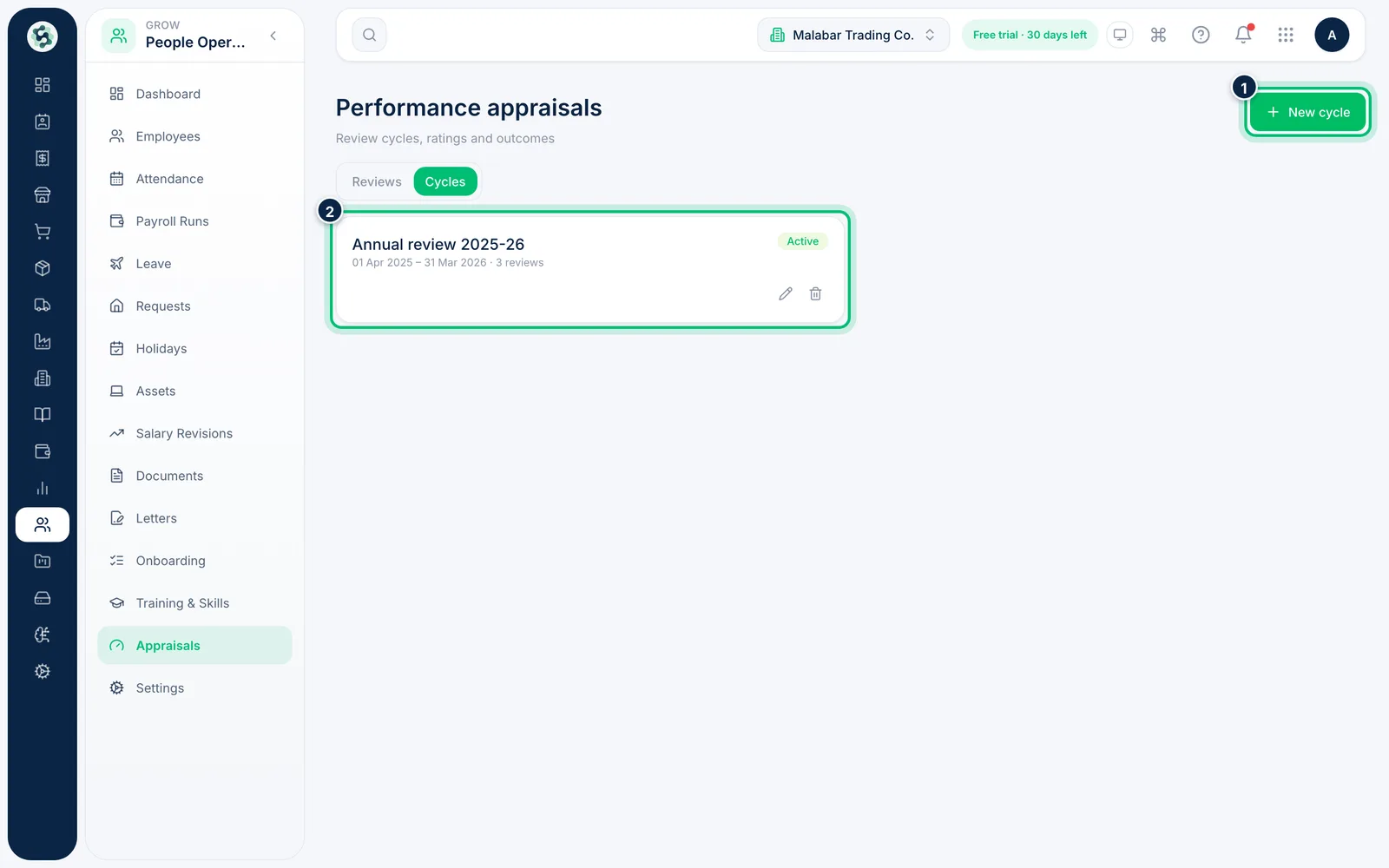
3Set up a review cycle
Go to People Operations → Appraisals and open Cycles. Choose New cycle, name it, set the period it covers and make it Active.
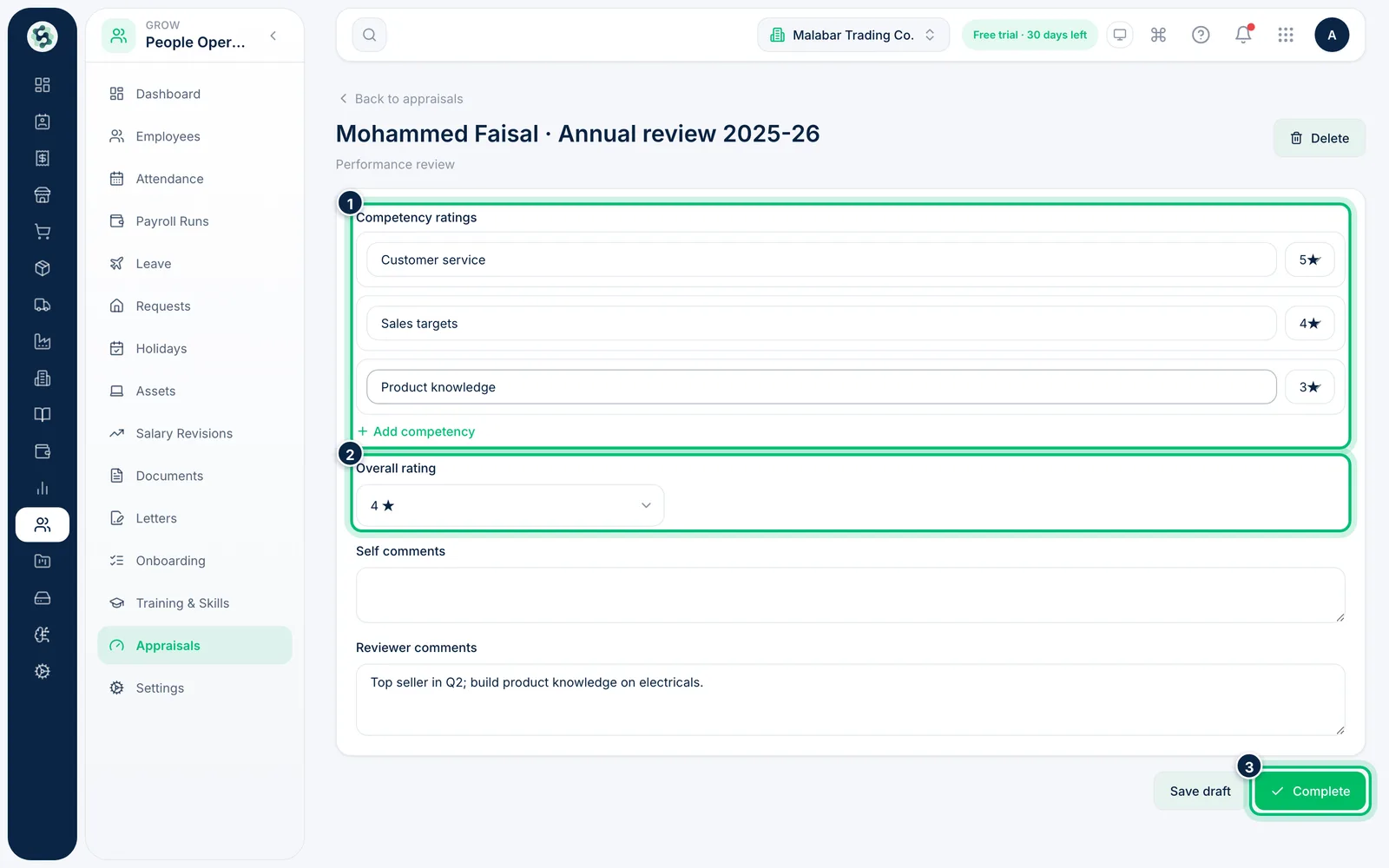
4Review an employee
On Reviews, choose New appraisal or click an existing one. Rate each competency, give an Overall rating and add comments. Choose Save draft to come back later, or Complete when the review is final.
Related guides
Still stuck? Contact our support team — or start a free trial to try this in your own company.