
Point of sale · 4 steps
Run coupons and loyalty points
Reward repeat customers with points and create discount codes cashiers can apply at the till.
Before you start: You need permission to edit coupons or loyalty settings.
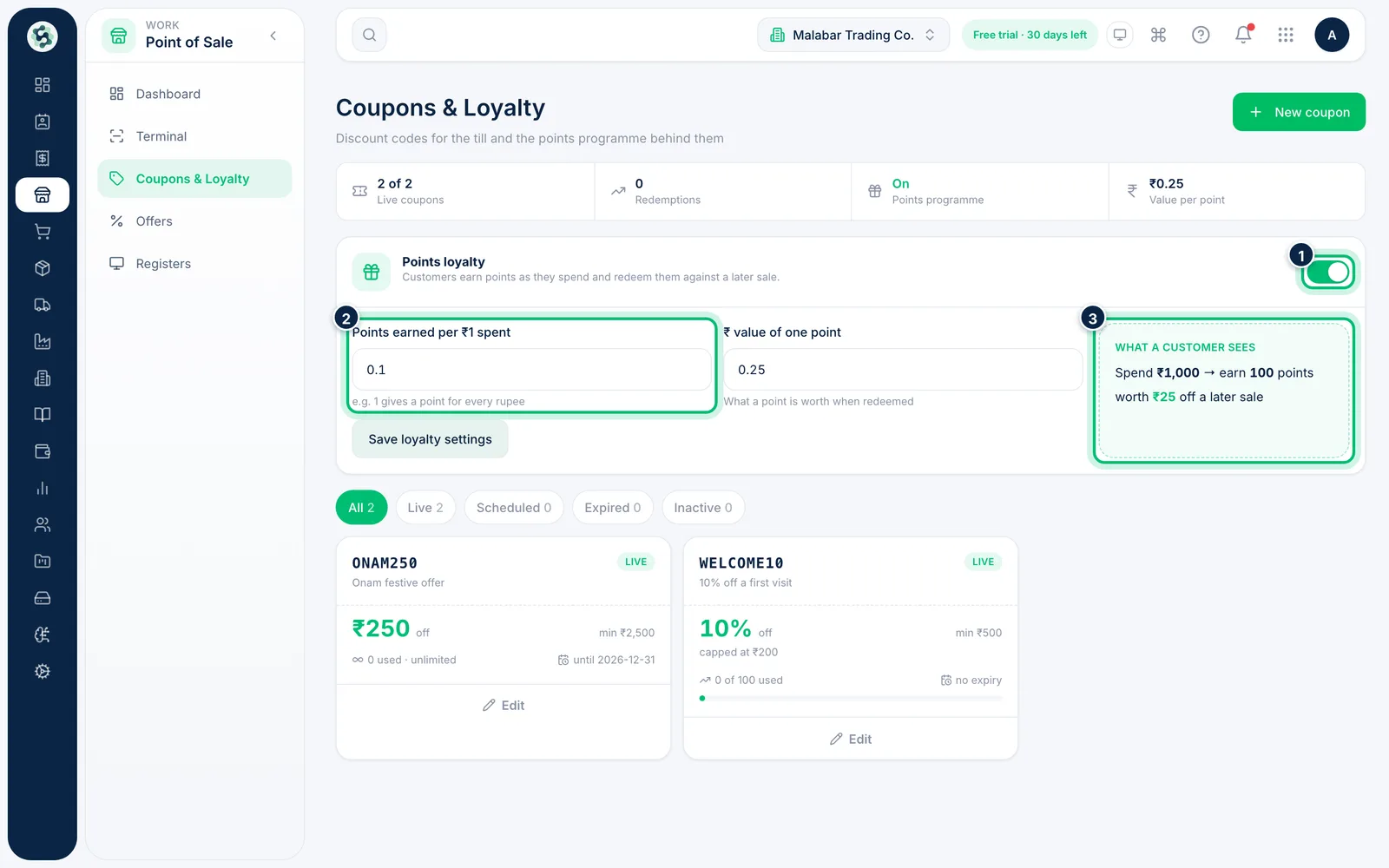
1Turn on points loyalty
Go to Point of Sale → Coupons & Loyalty and switch on Points loyalty. Enter the Points earned per ₹1 spent and the ₹ value of one point, then choose Save loyalty settings. What a customer sees works out an example for you.
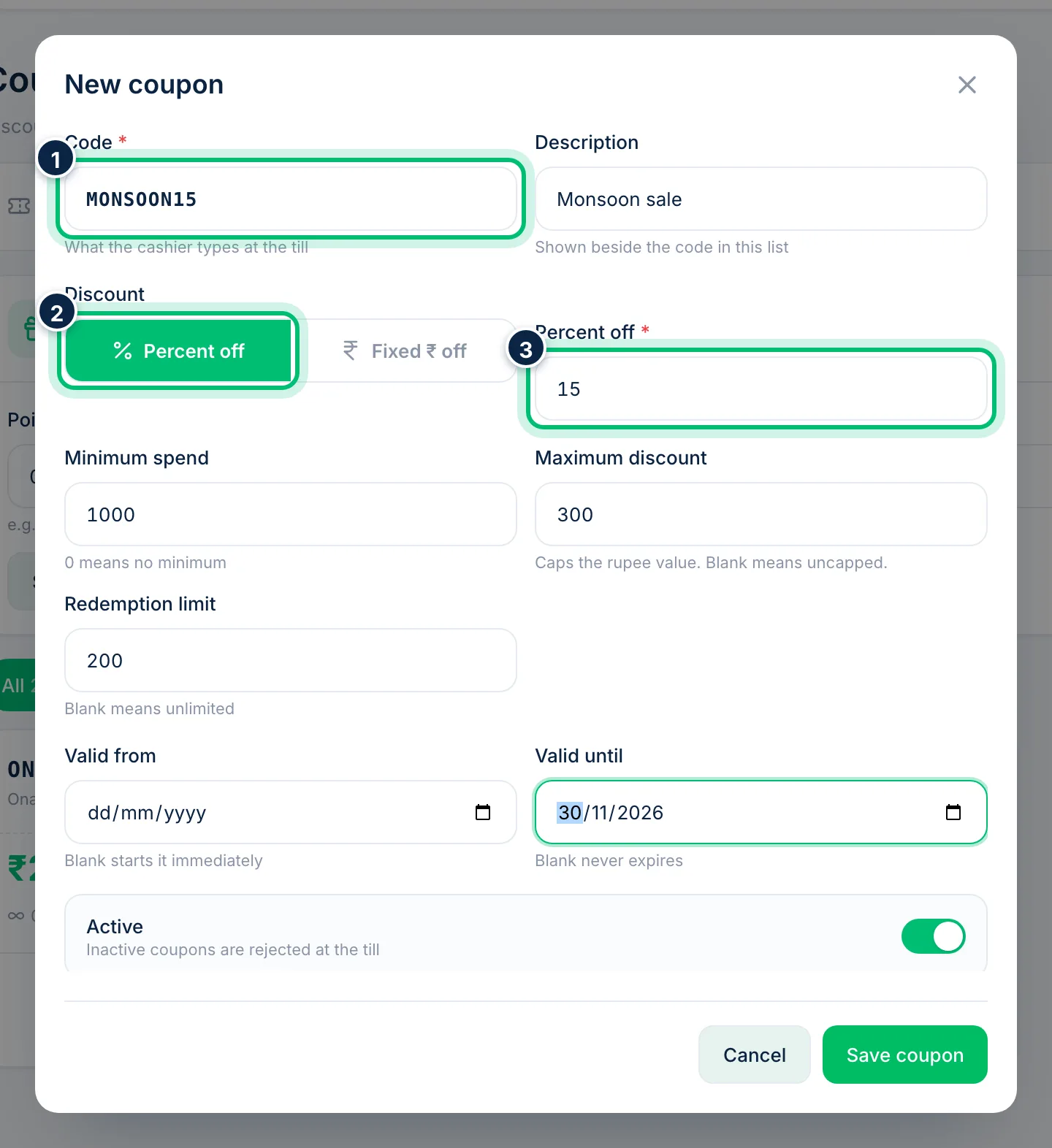
2Create a coupon
Choose New coupon. Enter the Code the cashier will type, a Description, and choose Percent off or Fixed ₹ off with the value.
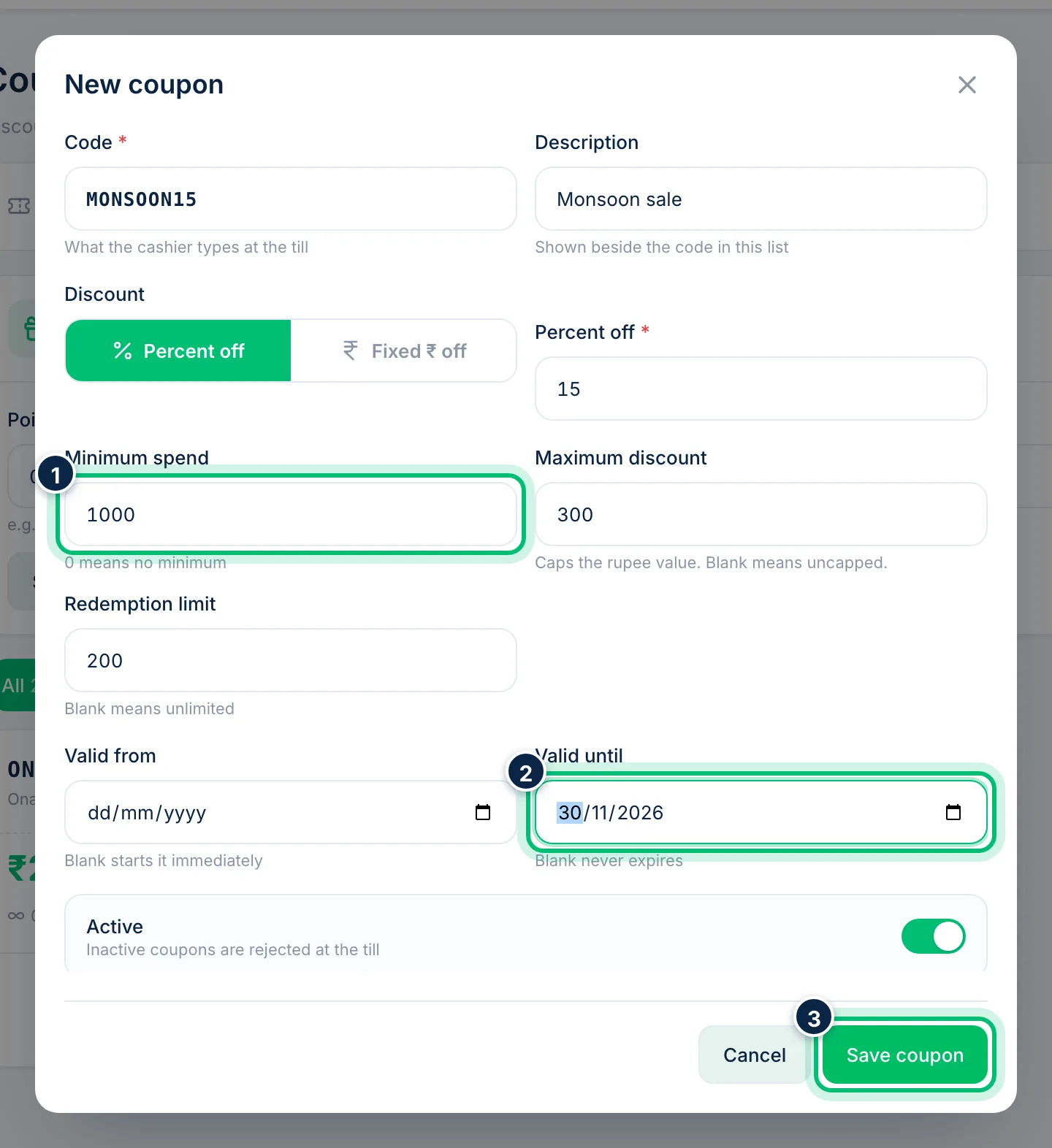
3Set the conditions and save
Add a Minimum spend, a Maximum discount for percentage coupons, a Redemption limit and the Valid from and Valid until dates — leave any of them blank for no limit. Choose Save coupon.
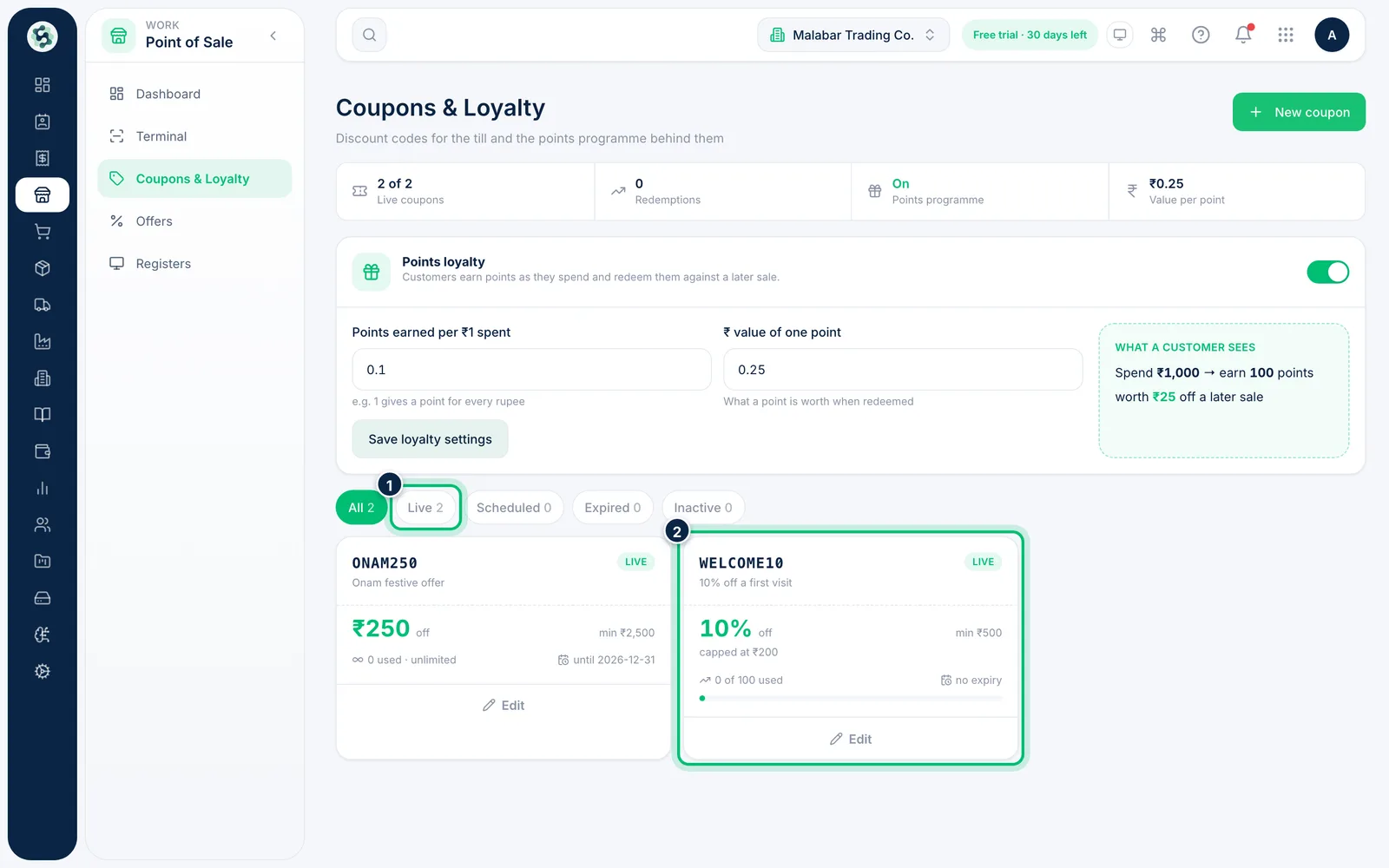
4Track your coupons
Each card shows the discount, minimum spend, how many times it's been used and when it ends. Filter by Live, Scheduled, Expired or Inactive, and choose Edit to change one.
Related guides
Still stuck? Contact our support team — or start a free trial to try this in your own company.