
Asset management · 4 steps
Set up categories and depreciation
Group assets into categories with default depreciation rules, see how each asset loses value, and know what reaches the ledger.
1Review your categories
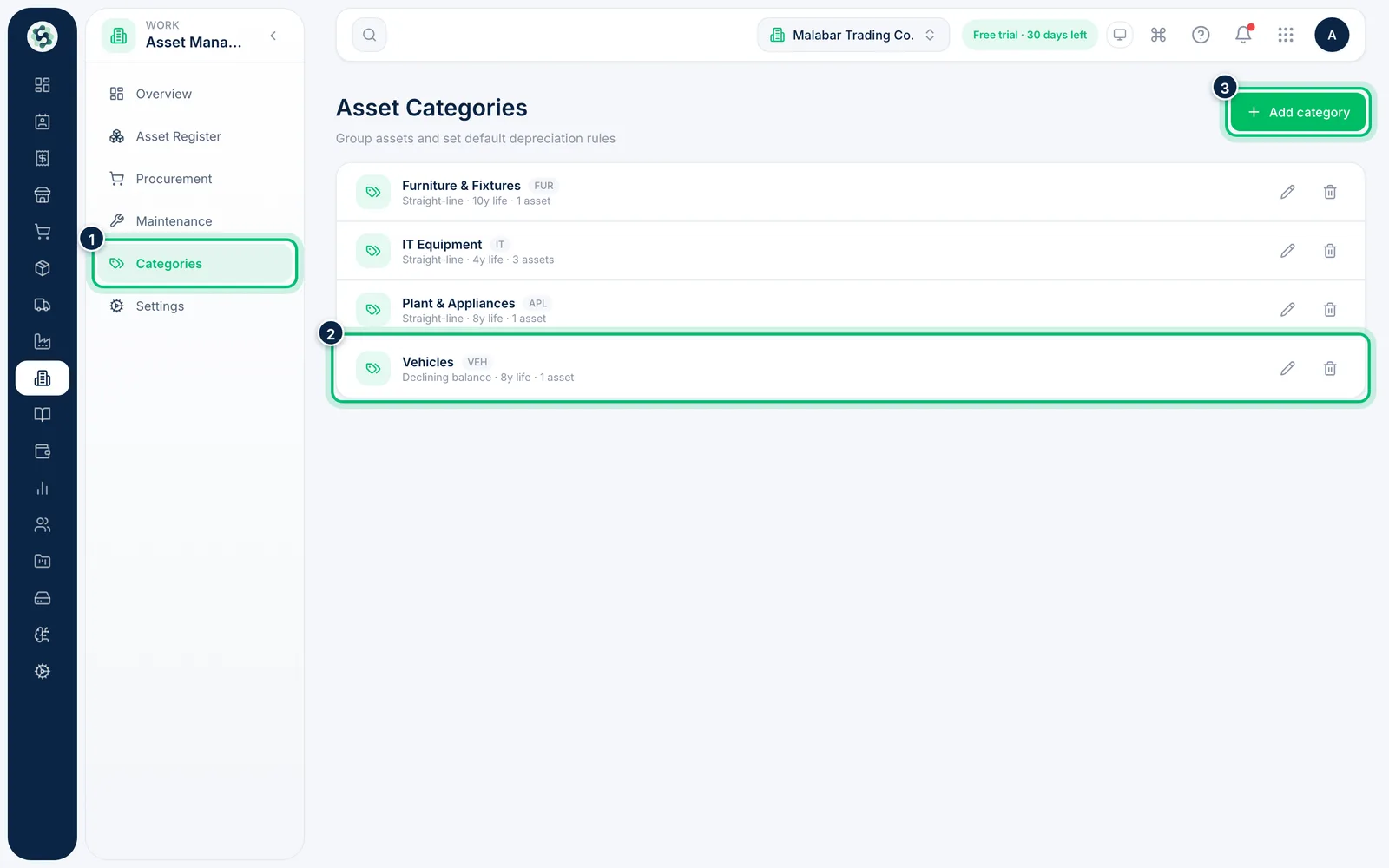
Go to Asset Management → Categories. Each category shows its depreciation method, useful life and how many assets it holds. Choose Add category to create one.
2Set the depreciation rules
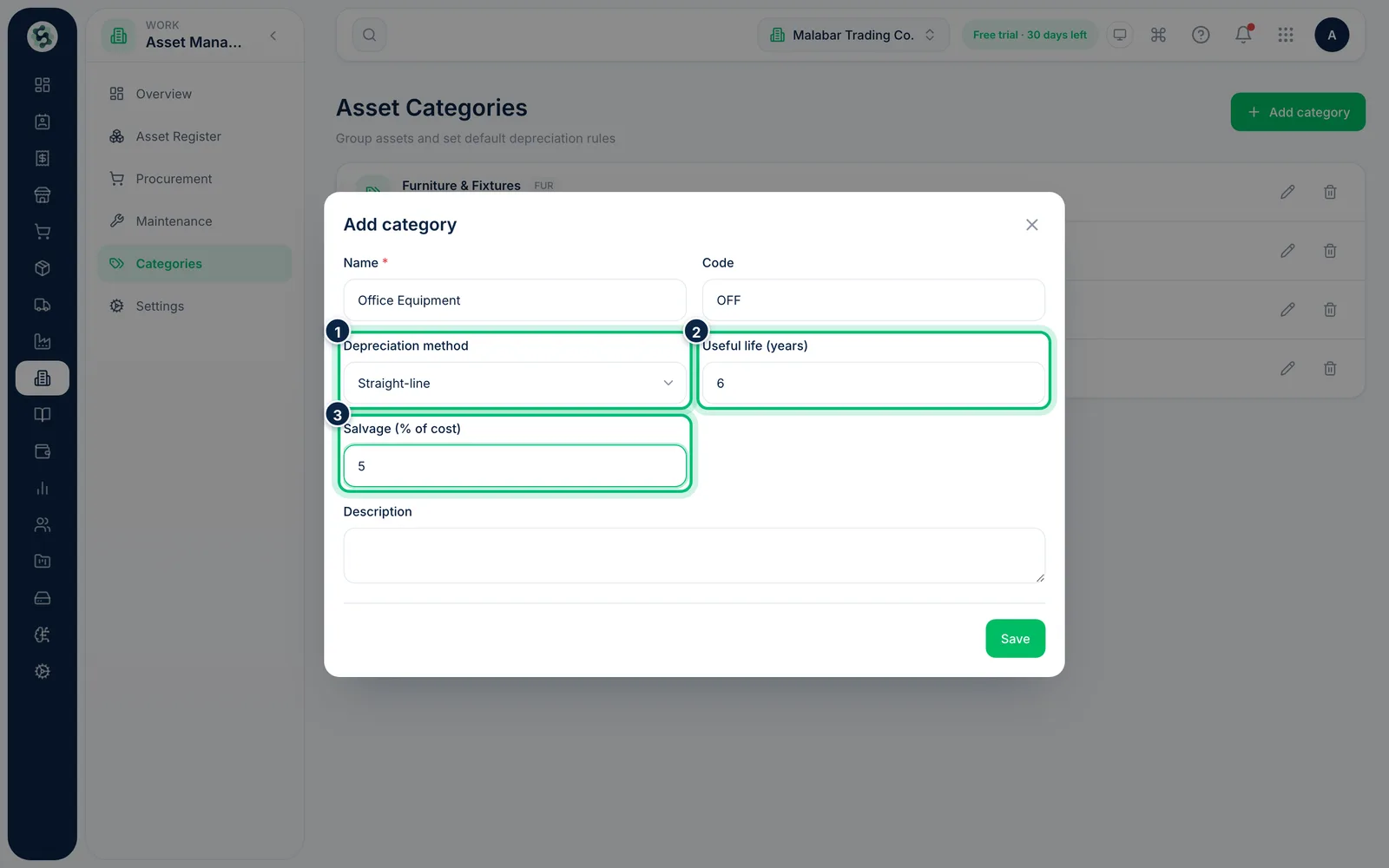
Enter the category Name and Code, then choose the Depreciation method — Straight-line, Declining balance or None. Set the Useful life (years) and Salvage (% of cost). Declining balance also asks for a Depreciation rate (%/yr).
3See an asset's book value
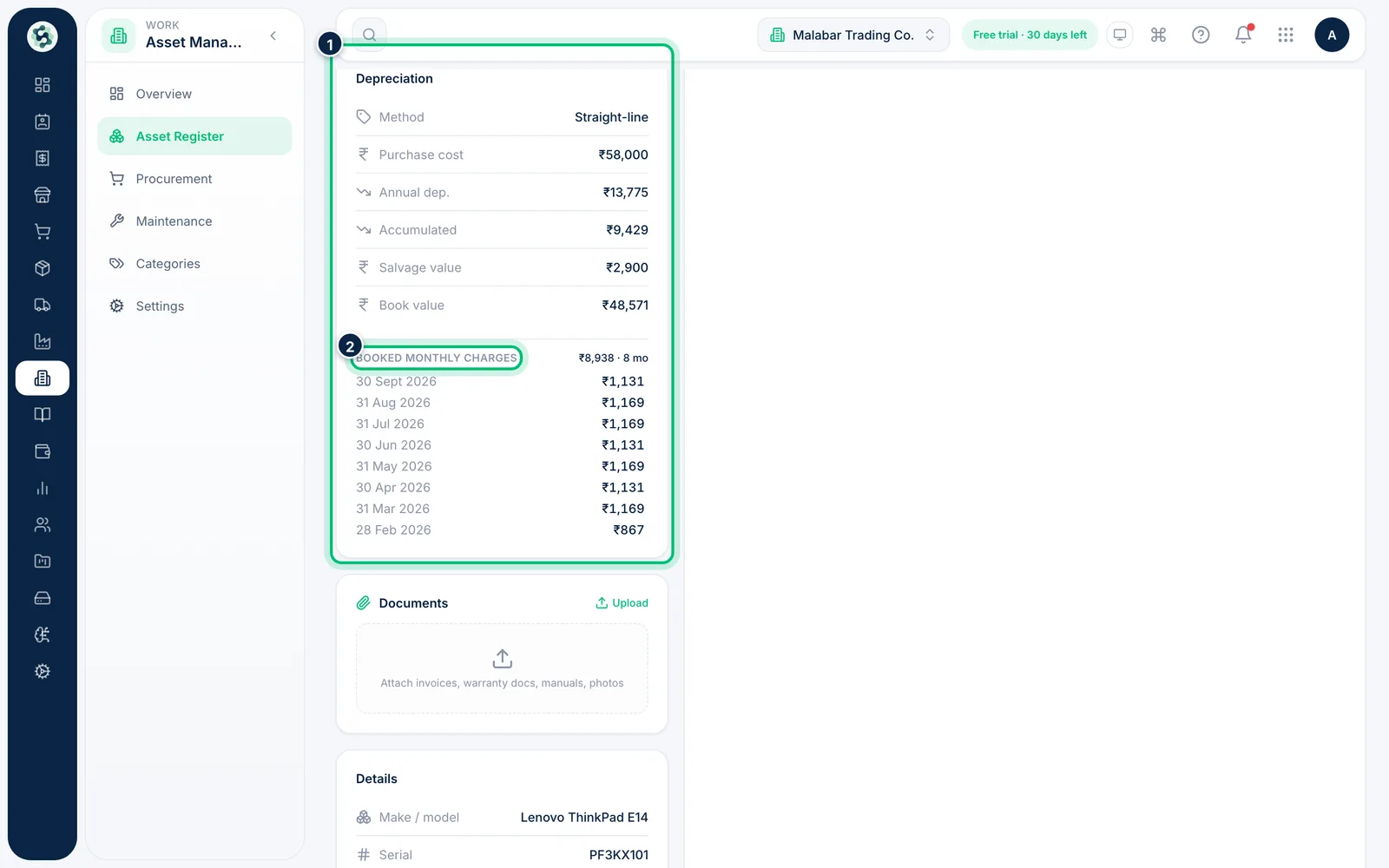
Open an asset and look at the Depreciation card. It shows the Method, Purchase cost, Annual dep., Accumulated, Salvage value and the current Book value. Booked monthly charges lists each month already charged.
4Book depreciation to the ledger
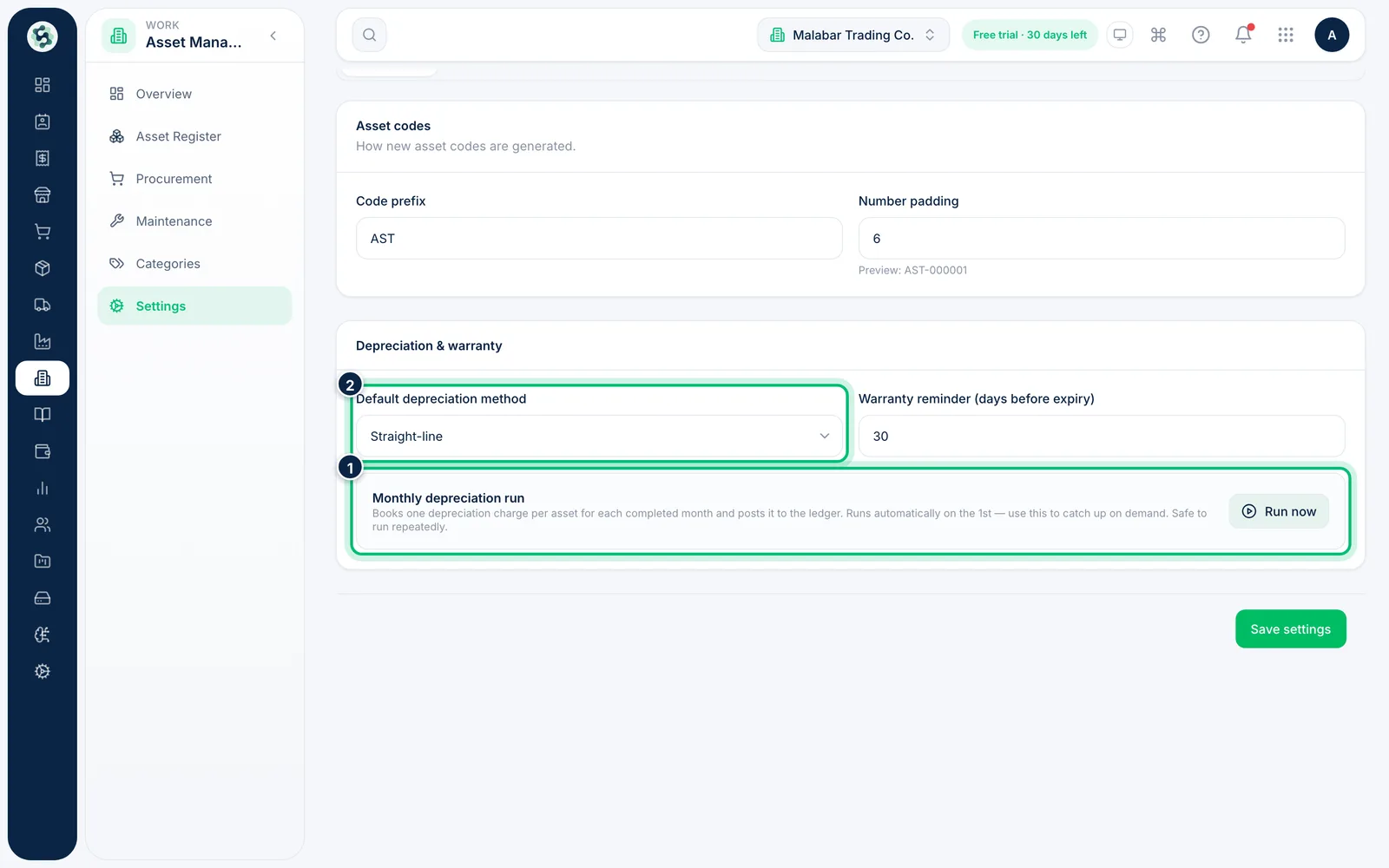
In Asset Management → Settings → General, Monthly depreciation run books one charge per asset for each completed month. It runs on its own on the 1st; choose Run now to catch up. It is safe to run repeatedly.
Related guides
Still stuck? Contact our support team — or start a free trial to try this in your own company.