
Drive · 4 steps
Share by public link and collect files with a request
Send a file to someone without a Scalar360 account, protect it with an expiry and password, or let outsiders upload into one folder.
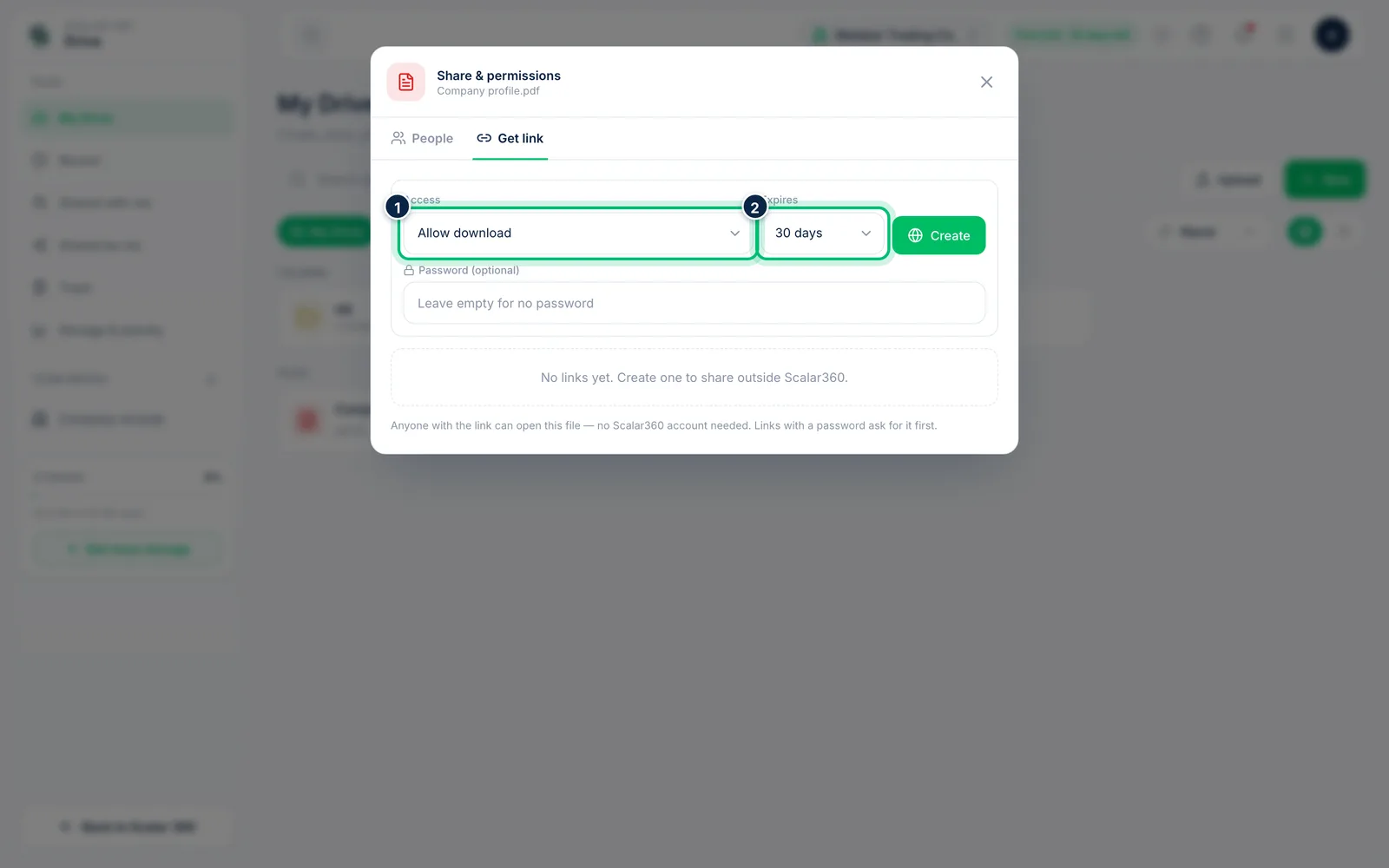
1Create a public link for a file
Open the file's More menu, choose Share and switch to the Get link tab. Choose View only or Allow download under Access, and when the link Expires: 1 day, 7 days, 30 days or Never.
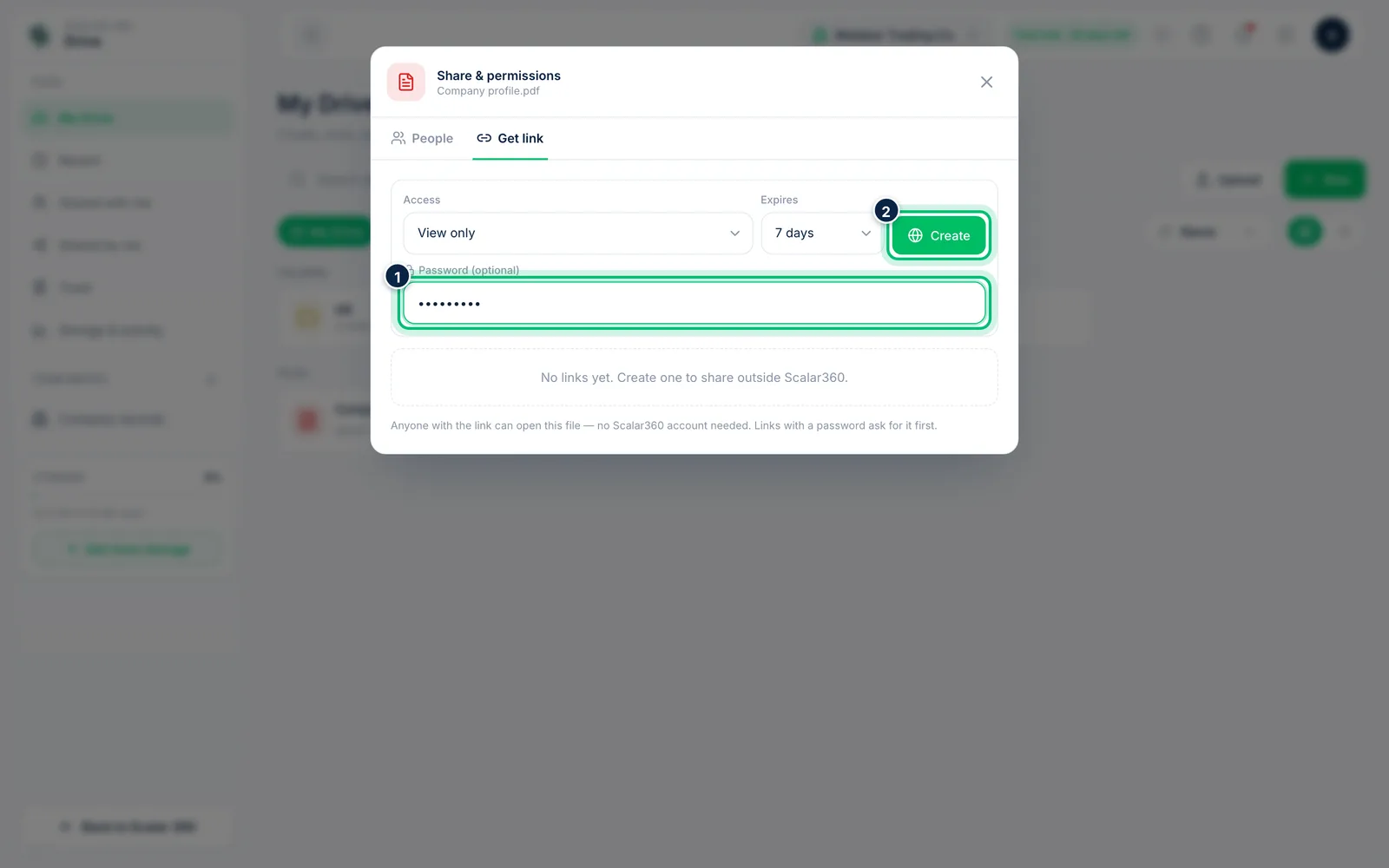
2Add a password and create the link
Optionally type a Password of at least four characters; people then have to enter it before the file opens. Choose Create and the link appears below, ready to copy or revoke.
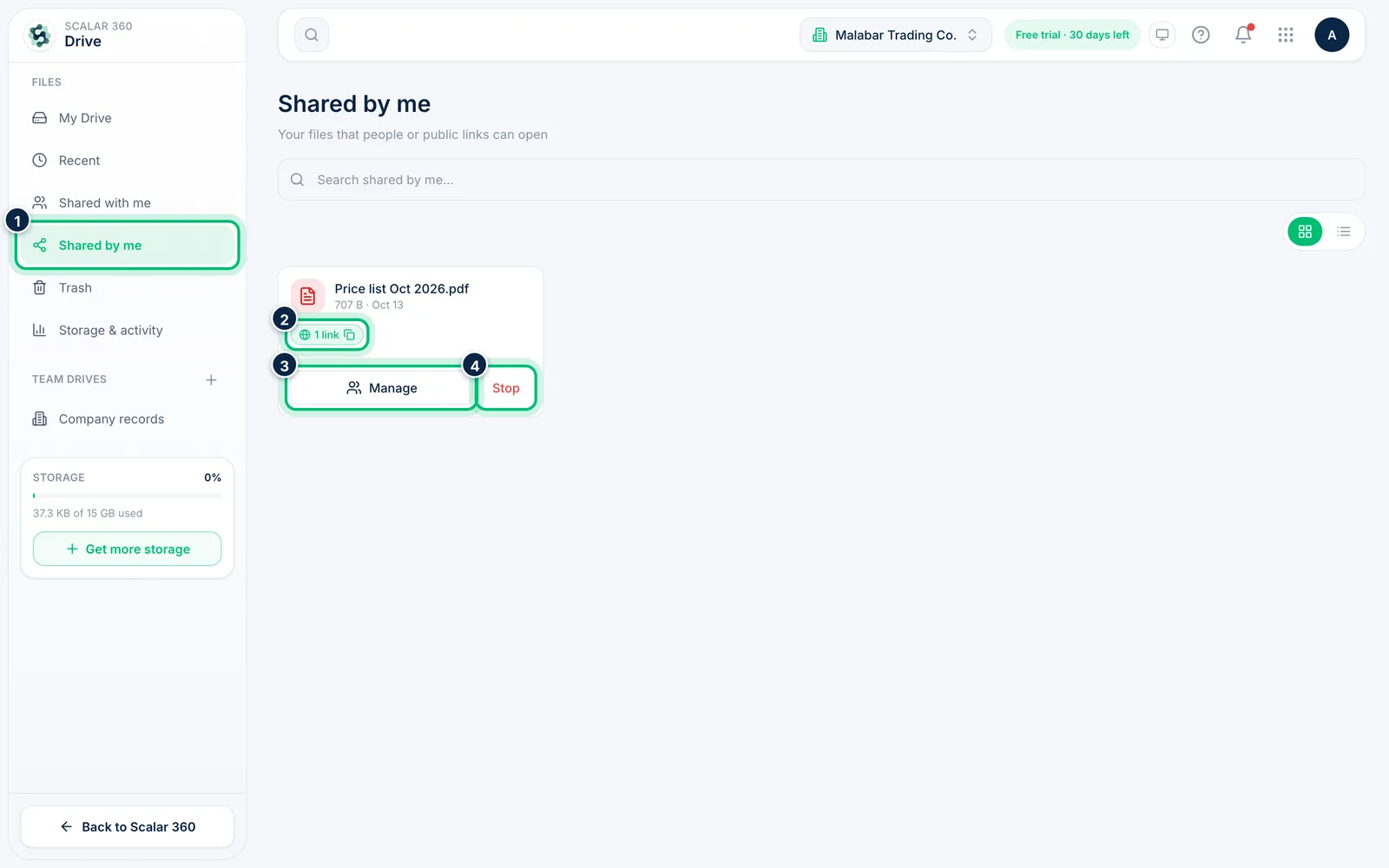
3Review what you have shared
Open Shared by me to see every file and folder that people or public links can open. The link chip copies the public link, Manage opens the sharing settings and Stop closes all access.
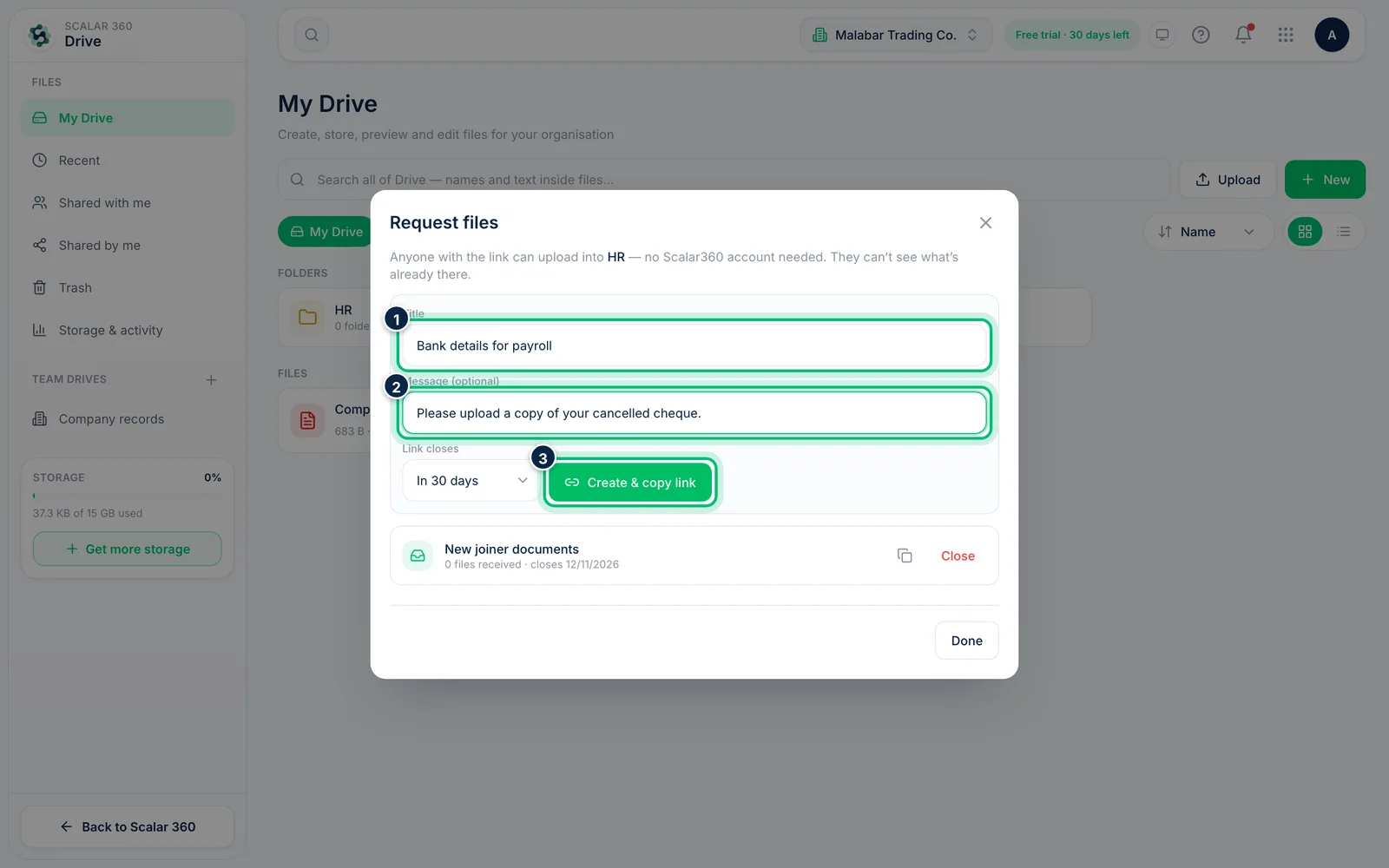
4Request files from someone outside
On a folder's More menu choose Request files. Give the request a Title and optional Message, set when the Link closes, then choose Create & copy link and send the link. Anyone with it can upload into that folder without an account, but can't see what's already there.
Related guides
Still stuck? Contact our support team — or start a free trial to try this in your own company.