
Point of sale · 3 steps
Track sales on the POS dashboard
See net sales, returns, payment mix, register performance, top items and open shifts for any date range.
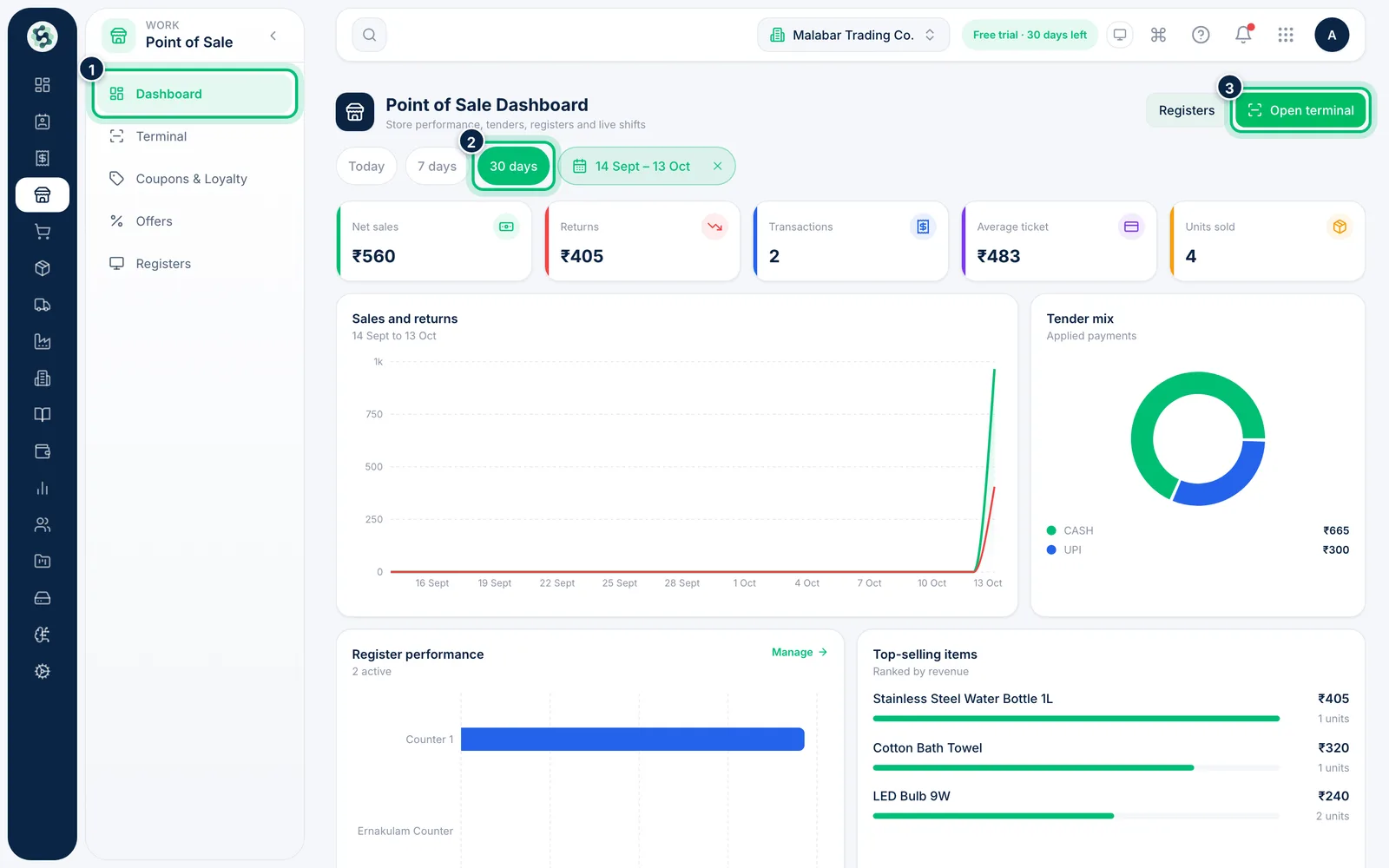
1Open the dashboard and pick a range
Go to Point of Sale → Dashboard. Choose Today, 7 days or 30 days, or set a Custom range. Open terminal takes you straight to the till.
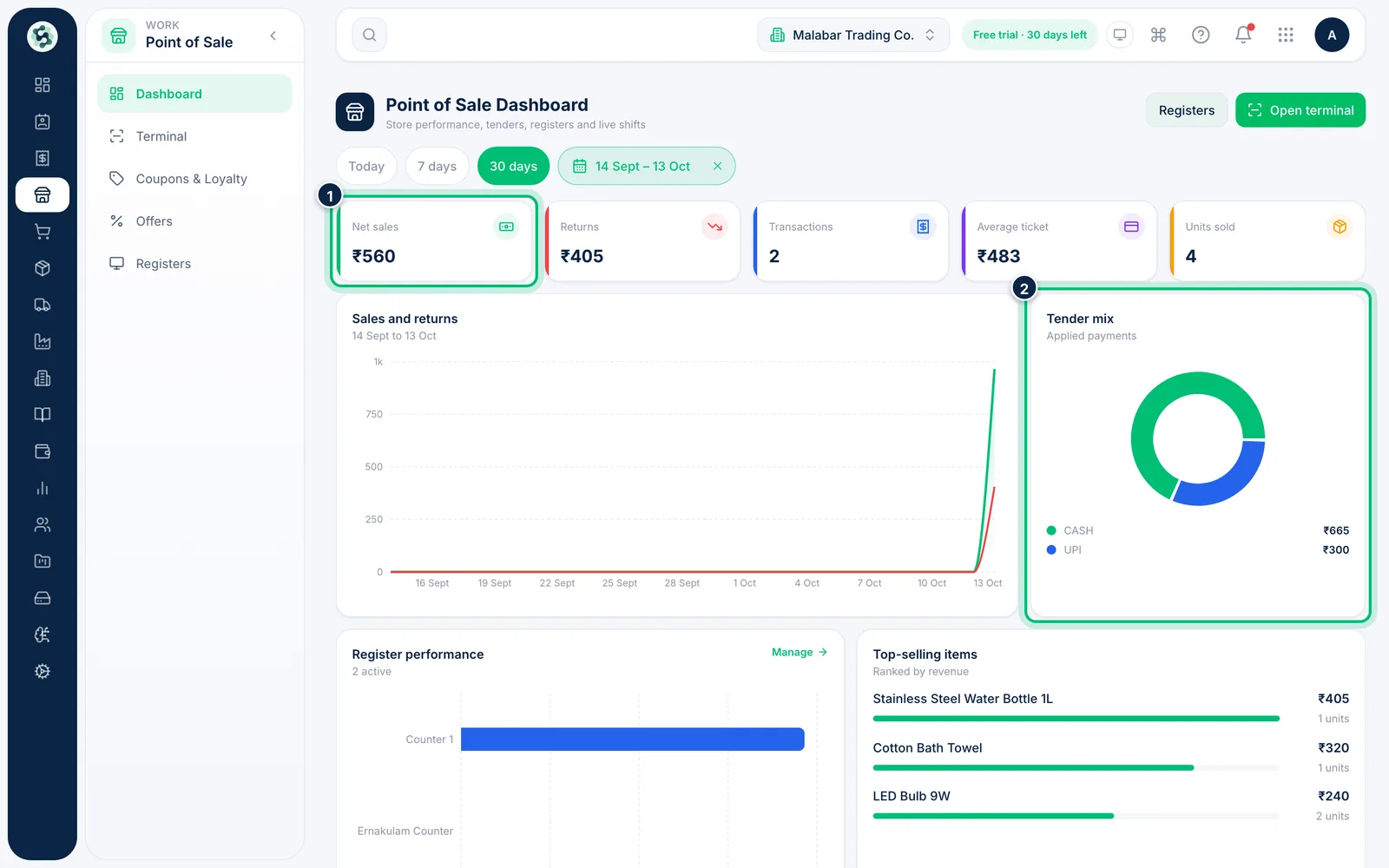
2Read the headline numbers
The cards show Net sales, Returns, Transactions, Average ticket and Units sold. Sales and returns charts them day by day, and Tender mix splits takings by payment method.
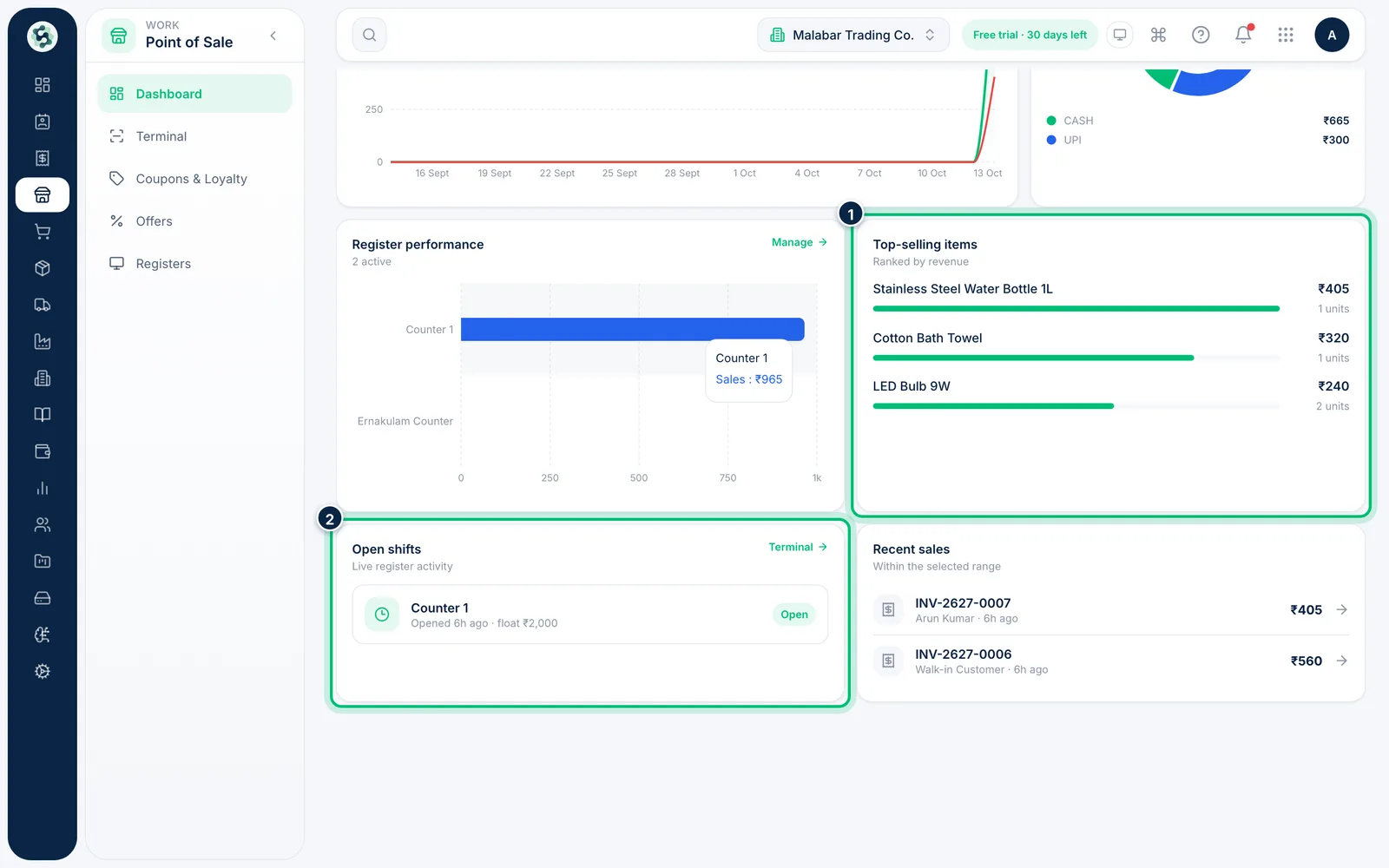
3Check registers, items and shifts
Register performance compares sales by counter and Top-selling items ranks items by revenue. Open shifts shows which registers are open now, with their float, and Recent sales links to each invoice.
Related guides
Open a shiftStart the day at a counter by recording the cash float in the drawer. You can't sell until a shift is open.Record cash movements and close the shiftLog cash added to or taken from the drawer, check the X-report, then count the drawer and close the shift.
Still stuck? Contact our support team — or start a free trial to try this in your own company.