
Accounting & GST · 3 steps
Track receivables and payables
See who owes you, whom you owe, and how much of it is overdue.
1Open Dues
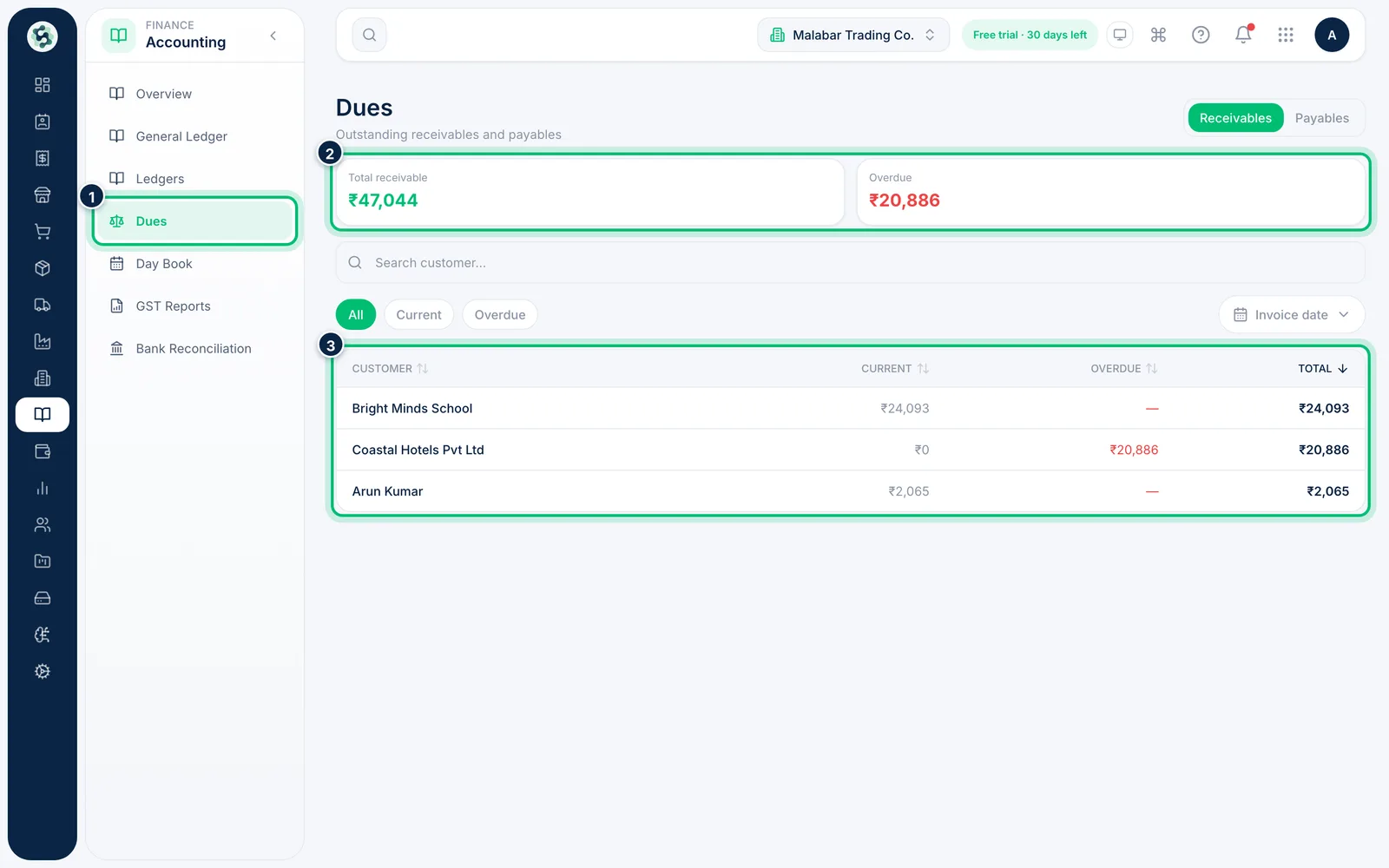
In the left menu open Accounting → Dues. The Receivables tab shows the Total receivable and how much is Overdue, then each customer's current, overdue and total balance.
2Focus on overdue customers
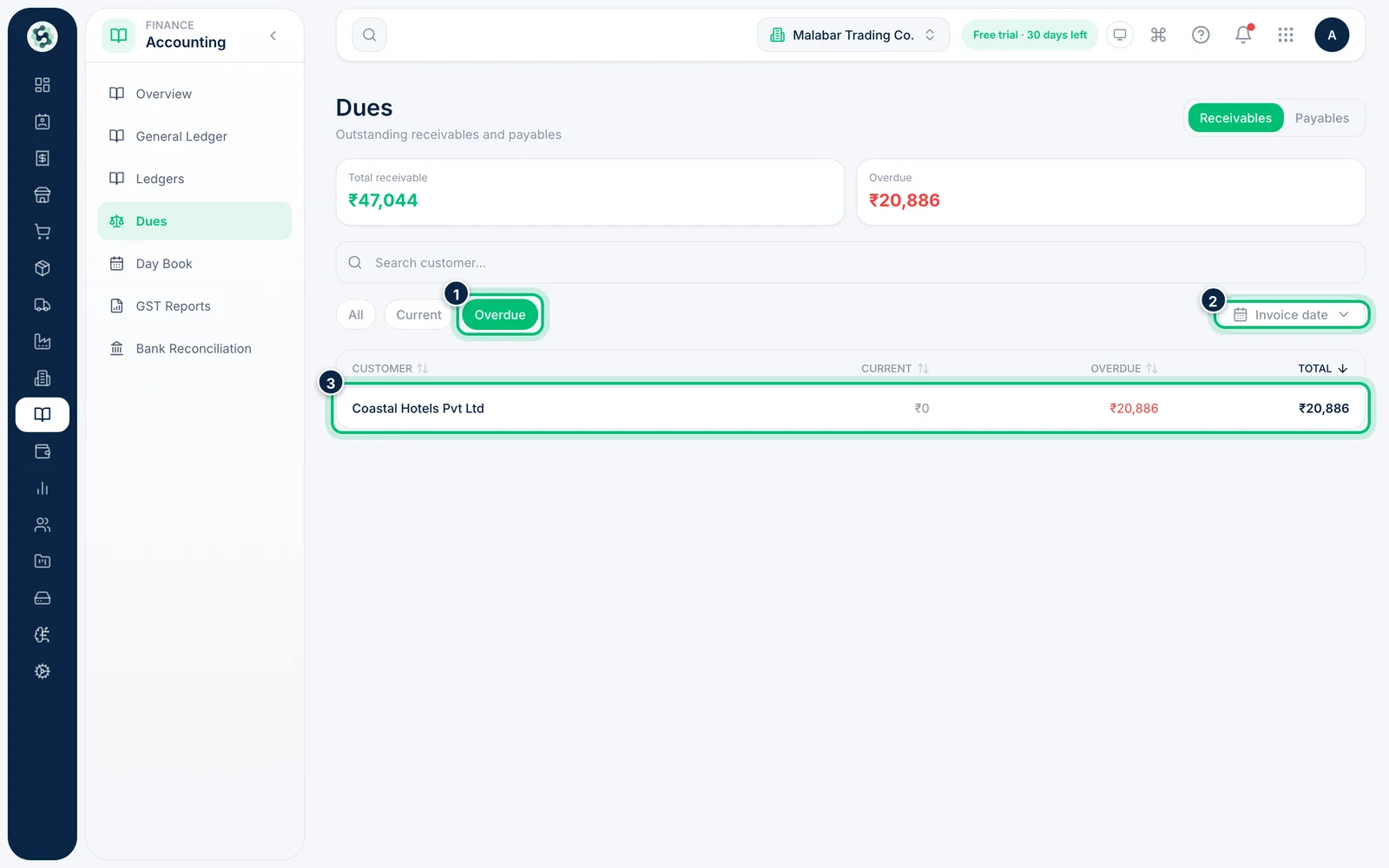
Choose Overdue to list only customers with overdue invoices. Use Invoice date to limit the list to invoices raised in a period. Click a customer to open their account and follow up.
3Switch to payables
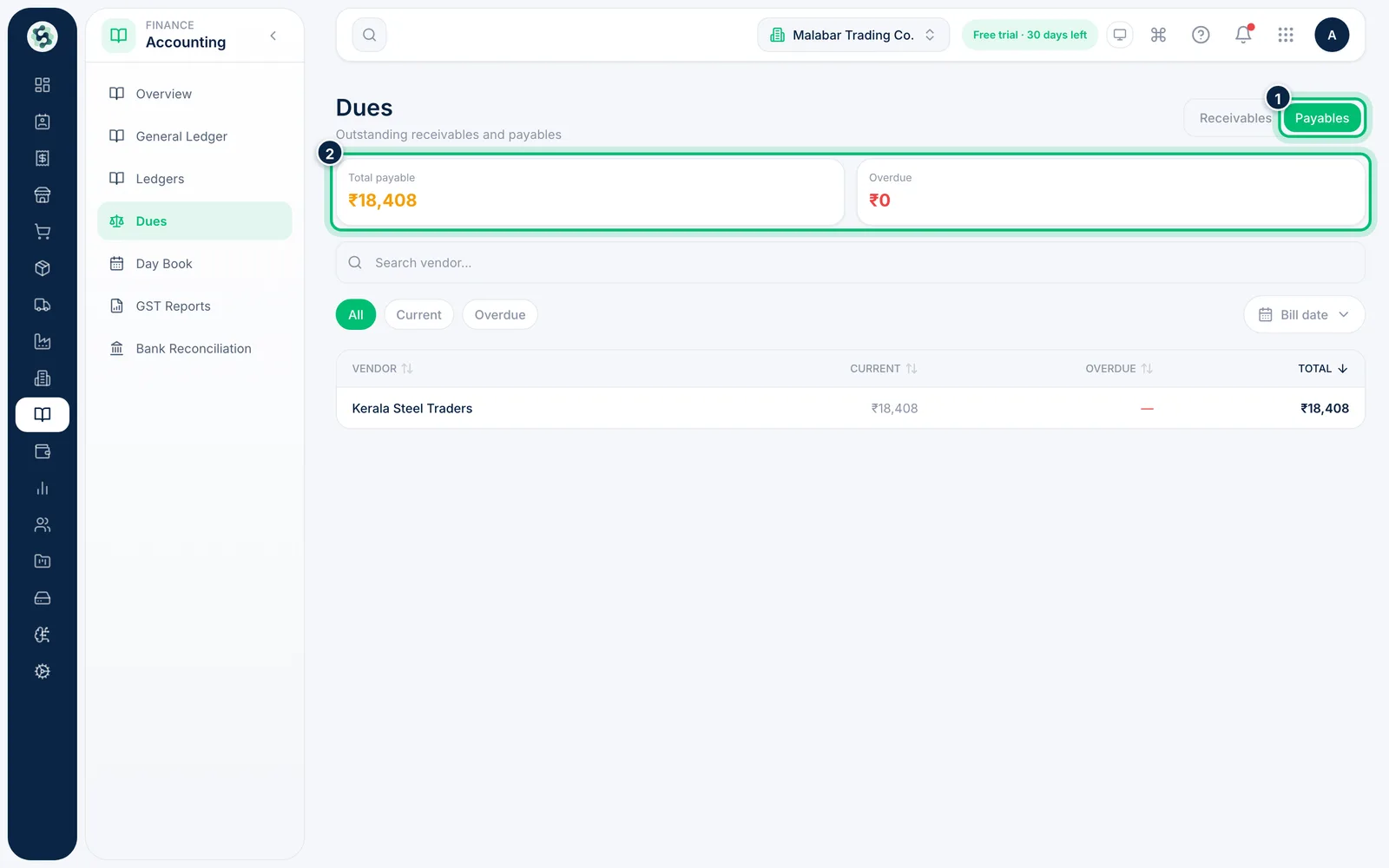
Choose Payables at the top right to see what you owe each vendor from their bills, with the same Current and Overdue split.
Related guides
Read the accounting dashboardSee your financial position at a glance — assets, liabilities, profit, dues and GST payable — and jump to the detailed reports.Reconcile a bank statementImport your bank statement and match each line to the receipts, payments and expenses already in your books.
Still stuck? Contact our support team — or start a free trial to try this in your own company.