
Reports · 3 steps
Review cash, bank, the day book and GST summaries
See money in and out of cash and bank, every transaction in date order, and a quick GST summary for a period.
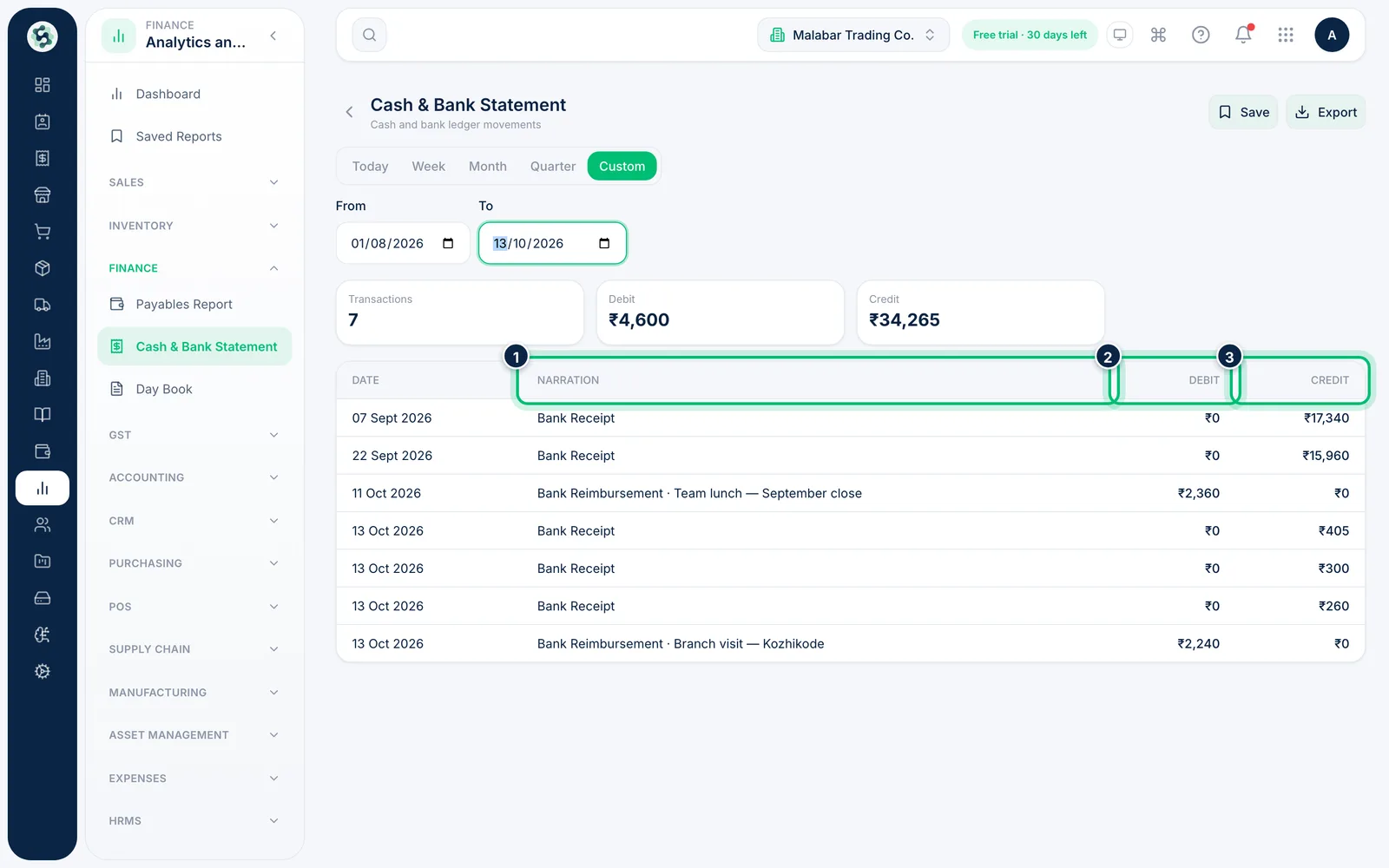
1Open Cash & Bank Statement
Open Cash & Bank Statement from the Finance group. Each cash and bank movement appears with its Date, Narration, Debit and Credit.
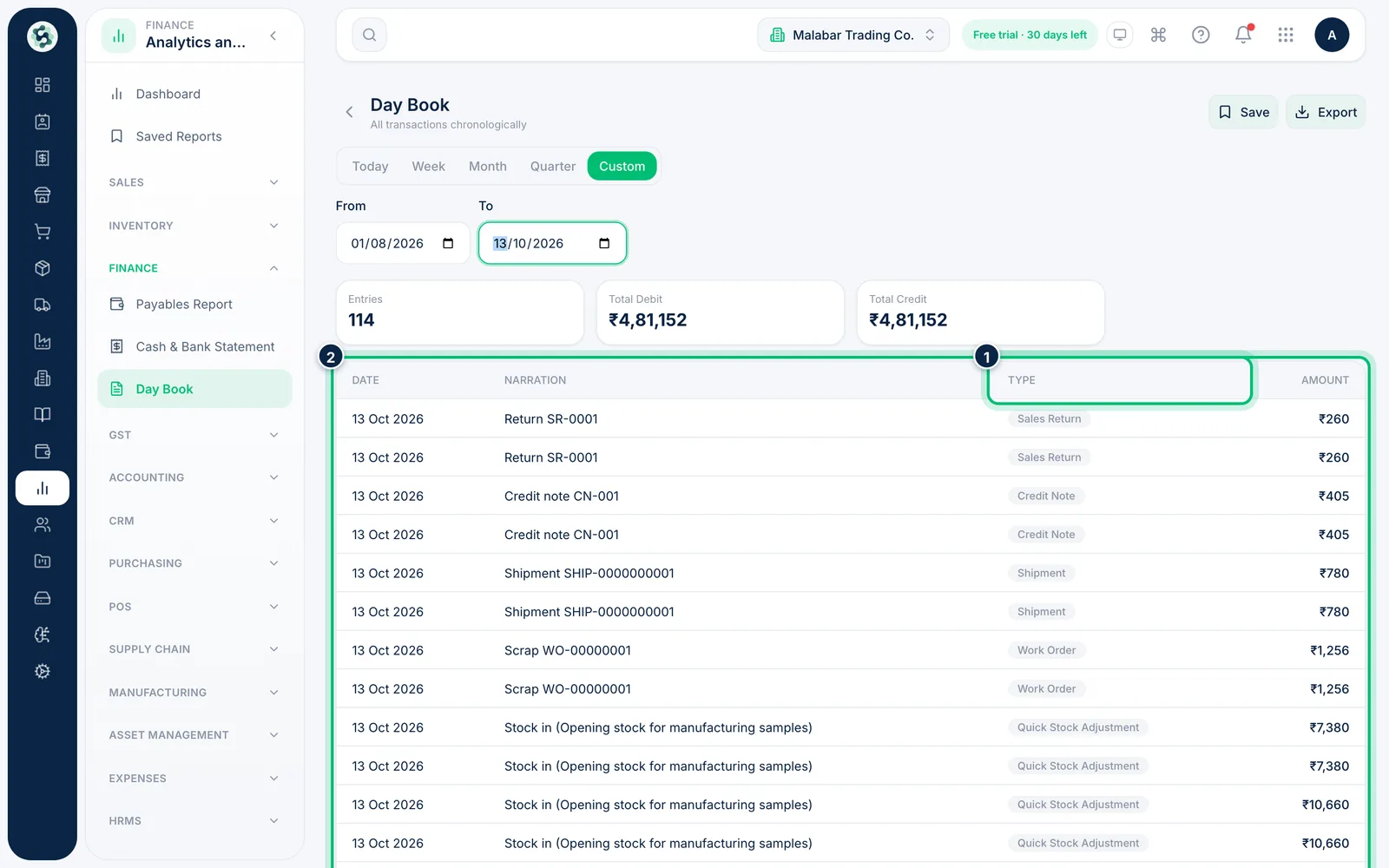
2Check the Day Book
Day Book lists all transactions in date order with their Type and Amount — a quick way to see everything that happened on a busy day.
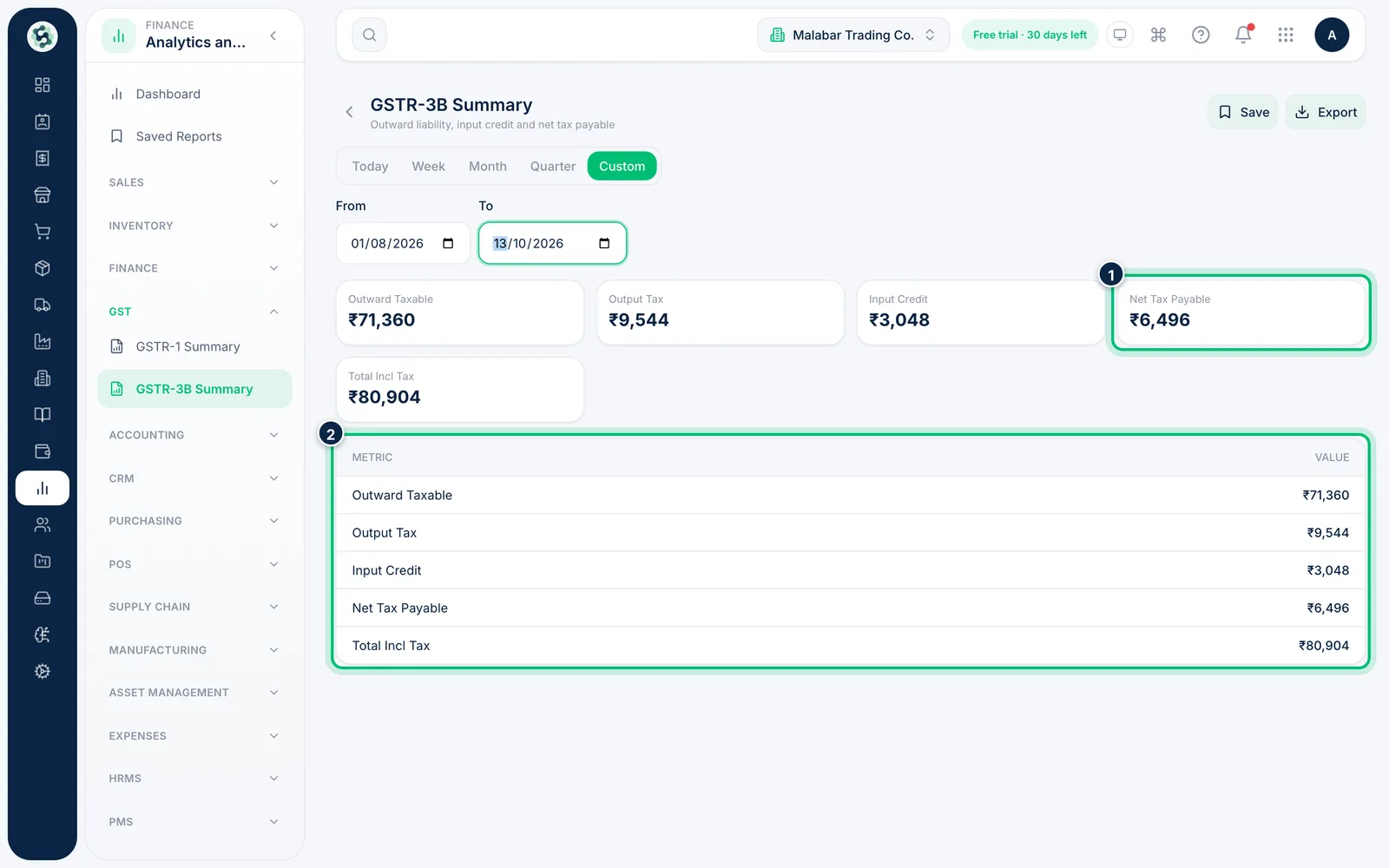
3Get a quick GST summary
In the GST group, GSTR-1 Summary lists outward invoices with their taxable value and CGST, SGST and IGST, and GSTR-3B Summary shows output tax, input credit and Net Tax Payable. To prepare and file the returns, see the Accounting guides.
Related guides
Find and run a reportSearch the library, open a report and choose the period it covers.Export a report to PDF, Excel or CSVDownload a report with the period you've chosen, to share, print or work on in a spreadsheet.
Still stuck? Contact our support team — or start a free trial to try this in your own company.