
Inventory · 3 steps
Check your stock valuation
See what your stock is worth at cost, item by item, using weighted average or FIFO.
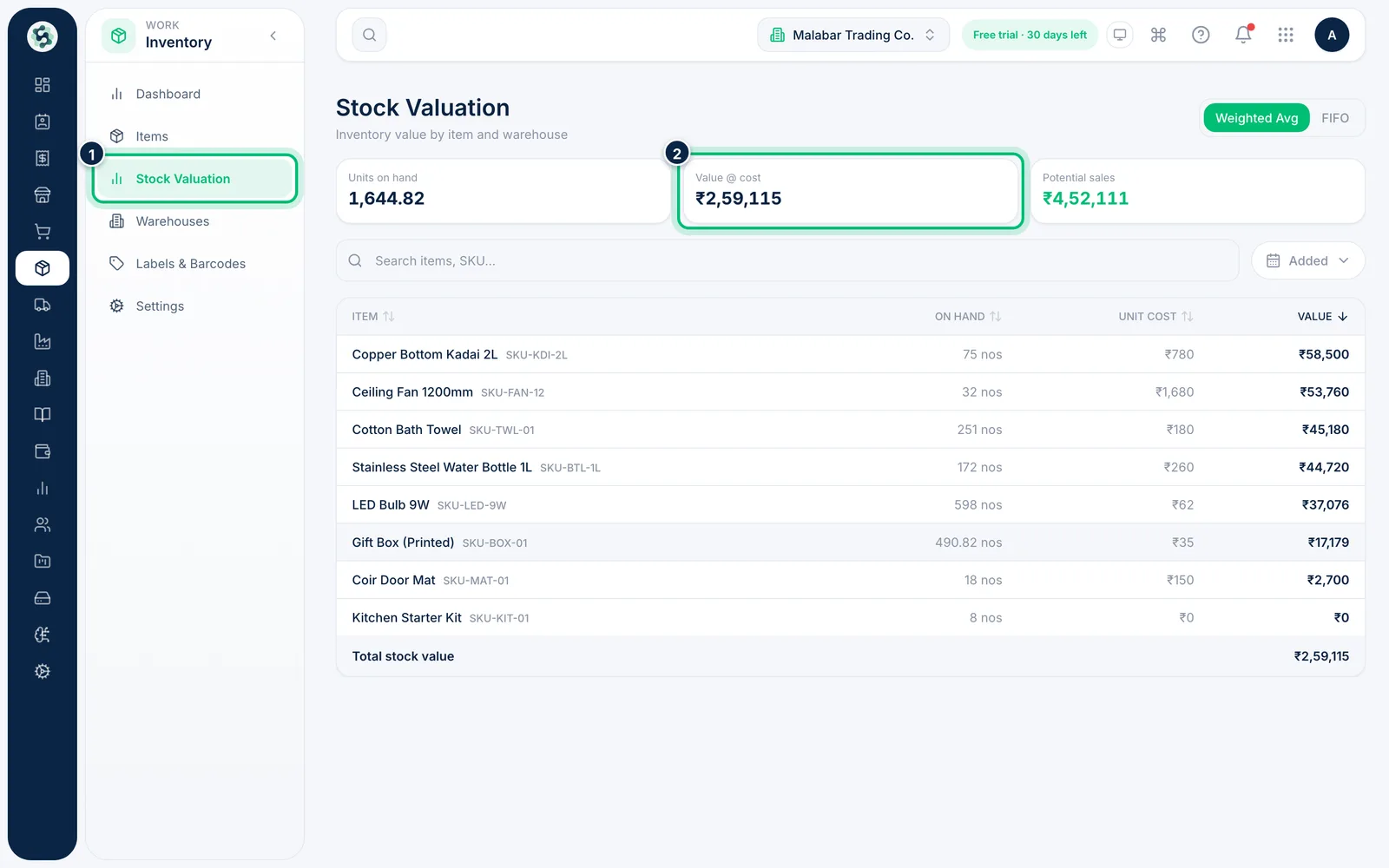
1Open Stock Valuation
Go to Inventory → Stock Valuation. The cards show Units on hand, Value @ cost and Potential sales at your selling prices.
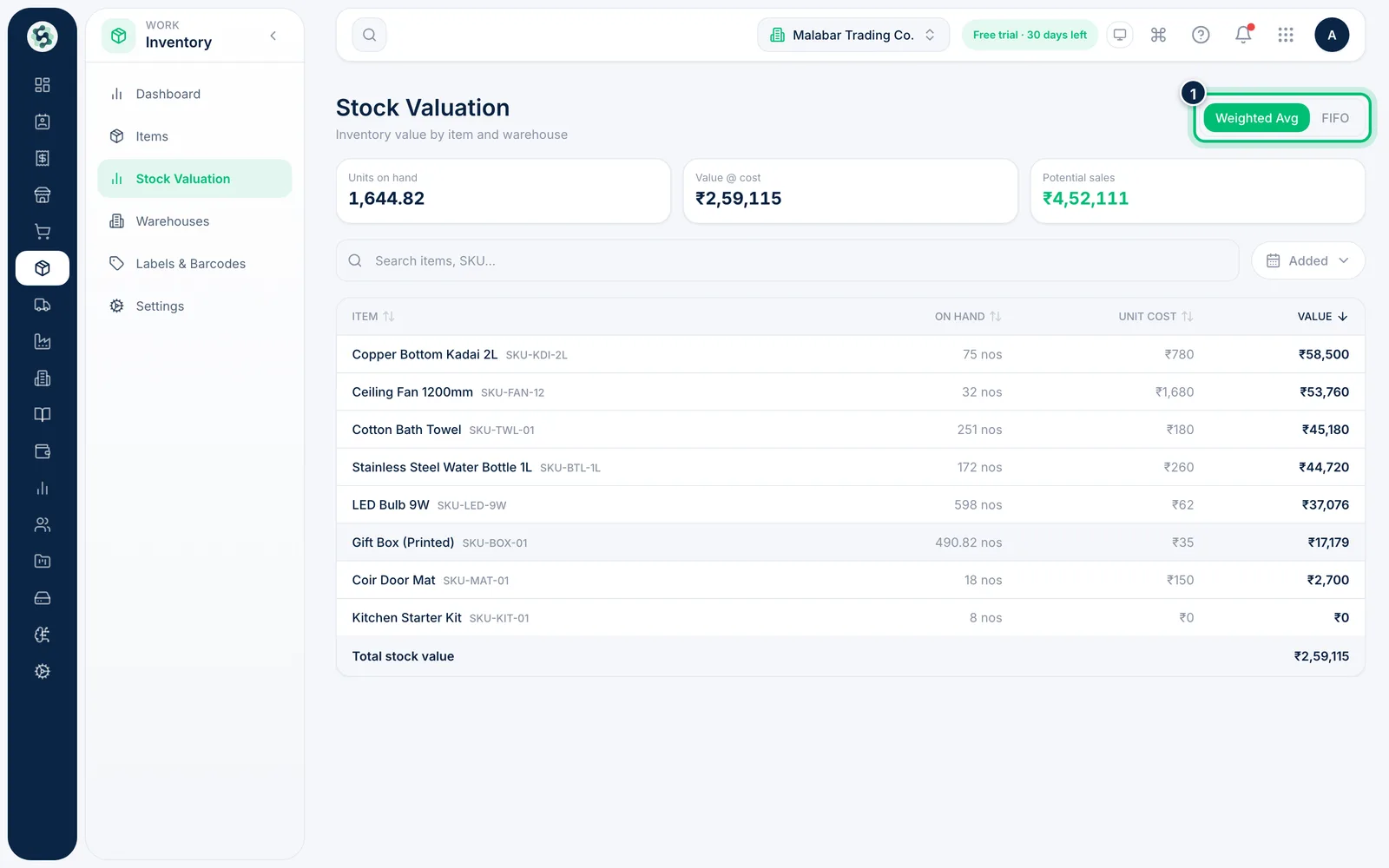
2Choose the valuation method
Switch between Weighted Avg and FIFO to see the value under either costing method.
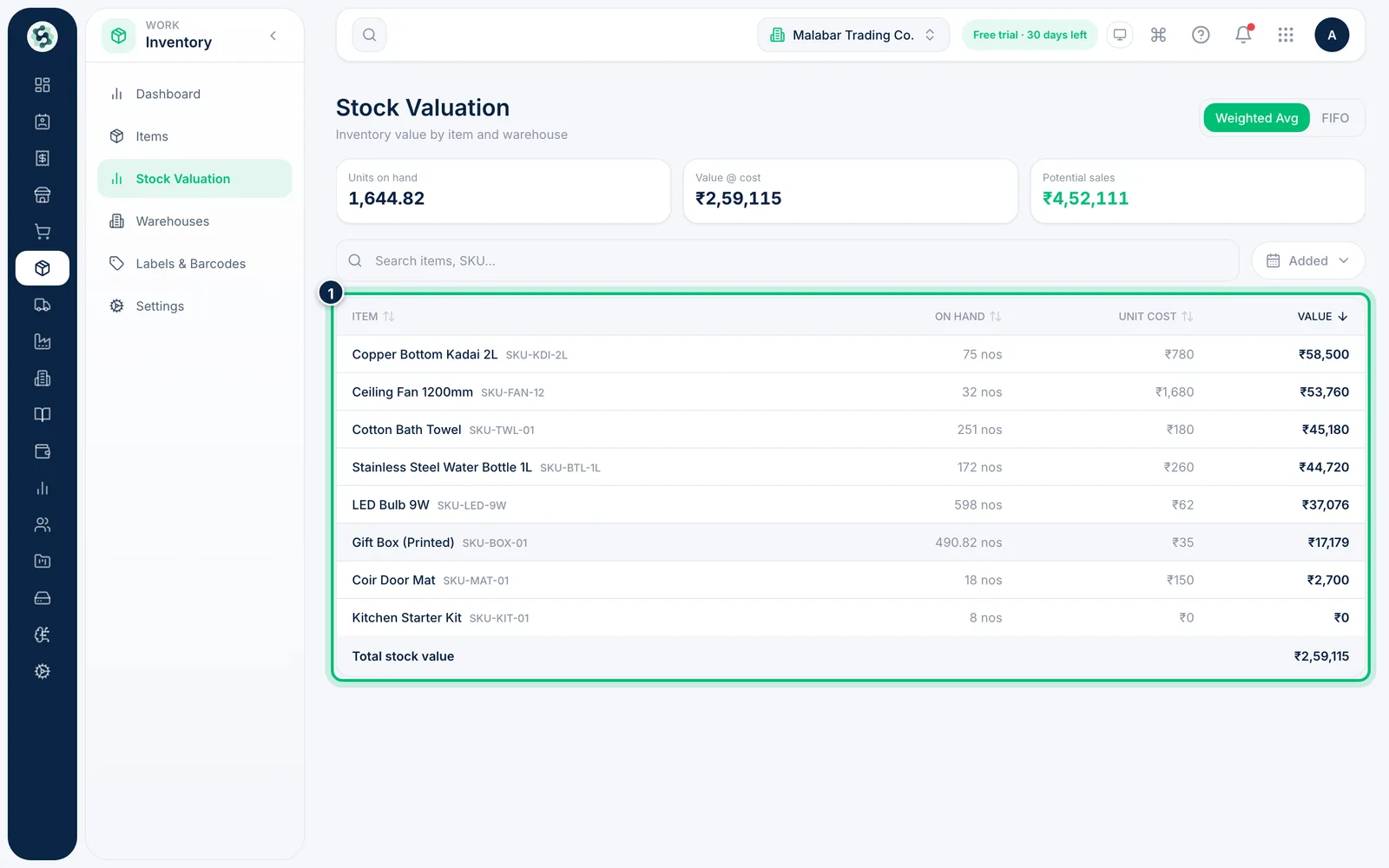
3Review value by item
The table lists each item's On hand, Unit cost and Value, with the Total stock value at the bottom. Search or sort by any column, and click an item to open it.
Related guides
Track low stock and reorderSpot items that have fallen to their reorder level and turn them into draft purchase orders in a few clicks.Set up warehousesAdd each place you keep stock — a godown, a shop or a branch — and see what's stored in each one.
Still stuck? Contact our support team — or start a free trial to try this in your own company.