
Supply chain · 4 steps
Track shipments and update delivery status
Follow each parcel from dispatch to delivery, record the carrier and tracking number, and print a delivery note.
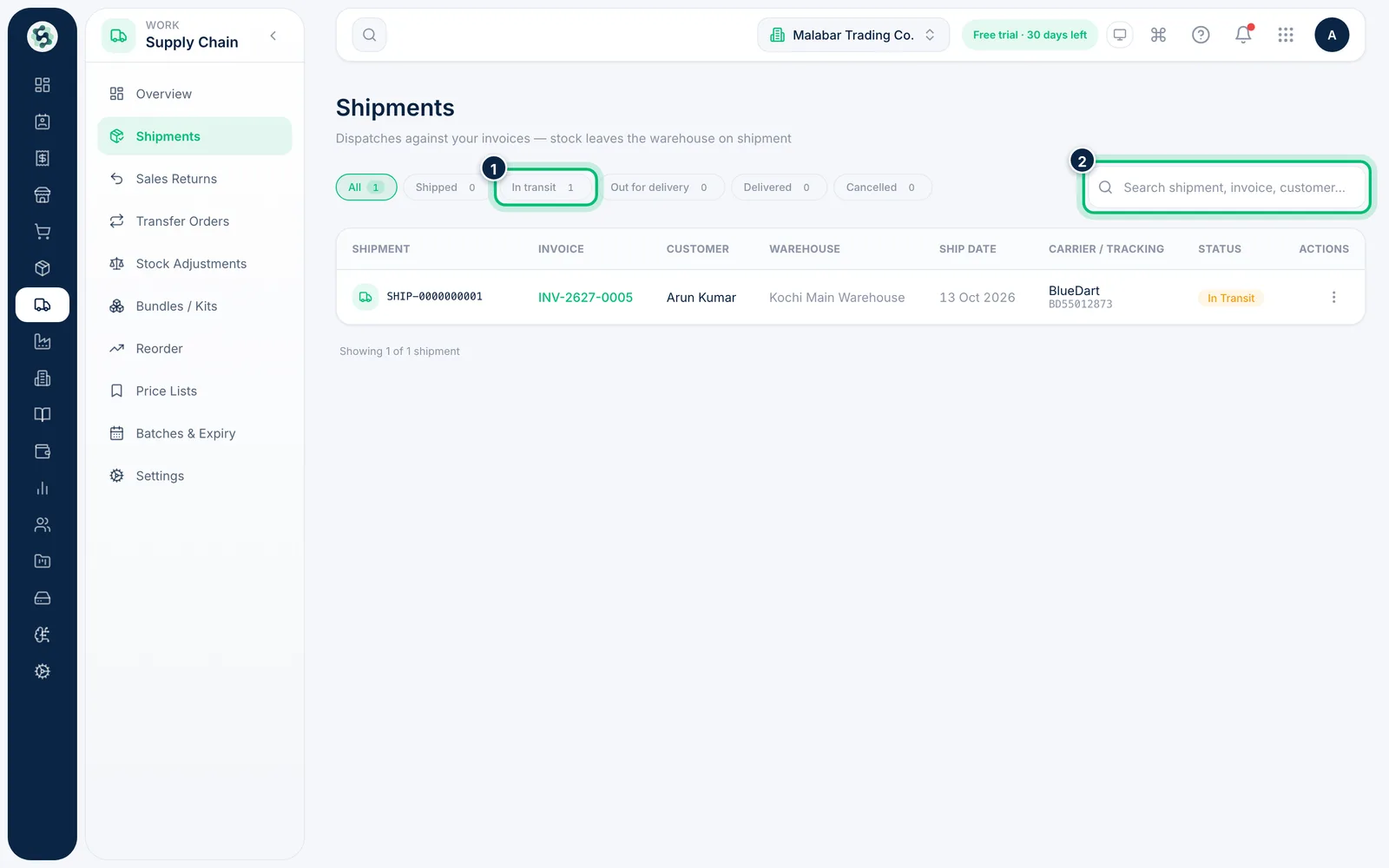
1Filter and search your shipments
Open Supply Chain → Shipments. The pills — All, Shipped, In transit, Out for delivery, Delivered and Cancelled — show a count and filter the list. Search by shipment, invoice, customer, carrier or tracking number.
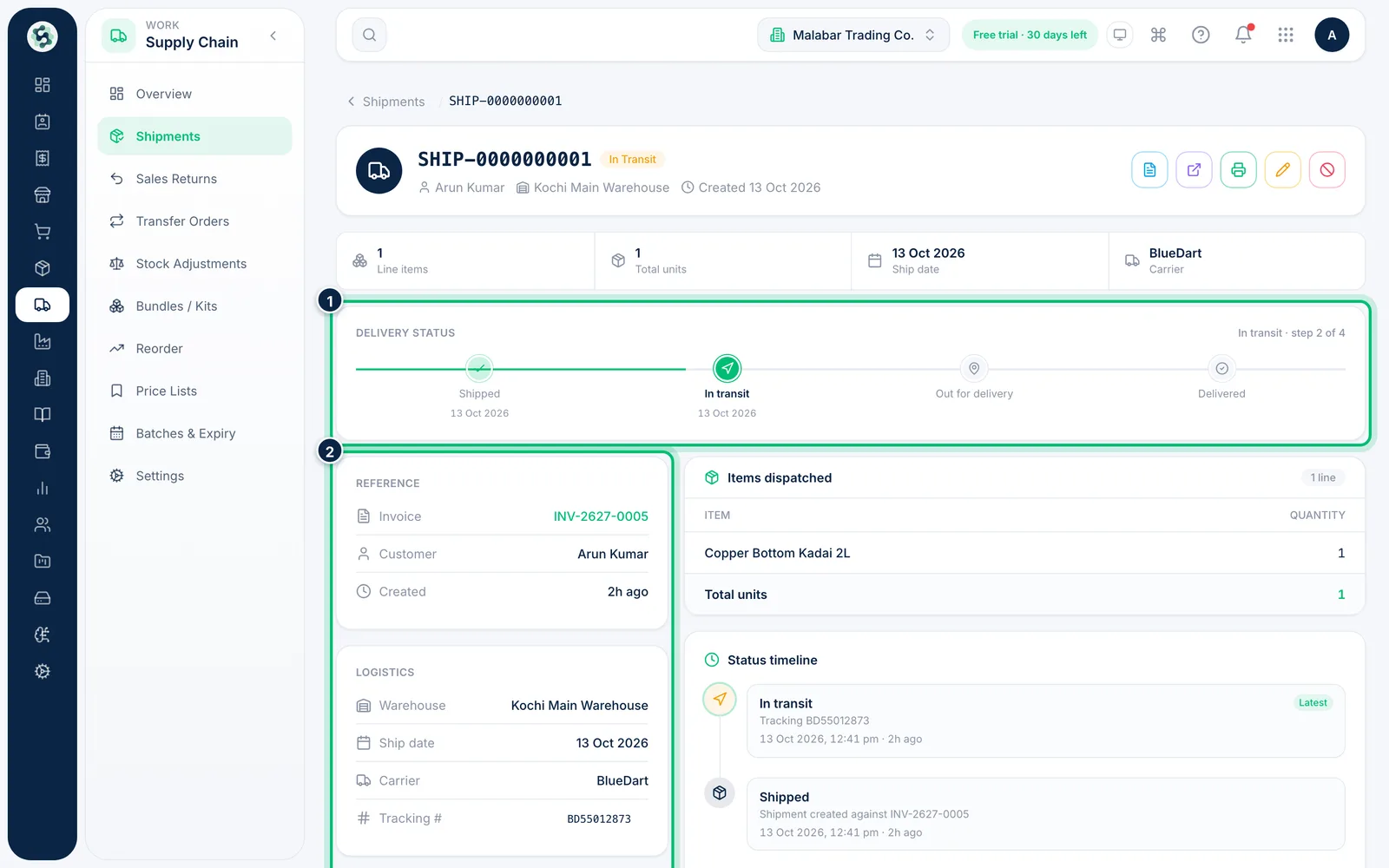
2Open a shipment
Click a row. The Delivery status bar shows how far the parcel has come, and Logistics shows the warehouse, ship date, carrier and tracking number.
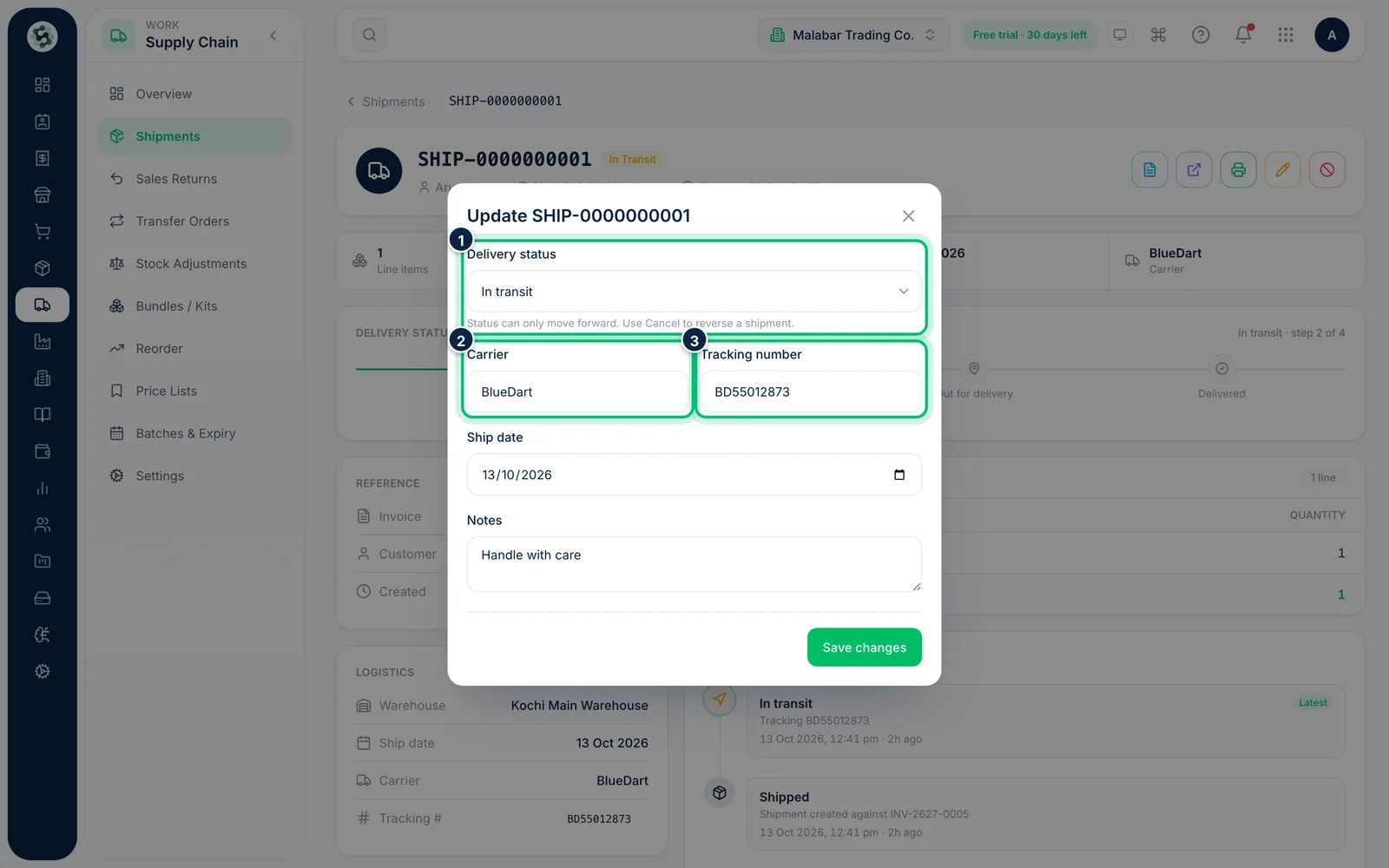
3Update the status and tracking
Choose Update on the shipment. Move the Delivery status forward, change the Carrier or Tracking number, and edit the Ship date or Notes, then Save changes.
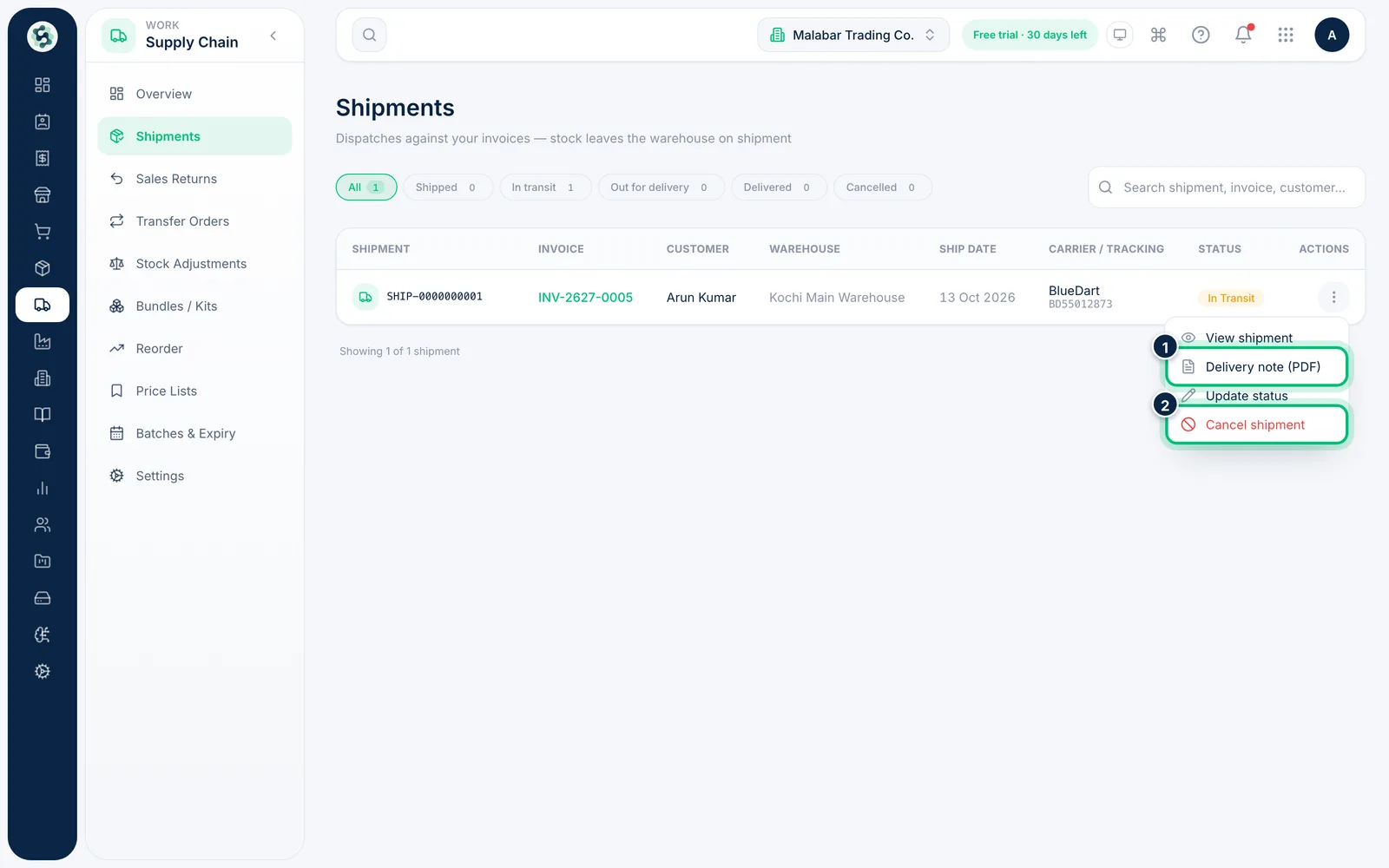
4Print the delivery note
In the shipments list, open a row's Actions menu and choose Delivery note (PDF) to open a printable note for the parcel. The same menu has View shipment, Update status and Cancel shipment.
Related guides
Still stuck? Contact our support team — or start a free trial to try this in your own company.